
Сценарии по типам мероприятий
Run a conference on Ticket Fairy
A conference sells differently from a gig. People buy a day or the whole programme, add a workshop and a dinner, and arrive as a named delegate rather than a ticket number. This is the order to build one in, from the template to the arrivals report on the morning.
Set up delegate passes, workshops and a dinner, cap the rooms that fill, collect every attendee name, and get speakers, press and crew through the door.
- Для кого
- Running a conference, summit or professional programme
- Займёт
- 20 минут
- Start from the conference template
- Group the passes by what they admit
- Close the early bird on a date
- Sell the workshops and the dinner as add-ons
- Give a full room its own arrival times
- Ask for every delegate's name
- Send the speakers and the press their passes
- Give the crew one pass for every day
- Email the people coming on one day
- Watch the registration desk on the morning
Перед началом
- You're a brand owner or admin. You need at least a curator login to send the speaker and press passes.
- You have the programme: which days, which rooms, and which sessions people have to book a place in.
- You know what a delegate can buy. A day, the full conference, a workshop place, a dinner seat, and whether students pay less.
-
Start from the conference template
Create the event and pick Conference, then answer the two questions it asks about a student rate and a networking dinner. It builds a Standard pass, an Early bird pass at three quarters of the price, and a Workshop pass add-on, with attendee names already switched on.
Примечание: A comic con or expo starts from Convention instead, which builds weekend, day and VIP passes and can add an exhibitor booth.
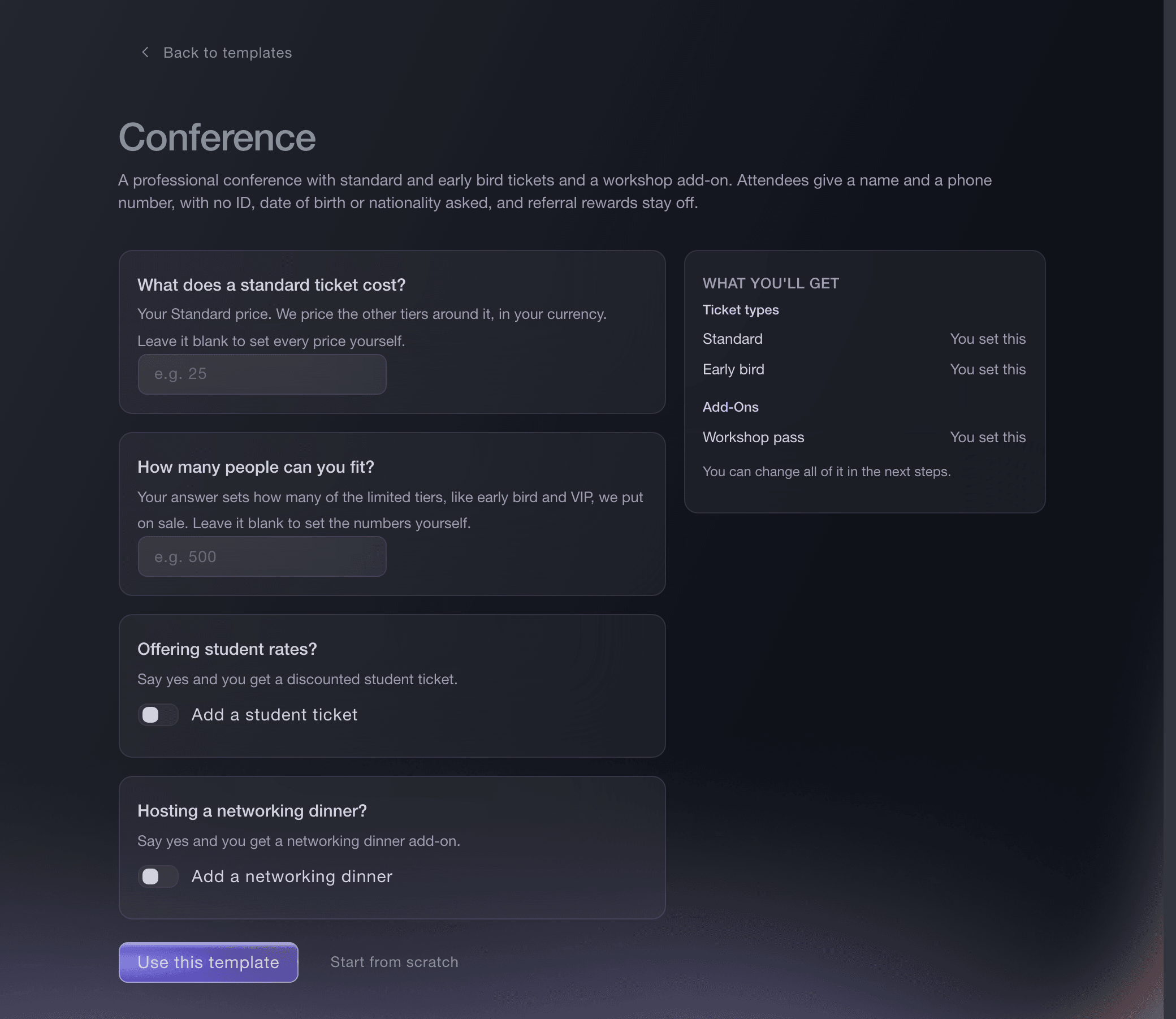
Create event, template, Conference. -
Group the passes by what they admit
Create a category for each thing a delegate can buy, such as Full conference and Day one. Buyers then see two clear choices with the releases underneath, rather than one list of six passes.
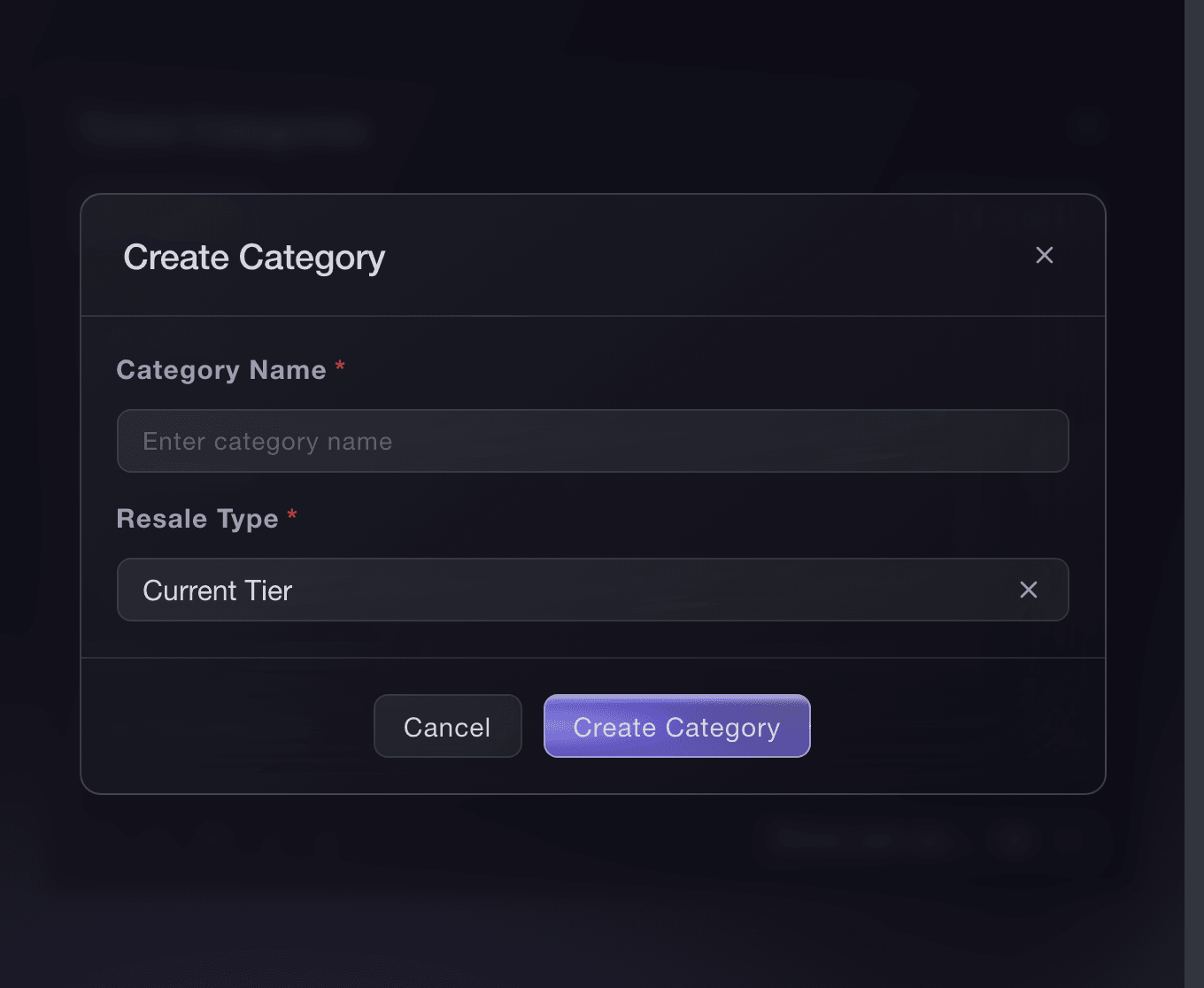
Event, Tickets, Ticket Categories, Create. -
Close the early bird on a date
Under Ticket availability, give the early bird pass a sales end and the standard pass a sales start on the same day. Delegates book against a budget, and a published cut-off is what makes them book this month rather than next.
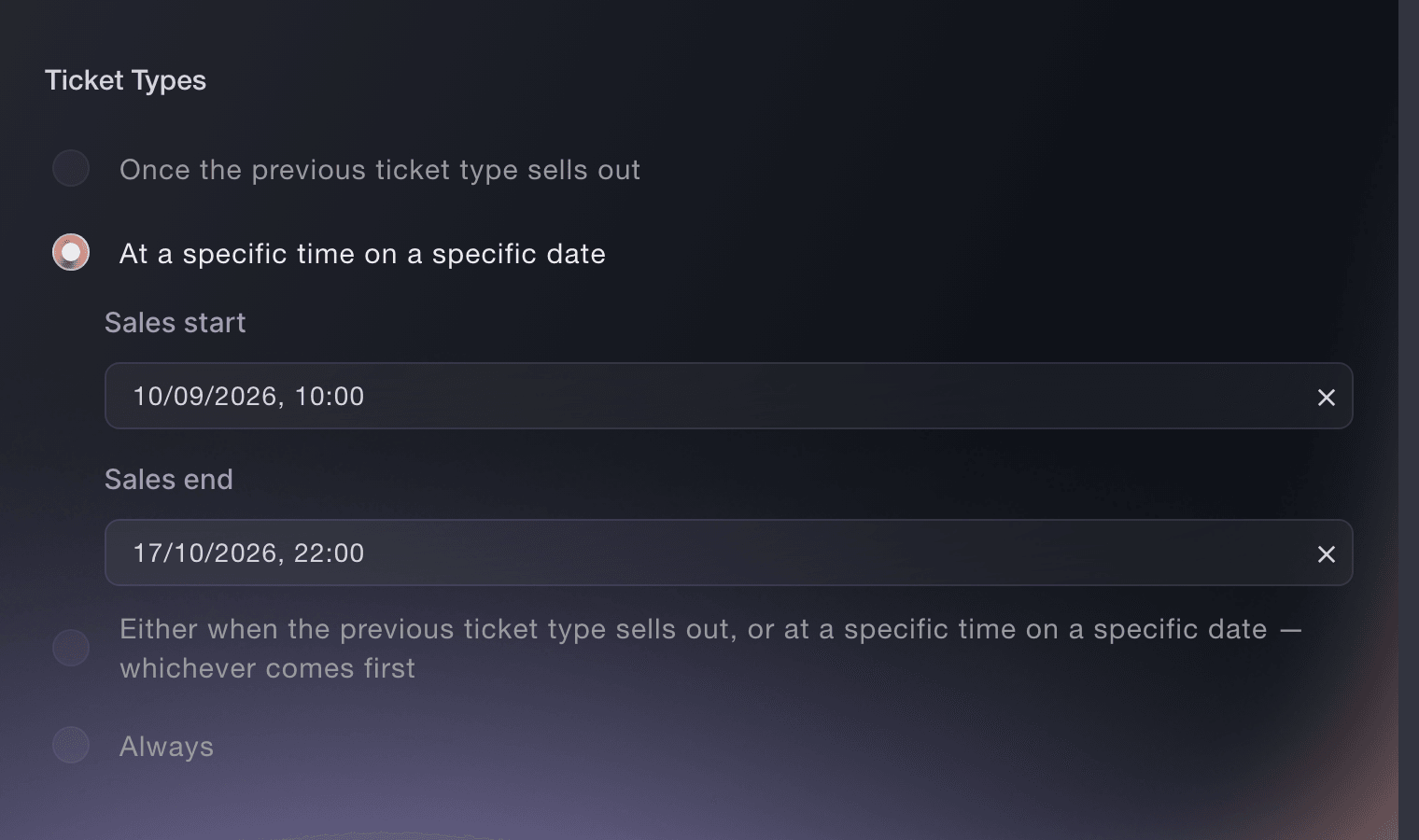
Event, Tickets, ticket type, Ticket availability. -
Sell the workshops and the dinner as add-ons
Select Create Add-On for each workshop and for the dinner, each with its own price and its own stock. The stock is the room, so a workshop for thirty places closes to buyers once thirty delegates have taken one.
Примечание: Add-ons are bought in the same checkout as the pass, so a delegate leaves with the whole day booked in one payment.
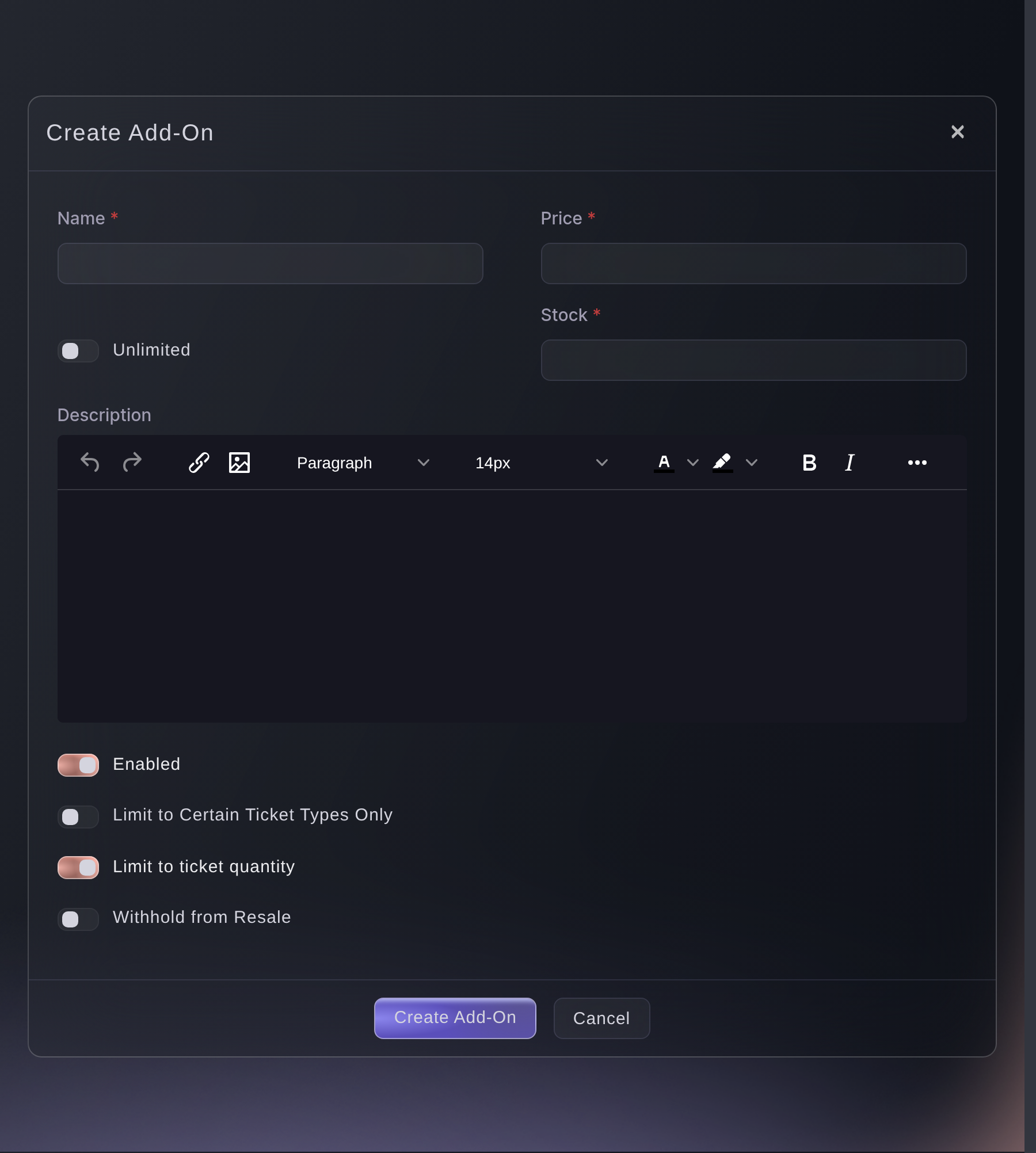
Tickets, Add-Ons, Create Add-On. -
Give a full room its own arrival times
Turn on time slots for a pass whose room fills, then set Max sales per slot to the number of places each sitting holds. Delegates pick a time when they buy, and a full sitting closes to buyers while the others stay open.
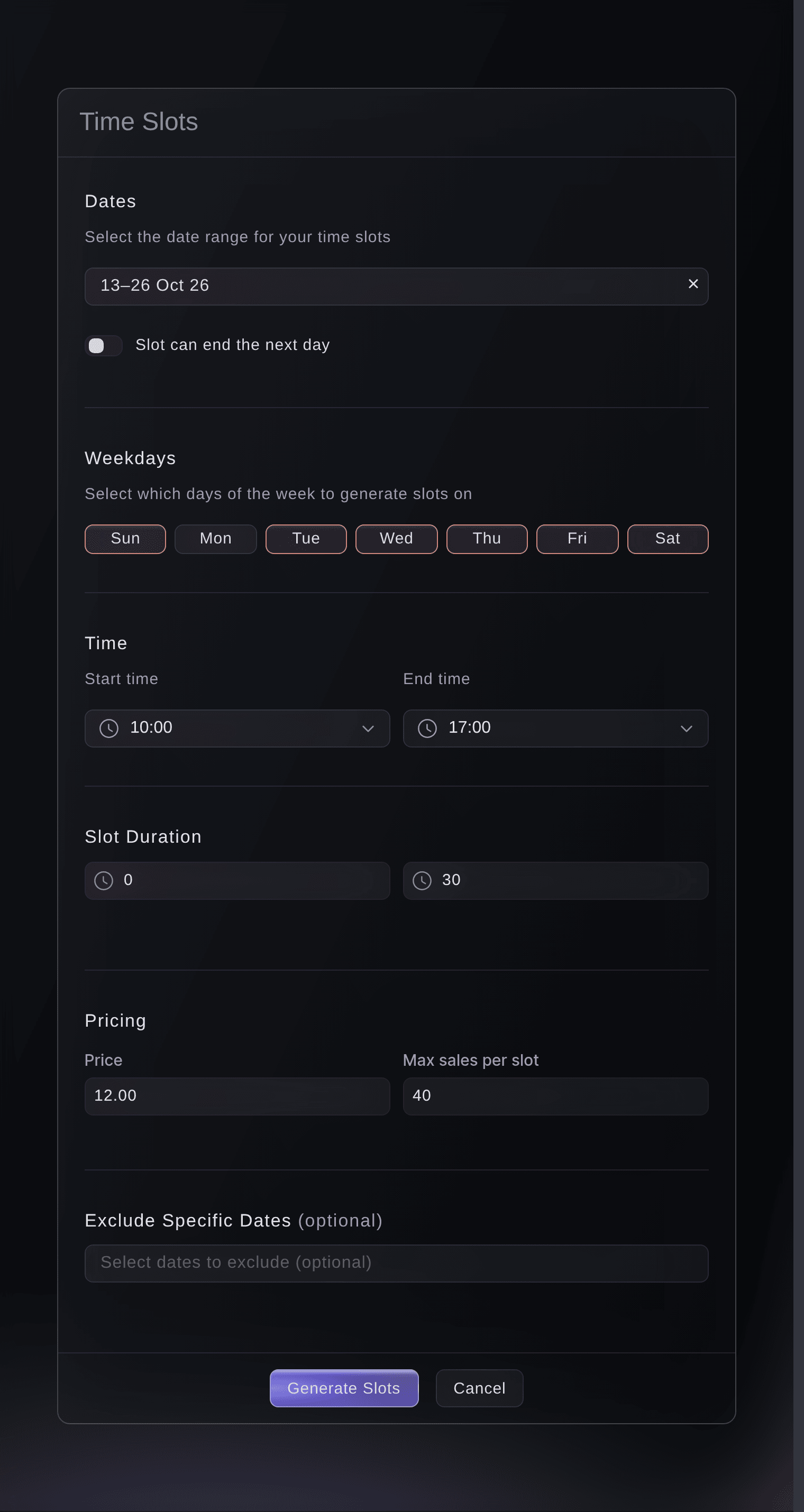
Tickets, Create Ticket Type, Generate time slots. -
Ask for every delegate's name
Keep the template's requirement that each ticket carries the attendee's own name, so a company buying five passes names five people. The door then reads a person rather than a booking, and so does your list.
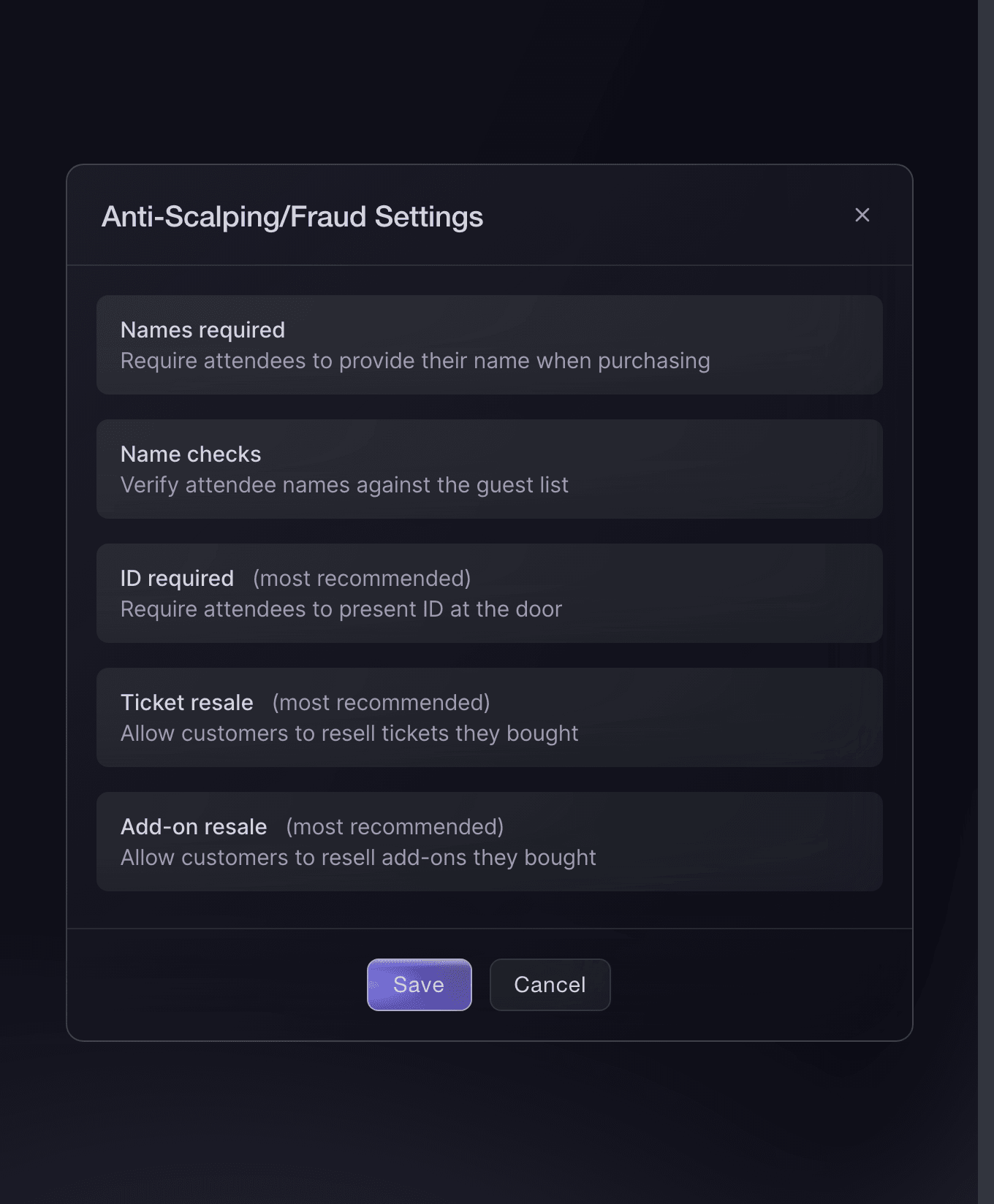
Event settings, Anti-Scalping/Fraud Settings. -
Send the speakers and the press their passes
Issue each speaker, chair and journalist a guest ticket on the pass they should hold. They scan in like a paying delegate and stay out of your revenue, and the issued list records who sent each one.
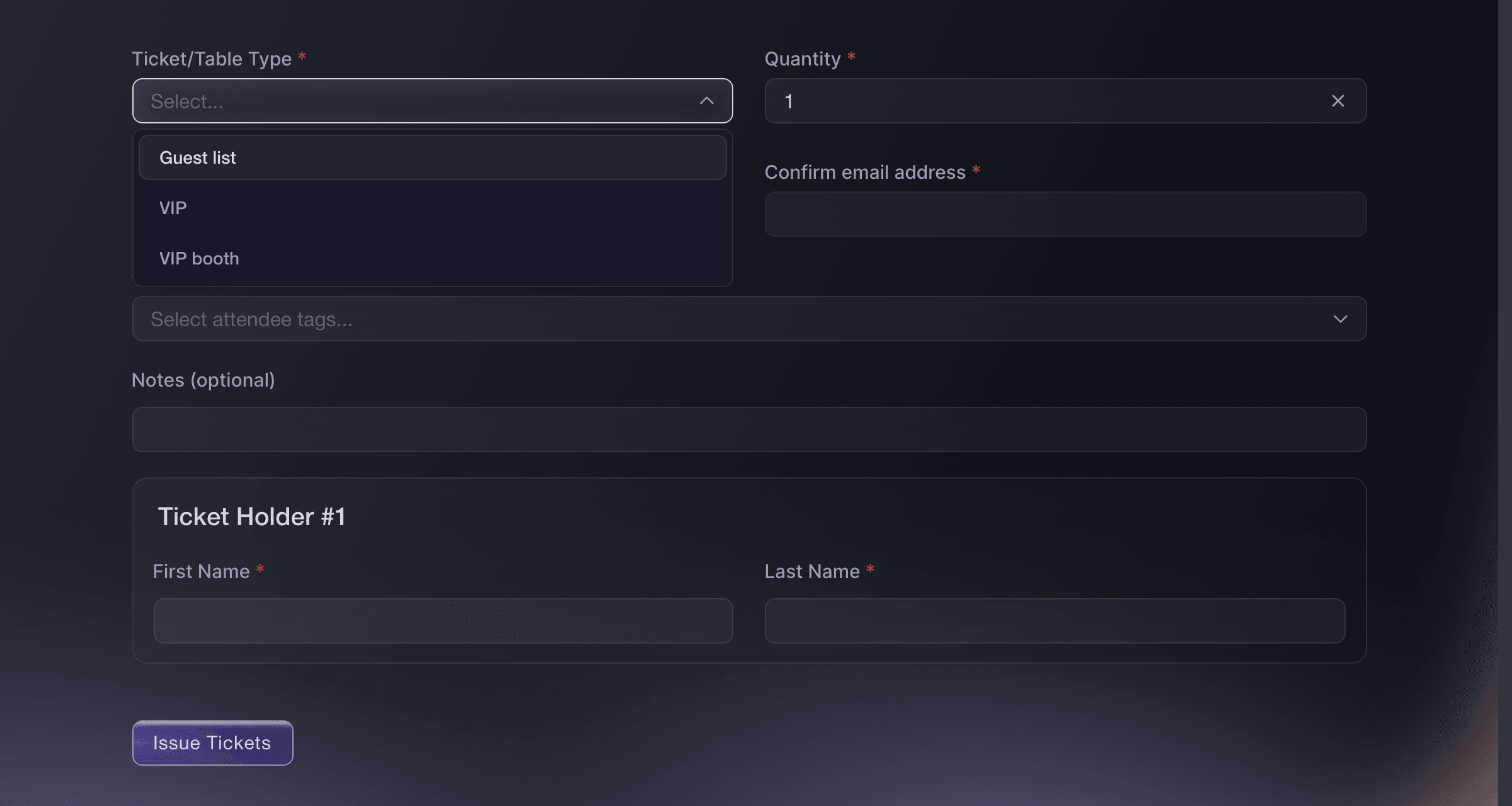
Event, Guest Tickets. -
Give the crew one pass for every day
Issue the production team, the AV crew and the registration desk a multi-entry pass instead of a ticket per day. One barcode carries them through the whole run and can be stopped the moment a crew member leaves the team.

Multi-Entry Passes, Create New Pass. -
Email the people coming on one day
Email the holders of one pass or one add-on when a room moves or a speaker changes, rather than everybody. A delegate who came for Thursday does not need Friday's running order, and the message that reaches only the right people is the one that gets read.
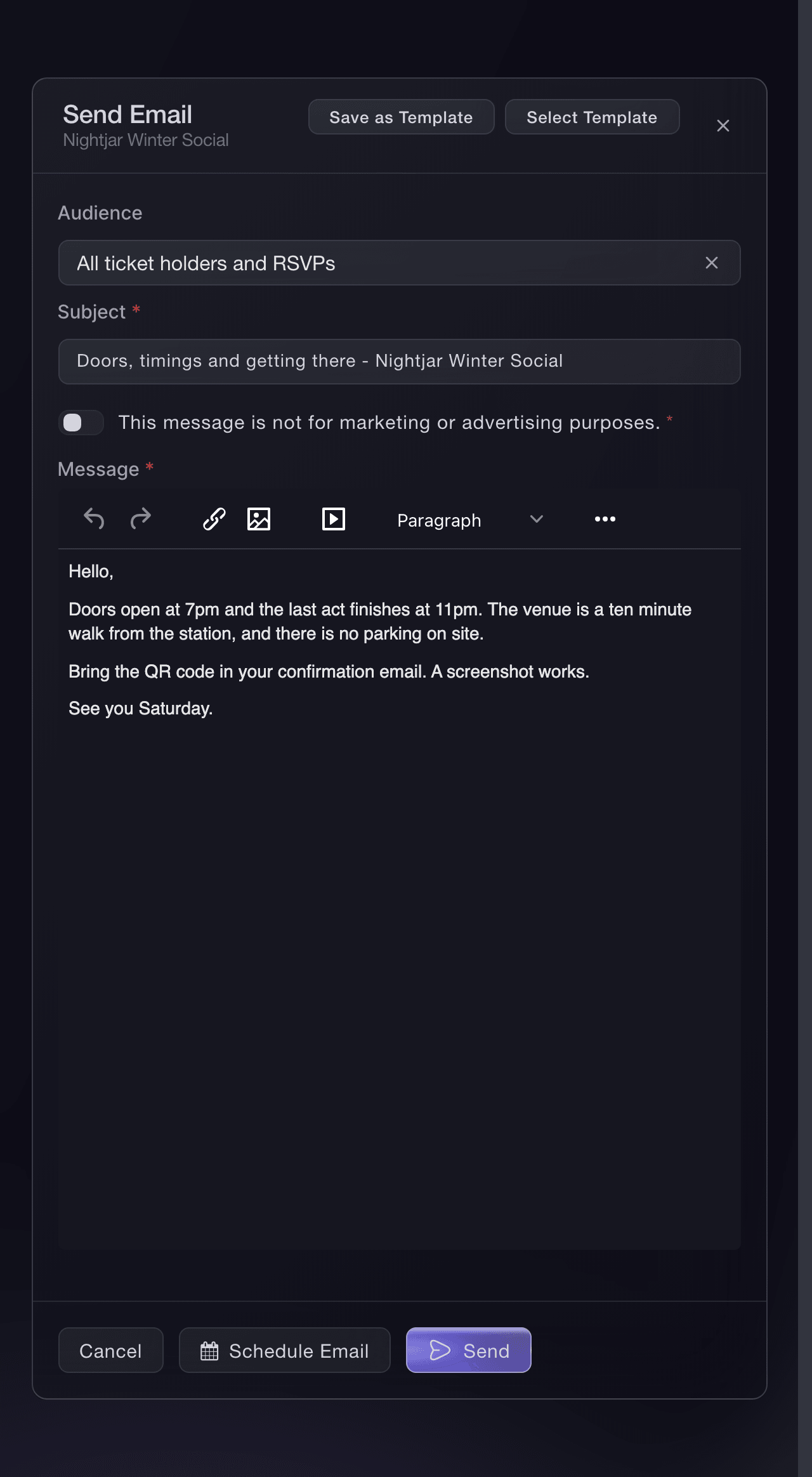
Event, Messaging, Send Email. -
Watch the registration desk on the morning
Open the check-in report while the doors are open to see arrivals by hour against what sold. A queue at nine and an empty desk at eleven is a staffing decision you can still make on the day.
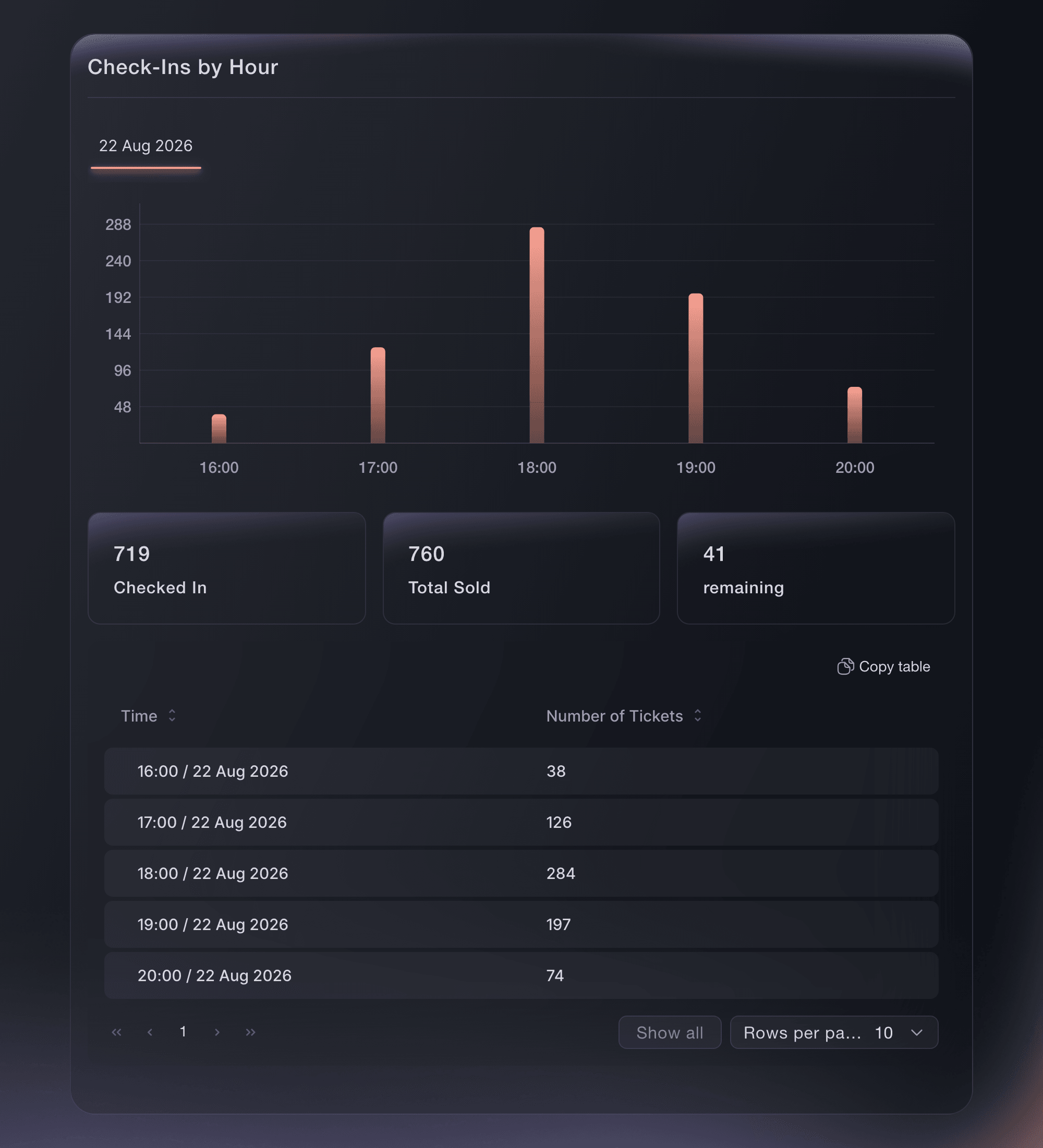
Event, Check-In.


Или поручите это помощнику
Fai, the assistant inside your dashboard, can build the event from the conference template and answer the questions it asks. She shows you the passes and add-ons she means to create before she creates them.
В вашей панели, с Fai
Set up a two day conference called <EVENT NAME> on <DATES> at <VENUE>, with a student rate and a networking dinner, and show me the passes before you create them
Offer a workshop only to the delegates it is for
Limit an add-on to the passes that may buy it, so a masterclass for full-conference delegates never appears to a delegate holding a day pass. The checkout hides it rather than refusing it at the end.

Fai lists your add-ons and which passes each one is open to. Changing the limit is yours to do on the page.
В вашей панели, с Fai
For <EVENT NAME>, list my add-ons and say which ticket types can buy each one
Run next year from this year
Duplicate the event once the dates are set, and the passes, categories, add-ons and settings come with it. The second edition of a conference is nearly the same event with new dates, so build it from the one that worked.
Fai reads last year's event so you can see what it held before you copy it. Duplicating it is yours to do on the page.
В вашей панели, с Fai
Show me the ticket types, add-ons and settings on <LAST YEAR EVENT NAME>
Вопросы, которые могут возникнуть
- Should I set my workshops up as sessions?
- Not for anything you charge for. A paid session can be configured but has no checkout path yet, so nobody can buy one; a session that comes free with a pass can be booked today. Sell a paid workshop as an add-on with the room's size as its stock, which is what the conference template does.
- Can a company buy a block of passes on one invoice?
- Yes, with group bookings: one company contact agrees the passes and the price, receives one invoice with your purchase order and payment terms on it, and each delegate then claims their own pass. Ask us to switch it on for your brand before you promise it to a company. Add-ons cannot yet be assigned to individual delegates.
- How do I collect job titles and dietary needs?
- Add your own checkout questions to the event and the answers stay with the booking, so they come out with your attendee list. Ask only what your team will read, because every extra question costs you completed checkouts.
- We have exhibitors. Where do booths go?
- A booth is a table type, priced for the stand and sold with the number of staff passes it includes. The convention template creates one for you when you answer yes to its exhibitor question.
- The keynote room is smaller than the conference. How do I cap it?
- Give that pass time slots with the room's capacity on each sitting, so delegates reserve a time rather than turning up to a full room. This is the same setting museums use for timed entry.
Похожие руководства
Сделайте это на своём мероприятии
Создайте аккаунт, соберите мероприятие и выполните шаги в своей панели управления. Звонок в отдел продаж не нужен.