
Оформление и заказы
Let buyers refund their own tickets
Refund requests are one of the biggest calls on a promoter's inbox, and most of them ask for something the buyer could do themselves. Self-refunds put a Refund ticket button on the buyer's own order page, on the terms you agree with Ticket Fairy. The choice is worth making early, because it can only be turned on while the event's money is still with us.
Turn on self-refunds, see what a buyer is offered on their order page, and know what happens to the ticket and the stock afterwards.
- Для кого
- Cutting refund requests out of your inbox
- Займёт
- 7 минут
Перед началом
- You're an owner or an admin on this event. Neither switch below is on a promoter, support or stats login.
- Your event's ticket money is still held by Ticket Fairy. Once it has been released to you, self-refunds cannot be turned on, and an event that had them loses them at the same moment.
-
Turn on self-refunds
Open your event, select Tickets and, on the Settings tab, turn on Allow customers to initiate refunds, confirm, then select Save Ticket Settings. The confirmation says you are enabling self-refunds for the event.
Примечание: A greyed switch means the event's ticket money has already been released, and hovering it says so. Turning self-refunds off stays possible at any time.
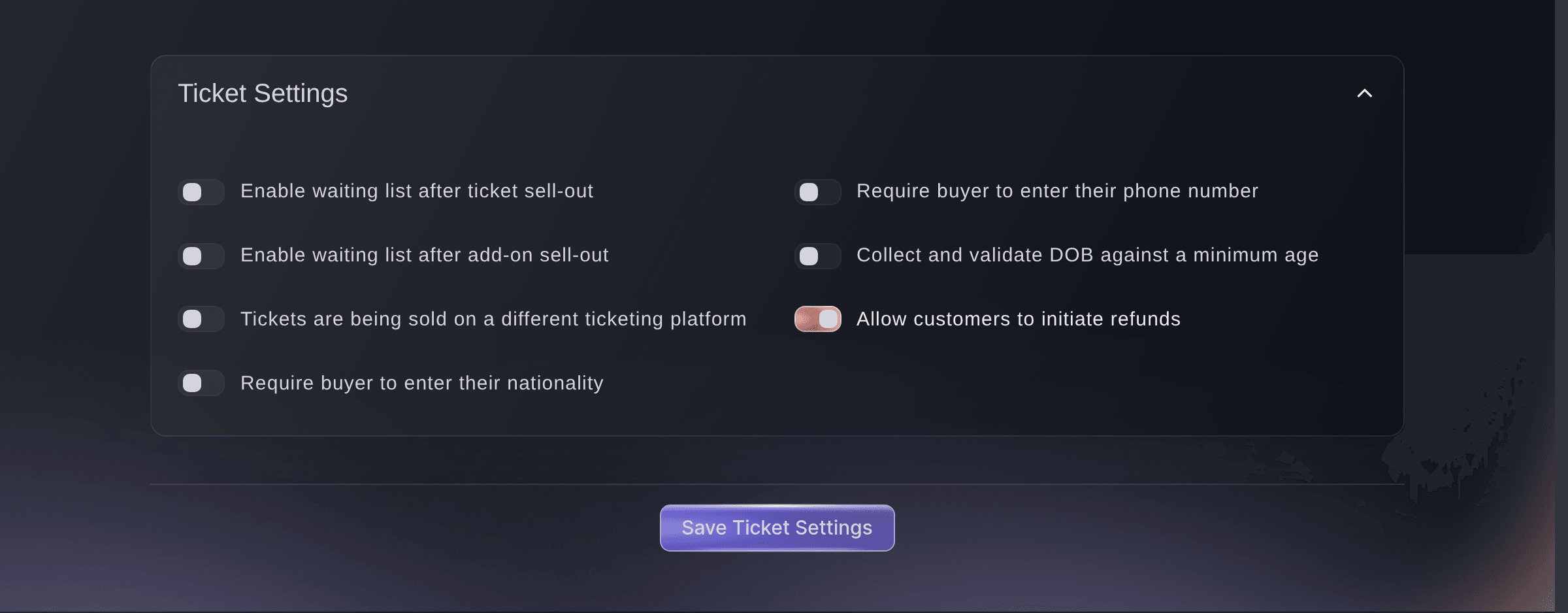
Event, Tickets, Settings. -
The other switch, on Event Settings
Refunds allowed on the event settings grid records that your event offers refunds. The switch a buyer acts on is the one in step 1.
Примечание: Set both when you offer refunds, so the event's own settings and what buyers can do agree with each other.
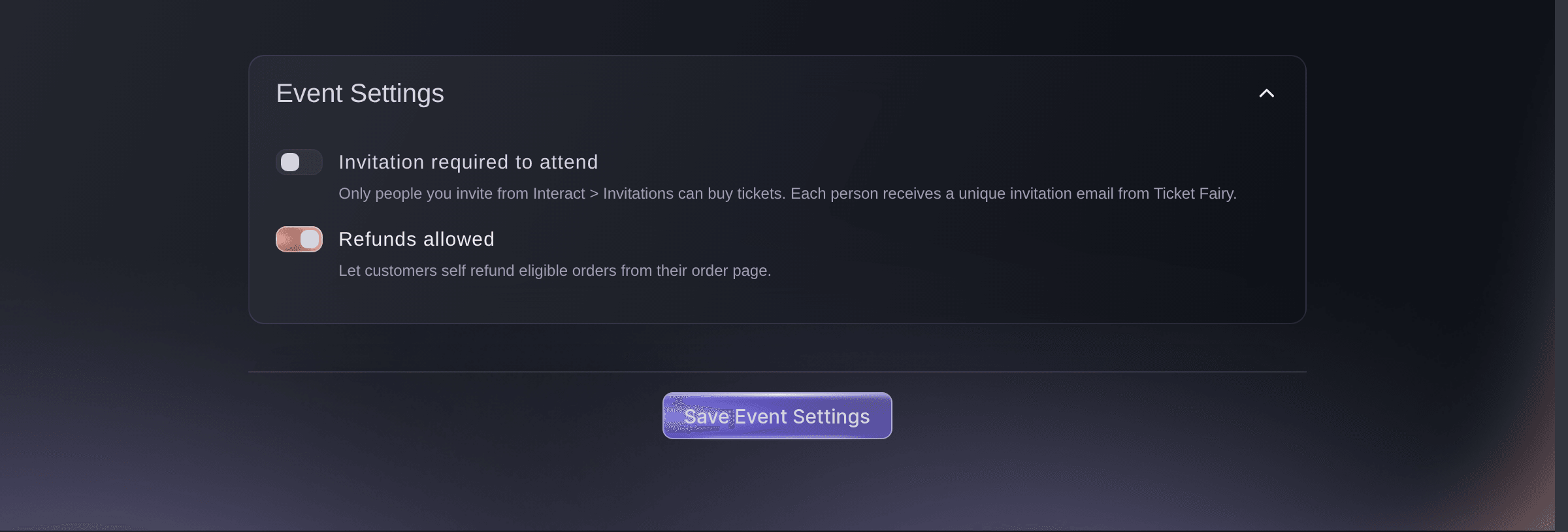
Event, Settings.
The buyer's side of a refund
A buyer opens their own order page and selects Refund ticket beside the ticket they want to give up, then confirms. It is one ticket at a time for most buyers, so a buyer with four tickets refunds them one by one; a whole-order button appears on a payment plan that is still running, and on an order that reached you through a partner box office.
Примечание: The ticket usually stops working there and then. Where the card provider answers that the refund is pending, the barcode and the stock follow once the provider confirms it, so the two can be a short while apart.
The amount a buyer gets back
The amount comes from the event, and Ticket Fairy sets it with you rather than you setting it on a page. It can be the full face value, a percentage of it, the face value less a fixed amount you keep, or a flat sum. Where you agree on more than one, the buyer chooses between them on the confirmation, with the first already selected.
Примечание: Ask us to change the terms rather than looking for a control. The confirmation names the figure where the terms set one, and tells the buyer either way that a refund cannot be reversed.
Или поручите это помощнику
Fai, the assistant inside your dashboard, can turn self-refunds on or off for an event and asks you to approve the change first. She refuses to turn them on once the event's money has been released, and says why. The terms a buyer is offered are not on anything she reads, so ask us for those.
В вашей панели, с Fai
Turn on self-refunds for <EVENT NAME> and confirm the setting is on
Из терминала
Установите CLI по ссылке нашей страницы CLI, войдите командой ticketfairy auth login и выберите бренд, с которым работаете, командой ticketfairy brand use <BRAND_ID>. ticketfairy brand list и ticketfairy event list выводят идентификаторы, которые используют другие команды.
Use the CLI to read the setting. Changing it is done in the dashboard or through Fai, so the confirmation is never skipped.
Show the event, including whether buyers can refund themselves.
ticketfairy event get <EVENT_ID> --output json
Where the ticket goes
A refunded ticket stops working and its place goes back on sale, or to the waiting list where your event sends refunded stock there instead. Any seat it held is released with it.
Примечание: The buyer keeps the refund email as their record, and the refund appears against the order in your reports.
Fai can tell you the state each ticket on an order is in. Where a refunded place went afterwards is not recorded against the ticket, so that one is ours to check.
В вашей панели, с Fai
What state is each ticket on <ORDER NUMBER> for <EVENT NAME> in
When a buyer cannot refund
A ticket listed for resale keeps the button but asks the buyer to take it off resale first. A ticket already refunded, transferred or checked in has no button at all.
Примечание: Releasing the event's ticket money takes the button off its orders, unless we have set the event up to keep refunds open after a postponement, which is a rule of its own. It never appears on a free ticket, on one already refunded down to nothing, or on a ticket type we have left out of the self-refund list.
Fai reads the ticket's own state, so she can tell you it is refunded, transferred, checked in or on resale. The rules that come from the event rather than the ticket are not on anything she reads, so ask us where none of those fits.
В вашей панели, с Fai
What state is the ticket on order <ORDER NUMBER> in
Refund on a buyer's behalf
You can still refund an order yourself from Orders, whether or not self-refunds are on, until the event's money is released. That path asks for a code sent to your email address and refunds the whole order, and the refund-an-order guide sets out the rest of what it needs.
Fai can refund an order for you in two steps: she asks for a code, which reaches your email address, and you give it to her with your approval before anything is refunded.
В вашей панели, с Fai
Refund order <ORDER NUMBER> on <EVENT NAME> for <REASON>, and send me the code first
Вопросы, которые могут возникнуть
- Why will the switch not turn on?
- The event's ticket money has been released, so a self-refund would have nothing to come from, and hovering the switch says the same. The Orders page cannot refund that event either, from the same moment and for the same reason. Ask us, and we will refund the buyer for you.
- Can I turn self-refunds off again?
- Yes, at any time, including after the money has been released. Buyers lose the button from that moment, and refunds already taken stay as they are.
- Who decides the percentage or the amount we keep?
- It is agreed with Ticket Fairy and set on the event, not in the dashboard, and one set of terms covers every ticket type on it. Ask us for the terms you want, and the buyer will see exactly that on the confirmation.
- Does the buyer get their booking fee back?
- On the standard terms the refund is the ticket's face value and the booking fee stays, which is the same as a refund you make yourself from the Orders page. Where we have agreed a percentage, a withheld amount or a flat sum with you, that is what the buyer gets and the confirmation names the figure before they agree to it.
- One buyer has no refund button and everyone else does. Why?
- Three things do that to a single order. An order paid in cash at a shop rather than by card cannot be refunded back the way it came, an order that reached you through a partner box office belongs to that partner, and a ticket bought for nothing has nothing to return. Ask us if none of those fits and we will look at the order with you.
- Does a self-refund put the ticket back on sale?
- Yes, unless your event sends refunded stock to the waiting list, in which case the place is offered to the next person waiting. The barcode usually stops working at once, and where the card provider answers that the refund is pending it stops, and the place returns, when the provider confirms it.
Похожие руководства
Сделайте это на своём мероприятии
Создайте аккаунт, соберите мероприятие и выполните шаги в своей панели управления. Звонок в отдел продаж не нужен.