
Получение выплат
Choose who pays the booking fee on your event
Every organiser decides, once per event, whether the booking fee sits on top of the ticket price or comes out of it. Promoters who want the poster price to be the checkout price absorb the fee; most pass it to the buyer and keep the full ticket price. The choice is made on the Tickets page before the first ticket type exists, because the prices of every ticket type are prepared under it.
Decide before your first ticket type whether buyers pay the booking fee on top, you absorb it from the ticket price, or buyers see it at checkout, and know what each choice does to the price on your page and the amount you receive.
- Для кого
- Deciding how booking fees appear on an event before tickets go on sale
- Займёт
- 5 минут
Перед началом
- You're an owner or admin of the event. Promoters, stats and door logins do not see the Tickets page.
- You have not created a ticket type yet, or you are happy with the choice the event already has. Ticket Fairy prevents a switch between Added and Absorbed once ticket types exist.
- You know the ticket prices you want buyers to see, and whether your agreement with the venue or artist is on the face value or on what you receive.
-
Choose on the Tickets page before the first ticket type
Open your event, select Tickets and, on the Inventory tab, choose a card under Booking Fees. The choice saves as you select it and a confirmation appears.
Примечание: Once a ticket type exists, Added and Absorbed lock against each other, because each ticket type's prices were prepared under the current choice. Added and Added Later can still swap where Added Later is available.
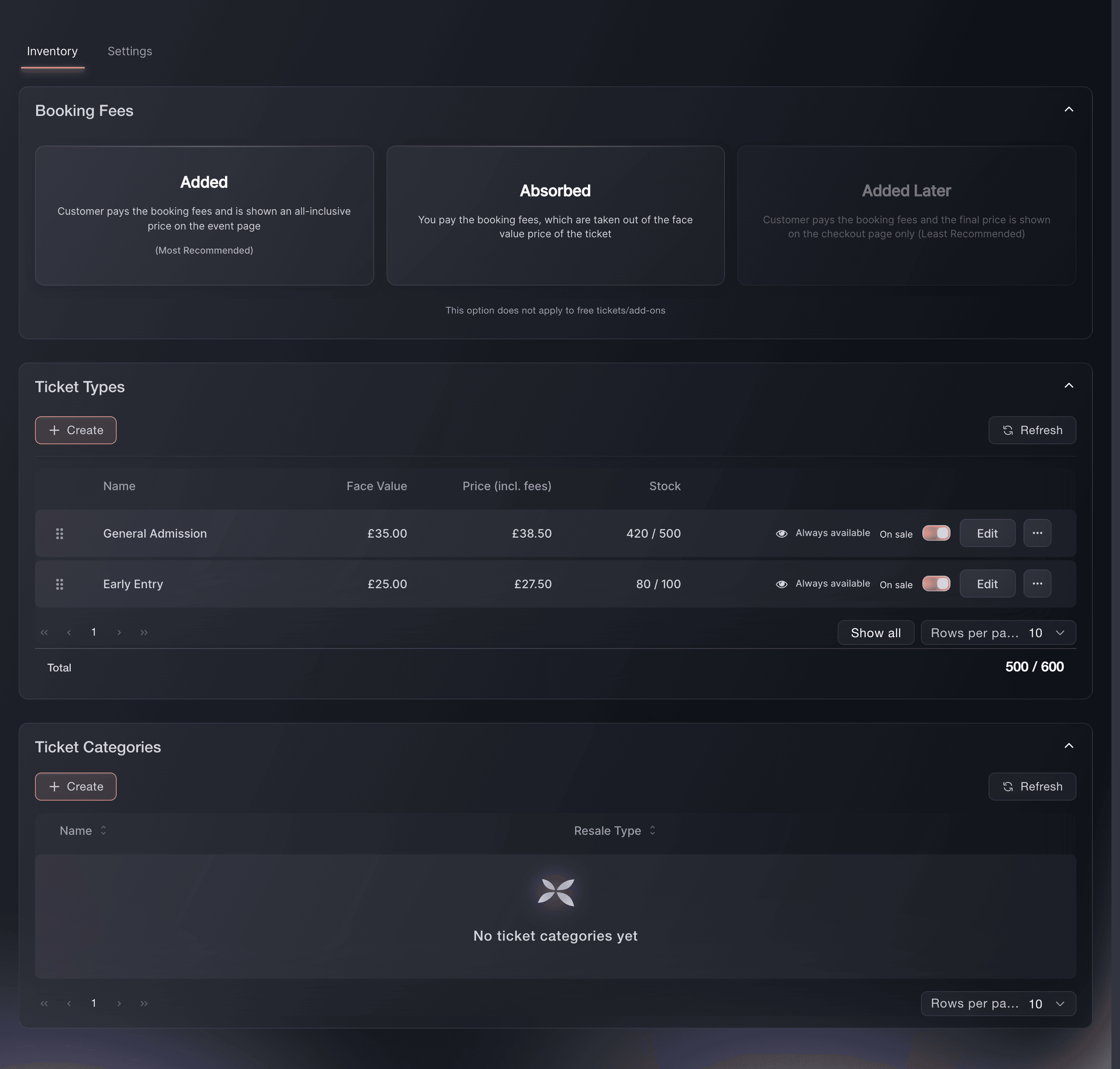
Tickets, Inventory, Booking Fees.

The three choices
With Added, the buyer pays the booking fee and sees one all-inclusive price on your event page, and you receive the full ticket price. With Absorbed, the buyer pays exactly the ticket price and the fee comes out of what you receive, and with Added Later the buyer sees the ticket price on the page and the fee at checkout.
Примечание: Added is the recommended choice and the default on a new event. Added Later is not available for events in Australia, the United Kingdom or the United States.
-
Or choose it while creating the event
In the create-event wizard, the Booking fees section of the sales and settings step offers the same three cards. Set it here when you already know, and the Tickets page shows the same choice afterwards.
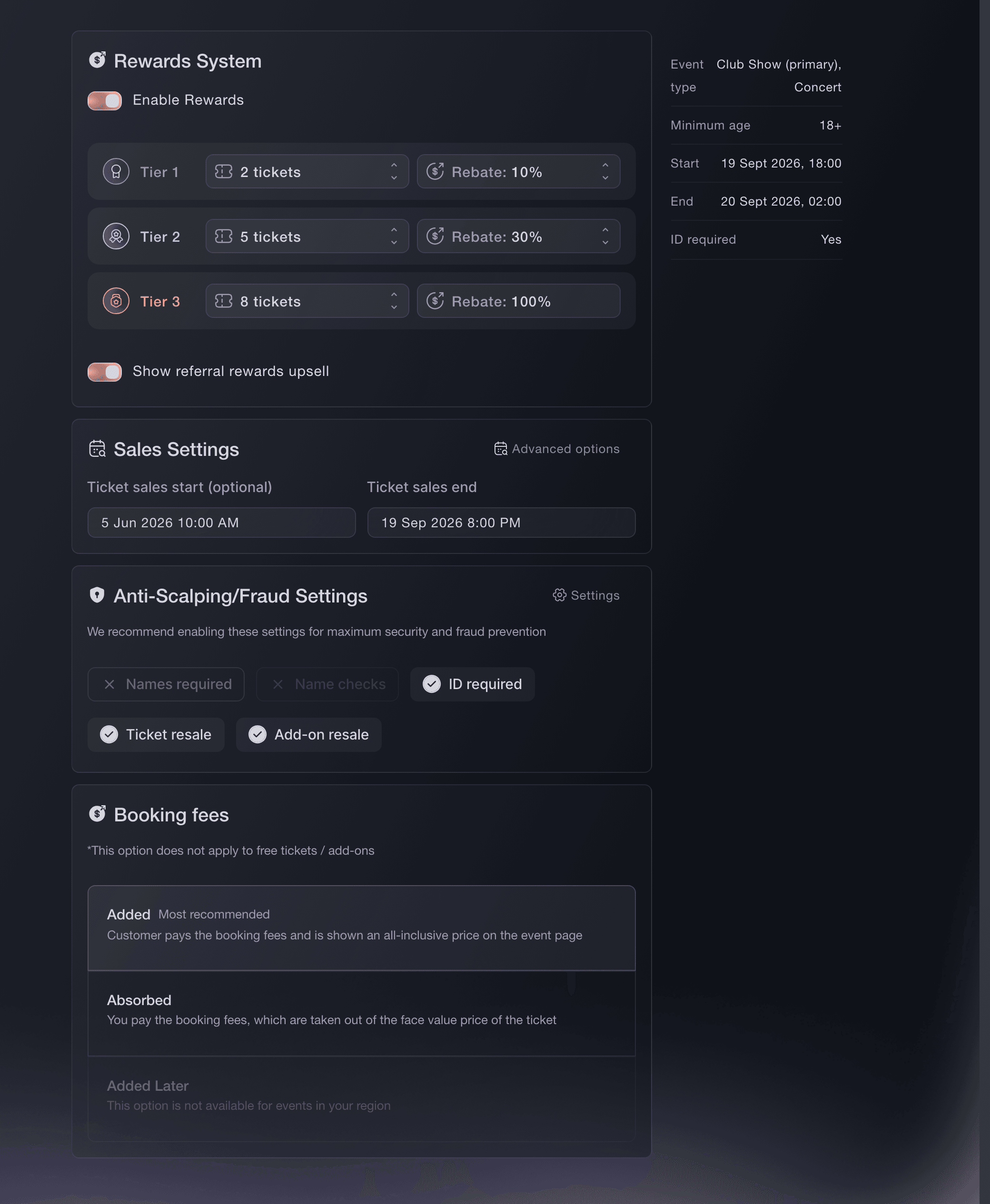
Events, Create Event, Sales and settings. -
Read the ticket prices under your choice
In Ticket Types, Face Value is the price you entered. The next column is the price including fees under Added, which is what the buyer pays, or the price excluding fees under Absorbed, which is what you receive.
Примечание: Free tickets carry no fee under any choice. A price of zero stays zero for the buyer and for you.
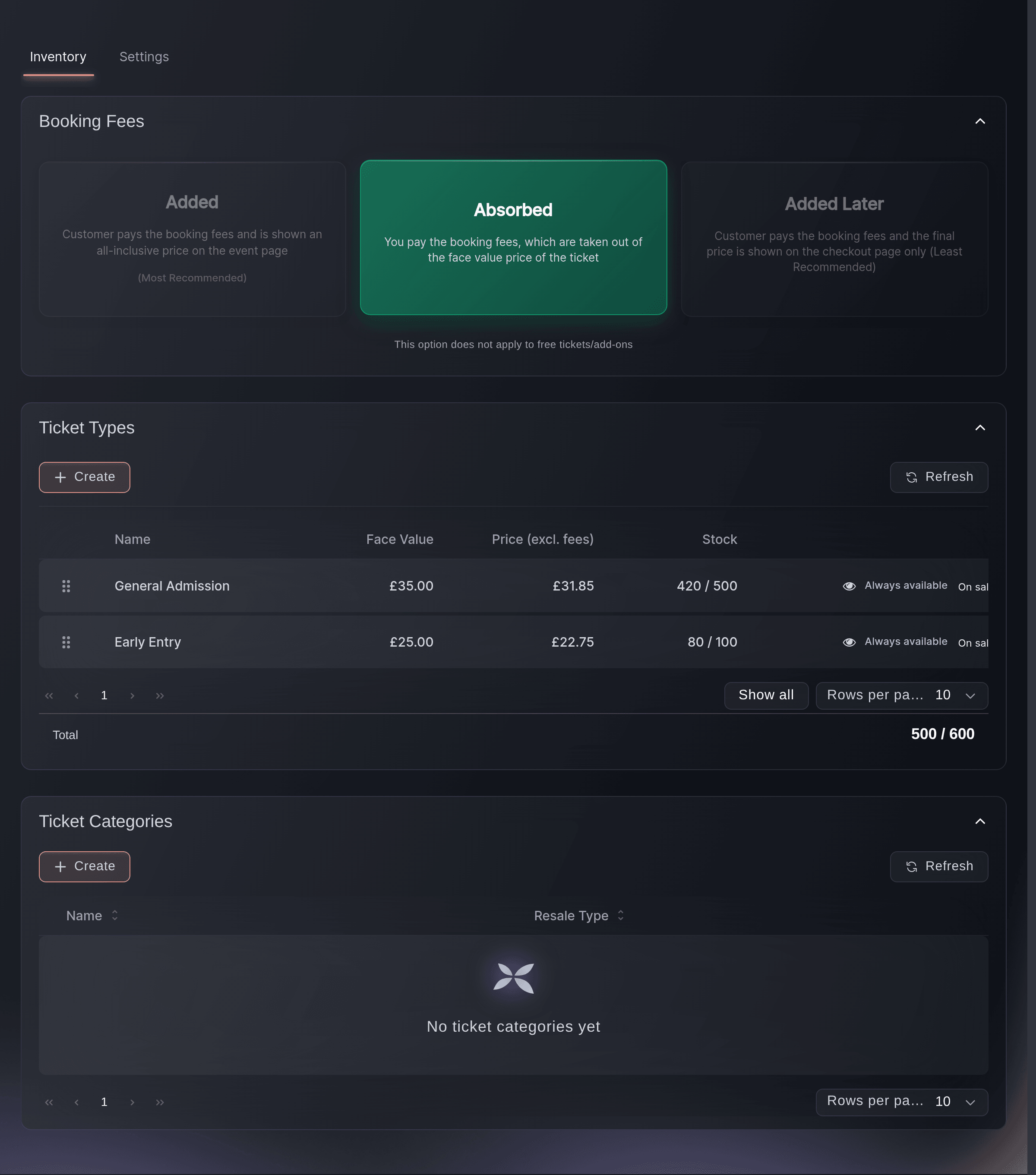
Tickets, Inventory, Absorbed. -
Check the event page as a buyer
Open your public event page and look at the price beside a ticket type. Under Added it shows the all-inclusive amount marked as including fees, under Absorbed the ticket price, and under Added Later the ticket price marked as excluding fees with the fee shown in the basket.

Или поручите это помощнику
Fai, the assistant inside your dashboard, can set who pays the booking fee on an event and explains what each choice does to the price and your payout. She refuses a switch between Added and Absorbed once ticket types exist and asks you to approve any change first. The whole workflow is also in the dashboard.
В вашей панели, с Fai
For <EVENT NAME>, tell me which booking fee choice is set and what a <PRICE> ticket would cost the buyer and pay me under each choice, then set it to <ADDED OR ABSORBED> if that is still possible
Из терминала
Установите CLI по ссылке нашей страницы CLI, войдите командой ticketfairy auth login и выберите бренд, с которым работаете, командой ticketfairy brand use <BRAND_ID>. ticketfairy brand list и ticketfairy event list выводят идентификаторы, которые используют другие команды.
Use the CLI to set the choice through the event's attributes before the first ticket type exists. Check the event has no ticket types before you run it.
Set the fee choice on an event that has no ticket types yet. The value is forward for Added, absorb for Absorbed and forward_checkout for Added Later.
ticketfairy event update <EVENT_ID> --body '{"feeMode": "<FEE_MODE>"}'
Change the choice on an event that has ticket types
Delete the ticket types, choose the new card under Booking Fees, then create the ticket types again. A ticket type that has sold cannot be deleted, so an event with sales keeps its choice.
Примечание: Orders already placed keep the amount you received at the time. A change to the choice only affects tickets sold afterwards.
Fai can make the change once the event has no ticket types, and tells you when it is locked. The CLI sets the same attribute without the check.
В вашей панели, с Fai
Switch <EVENT NAME> to absorbed booking fees, and tell me first whether it still can be switched
Вопросы, которые могут возникнуть
- Which choice should I make?
- Added, unless the price on your poster has to be the price at checkout. Added keeps your full ticket price and shows the buyer one inclusive amount. Absorbed suits an advertised round price, and you plan for the fee coming out of it.
- Why can't I switch between Added and Absorbed?
- Because ticket types exist. Each ticket type's buyer price and your amount were prepared under the current choice when it was saved, and they are not recalculated by the switch. Delete the ticket types first, or keep the current choice.
- How much is the booking fee?
- It depends on the ticket price and the event's country. It falls as a percentage as prices rise, with a small minimum on low prices, and free tickets carry none. Your Ticket Types table shows the exact amount for every price you enter.
- Does the choice change what I am paid on existing orders?
- No. Each order records the amount you receive at the moment it is placed, and your reports and payout read that record. The choice affects tickets sold after you change it.
- Why is Added Later unavailable on my event?
- Added Later is not offered for events in Australia, the United Kingdom or the United States. Choose Added or Absorbed there.
- Can one ticket type pass the fee on and another absorb it?
- No. The choice is made once for the whole event and applies to every ticket type and add-on on it. Set up a separate event when two events need different treatments.
Похожие руководства
Сделайте это на своём мероприятии
Создайте аккаунт, соберите мероприятие и выполните шаги в своей панели управления. Звонок в отдел продаж не нужен.