
Questions organisers ask
How do you compare ticketing platforms on fees, payouts and customer data?
The three questions worth asking before you sell a ticket anywhere, what a straight answer to each looks like, and where to find ours.
- For
- Anyone choosing where to sell tickets for their next event
- Takes
- 6 minutes
Three questions tell you most of what you need, and each has an answer worth asking for in writing. What is the total fee on a ticket, counting every line? Ask for the number a buyer sees, not the headline rate, because the difference is usually a service fee, a processing fee and an order fee stacked underneath it.
When does the money reach your account? After the event, on a schedule, or as the tickets sell. Where the money arrives after the event, you cover the venue, the artist and production from your own cash until then, which is what makes the schedule worth asking about.
Whose customers are they? You want the name, the email and the order history of everybody who bought, visible while the event is on sale and exportable afterwards. Where you cannot see who bought until a report arrives, you cannot email those buyers about your next event without asking for the list first.
Ours: one fee covering core ticketing and payment processing, paid by the buyer by default or absorbed by you, falling as ticket prices rise, with free events free. Daily payouts with Stripe in many countries and Xendit in Indonesia, depending on your country and payment processing account -- other processors follow the schedule shown for your event. And every buyer is on your brand's customer list from the first sale, exportable whenever you want them.
How Ticket Fairy handles it
-
One fee, and the buyer pays it by default
Core ticketing and payment processing are the same fee rather than two, and you keep the ticket price you set. You can absorb it instead if you would rather the price on the poster be the price at the checkout.
-
Daily payouts, where your processor supports them
With Stripe in many countries and Xendit in Indonesia, money moves as the tickets sell rather than after the doors close, which is what pays a deposit before the event rather than after it. Availability depends on your country and your payment processing account; on other processors the schedule shown for your event is the one that applies.
-
Your customer list, from the first sale
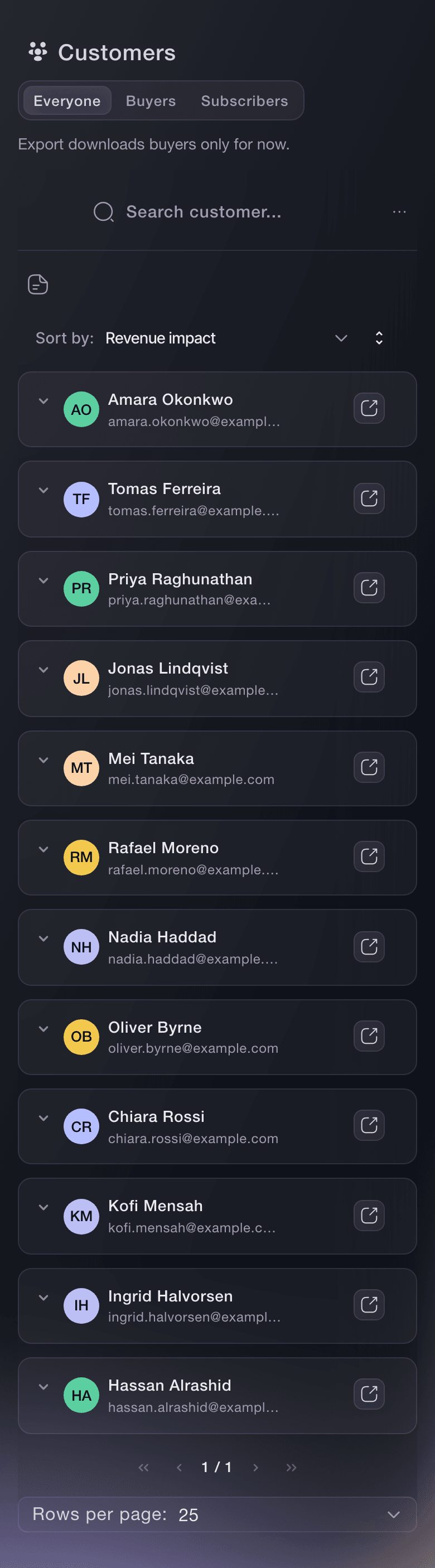
Every buyer is on your brand's list with what they spent and which of your events they came to, while the event is still on sale.
-
Export whenever you want it
Orders and tickets export as CSV from the orders table, filtered to whatever slice you asked for, so your data is not somewhere you have to request it from.
How to set it up
What you need before you start
- You know roughly what you'll charge and how many tickets you expect to sell. You need both to compare fees.
- You know when you have to pay for things -- the venue, the artist, production -- because that is what makes payout timing matter or not.
-
Price one real ticket, end to end
Take a ticket you actually plan to sell and ask each platform what a buyer pays for it and what lands in your account. One number in, two numbers out.
The two numbers at the ends are what you can compare. A headline rate with fees underneath it leaves the buyer's total out.
-
Ask when the money arrives
Ask for the payout schedule in writing, and whether it changes for a first event, a large on-sale or an event further out than usual.
-
Ask what you can see and take with you
Ask whether you can see buyer names and emails during the on-sale, whether you can export them, and what happens to that list if you leave.
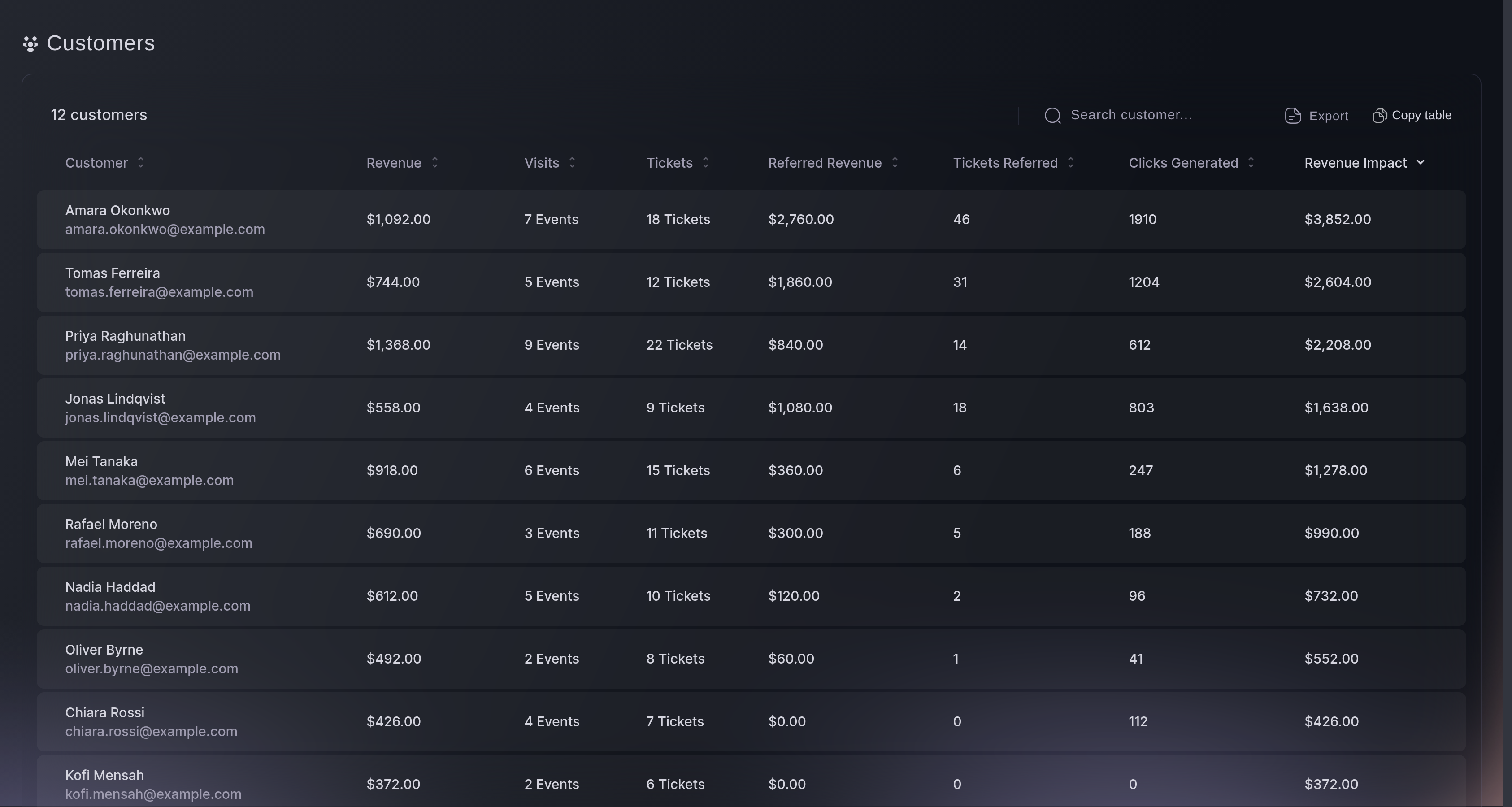
Customers, the list. -
Try it on one event
Set up a single event and sell it. An on-sale answers the fee question, the payout question and the data question in a week, and no amount of reading does.
Questions you might have
- Who pays the booking fee, me or the buyer?
- The buyer, by default. You can choose to absorb it instead, in which case the price on the poster is the price at checkout and the fee comes out of what you keep.
- Is there a monthly fee or a contract to start?
- No credit card, setup fee or required monthly ticketing fee to start core ticketing. Optional paid plans and custom agreements have their own terms.
- What does the fee actually cover?
- Payment processing, referral marketing, analytics and real-time reporting, mobile check-in and scanning, branded event pages and seat maps, and support with an account manager.
- How often do I get paid?
- Daily with Stripe in many countries and with Xendit in Indonesia, so the money arrives while the tickets are selling. It depends on your country and your payment processing account, and other processors use the schedule shown for your event -- ask us what applies to yours before you plan around it.
- Do free events cost anything?
- Free events are free.
- Can I take my customer data with me?
- Yes. Buyers are on your brand's customer list from the first sale, and orders and tickets export as CSV whenever you want them.
Where to go from here
Do this on your own event
Create your account, build your event, and follow these steps in your own dashboard. No sales call first.