
Questions organisers ask
What marketing tools should a ticketing platform give you?
Email your buyers by segment, see which ad sold which ticket, and reach the people who nearly bought -- from the platform holding the sales data.
- For
- Anyone marketing an event rather than only selling tickets for it
- Takes
- 6 minutes
Three things decide how much of your marketing you can run from the same place as your sales: can you email the right slice of your own buyers, can you see which campaign produced which sale, and can you reach the people who came close and did not buy.
All three depend on the same fact -- the platform holds the sales. An email tool somewhere else knows who is on a list; the one beside your orders knows who is on the waiting list, who left a cart, who came last year and who was refunded.
How Ticket Fairy handles it
-
Email and SMS, by segment
Email all your ticket holders, holders of one ticket type or one add-on, waiting list members, pre-registered customers, people who checked in, refunded holders, your influencers, or the ones who left an abandoned cart. Schedule it, save it as a template, and send a test to yourself first. SMS reaches fewer of them: ticket and add-on holders, people who checked in or were refunded, anyone who opted in, your influencers and your team. It sends as soon as you write it, with no schedule, template or test send.
-
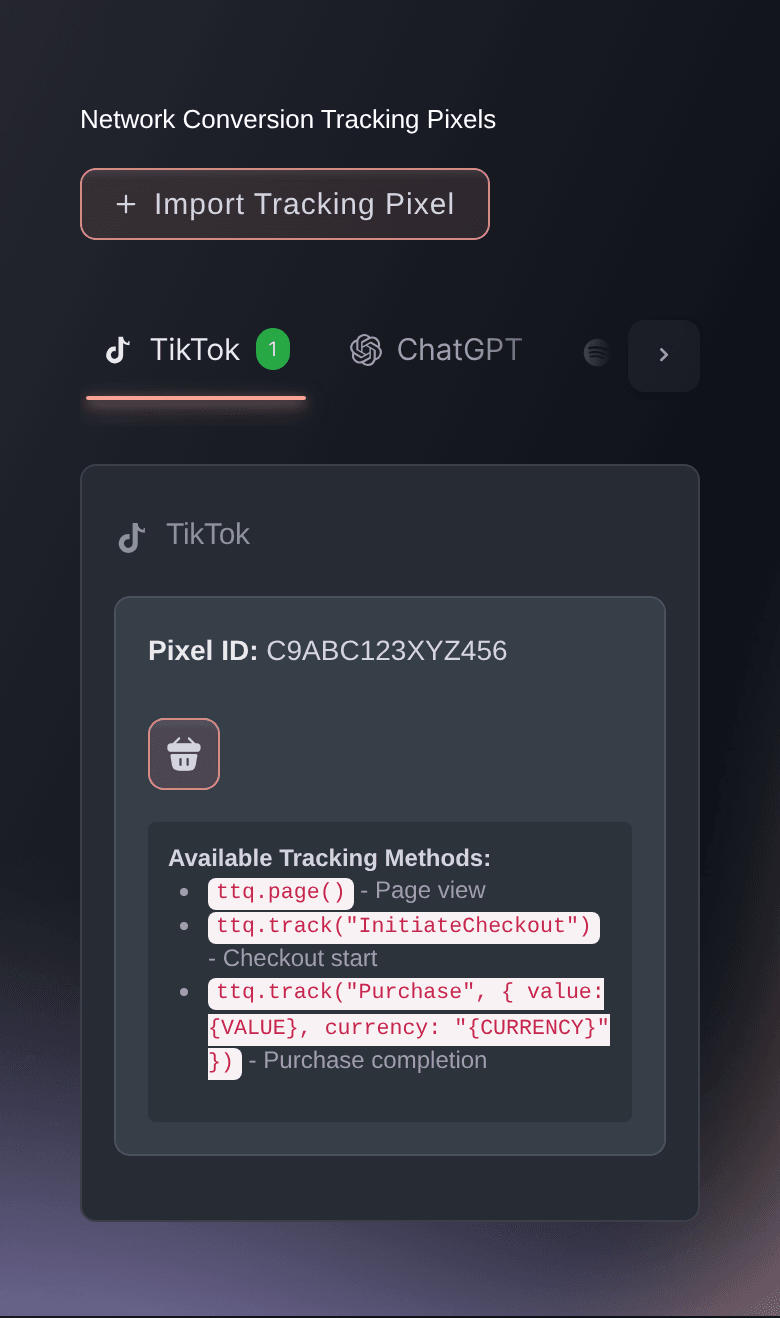
Pixels for the networks you advertise on
Connect the networks you buy ads on and most of them see the ticket sales their campaigns produced, which is what their optimisation needs to work at all. Four of them take an ID and never receive a sale -- the pixel guide names which, so you know what your reporting there is missing before you spend against it.
-
Tracking links, and a report that reads them
Give each post, newsletter and partner its own link, then read the traffic report to see which of them sent visitors and which of those visitors bought.
-
Your own fans as a channel
The influencers report names the people already selling tickets for you to their own friends, and they are a list you can write to.
How to set it up
What you need before you start
- You're an owner or an admin on the event. Sending an email or an SMS to your buyers is limited to those two, so a Marketing login can plan the campaign but cannot press send on it.
- Your event is on sale. Every audience below is built from what has actually happened on it.
-
Connect the networks you advertise on
Do this before the campaign rather than after it. A network cannot optimise towards ticket sales it never saw, and the sales before you connect it do not come back.
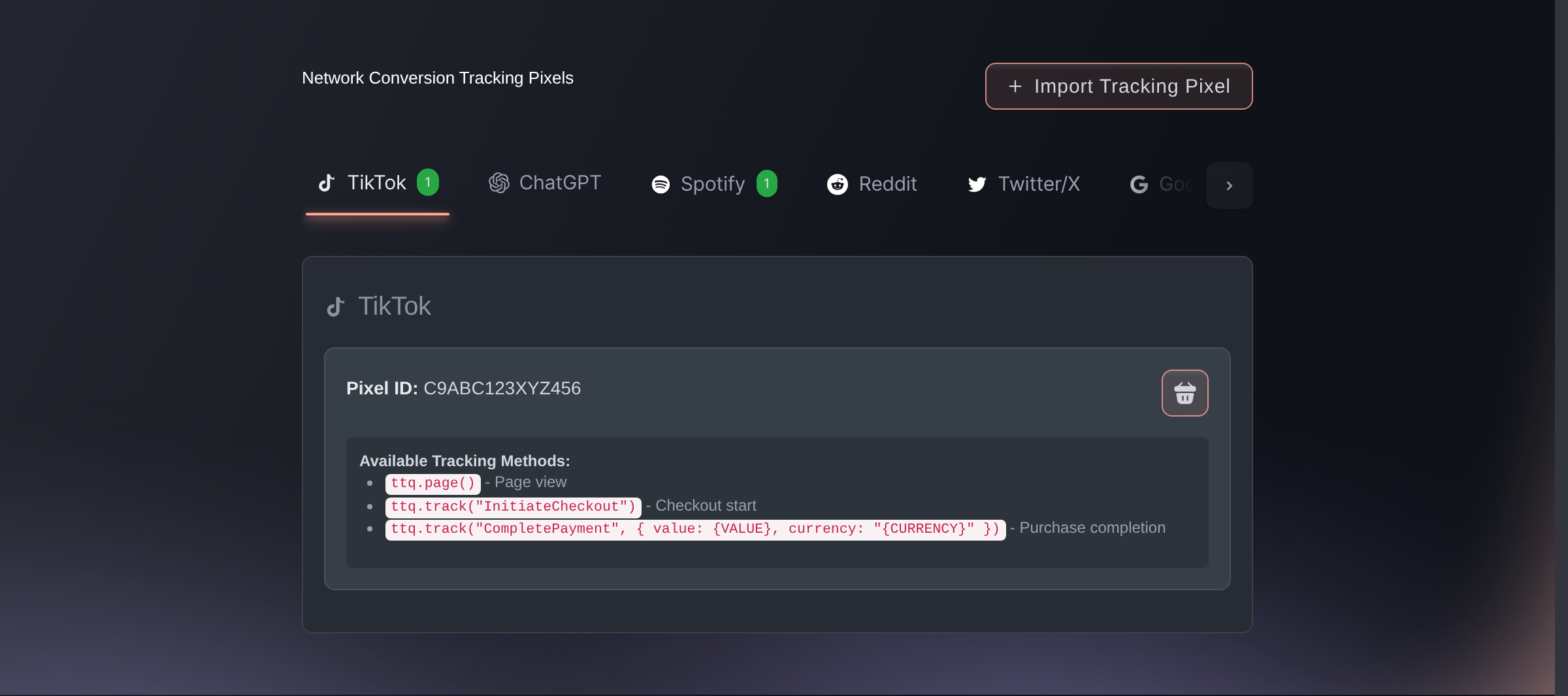
Brand settings, Integrations, Tracking pixels. -
Give every campaign its own tracking link
Open Tracking Links on your event and create one per channel. One link per thing you want to compare is what makes them comparable.
-
Write to the segment, not the list
Open Messaging, select Send Email, and pick the audience before you write. What you say to somebody on the waiting list is not what you say to somebody who already has a ticket.
-
Go back for the ones who nearly bought
Send one message to Abandoned carts and one to your waiting list. They're the two audiences that already told you they want to come.
Waiting list members without orders only reaches people who have ordered from us before. Somebody whose email is new to us isn't in it. Send to Waiting list to reach everybody who put their name down, and write it so it reads for the ones who already have a ticket.
-
Read what worked before you spend again
Open the traffic report after the first week. Compare the links you made, not the impressions a network reports, because only one of those ends in a ticket.
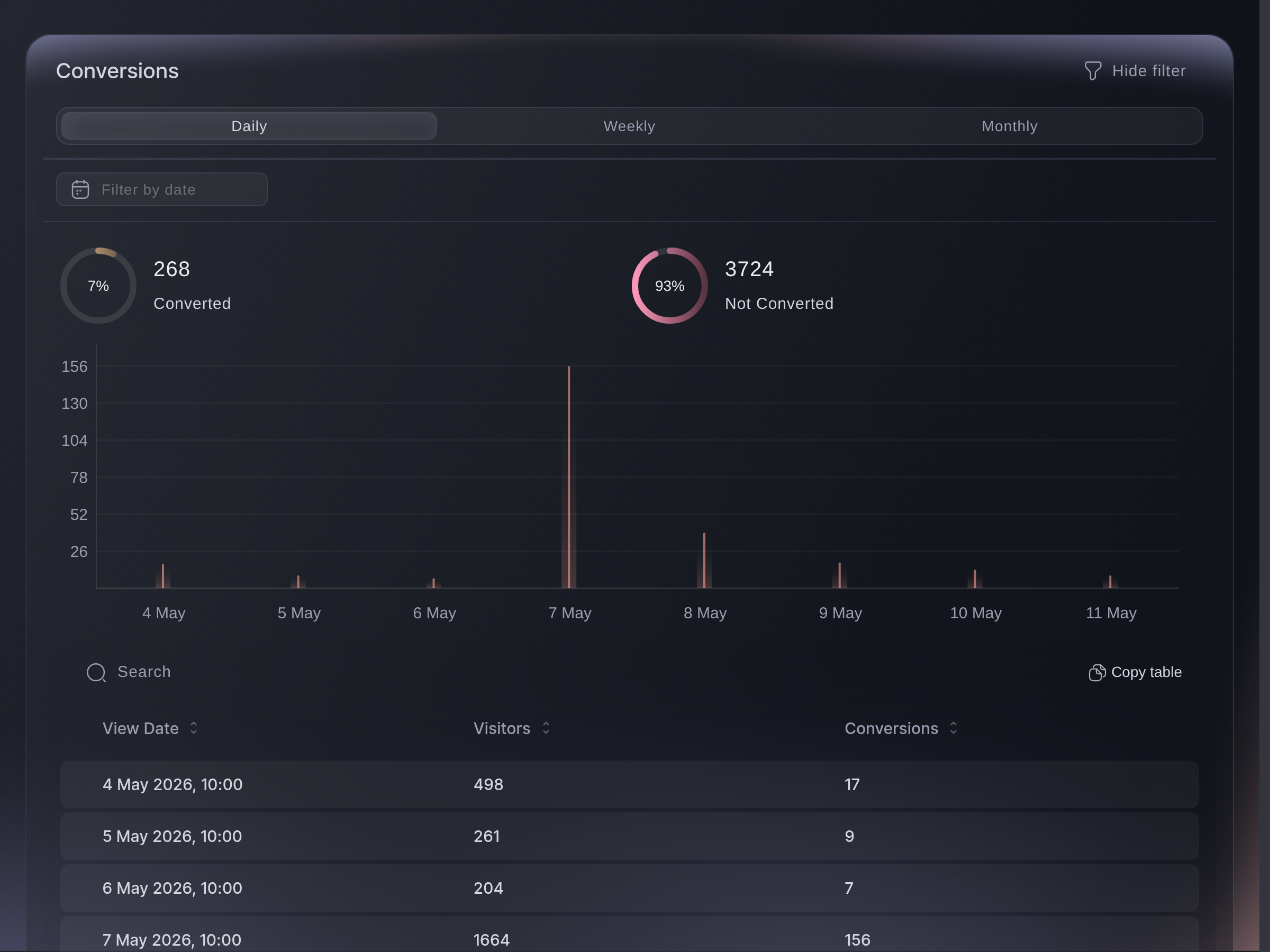
Traffic, Conversions.
Questions you might have
- Can I email only the people who bought one ticket type?
- Yes. Specific ticket type holders is one of the audiences on the composer, and so is Specific add-on holders for the people who bought camping or parking.
- Can I reach people who started buying and stopped?
- Yes. Abandoned carts is an audience in its own right, alongside waiting list members and pre-registered customers who never ordered.
- Do I need a separate email tool?
- Not for messaging your own buyers. The composer writes to segments of the people on your event, saves what you write as a template, schedules it, and sends a test copy to you first.
- How do I know which ad actually sold tickets?
- Connect the network's pixel so it sees the purchases, and give the campaign its own tracking link so the traffic report can attribute the visits. The pixel tells the network; the link tells you. Where a network is one of the four that never receives a sale, the link is the only half that works.
- Can I send an SMS rather than an email?
- Yes. Messaging has an SMS tab beside the email one, for the message that has to arrive on the day.
Where to go from here
Do this on your own event
Create your account, build your event, and follow these steps in your own dashboard. No sales call first.