
Menjalankan produksi
Give your event volunteers their own page and track their hours
Volunteer coordinators spend show week answering "what time am I on?" and "can I swap Sunday?" by text. A private page for every volunteer answers those questions without you, and the hours they work decide who has earned their free ticket.
Send each volunteer you accepted for your event a private page where they pick shifts, ask to swap or drop one, read their day sheet and the induction and add documents, then see hours given against hours worked, give the rewards people earned and download the list with every download recorded.
- Untuk
- Looking after accepted volunteers from their first shift to their reward
- Perlu waktu
- 9 menit
Sebelum mulai
- You need an owner, admin or producer role on the event, and an owner or admin login to give rewards, download the hours file or open a volunteer's documents.
- The volunteers are accepted, and their shifts are on the event's rota.
-
Send accepted volunteers their page
In Volunteers, select Send page links, check the email, then select Send the links.
Catatan: Everyone you accepted who has no working link gets one email with a private link. Nobody gets a second link while their first still works.
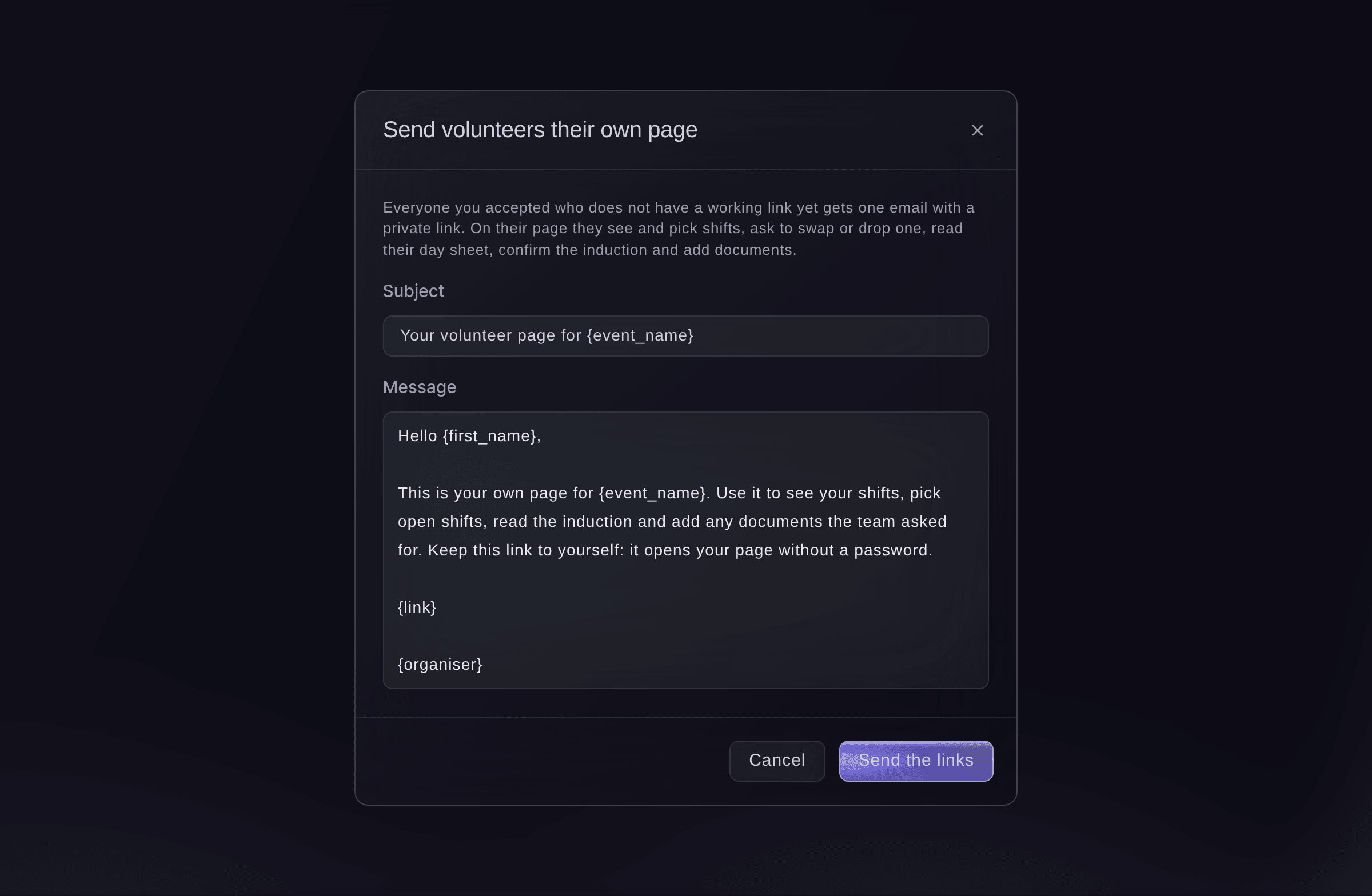
Send volunteers their own page.

The volunteer's own page
The page shows their shifts to confirm, the open shifts they can pick, their day sheet with key times and team leads, the induction to confirm and a place to add documents. They can only pick a shift that keeps your rota rules on rest and hours.

-
Answer shift requests
When the section says a volunteer asked to change a shift, select Review, then Approve or Decline each request.
Catatan: Approving a swap moves them to the new shift only if it has room and keeps your rota rules. If it does not, you see why and can decline it or change the rota yourself.
-
Open Hours
Select Hours. Each volunteer shows the hours given on the rota, the hours worked from check-in and check-out, their shifts and no-shows.
Catatan: Someone who checked in and never checked out shows No check-out and is counted to the end of the shift, for you to check.
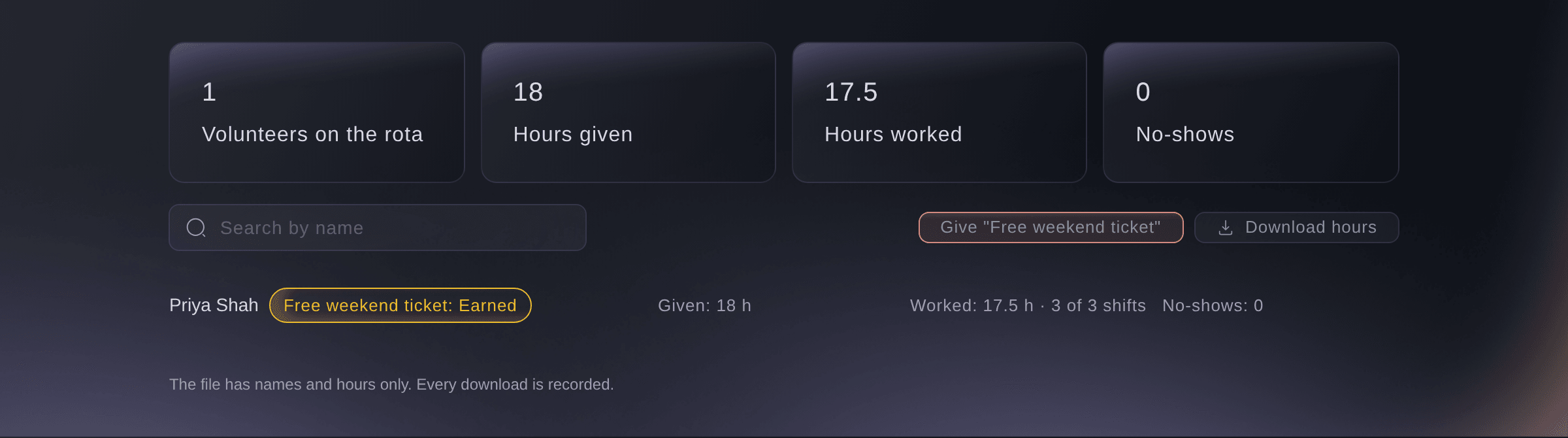
Volunteers, Hours. -
Give the rewards people earned
Select the button named after the reward, such as Give "Free weekend ticket", check who earned it, then select the button that gives the tickets.
Catatan: Each person gets one free ticket by email as a guest ticket, and nobody gets the same reward twice. Set rewards up under Rewards in the settings.
-
Download the hours
Optional: Select Download hours. The file has names and hours only.
Catatan: Every download is recorded with your name.

Coba langkah-langkah ini di acara Anda sendiri
Buat akun gratis, susun acara Anda dan ikuti langkah-langkah di atas di dasbor Anda sendiri. Hanya perlu beberapa menit dan Anda tidak perlu menjadwalkan panggilan penjualan.
Tanpa biaya pemasangan. Tanpa biaya bulanan wajib. Tanpa kartu kredit.
Atau minta dikerjakan untuk Anda
Fai sends volunteers their page links, answers shift requests, reads hours given and worked and gives the rewards people earned. She asks you before anything is sent, and only an owner or admin can approve rewards.
Di dasbor Anda, dengan Fai
Send every accepted volunteer on <EVENT NAME> their page link, and tell me who has earned the free weekend ticket
Dari terminal Anda
Pasang CLI dari halaman CLI kami, masuk dengan ticketfairy auth login, lalu pilih brand yang Anda kerjakan dengan ticketfairy brand use <BRAND_ID>. ticketfairy brand list dan ticketfairy event list menampilkan ID yang digunakan perintah lain.
The CLI lists hours given and worked for each volunteer. Page links, shift requests and rewards are in the dashboard or through Fai.
List each volunteer's hours given and worked.
ticketfairy event-os volunteers list <EVENT_ID> --hours
Biarkan Fai mengerjakannya untuk Anda
Fai bekerja di dalam dasbor Ticket Fairy Anda. Buat akun Anda, buka Fai dan tempel perintah di atas.
Tanpa biaya pemasangan. Tanpa biaya bulanan wajib. Tanpa kartu kredit.
Download the volunteer list
-
Download the rows the list shows
On the volunteer list, select Download CSV, choose whether to tick Include contact details and emergency contacts, then select Download.
Catatan: The file has the rows the list shows, up to 5,000, and the download is recorded with your name. Filter the list and download it in parts if it is longer.
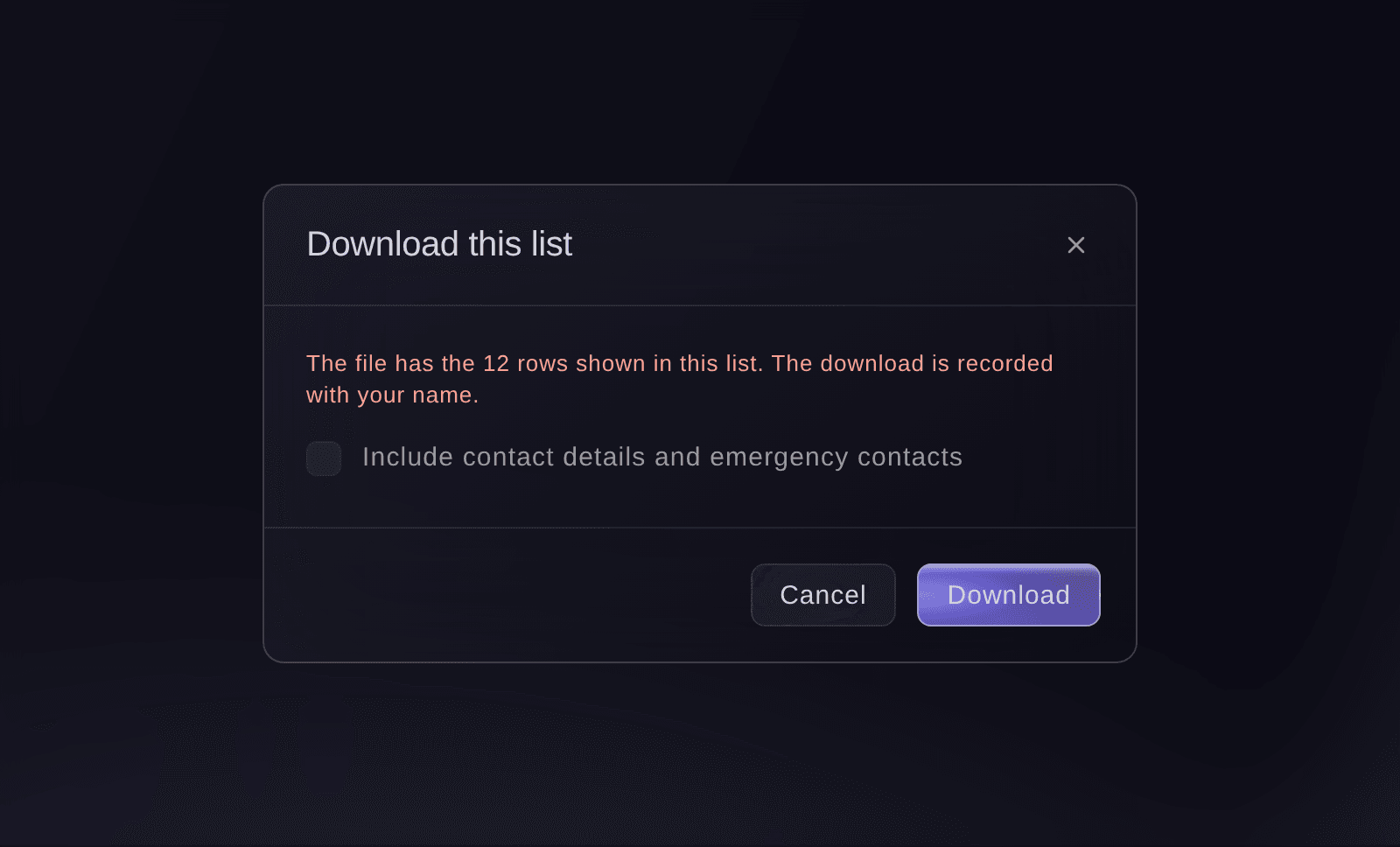
Download this list.

Download the list from the Volunteers section in the dashboard, where the download is recorded with your name.
Turn off a volunteer's link
-
Turn the link off
Open the volunteer's application and select Turn link off.
Catatan: To give them a fresh link later, select Make a new link and copy it straight away, as it is shown once.
Turn a volunteer's link off or make a new one from their application in the dashboard.
Pertanyaan yang mungkin Anda punya
- Can I stop volunteers picking their own shifts?
- Yes. Turn off Volunteers pick their own shifts in the settings. Their page then says the team has closed shift picking.
- What happens if a shift fills while a volunteer is picking it?
- They are told the shift has been filled and asked to choose another, and nobody is added over the number the shift needs.
- Who can open a volunteer's documents?
- Only the event's owners and admins, and every download is recorded.
- How long does a volunteer's link work?
- The page footer tells the volunteer the date their link works until. When it ends, their page asks them to ask you for a new one.
Masih ada pertanyaan?
Jadwalkan demo dan kami akan menjawabnya lewat panggilan, sesuai jenis acara Anda. Atau buat akun Anda dan lihat sendiri.
Tanpa biaya pemasangan. Tanpa biaya bulanan wajib. Tanpa kartu kredit.
Panduan terkait
Lakukan ini di acara Anda sendiri
Buat akun, susun acara, dan ikuti langkah-langkahnya di dasbor Anda. Anda tidak perlu memesan panggilan penjualan.