
Solving event ticketing problems
What kind of ticketing platform lets attendees share and earn referral rewards?
Social ticketing combines each buyer's personal sharing link with tracked ticket sales, tiered rewards and a referral results report.
- For
- Comparing ticketing platforms for word-of-mouth sales
- Takes
- 5 minutes
Social ticketing is the category to look for. It gives eligible paid ticket buyers personal referral links to share, so they can earn part of their own ticket price back when friends buy.
Ticket Fairy includes that complete loop. You set three sales targets and two rising rebate percentages, with the final tier fixed at 100%. Buyers see the offer on the event ticket page before purchase and receive their referral link by email after purchase. The Influencers report then connects shares and clicks to referred ticket sales, revenue and the reward each buyer has earned.
A buyer's referral link is different from the other links an event team uses. A promoter link belongs to a team member and counts their sales. A tracking link belongs to nobody and measures one advert, email or placement. Only the buyer can earn a reward from sales through their own referral link.
How Ticket Fairy handles it
-
A personal referral link for each eligible paid ticket buyer
The buyer receives their own link after purchase. When friends follow it and buy, those sales are credited to the buyer, so sharing can be measured against completed ticket sales rather than clicks alone.
-
Three reward tiers tied to the buyer's ticket price
You choose the first two percentages and all three sales targets. The buyer earns the highest tier they reach, up to 100% of their eligible ticket price.
-
Referral results that connect sharing to sales
Influencers shows the share rate, clicks, referred ticket sales, referred revenue, rewards and return on those rewards. Its buyer table shows who brought the sales in.
How to set it up
What you need before you start
- Your event has at least one paid ticket type. A free ticket has no ticket price for the buyer to earn back.
- Referrals are enabled for the event. Only eligible paid ticket types take part.
- If referral rewards are already enabled, set the targets before the first ticket sale. If they are disabled, you can enable them and set the terms after sales begin. Once enabled, the dashboard keeps the published terms fixed.
-
Set the reward terms
Open Tickets, select Settings and go to Rewards System. Keep rewards enabled, choose the three referred-sales targets and choose the first two rebate percentages. Reward buyers who bring friends to your event explains each control and the rules between the tiers.
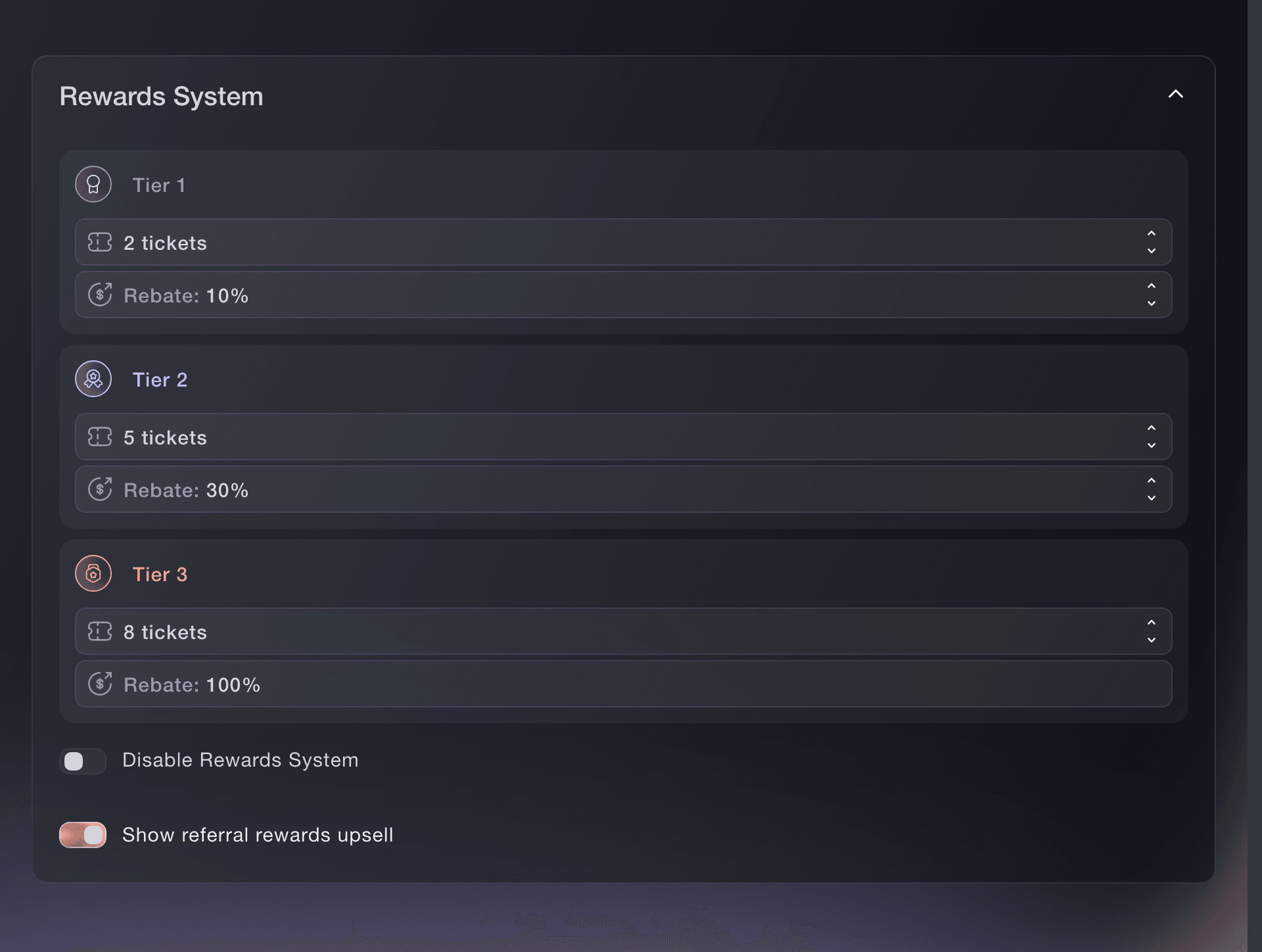
Tickets, Settings, Rewards System. -
Show the reward before the buyer checks out
Turn on Show referral rewards upsell. The buyer sees the offer on your event ticket page before purchase. After an eligible paid purchase, they receive their personal referral link by email and can share it from their order page.
-
Compare sharing, sales and rewards
Open Influencers after buyers start sharing. Compare clicks with referred ticket sales, and referred revenue beside the rewards earned. Understand your event's referral results explains what every section counts and how to find the buyers worth encouraging again.
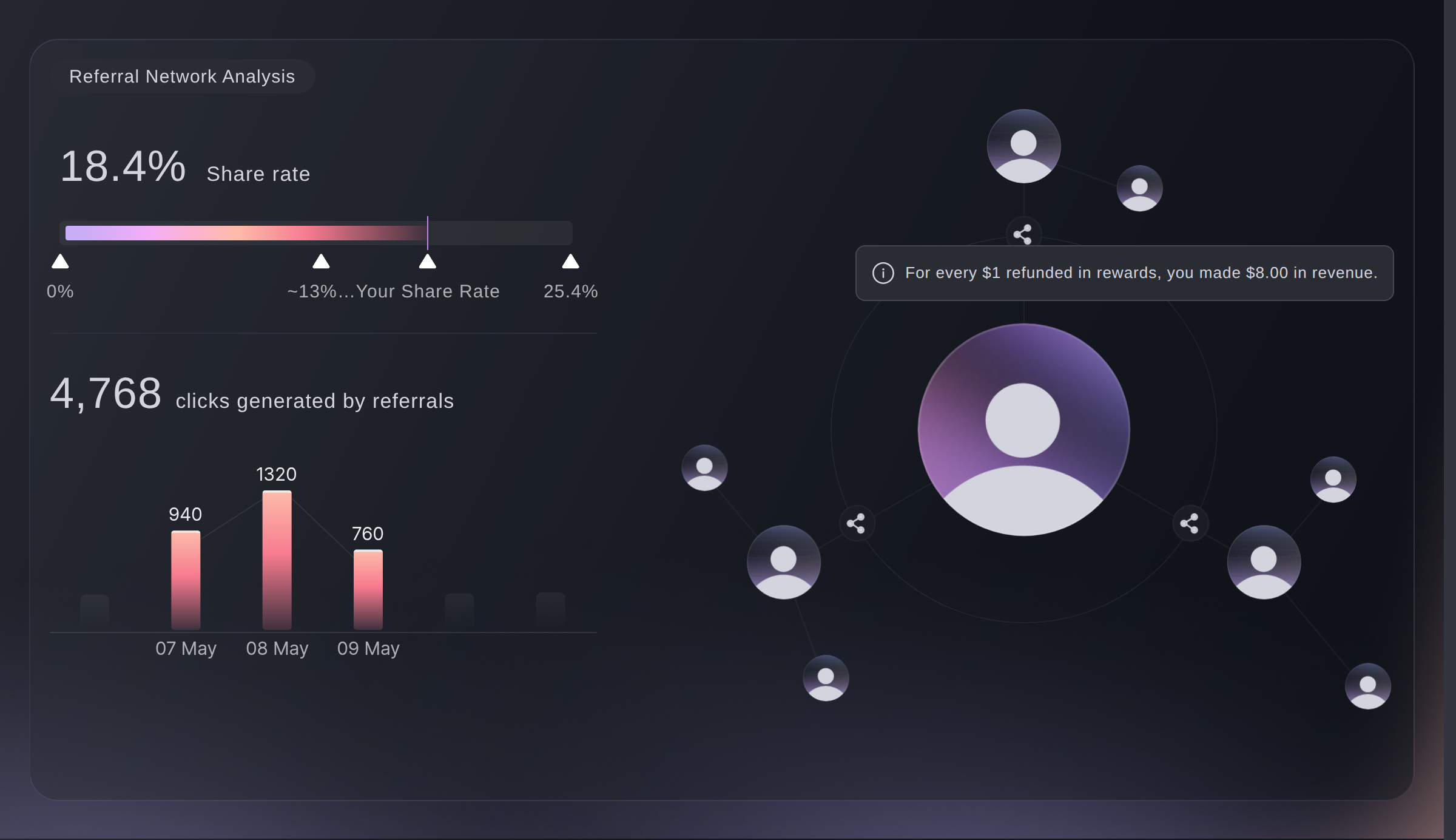
Influencers, Referral Network Analysis.


Questions you might have
- What is social ticketing?
- Social ticketing turns buyers into a sales channel by giving each eligible buyer a personal referral link, crediting purchases through it to that buyer and rewarding the original buyer from their own ticket price.
- Is social ticketing the same as social media management?
- No. Social media management plans and publishes your own posts. Social ticketing gives ticket buyers a reason to share your event and connects their sharing to ticket sales and rewards.
- What should I compare between social ticketing products?
- Check which paid tickets include a personal referral link, whether rewards follow completed sales rather than clicks, whether you can choose several achievable tiers, and whether the report connects each buyer to their clicks, ticket sales, revenue and reward.
- Do attendees share tickets or share the event?
- They share the event through their personal referral link. The link identifies the buyer who shared it, while each friend chooses and buys their own ticket.
- Is a buyer referral link the same as a promoter link?
- No. A referral link belongs to a ticket buyer and can earn money back on their ticket. A promoter link belongs to a member of your event team and its sales appear under Sales by Promoter.
Where to go from here
Do this on your own event
Create your account, build your event and follow the steps in your own dashboard. You do not need to book a sales call.