
Создание мероприятия
Cancel an event
A venue closes, a licence falls through or the numbers stop working, and a promoter needs the event closed cleanly rather than quietly left to run out. Cancelling marks the event, starts refunds for every order and stops the reminder emails. What follows covers the announcement and the checks the dashboard leaves to you.
Mark the event cancelled, start refunds for every order and tell ticket holders yourself before the refund emails reach them.
- Для кого
- Ending an event that has already sold tickets
- Займёт
- 7 минут
Перед началом
- You are an owner or admin for the event. Cancel Event is unavailable after the event has ended and after its funds have been paid out.
- The event will not happen at all. Postpone it instead when you expect to run it on a later date, because a postponement keeps the orders and lets you choose who can ask for a refund.
- You have decided what to tell ticket holders. Ticket Fairy emails each of them as their refund is processed, and that email says the event is cancelled and nothing more.
-
Open Event Details and select Cancel Event
Open the event and select Event Details. In the row of status actions above the form, select Cancel Event.
Примечание: A greyed-out button means the event has ended or its funds have been paid out. The tooltip gives you the support address to contact.
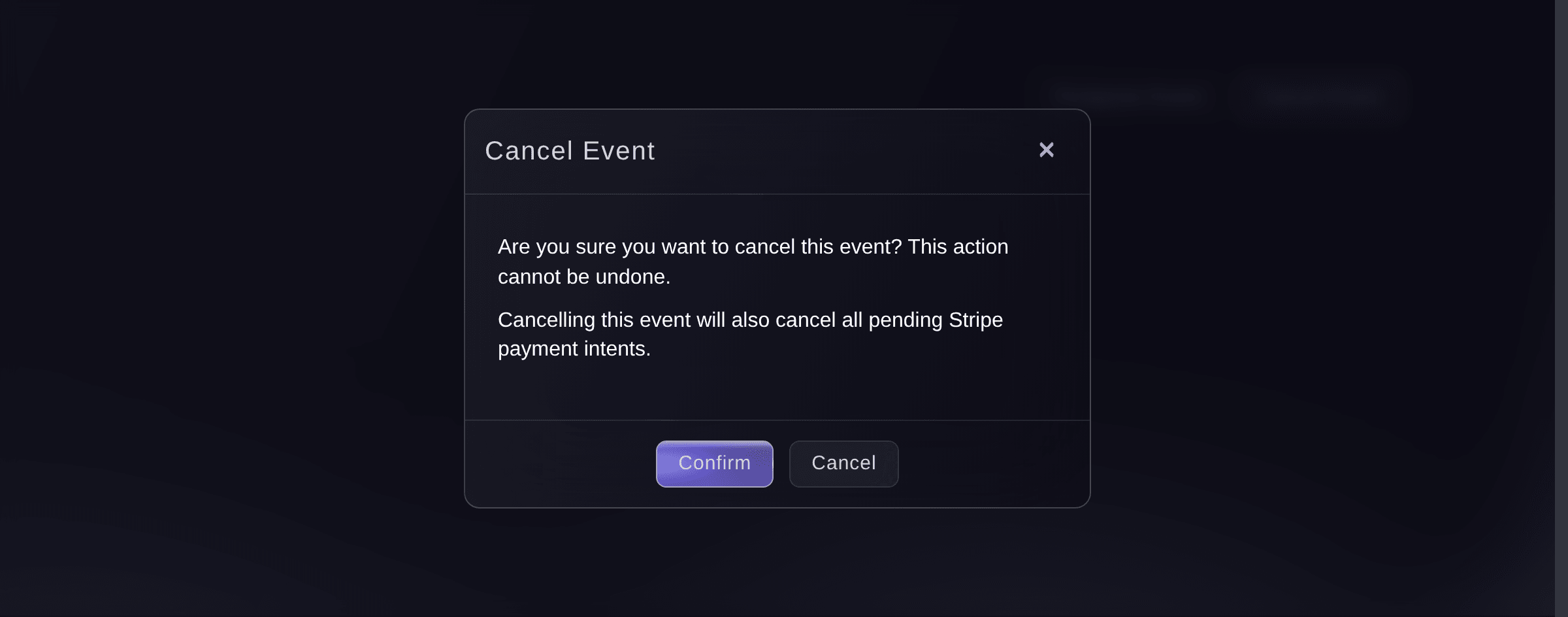
Event Details, Event Status, Cancel Event. -
Read the warning and confirm
Read the warning, then select Confirm.
Примечание: Where you sell through your own connected Stripe account, a second line tells you that payments buyers started but never finished are cancelled as well.
-
Tell ticket holders in your own words
Email your ticket holders that the event is cancelled and that their refund is on its way.
Примечание: Ticket Fairy refunds the event within one to two days, and each buyer gets a cancellation email as their own refund goes through. Your message reaches them first, so send it the same day.
-
Update the event page to say what happened
Open the event and update the description and artwork so anyone who reaches the page sees the cancellation and what you are doing about it.
Примечание: A cancelled event still saves its description and artwork. Dates, ticket types and the rest of the form no longer save, so change those before you cancel or not at all.

Или поручите это помощнику
Fai can open Event Details for you, read the event back, and draft the announcement to ticket holders. Cancelling is yours to confirm in the dashboard or with the CLI, which asks you to confirm before it sends anything.
В вашей панели, с Fai
Open Event Details for <EVENT NAME>, tell me how many orders it has, and draft an email telling ticket holders it is cancelled and their refund is on the way
Из вашего собственного ассистента, через MCP
Подключите ассистента к нашему серверу MCP и попросите его:
Оставьте --read-only в конфигурации MCP. Для этой задачи нужно только читать данные, поэтому ассистенту не нужны инструменты, которые вносят изменения.
Pick the brand, find the event <EVENT NAME> and show its status, dates and ticket sales
Из терминала
Установите CLI по ссылке нашей страницы CLI, войдите командой ticketfairy auth login и выберите бренд, с которым работаете, командой ticketfairy brand use <BRAND_ID>. ticketfairy brand list и ticketfairy event list выводят идентификаторы, которые используют другие команды.
The cancel command asks you to confirm before it runs. Add the force flag only in a script, where nobody is there to answer.
Cancel an event and confirm at the prompt
ticketfairy event cancel <EVENT_ID>
Check the refunds have gone out
-
Open Orders and check the refunded amount
Open the event and select Orders a day or two after cancelling, then check the refunded total against what the event sold.
Примечание: Contact Ticket Fairy support with the event ID when an order is still unrefunded after two days.
Fai can open the event so you can check the orders. What each order has been refunded is read on the Orders page today.
В вашей панели, с Fai
Open <EVENT NAME> so I can check its refunds
Из вашего собственного ассистента, через MCP
Оставьте --read-only в конфигурации MCP. Для этой задачи нужно только читать данные, поэтому ассистенту не нужны инструменты, которые вносят изменения.
Pick the brand, find the event <EVENT NAME> and show it
Из терминала
Read the event back after the refunds have run.
Show the event and its current status
ticketfairy event get <EVENT_ID>
Cancel an event whose funds have been paid out
-
Send the details to Ticket Fairy support
Send Ticket Fairy support the event name, the event ID and why the event is not going ahead.
Примечание: The dashboard refuses the cancellation once the money has left, because the refunds have to come from somewhere. Support works out how with you.
Fai can open the support request for you with the event ID already in it.
В вашей панели, с Fai
Open a support request to cancel <EVENT NAME>. Its funds have already been paid out. Include the event ID
Из вашего собственного ассистента, через MCP
Оставьте --read-only в конфигурации MCP. Для этой задачи нужно только читать данные, поэтому ассистенту не нужны инструменты, которые вносят изменения.
Pick the brand, find <EVENT NAME> and show whether its funds are remitted
Из терминала
This one goes through support rather than the CLI.
Show the event before you contact support
ticketfairy event get <EVENT_ID>
Reinstate a cancelled event
-
Ask Ticket Fairy support to reinstate the event
Send Ticket Fairy support the event name and ID. Reinstatement is restricted because cancellation has already moved orders, refunds and resale.
-
Review resale invitations and confirm
Support asks whether existing resale invitations should stop working, then reinstates the event.
Примечание: Check the event page, ticket types, sale windows and refunds before you announce that the event is on again. Refunds already paid stay paid.
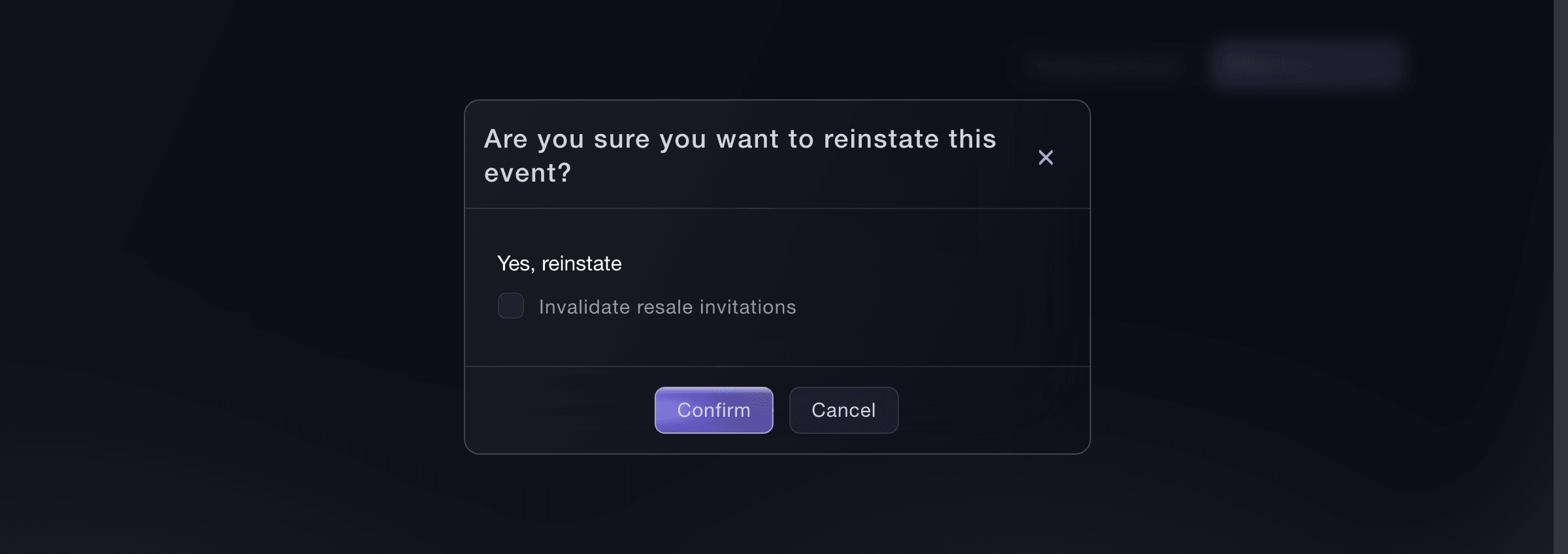
Event Details, Event Status, Reinstate Event.

Ask Fai to open the support request. MCP can show whether the event is still cancelled. The CLI command works only for an authorised Ticket Fairy staff account.
В вашей панели, с Fai
Open a support request to reinstate <EVENT NAME>. Include its event ID and ask me whether existing resale invitations should remain valid
Из вашего собственного ассистента, через MCP
Оставьте --read-only в конфигурации MCP. Для этой задачи нужно только читать данные, поэтому ассистенту не нужны инструменты, которые вносят изменения.
Pick the brand, find <EVENT NAME> and show whether it is cancelled
Из терминала
This command is restricted to authorised Ticket Fairy staff.
Reinstate and stop existing resale invitations
ticketfairy event reinstate <EVENT_ID> --invalidate-resale-invitations
Вопросы, которые могут возникнуть
- Does cancelling refund every order on its own?
- Cancelling asks Ticket Fairy to refund the whole event, and the team processes those refunds within one to two days. You do not refund the orders one by one.
- Which orders does that refund miss?
- A cash order paid over the counter cannot be refunded to a card, and the sweep also passes over an order whose payment never completed, one that already has a refund pending, and any refund the payment provider rejects. Check the refunded total against what the event sold, and take the rest to support.
- Are ticket holders emailed straight away?
- No. Each buyer is emailed as their own refund is processed, so the emails arrive over the following day or two. Send your own announcement first.
- Can I undo a cancellation?
- Not from the dashboard. Ticket Fairy support can reinstate the event, and refunds that have already been paid stay paid.
- What stops when an event is cancelled?
- Scheduled event reminders and subscriber emails stop, resale stops, and multi-event passes can no longer be redeemed for it. Referral rewards earned on the event are released.
- Can I still edit a cancelled event?
- You can change its description and artwork, which is how you explain the cancellation on the page. Dates, ticket types and the rest of the form no longer save.
Похожие руководства
Сделайте это на своём мероприятии
Создайте аккаунт, соберите мероприятие и выполните шаги в своей панели управления. Звонок в отдел продаж не нужен.