
Guías por tipo de evento
Run ticketing for a charity gala
Charity and fundraising teams sell a gala dinner by the seat and by the table, with sponsors to seat and a meal choice for every guest. Seats, tables and company invoices all come from the same event. On the night, your door team finds every guest by name.
Sell gala seats and whole tables, invoice a company for a block of seats, ask every guest for their meal choice, send sponsors their tickets, let supporters bring friends, email your guests and welcome them at the door.
- Para
- Charity and fundraising teams selling a gala dinner, benefit or awards night by the seat and by the table
- Dura
- 16 minutos
Antes de empezar
- You're a brand owner or admin. You can create the event, its tickets and tables, its checkout questions and its emails.
- You know your seat prices, how many tables you have and how many guests sit at each.
- You have the names and email addresses of the sponsors and honoured guests you seat for free.
-
Create the gala event
Select Create Event and choose Start from scratch, then enter the gala's name, date, venue and description.
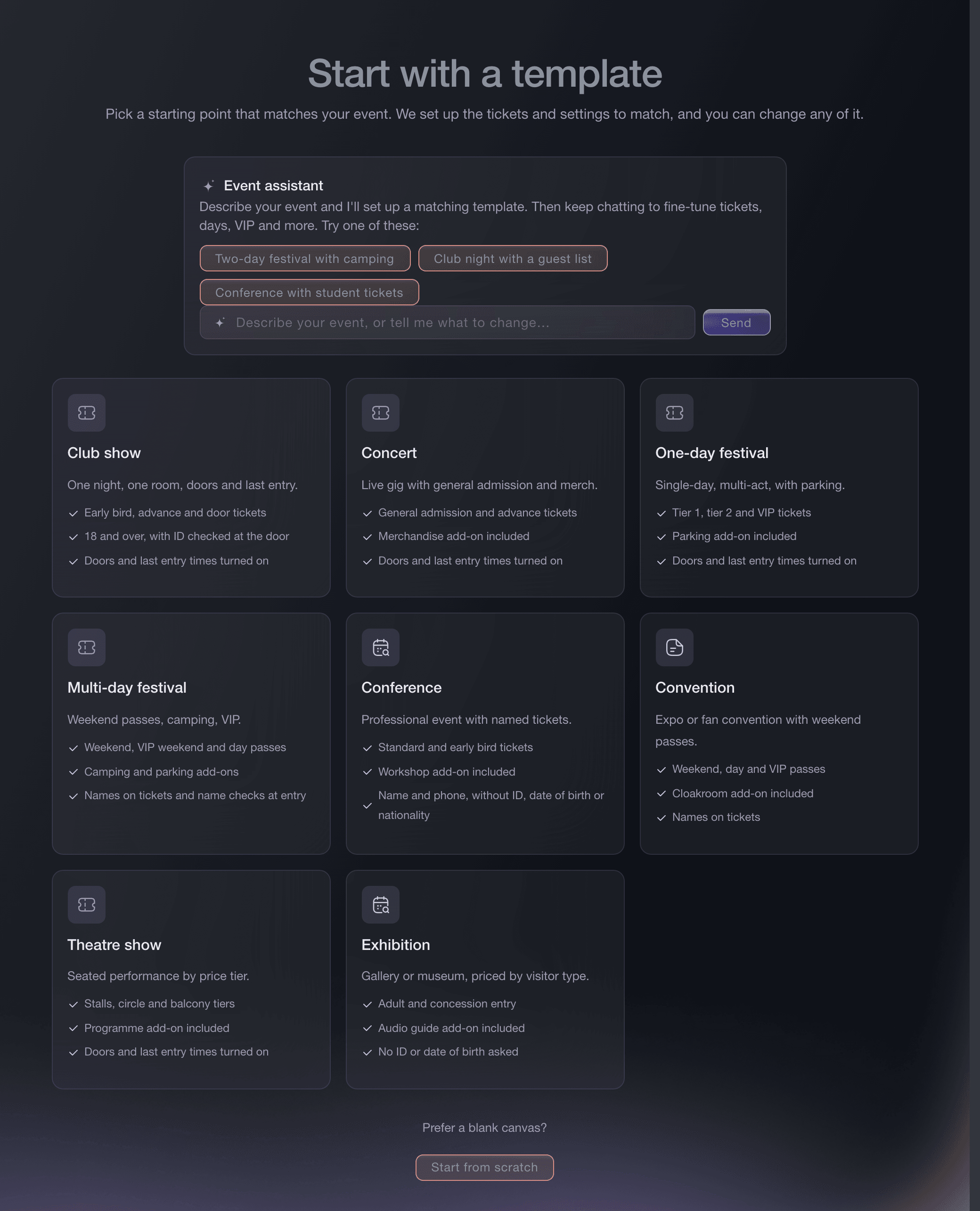
Create Event, template gallery. -
Sell individual seats
On Tickets, create a ticket type for each seat price, such as Gala seat and Supporter seat, with its price and how many you can sell.
Nota: Give each seat price its own share of the room rather than the whole capacity, so the seats and tables together never sell more places than you have.
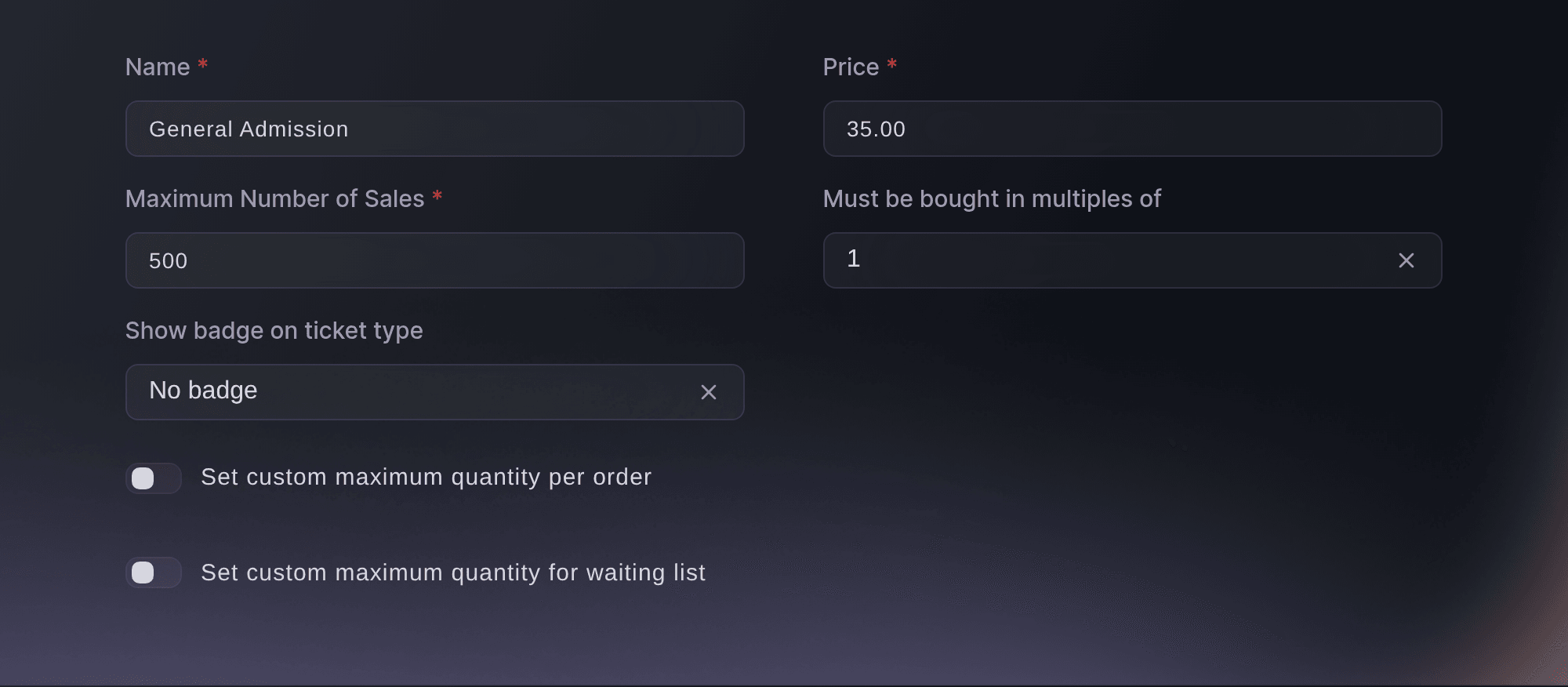
Event, Tickets, Create Ticket Type. -
Sell whole tables
Under Table Types, select Create for each table you sell, with its price, the number of guests it seats and the share paid online.
Nota: Enter the same number as the minimum and the maximum guests for a table that always seats ten. Every table booking asks the buyer for an identity check before we confirm it.
Sell VIP tables and bottle service through your promoters
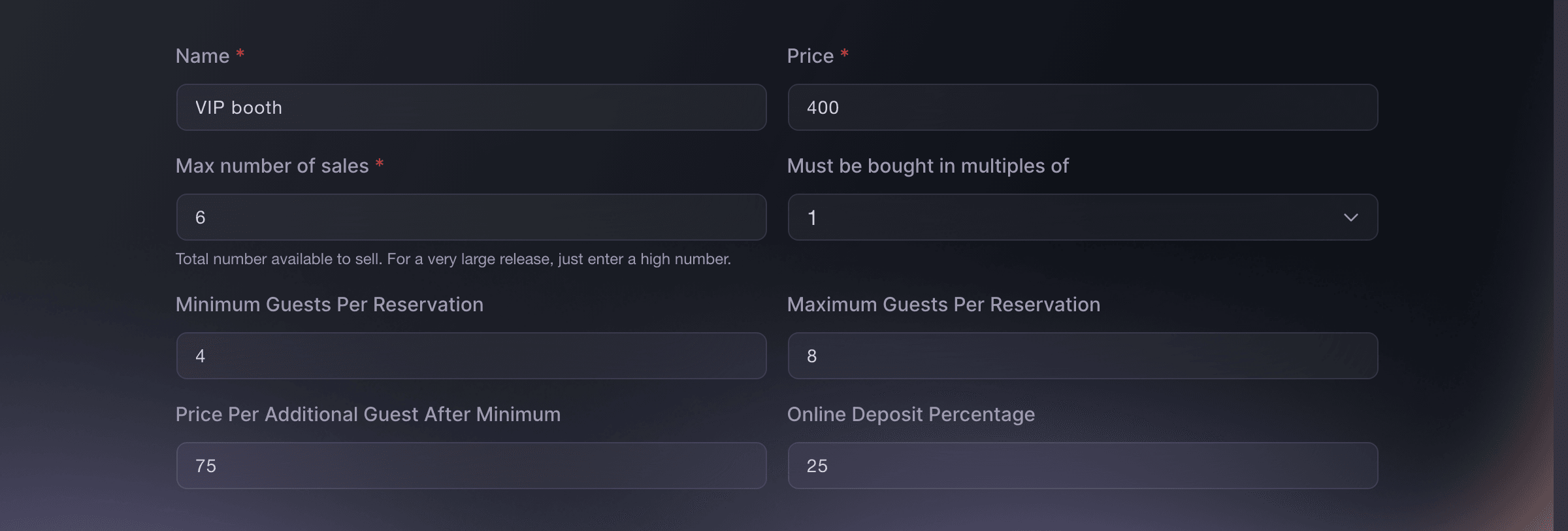
Tickets, Table Types, Create. -
Invoice a company for a block of seats
Optional: Open Group Bookings on the event and select New group booking for a company that pays by invoice against a purchase order.
Nota: Where group bookings is not on for your event yet, the page says so and offers to put you in touch with us.
Sell a block of tickets to a company and invoice them
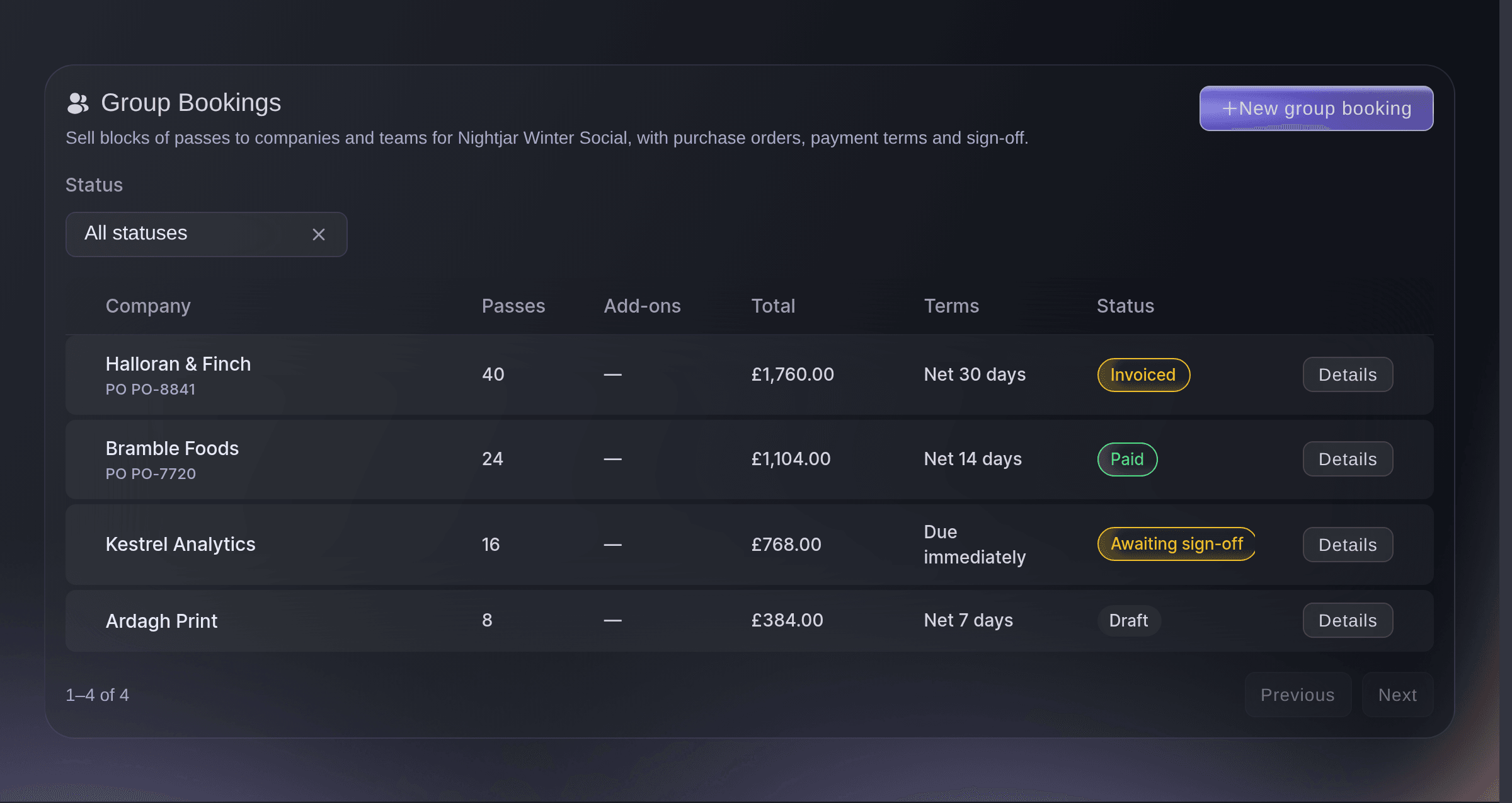
Event, Group Bookings. -
Ask every guest for their meal choice
Open Settings on the event, select Create Custom Field and choose Ticket under Append to, so each seat carries its own answer.
Nota: A table booking is one ticket for the whole party, so it holds one answer. To collect each table guest's choice, send the person who booked the table the link to a form that asks the same question.
Añade preguntas personalizadas al proceso de compra de tu evento

Event, Settings, Custom Fields, Create Custom Field. -
Send sponsors and honoured guests their tickets
Open Guest Tickets, select Send Guest Tickets, then choose the seat or table and enter each guest's details.
Nota: An event that sells tables lists them in the same field, so a sponsor's table goes out as one guest booking.
Envía boletos gratuitos a tu lista de invitados
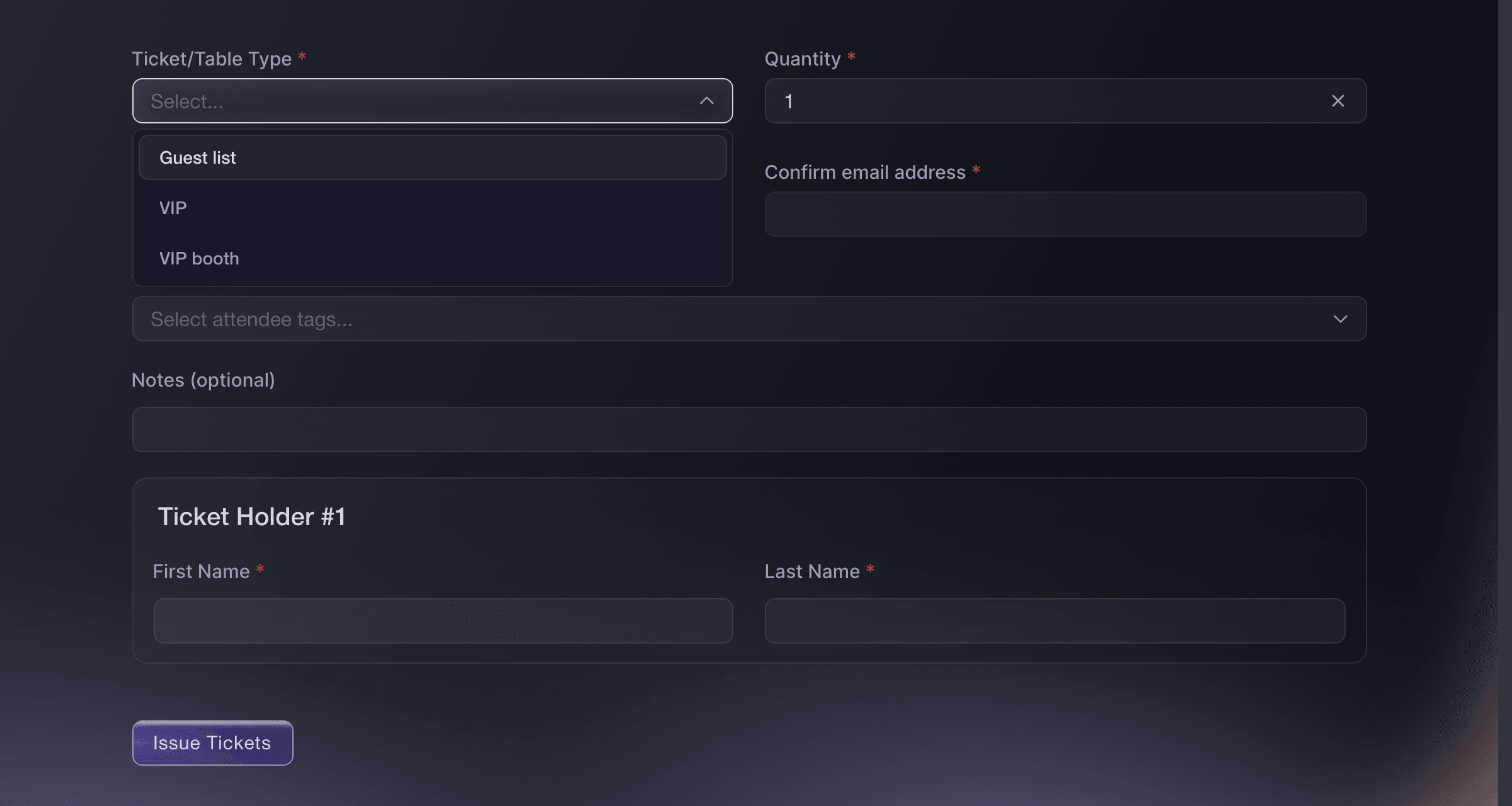
Event, Guest Tickets, Send Guest Tickets. -
Let supporters bring their friends
Optional: On Tickets, open Settings and keep Disable Rewards System off, so each paying guest gets a referral link that earns back part of their ticket.
Nota: Set the reward tiers before the first ticket sells, because the terms buyers saw when they bought stay fixed.
Recompensa a los compradores que traigan amigos a tu evento
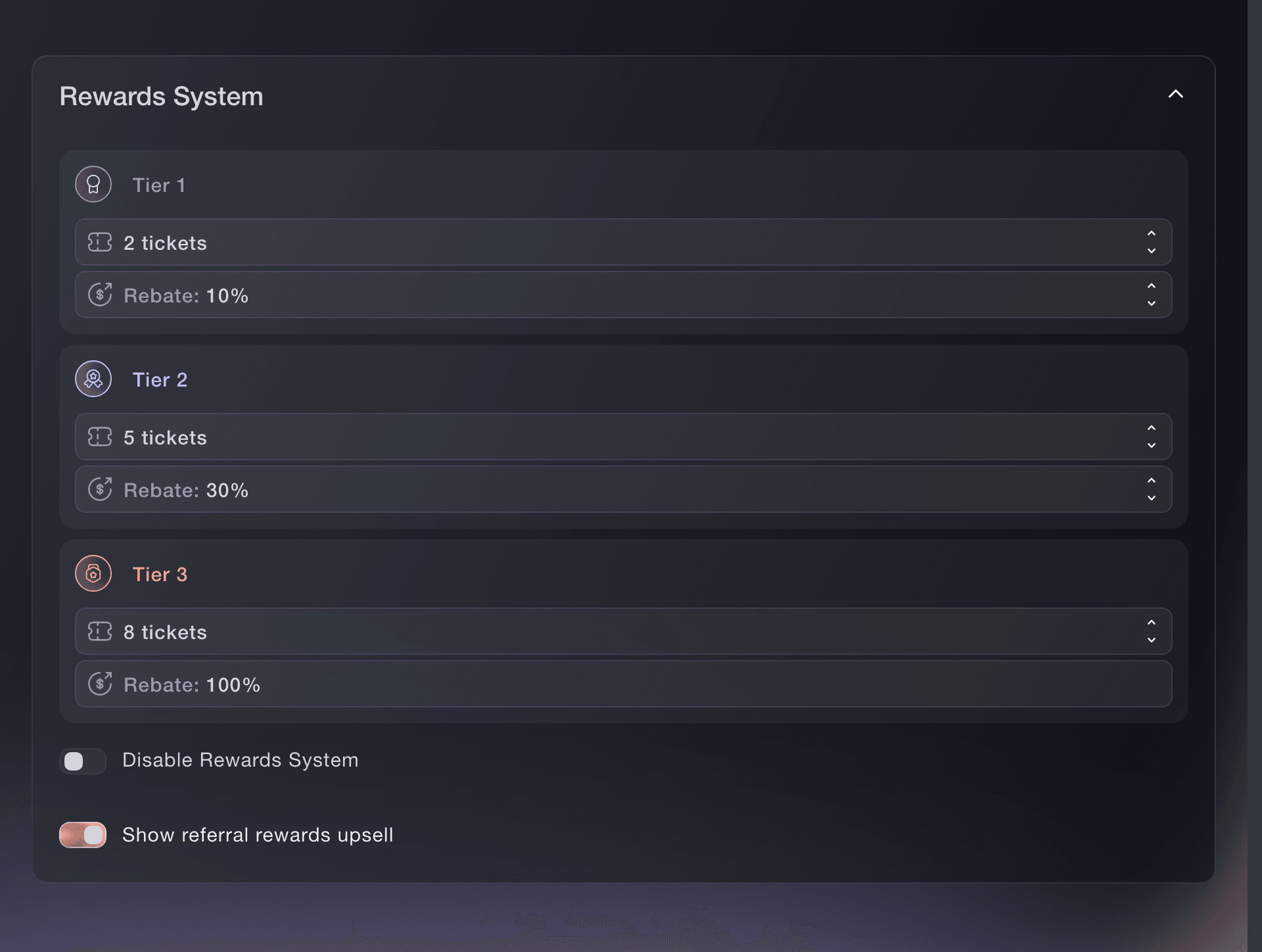
Tickets, Settings, Rewards System. -
Email your guests the evening's details
Open Messaging, select New Email and choose who receives it, such as every guest or only the holders of one ticket type.
Nota: Event messaging is for what guests need to know about the gala, such as the dress code, the arrival time and the seating plan.
Envía un correo a quienes compraron boletos para tu evento
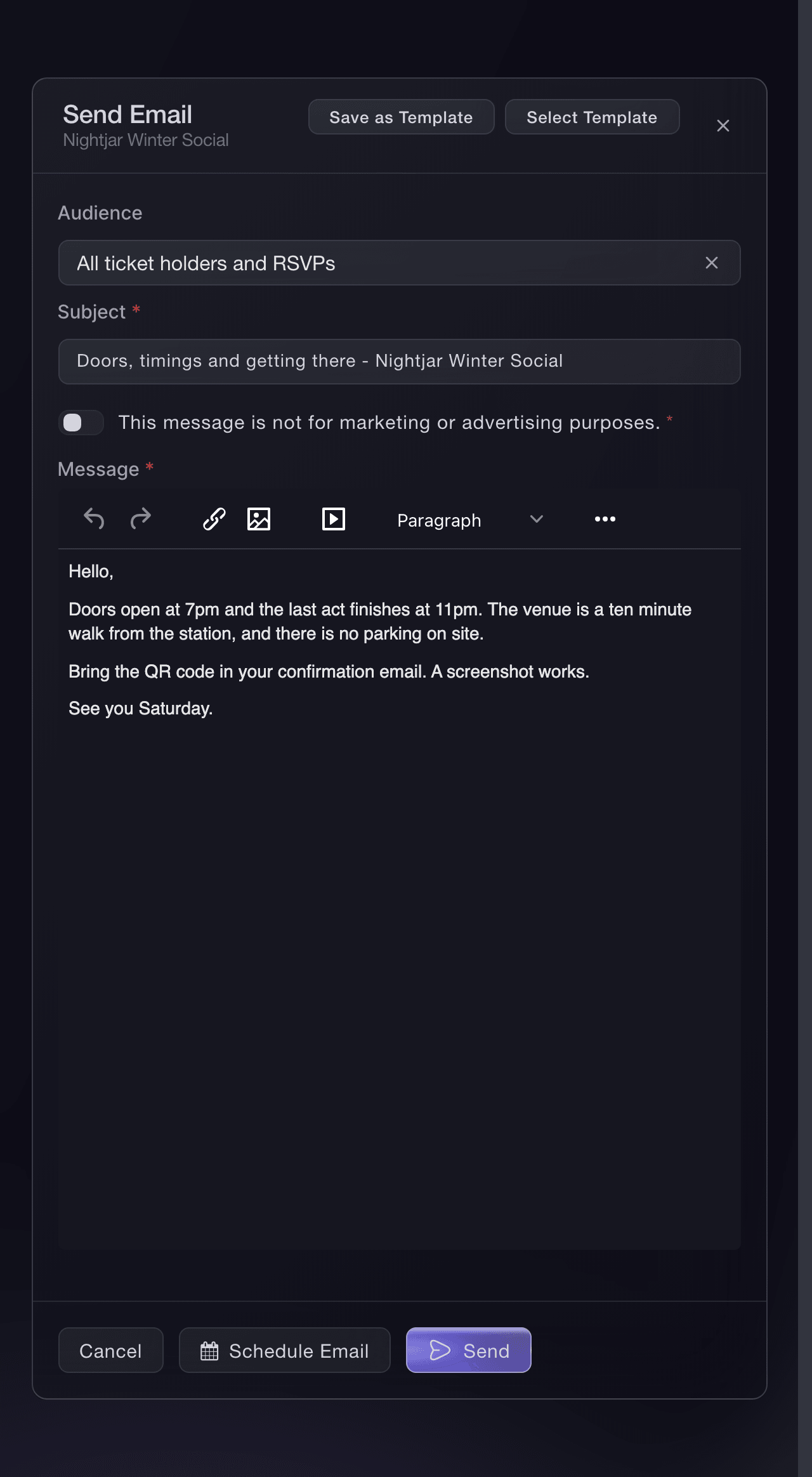
Event, Messaging, New Email. -
Welcome each guest at the door
Open Check-In and select Individual Tickets to find a guest by name or email address as they arrive.
Nota: Once a guest is in, the row shows when they checked in and who admitted them.
Escanea los boletos en la entrada
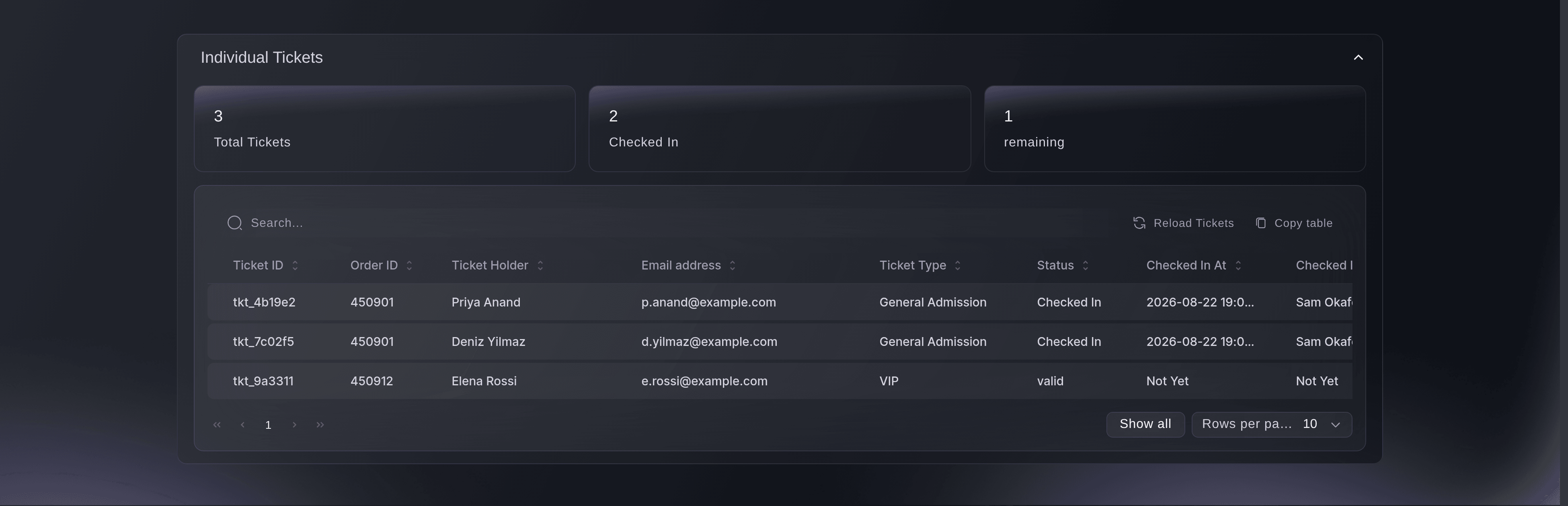
Event, Check-In, Individual Tickets.
Prueba estos pasos en tu propio evento
Crea una cuenta gratis, monta tu evento y sigue los pasos de arriba en tu propio panel. Tarda unos minutos y no necesitas reservar una llamada comercial.
Sin cuotas de alta. Sin cuota mensual obligatoria. Sin tarjeta de crédito.
O deja que lo hagan por ti
Fai, the assistant inside your dashboard, can create the gala's seats and tables, add the meal-choice question, draft a company's group booking, send sponsors their guest tickets, set the referral rewards before the first sale, send your guests an email and find a guest at the door. She shows you each change and asks you to approve it first, and asks again before anything is emailed.
En tu panel, con Fai
For our gala <EVENT NAME>, create individual seats at <SEAT PRICE> and tables of <GUESTS> at <TABLE PRICE>, add a meal choice question each guest answers, and show me everything before you save it
Desde tu terminal
Instala la CLI desde nuestra página de la CLI, inicia sesión con ticketfairy auth login y elige la marca con la que trabajas usando ticketfairy brand use <BRAND_ID>. ticketfairy brand list y ticketfairy event list muestran los ID que usan los demás comandos.
Use the command line to create the seats and tables and to publish the gala. The meal question, invoices, guest tickets, referral rewards and emails are set up in the dashboard or with Fai.
Create the individual seat.
ticketfairy ticket create <EVENT_ID> --name "Gala seat" --price 150 --max-inventory 300
Create a table of ten paid in full online.
ticketfairy table create <EVENT_ID> --body '{"displayName": "Table of ten", "price": 150000, "maxInventory": 30, "minGuests": 10, "maxGuests": 10, "guestPrice": 0, "depositPercent": 100}'
Publish the gala.
ticketfairy event publish <EVENT_ID>
Deja que Fai lo haga por ti
Fai trabaja dentro de tu panel de Ticket Fairy. Crea tu cuenta, abre Fai y pega la instrucción de arriba.
Sin cuotas de alta. Sin cuota mensual obligatoria. Sin tarjeta de crédito.
Preguntas que puedes tener
- How do I sell a table of ten at a gala?
- Create a table type with the table's price and ten as both the minimum and the maximum guests. Set the online share to 100 to take the whole price online once the buyer passes the identity check, or lower to take a deposit and collect the rest yourself.
- Can a company pay for its seats by invoice?
- Yes, with group bookings. You build the company's block from your real ticket types, record their purchase order number and payment terms on the booking, get it signed off where you need to, and raise one invoice with a due date that matches their terms.
- Can each guest at a table give their own meal choice?
- A table booking is one ticket for the whole party, so it holds one answer to a ticket question rather than one for each guest. Guests who buy individual seats answer for themselves, and we can turn on each table guest's name, email and phone at checkout for your event when you ask.
- How do I give a sponsor their table?
- Send it from Guest Tickets. Choose the table type in the ticket field and enter the sponsor's details, and the booking takes one table from that type's stock.
- Can guests add a donation when they buy their seat?
- Checkout has no field for a gift of an amount the guest chooses. Create an add-on for each gift you suggest, such as 25 and 50, so a guest adds one beside their seat in the same checkout, and link your own donation page in the words you add to the confirmation email for a gift of any other size.
¿Todavía tienes una pregunta?
Reserva una demo y te la respondemos en una llamada, sobre tu tipo de evento. O crea tu cuenta y compruébalo por ti mismo.
Sin cuotas de alta. Sin cuota mensual obligatoria. Sin tarjeta de crédito.
Guías relacionadas
Hazlo en tu propio evento
Crea tu cuenta, monta tu evento y sigue los pasos en tu propio panel. No necesitas reservar una llamada comercial.