
Kassa ja tilaukset
Resend a buyer's tickets and fix their details
Box office and support teams get asked for tickets that never arrived, usually because the email address has a typo or the buyer reads a different inbox. You can correct the name or email on the ticket and send the same barcodes again, without changing the order or the money on it.
Send an order's tickets again to any email address the buyer gives you, and correct the name or email on a ticket so it matches the person arriving at the door.
- Kenelle
- Answering a buyer whose tickets went missing
- Kestää
- 5 minuuttia
Ennen aloitusta
- You're the owner, an admin, a support login or a limited support login on the event. A Stats or promoter login is refused, even where the menu still offers the action.
- You have the order in front of you on the Orders page, found by the buyer's name, email address or order number.
- You know which address the buyer wants the tickets at. Ask them rather than guessing, because a resend goes to the address you type and nowhere else.
-
Find the order
Open your event, select Orders, then search for the buyer by name, email address or order number. Where the search finds nothing, the buyer has usually booked under a second email address.
-
Correct the name or address on the ticket
Open the order, select Edit Ticket on the ticket that is wrong, correct the First name, Last name or Email address, then select Save. The barcode is unchanged, so a ticket already printed or saved to a phone still scans.
Huomautus: Nothing is emailed to the buyer when you save this, so send the tickets again yourself.
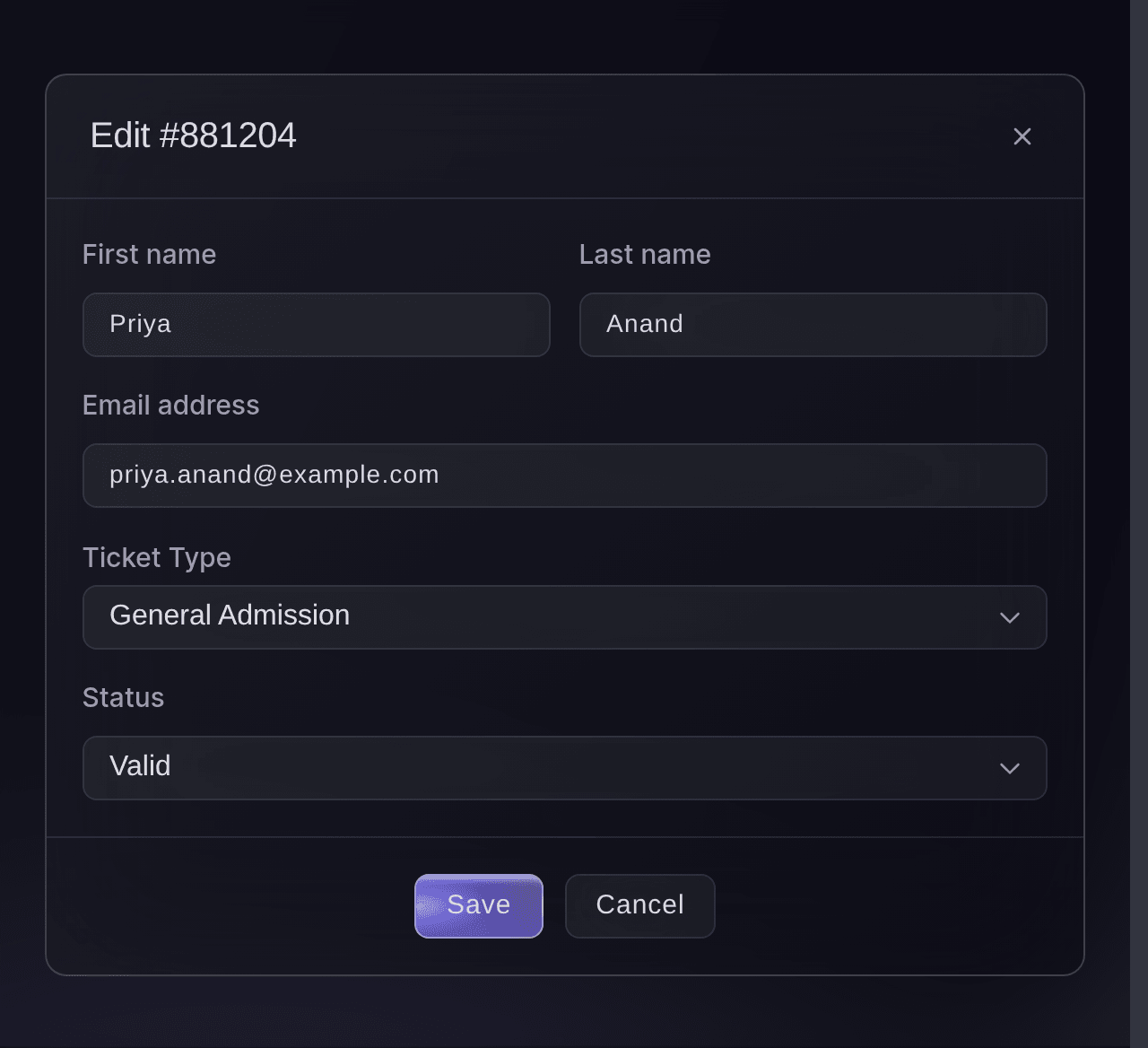
Event, Orders, order, ticket, Edit Ticket. -
Send the tickets again
Select Resend in the order's menu, check the Email Address, then select Resend. The same tickets go out again, and Successfully Sent tells you the email is on its way.
Huomautus: The address is filled in from the order and you can change it for this one send. Changing it here does not change the order, so correct the ticket first if the buyer should keep the new address.
Varoitus: A buyer still paying off a payment plan receives the payment plan confirmation again, which lists the instalments and carries no barcode. Tell them their tickets arrive with the last instalment.
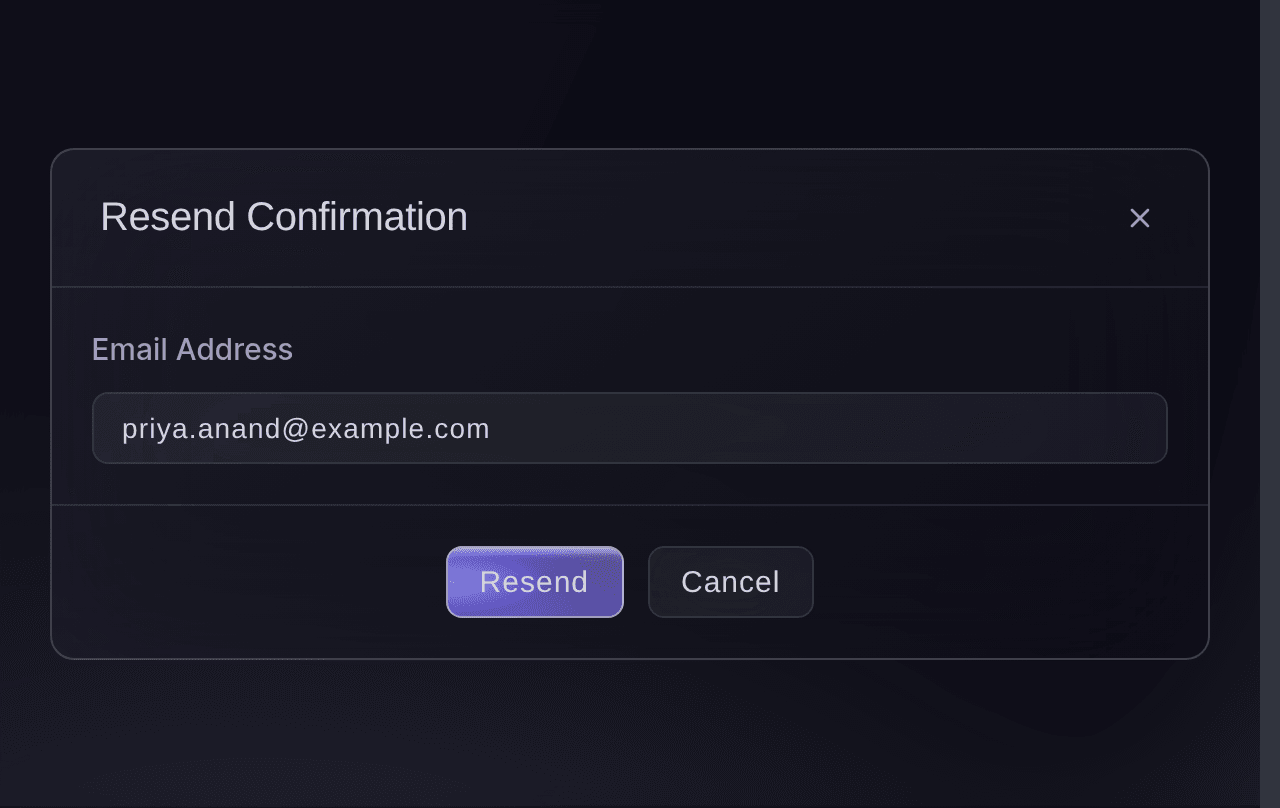
Event, Orders, order menu, Resend.
Kokeile näitä vaiheita omassa tapahtumassasi
Luo ilmainen tili, rakenna tapahtumasi ja seuraa yllä olevia vaiheita omassa hallintapaneelissasi. Se vie muutaman minuutin, eikä sinun tarvitse varata myyntipuhelua.
Ei käyttöönottomaksuja. Ei pakollista kuukausimaksua. Luottokorttia ei tarvita.
Tai anna sen hoitua puolestasi
Fai, the assistant inside your dashboard, finds the order and reads what was sent and to which address. Sending the tickets again and correcting a name are yours to do on the page, because neither is something she can carry out.
Hallintapaneelissasi, Fain kanssa
Find the order for <BUYER EMAIL ADDRESS> on <EVENT NAME> and tell me which tickets it holds and what state each one is in
Anna Fain hoitaa se puolestasi
Fai toimii Ticket Fairy -hallintapaneelissasi. Luo tili, avaa Fai ja liitä yllä oleva kehote.
Ei käyttöönottomaksuja. Ei pakollista kuukausimaksua. Luottokorttia ei tarvita.
Resend from the order itself
Select Resend tickets inside the order for the same dialog and the same result. A phone shows the order rather than the row menu, so this is the way in when you are answering a buyer away from a desk.
Fai finds the order and reads it out to you. The resend is yours to do on the page.
Hallintapaneelissasi, Fain kanssa
Show me order <ORDER NUMBER> on <EVENT NAME> with the address it was sent to
Move a buyer to a different ticket type
Change Ticket Type in the same dialog when a buyer bought the wrong one. This cancels the ticket and issues a replacement, so the old barcode stops working and you need to send the buyer their new ticket.
Huomautus: On a timed entry event where we charge for a change of slot, the buyer receives a link and the change happens only once they follow it.
Fai reads the ticket afterwards so you can confirm which one is now live. Making the change is yours to do on the page.
Hallintapaneelissasi, Fain kanssa
For order <ORDER NUMBER> on <EVENT NAME>, list its tickets with the type and state of each
Kysymyksiä joita sinulla voi olla
- Does a resend make new tickets?
- No. The same barcodes go out again, so a buyer who finds the first email later can use either one and the door sees one ticket.
- I resent to a different address. Which one does the order have now?
- The one it always had. A resend delivers to the address you typed and leaves the order alone, so edit the ticket as well when the buyer should keep the new address.
- The buyer says it still has not arrived. What now?
- Read the address on the ticket back to them, letter by letter, and ask them to look in spam and in any other inbox that address forwards to. A work address that filters outside mail is the usual answer, and sending to a personal one settles it.
- Can Fai resend an order for me?
- Not yet. She finds the order and reads out its tickets, their state and the address on them, and the resend itself is yours to do on the page.
- Why can a Stats login see Resend but not use it?
- The action is refused for that login even where the menu still offers it, so nothing is sent. Ask an owner, an admin or a support login on the event to do it.
Jäikö vielä kysyttävää?
Varaa esittely, niin vastaamme siihen puhelussa sinun tapahtumatyyppisi mukaan. Tai luo tili ja katso itse.
Ei käyttöönottomaksuja. Ei pakollista kuukausimaksua. Luottokorttia ei tarvita.
Aiheeseen liittyvät oppaat
Tee tämä omassa tapahtumassasi
Luo tili, rakenna tapahtumasi ja seuraa vaiheita omassa hallintapaneelissasi. Sinun ei tarvitse varata myyntipuhelua.