
Styr produktionen
Book dressing rooms and plan build and break days for your event
Stage managers and production managers juggle a handful of dressing rooms between a dozen acts a day, and the site build starts days before the first set. Dressing rooms on the run of show stop two acts arriving to the same room, and build and break days put the load-in and load-out in the same plan as the show.
Give every performer at your event a dressing room around their set, with Fai suggesting the whole day's rooms and flagging any overlap, and add the build days before the show and the break days after it to your run of show with the usual load-in, rig, sound check, de-rig and load-out cues.
- Til
- Planning dressing rooms and the days around your show
- Tager
- 8 minutter
Før du går i gang
- You are an owner, admin or producer on the event. The event's Operations page opens for those roles only.
- Your performers have set times on the schedule, so Fai knows when each one needs a room.
-
Open the run of show
Open the event, select Operations, then select Run of show in the list of sections, and choose the day.
Bemærk: Dressing rooms is below the day's cues. If Run of show is not in the list, select More sections and open it there.
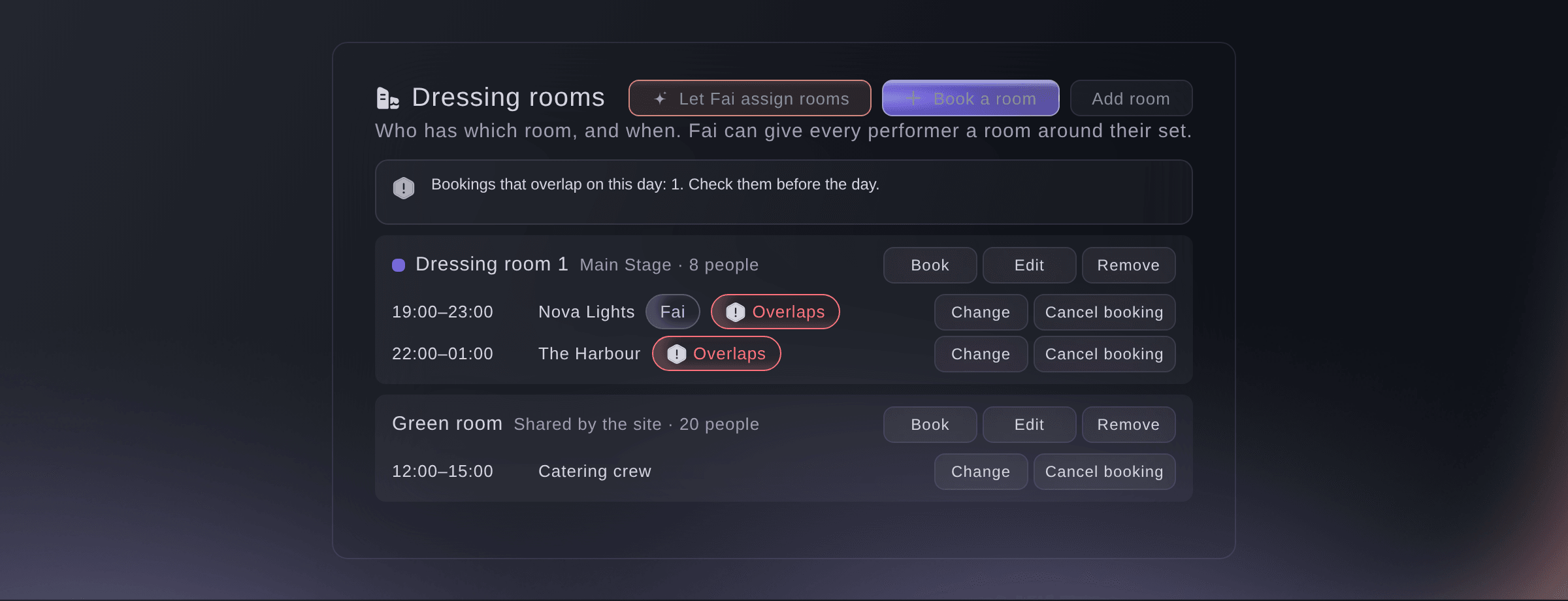
Dressing rooms for one day. -
Add your dressing rooms
Select Add room, enter the Room name, choose its Stage or Shared by the site, then select Add a dressing room.
Bemærk: Add each room once and it is there for every day. Under More details, enter How many people fit and any notes.
-
Let Fai assign the rooms
Select Let Fai assign rooms, untick anything you want to leave out, then select the button to book the rooms.
Bemærk: Each performer gets a room from two hours before their set until an hour after it, headliners first and rooms on their own stage first. Fai lists anyone she could not place, so add a room or change a booking for them.
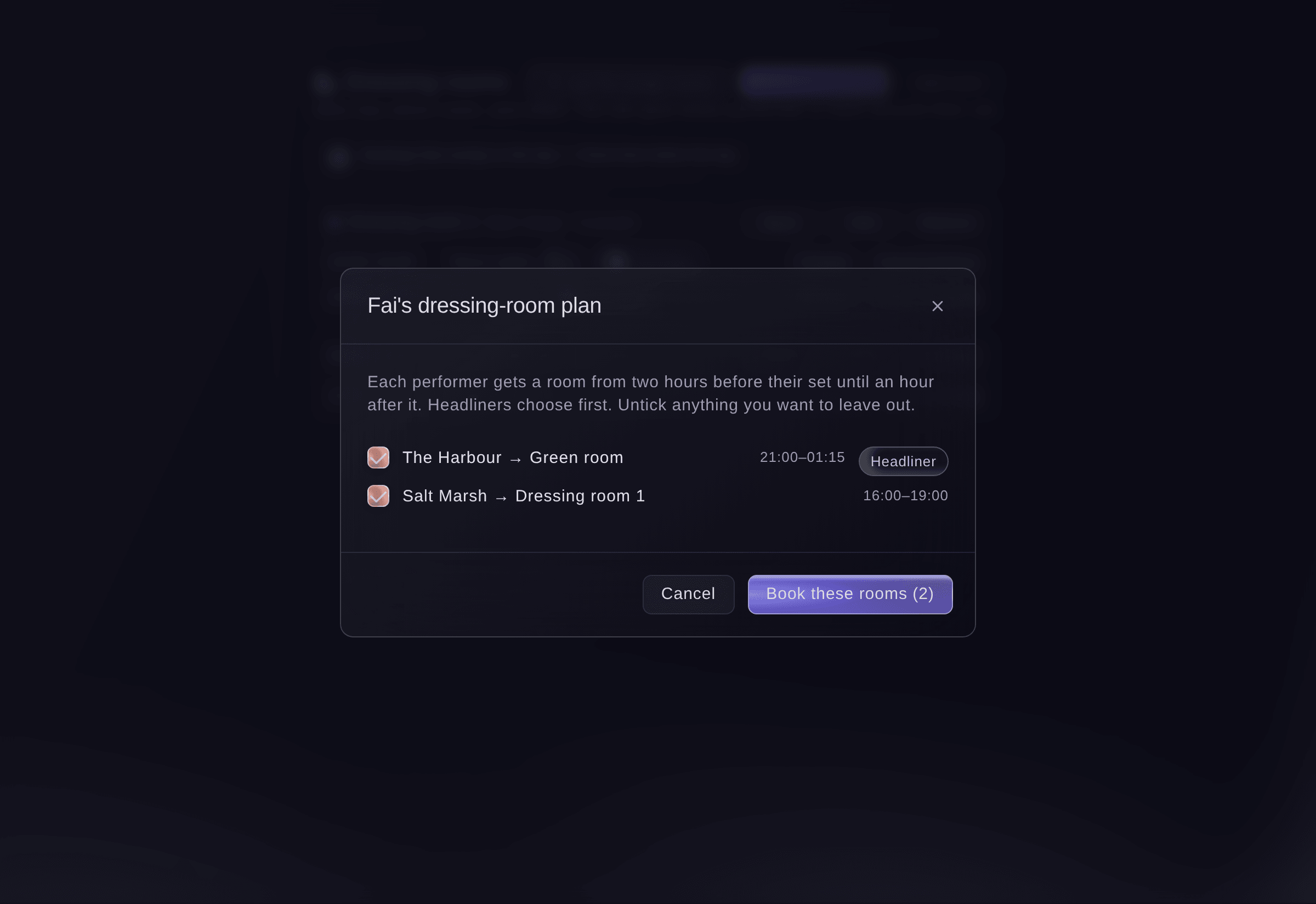
Fai's dressing-room plan. -
Book a room yourself
Select Book a room, choose Who is it for?, the Room, From and Until, then select Book a room.
Bemærk: Choose Someone else to book a room for a crew or catering team. An end time earlier than the start runs into the next morning, and a booking can last up to 36 hours.
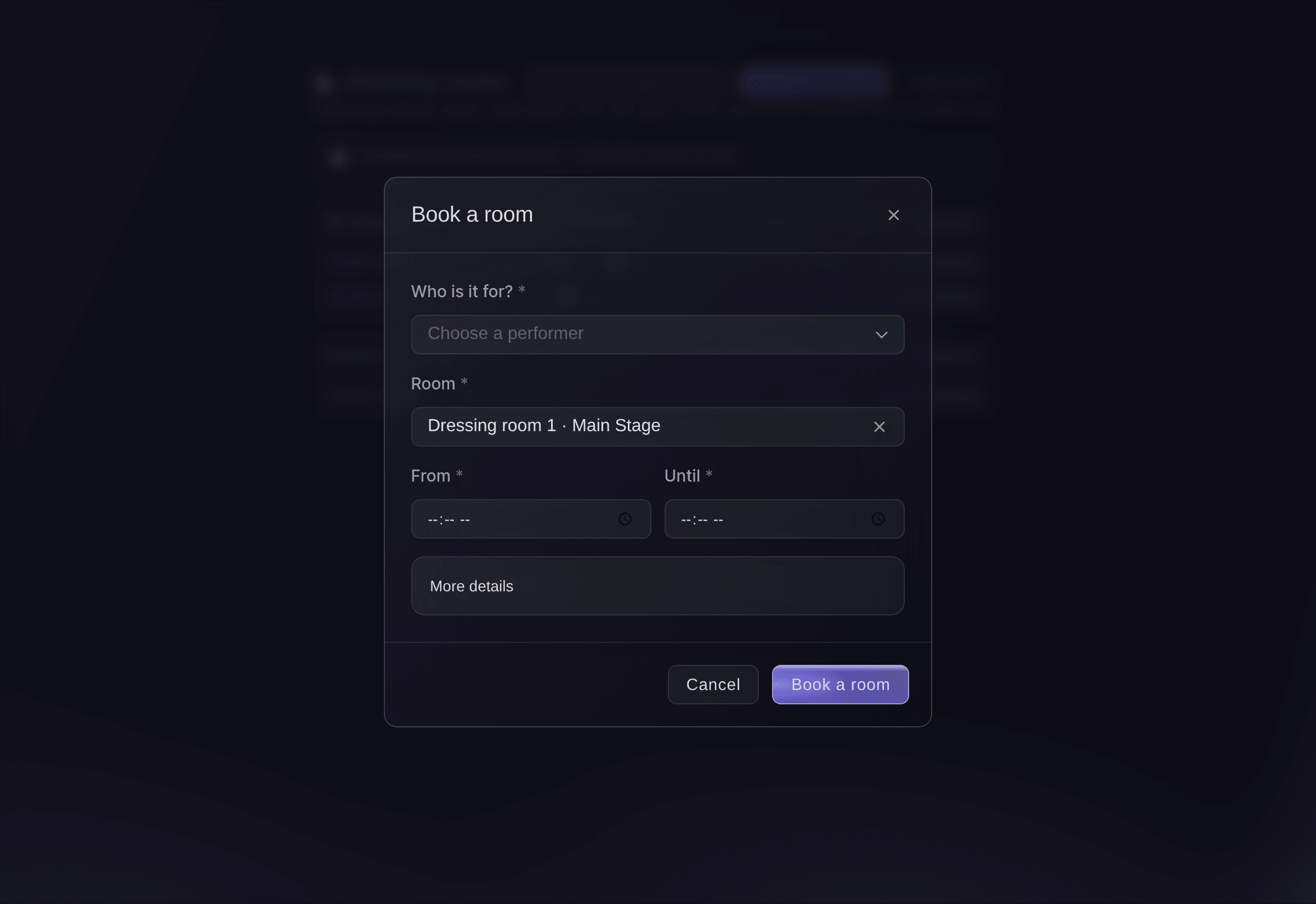
Book a room.


Overlapping bookings
A booking that overlaps another in the same room, or gives the same performer two rooms at once, is stopped with the bookings it overlaps. Select Book anyway only when the room is shared. Overlaps stay marked Overlaps on the day, and every booking shows on the run of show, the day sheets and the performer and stage pages.
-
Add a build or break day
Select Add build or break day, choose Build day or Break day, choose the Day, then select Save day.
Bemærk: Tick the usual cues to add load-in 08:00, rig 10:00 and sound check 15:00 to a build day, or de-rig 09:00 and load-out 13:00 to a break day. Build and break days can be up to 14 days before or after the event and work like any show day.
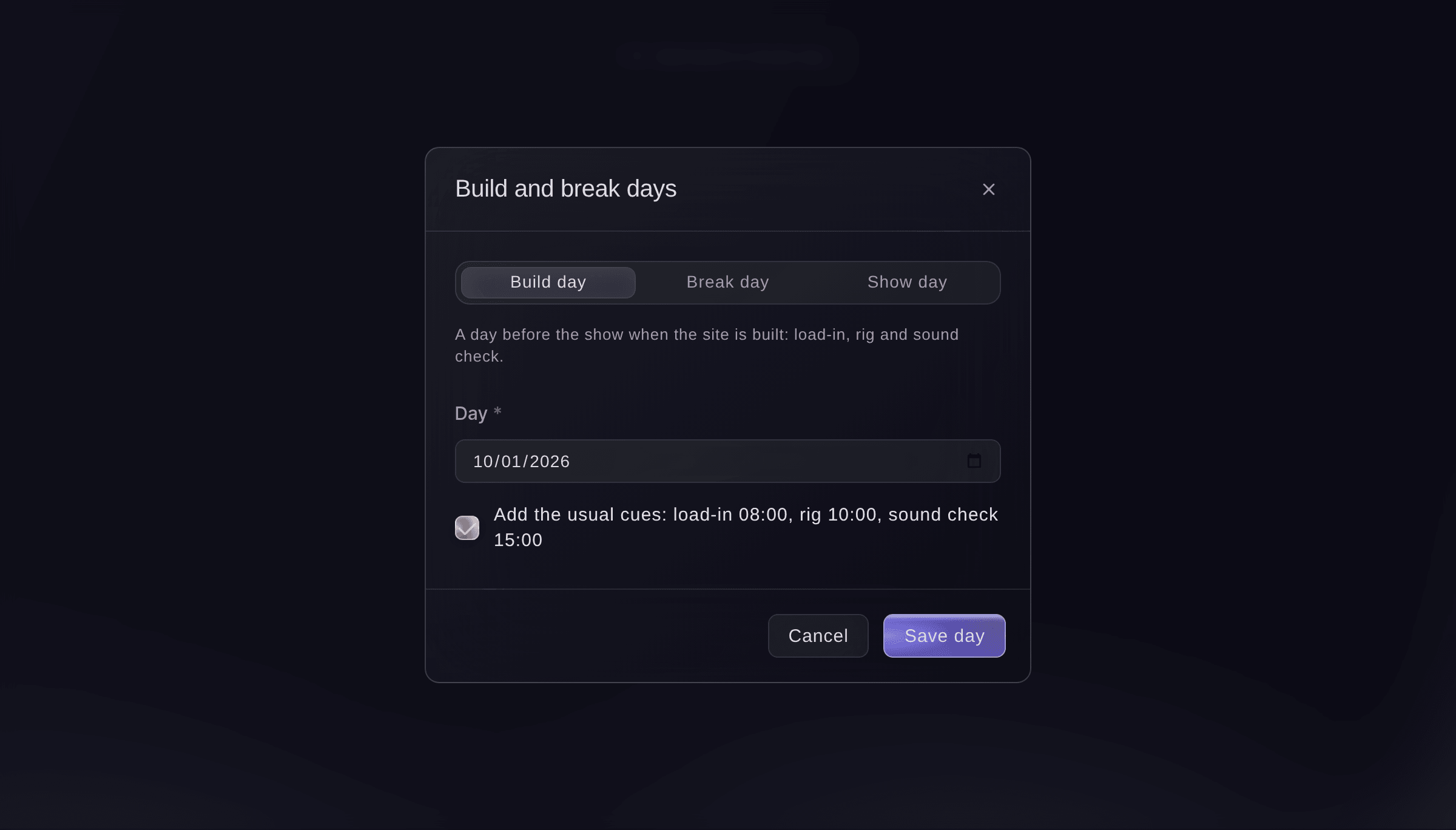
Add a build or break day.

Prøv disse trin på dit eget event
Opret en gratis konto, byg dit event og følg trinnene ovenfor i dit eget dashboard. Det tager få minutter, og du behøver ikke at booke et salgsopkald.
Ingen oprettelsesgebyrer. Intet obligatorisk månedligt gebyr. Intet kreditkort påkrævet.
Eller få det gjort for dig
Fai reads your dressing rooms and a day's bookings with any overlaps, suggests a room for every performer, adds, changes or removes rooms, books or cancels a room, saves her plan, and adds a build or break day with the usual cues. She shows you each change and waits for your yes first, and asks before she books a room that overlaps another booking.
I dit dashboard, med Fai
Give every performer on Saturday at <EVENT NAME> a dressing room around their set
Lad Fai gøre det for dig
Fai arbejder inde i dit Ticket Fairy-dashboard. Opret din konto, åbn Fai og indsæt instruktionen ovenfor.
Ingen oprettelsesgebyrer. Intet obligatorisk månedligt gebyr. Intet kreditkort påkrævet.
Cancel a dressing room booking
-
Cancel it
Select Cancel booking beside the booking, then confirm.
Bemærk: The room shows as free again on the run of show and day sheets.
Fai cancels a dressing room booking when you ask, after you confirm.
I dit dashboard, med Fai
Cancel The Harbour's dressing room booking on Saturday at <EVENT NAME>
Spørgsmål du måske har
- Where do the stage colours on the run of show come from?
- From each stage's colour in the Stages section. The run of show heading for a stage and its dressing rooms use the same colour.
- What happens to a room's bookings if I remove the room?
- They are removed with the room. The confirmation says how many bookings the room has on that day.
- Does Fai move bookings I made myself?
- No. Fai only suggests rooms for performers without one, and skips anything taken between her suggestion and your save.
Har du stadig et spørgsmål?
Book en demo, så besvarer vi det i en samtale ud fra din type event. Eller opret din konto og se det selv.
Ingen oprettelsesgebyrer. Intet obligatorisk månedligt gebyr. Intet kreditkort påkrævet.
Relaterede guides
Gør det på dit eget arrangement
Opret din konto, byg dit arrangement, og følg trinnene i dit eget dashboard. Du behøver ikke booke et salgsmøde.