
Styr produktionen
Plan next year's event from your attendee feedback
Festival promoters and event teams read hundreds of survey comments after the show and try to remember them when planning the next edition. Feedback counts the answers for you, Fai groups the comments into what people loved and what to improve, and the improvements become tasks on next year's event.
Read your event's feedback as the answers come in: how many people answered, your Net Promoter Score beside the last edition's, each stage, act and trader's rating, and the themes Fai finds in their comments, with real quotes. Add the top things to improve as tasks on next year's event in one step.
- Til
- Turning what your attendees said into next year's plan
- Tager
- 5 minutter
Før du går i gang
- You are an owner, admin or producer on the event. The event's Operations page opens for those roles only.
- The survey has been sent. Setting it up is in the guide to asking attendees for feedback.
-
Open Feedback
Open the event, select Operations, then select Feedback in the list of sections.
Bemærk: The results update a few minutes after new answers arrive, and most people answer within a day of the email.
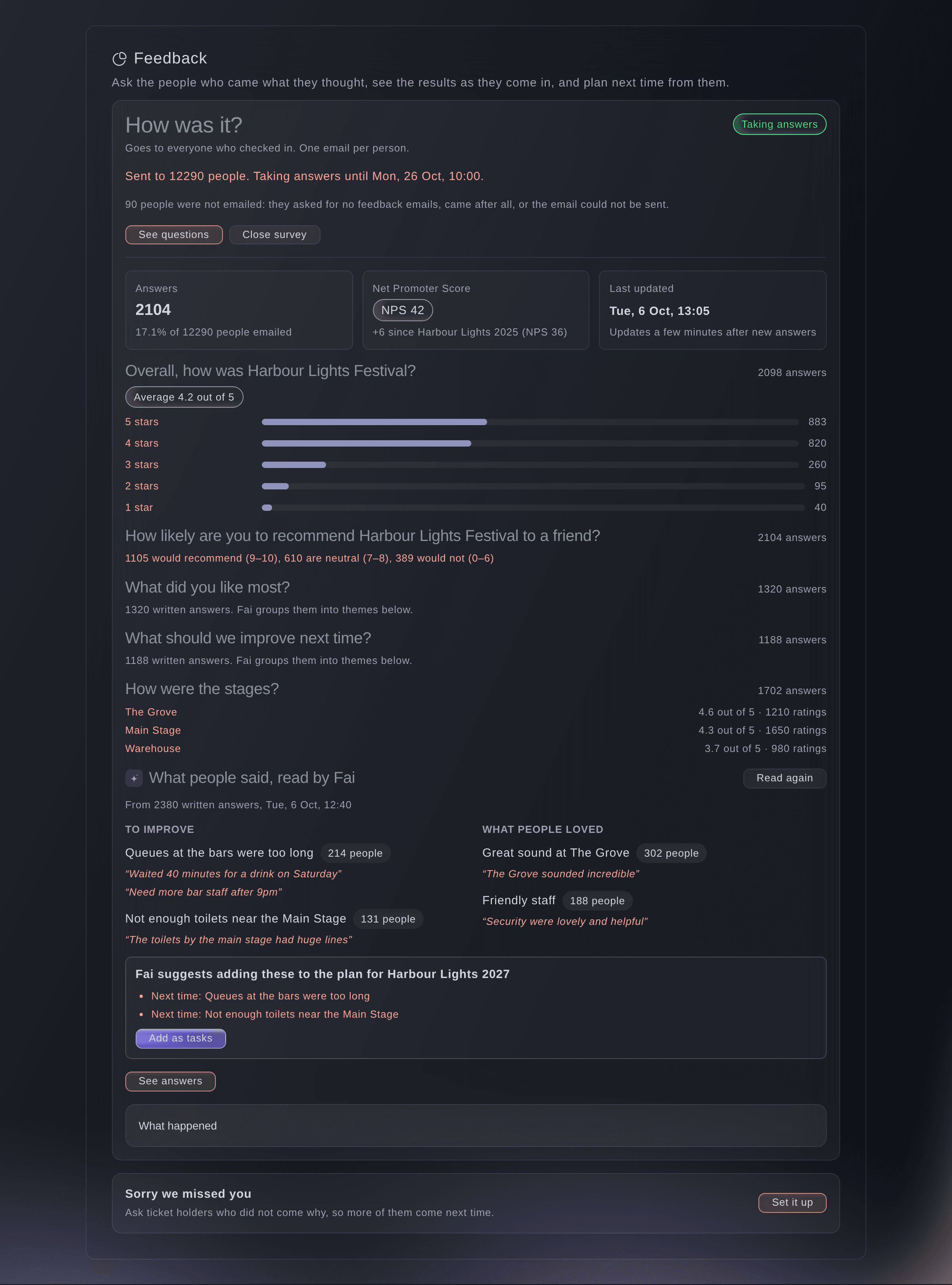
Feedback results as the answers come in. -
Read the headline figures
Read Answers and Net Promoter Score at the top of the results.
Bemærk: Answers is the share of the people emailed who answered. The Net Promoter Score is the share who would recommend you, 9 or 10 out of 10, minus the share who would not, 0 to 6, beside your brand's last event with a survey.
-
Compare your stages, acts and traders
Scroll to the rating questions, where each stage, act, session or trader shows its average out of 5 and how many rated it.
-
Read what people said
Read What people said, read by Fai, split into What people loved and To improve.
Bemærk: Each theme says how many people raised it, with their own words as quotes. Fai reads the comments once at least 5 are in, and again as more arrive.
-
Add the improvements as tasks
Select Add as tasks, check the tasks, then select the add button, which counts them.
Bemærk: The tasks go on your brand's next edition of the event, or on this event when there is none yet. The same suggestion is on Today until you decide it.
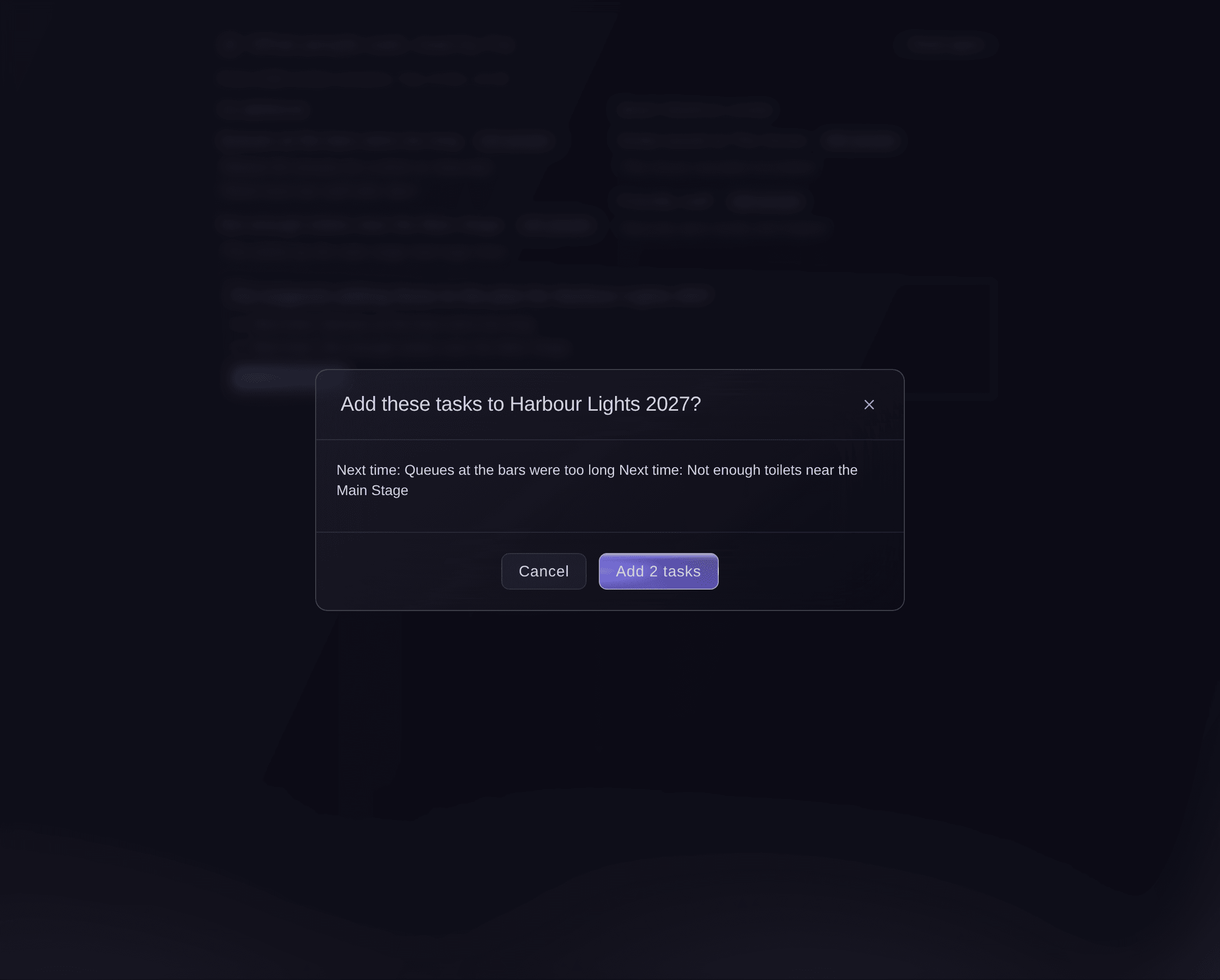
Add the improvements to next year's plan. -
Read each person's answers
Select See answers, then choose who to show under Show.
Bemærk: Choose Would not recommend (0–6) to read the unhappy answers first. Names and email addresses show to owners and admins only.
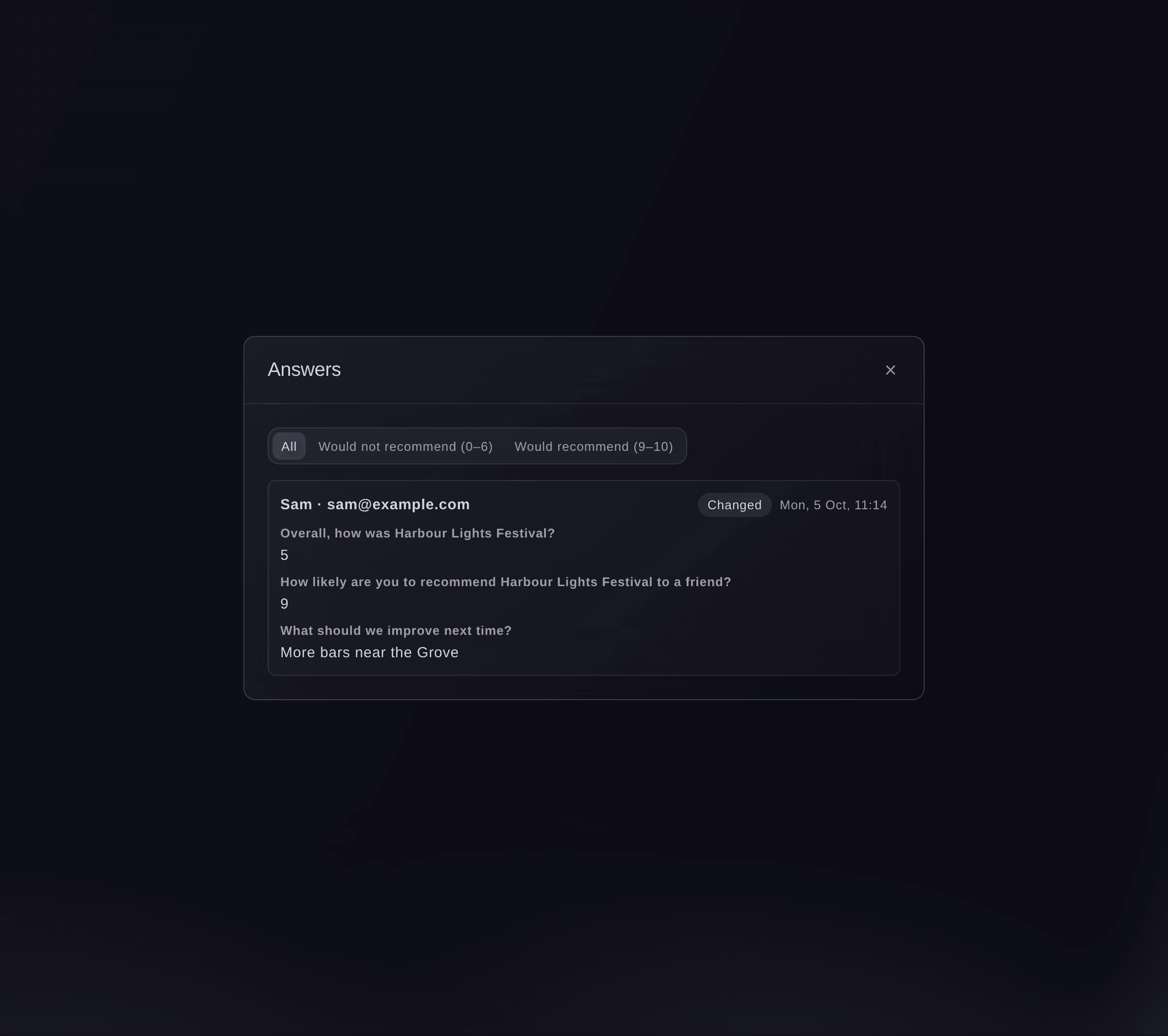
Each person's answers.


Prøv disse trin på dit eget event
Opret en gratis konto, byg dit event og følg trinnene ovenfor i dit eget dashboard. Det tager få minutter, og du behøver ikke at booke et salgsopkald.
Ingen oprettelsesgebyrer. Intet obligatorisk månedligt gebyr. Intet kreditkort påkrævet.
Eller få det gjort for dig
Fai reads you the response rate, Net Promoter Score, each question's results and the themes in the comments, and reads the comments again when you ask. The tasks for next time are added from the dashboard or from Today, after you approve them.
I dit dashboard, med Fai
What did people think of <EVENT NAME>, and what should we fix next year?
Lad Fai gøre det for dig
Fai arbejder inde i dit Ticket Fairy-dashboard. Opret din konto, åbn Fai og indsæt instruktionen ovenfor.
Ingen oprettelsesgebyrer. Intet obligatorisk månedligt gebyr. Intet kreditkort påkrævet.
Download the answers
-
Download them
Select Download answers under the results.
Bemærk: The file has every answer, with names for owners and admins. Each download is recorded with who made it.
Downloading the answers is done in the dashboard. Fai reads you the results and themes instead.
I dit dashboard, med Fai
Summarise the feedback answers for <EVENT NAME> from people who would not recommend us
Spørgsmål du måske har
- Why is there no Net Promoter Score yet?
- It shows once people answer the How likely are you to recommend question. A survey without that question has no score.
- Why does Fai say it cannot read the answers yet?
- Fai reads the comments once at least 5 are in. Select Read again later to ask for a fresh reading.
- A person changed their answer. Which one counts?
- Their latest answer. Their earlier one is kept, and the answer shows as changed.
- Why do I not see names on the answers?
- Names and email addresses show to the event's owners and admins. Other roles see each answer without the person's details.
Har du stadig et spørgsmål?
Book en demo, så besvarer vi det i en samtale ud fra din type event. Eller opret din konto og se det selv.
Ingen oprettelsesgebyrer. Intet obligatorisk månedligt gebyr. Intet kreditkort påkrævet.
Relaterede guides
Gør det på dit eget arrangement
Opret din konto, byg dit arrangement, og følg trinnene i dit eget dashboard. Du behøver ikke booke et salgsmøde.