
Comprendre les rapports de votre événement
Check the weather for your event
Festival teams, open-air promoters and anyone putting up a marquee plan around the weather at the venue. Ticket Fairy shows the forecast for your venue beside your ticket sales, with your event days marked, and what that date is usually like while the event is still weeks away. You can then plan cover, water, staffing and messages to ticket holders in good time.
See the weather forecast for your event's venue on the Performance page, with your event days marked and any severe-weather warning for the area, and see what the date is usually like while the event is still weeks away.
- Pour
- Planning an outdoor event around the weather at your venue
- Durée
- 4 minutes
Votre page Performance
Avant de commencer
- You're an owner or an admin on this event, or you have a Stats or promoter login for it. A Limited Stats login's Performance page shows the sales table without the weather.
- Your event has a venue under Venue Location on its Details page. The weather is for that place.
-
Weather intelligence
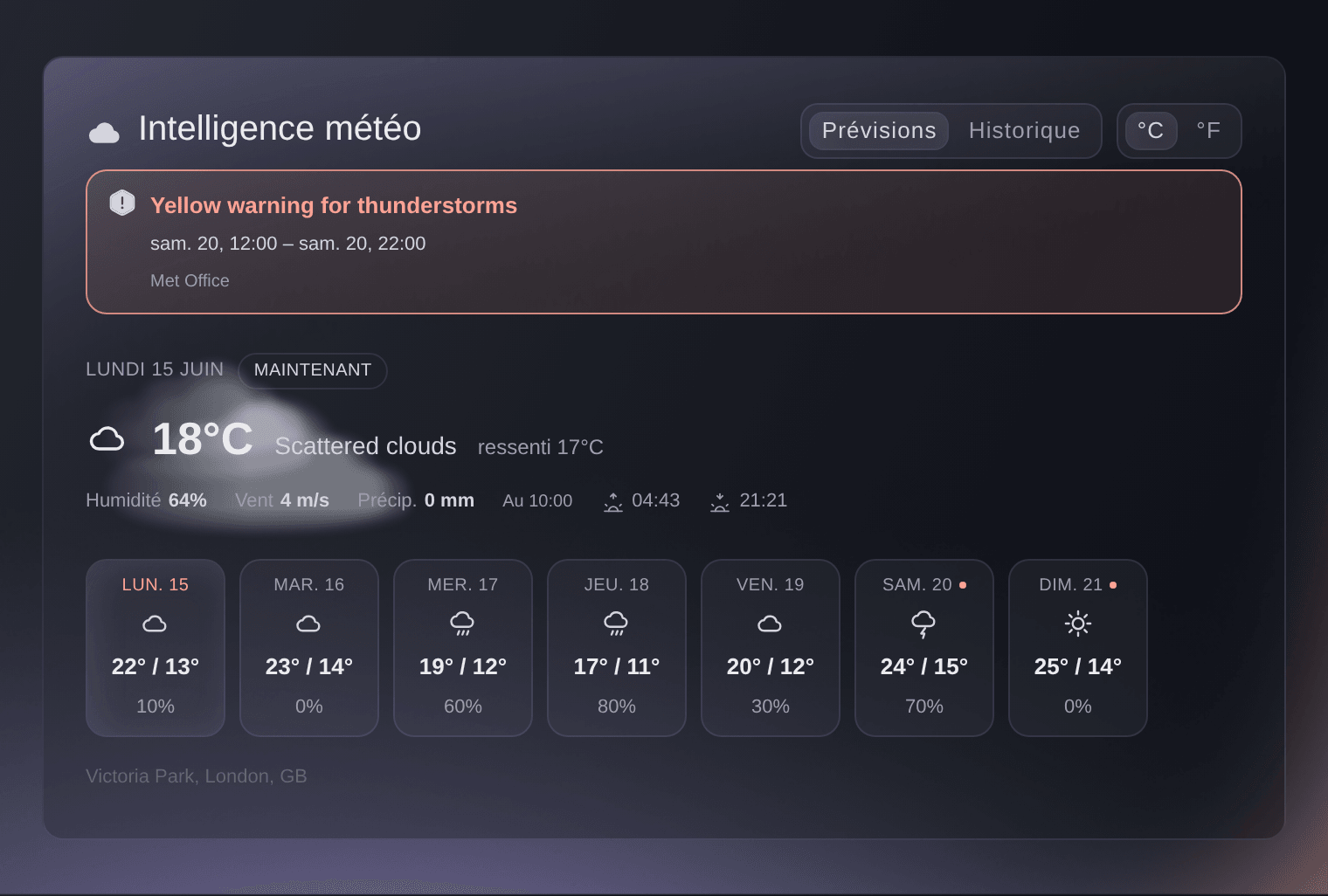
Open your event and select Performance. Weather intelligence sits under the sales figures, and once your event is a week away it opens on the weather at your venue now: the temperature, what it feels like, Humidity, Wind and the rain or snow of the last hour under Precip, with the time of that reading beside it. The line at the foot names the venue the weather is for.
Remarque: A peach banner above the forecast is a severe-weather warning for the area around your venue, with the hours it covers and the weather service that issued it. Check its hours against your event days and your wet-weather and evacuation plans.
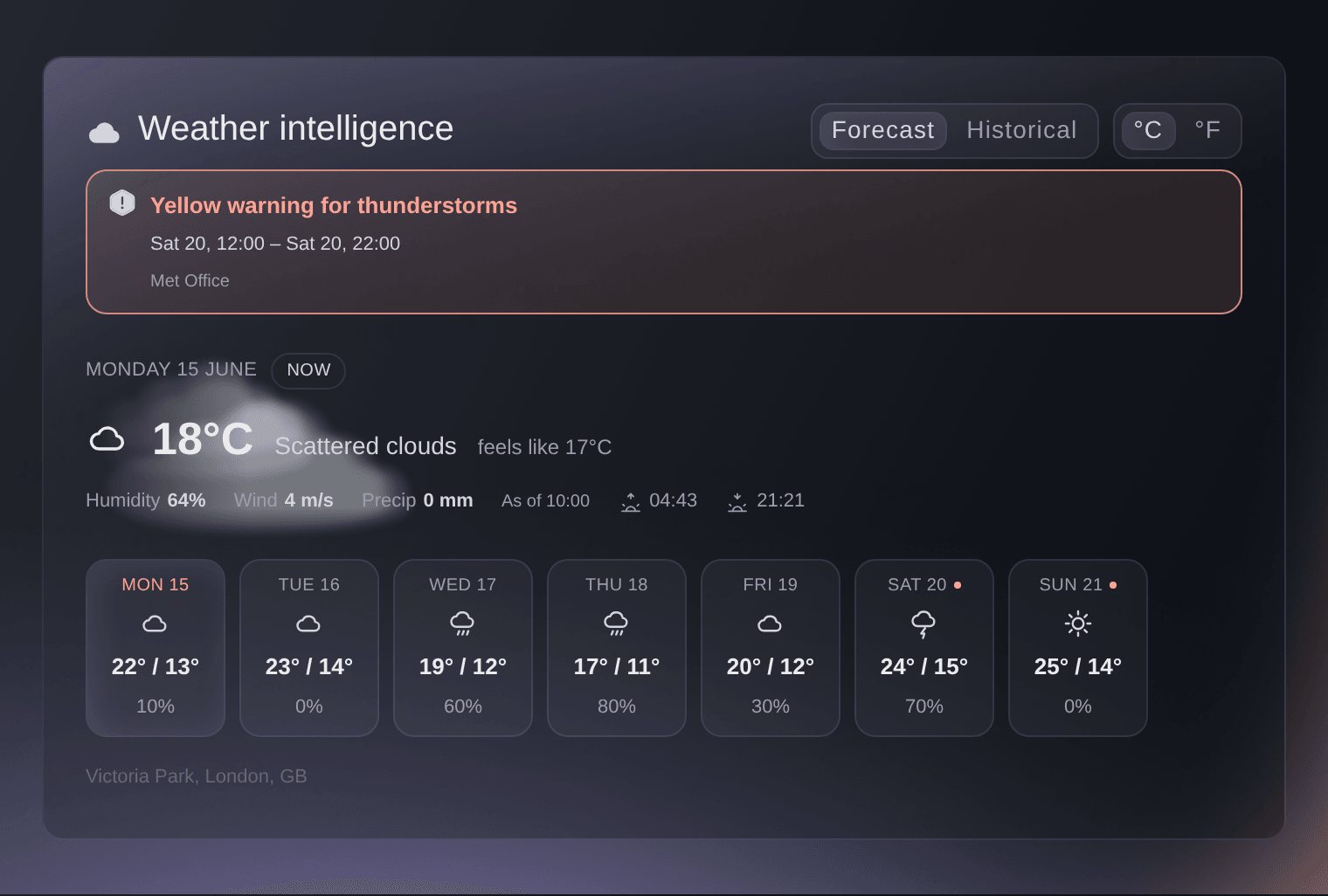
Event, Performance, Weather intelligence. -
Event day
The strip holds one tile per day from today, eight days at most, each with the high and low and the chance of rain, and a peach dot beside the date of every day of your event. Select a tile to read that day above the strip: Event day marks one of yours, then the high and the low, Rain for the chance of rain, Precip for the rain and snow expected that day, Wind, and the sunrise and sunset at the venue.
Remarque: Where a day has no chance of rain to show, its tile shows the rain expected in millimetres instead. A show of 18 hours or less that ends in the early hours marks only the day it starts.
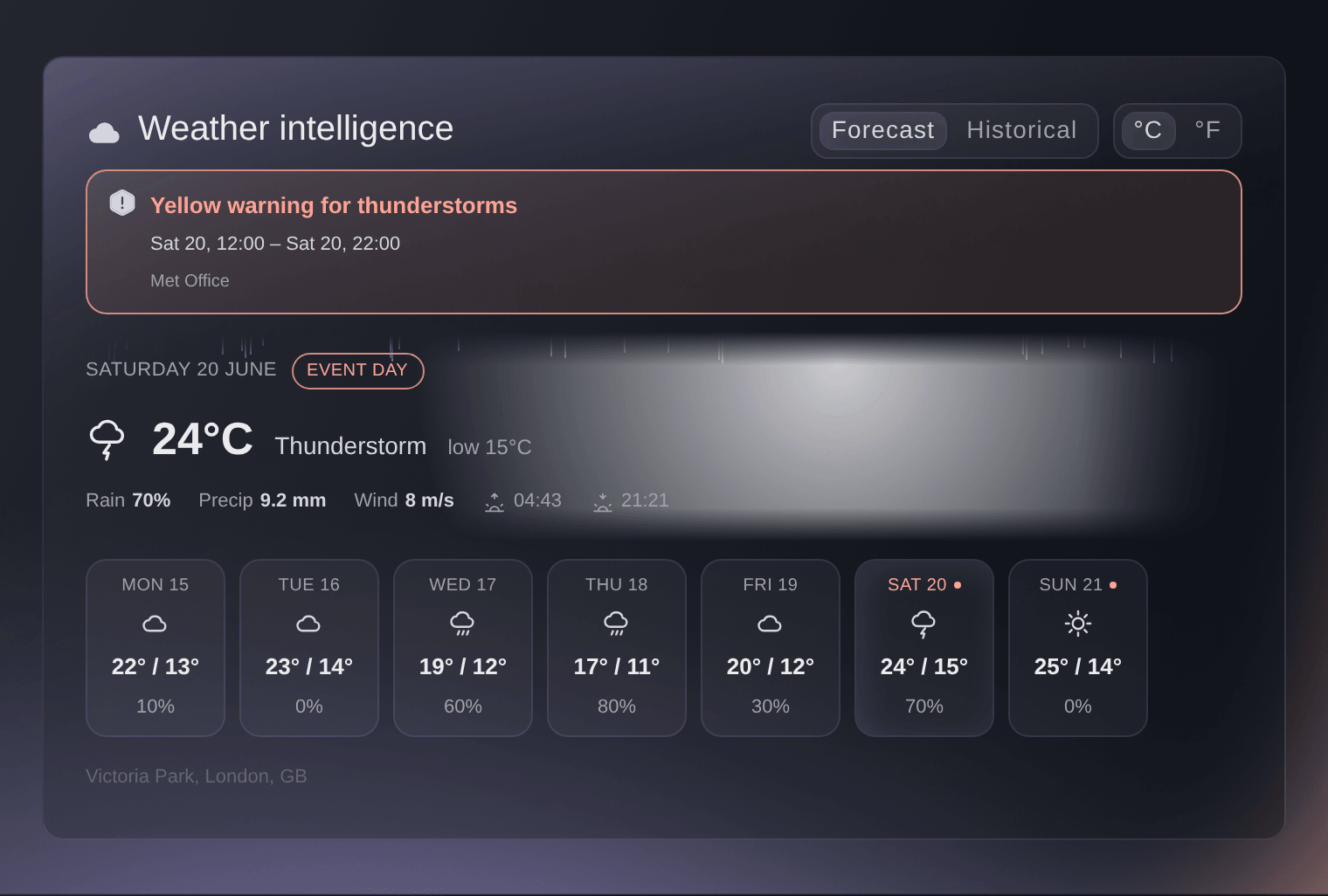
Weather intelligence, the first event day selected. -
Historical
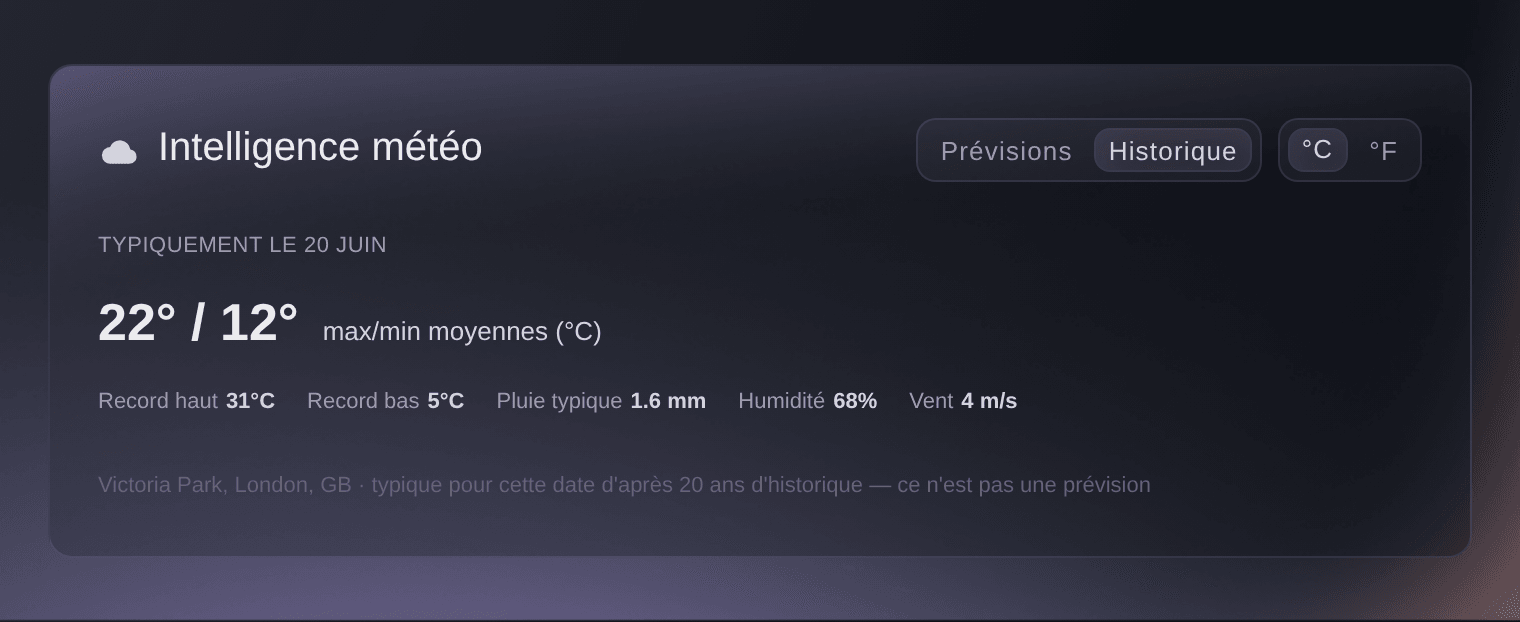
Select Historical at the top of the card for what the first day of your event is usually like at the venue. The large figures are the average high and low for that date, then Record high and Record low, the average rainfall on that date under Typical rain, and the average Humidity and Wind. The line at the foot says how many years of history that is, and that it isn't a forecast.
Remarque: While your event is more than a week away the card opens here and has no Forecast side, and the forecast takes over once the first day is a week out. Use the record high and low to plan for the extremes the date has seen, such as shade and water or heaters.
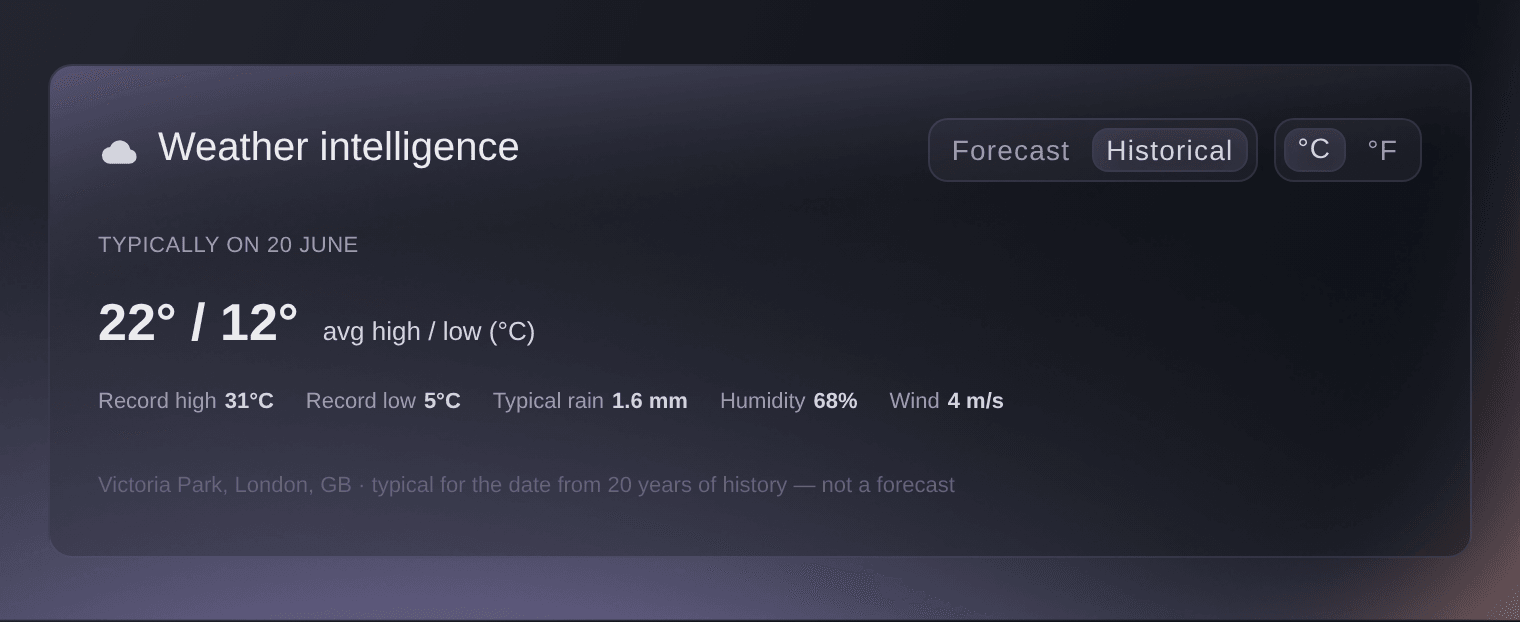
Weather intelligence, Historical.

Voyez ces chiffres pour votre propre événement
Créez un compte gratuit et ce rapport se remplit à mesure que vos billets se vendent. Vous voyez les mêmes chiffres pour votre propre événement dès la première vente.
Pas de frais d'installation. Pas d'abonnement mensuel obligatoire. Pas de carte bancaire requise.
Ou faites-le faire pour vous
Fai, the assistant inside your dashboard, reads the same forecast for your event's venue, including any severe-weather warning, and what the date is usually like when the event is further out. You read the weather on your event's Performance page or through Fai.
Dans votre tableau de bord, avec Fai
What's the weather looking like for <EVENT NAME> on the day, is there any warning out for the venue, and what is that date usually like there
Laissez Fai le faire pour vous
Fai travaille dans votre tableau de bord Ticket Fairy. Créez votre compte, ouvrez Fai et collez la consigne ci-dessus.
Pas de frais d'installation. Pas d'abonnement mensuel obligatoire. Pas de carte bancaire requise.
Questions que vous pourriez avoir
- Why is there no weather on my event's Performance page?
- The card needs your venue's place on the map, which your event gets when you choose the venue from the search under Venue Location, or when you publish with an address typed in by hand. An online event has no venue, so it has no weather. The card also shows only from about 18 months before your event until two days after it ends, and an event more than a week away shows nothing when no history is available for its venue.
- How up to date is the forecast?
- We fetch a new forecast for your venue when the one we hold is more than three hours old, more than an hour old once your event is four days away, and more than 30 minutes old from 36 hours before it starts until two days after it starts. The time after As of says when the current reading was taken, in the venue's own time.
- Can I see the weather in Fahrenheit?
- Select °F at the top of the card. Your choice stays in this browser for every event you open, and the card starts in °F for a venue in the United States and in °C everywhere else. Wind changes from metres per second to miles per hour, and rain stays in millimetres either way.
- Does the forecast cover every day of my festival?
- The strip reaches eight days from today at most, so the later days of a long run join it as they come into range, each with its peach dot. The historical record is for the first day of the event only.
- Is the weather warning about my event?
- It's a warning in force or issued for the area around your venue, whether or not its hours fall on your event days. Read the hours it covers against your own dates before you act on it.
Vous avez encore une question ?
Réservez une démo et nous y répondrons lors d'un appel, pour votre type d'événement. Ou créez votre compte et voyez par vous-même.
Pas de frais d'installation. Pas d'abonnement mensuel obligatoire. Pas de carte bancaire requise.
Guides associés
Faites-le sur votre propre événement
Créez votre compte, montez votre événement et suivez les étapes dans votre propre tableau de bord. Vous n’avez pas besoin de réserver un appel commercial.