
Driv produktionen
Send your event hire lists to suppliers
Production managers and promoters send the same backline and production lists to suppliers again and again as riders change in the weeks before a show. Sending from the hire list keeps a copy of each send, shows exactly what changed since, and has Fai draft the change email so the supplier never works from an old version.
Send each supplier the items they are providing for your event, with the quantities, hire dates, delivery and collection, in an email Fai drafts for you to check. Each send keeps a copy of the list, so you see what changed since and send only the changes, and a supplier's priced items become a draft purchase order in one step.
- För
- Sending equipment and shopping lists to the suppliers of your event
- Tar
- 5 minuter
Innan du börjar
- You are an owner, admin or producer on the event. The event's Operations page opens for those roles only.
- The items are on the hire or shopping list in Hire and shopping.
-
Open the suppliers of a list
Open the event, select Operations, select Hire and shopping, choose the list, then go to Suppliers under the items.
Obs: Each supplier shows how many items it has, when it delivers and collects, when you last sent the list and how many changes there are since.
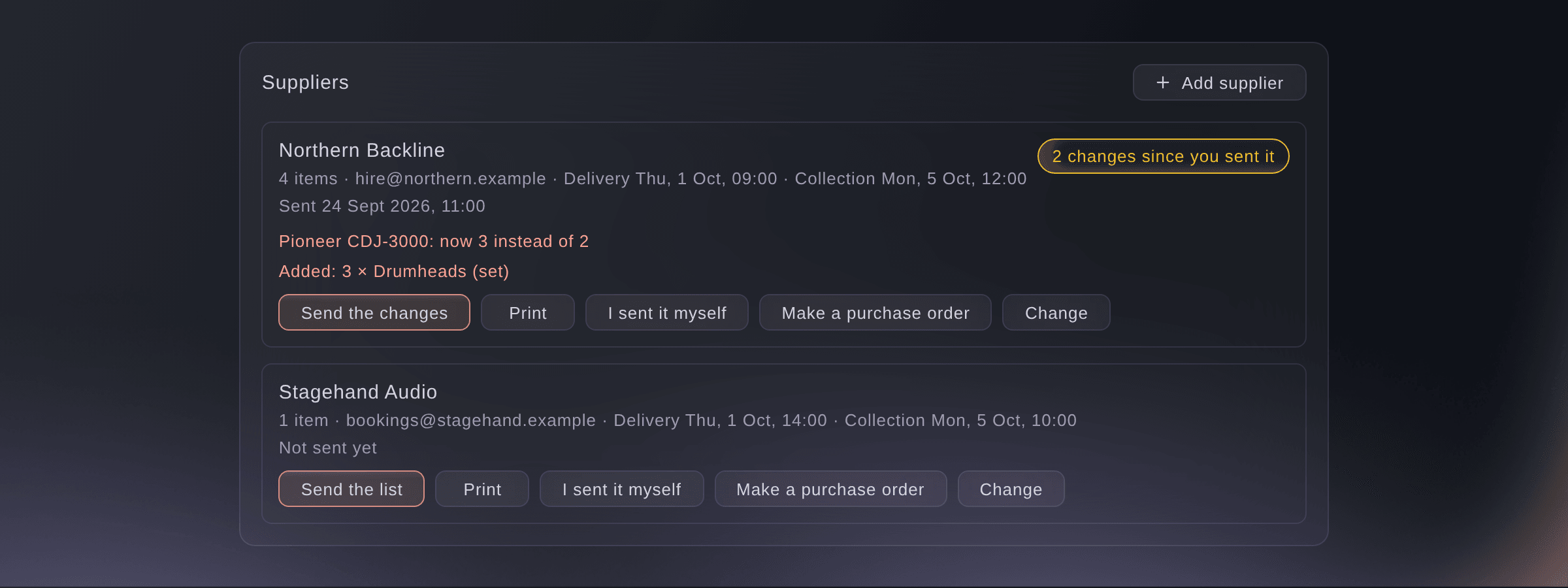
Suppliers, and what changed since you sent their list. -
Add a supplier
Select Add supplier, enter the Supplier name, Contact name and Email, then select Save.
Obs: Enter Delivery (as it reads on the day) and Collection (as it reads on the day) in the event's own time. Then choose the supplier on each of its items, under the item's details.
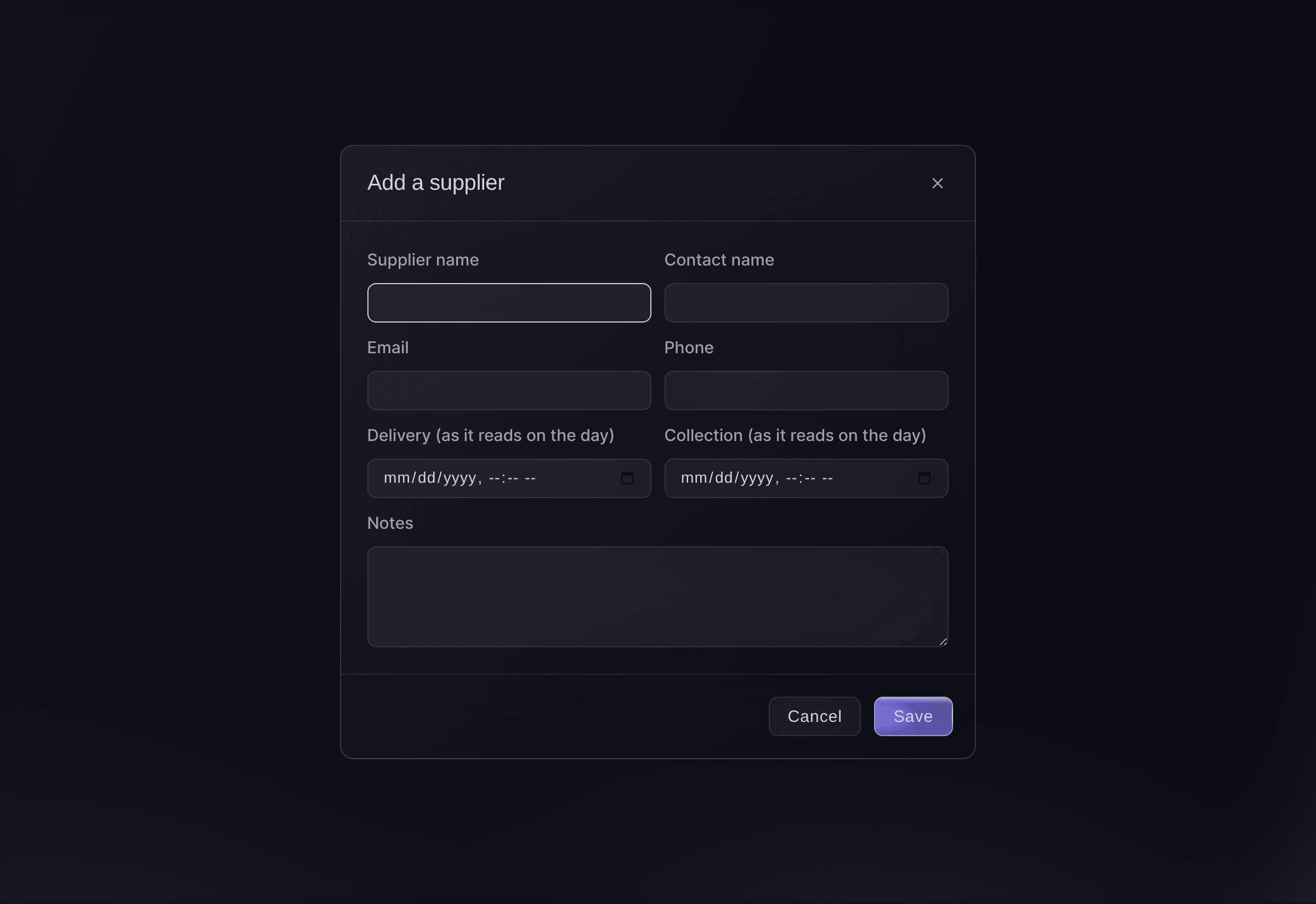
Add a supplier. -
Send the list
Select Send the list on the supplier, check To, Subject and Message, then select Send.
Obs: Fai drafts the message from the supplier's items, dates, delivery and collection. After the first send the button reads Send the changes, and the draft lists only what changed.
Varning: The email goes as soon as you select Send.
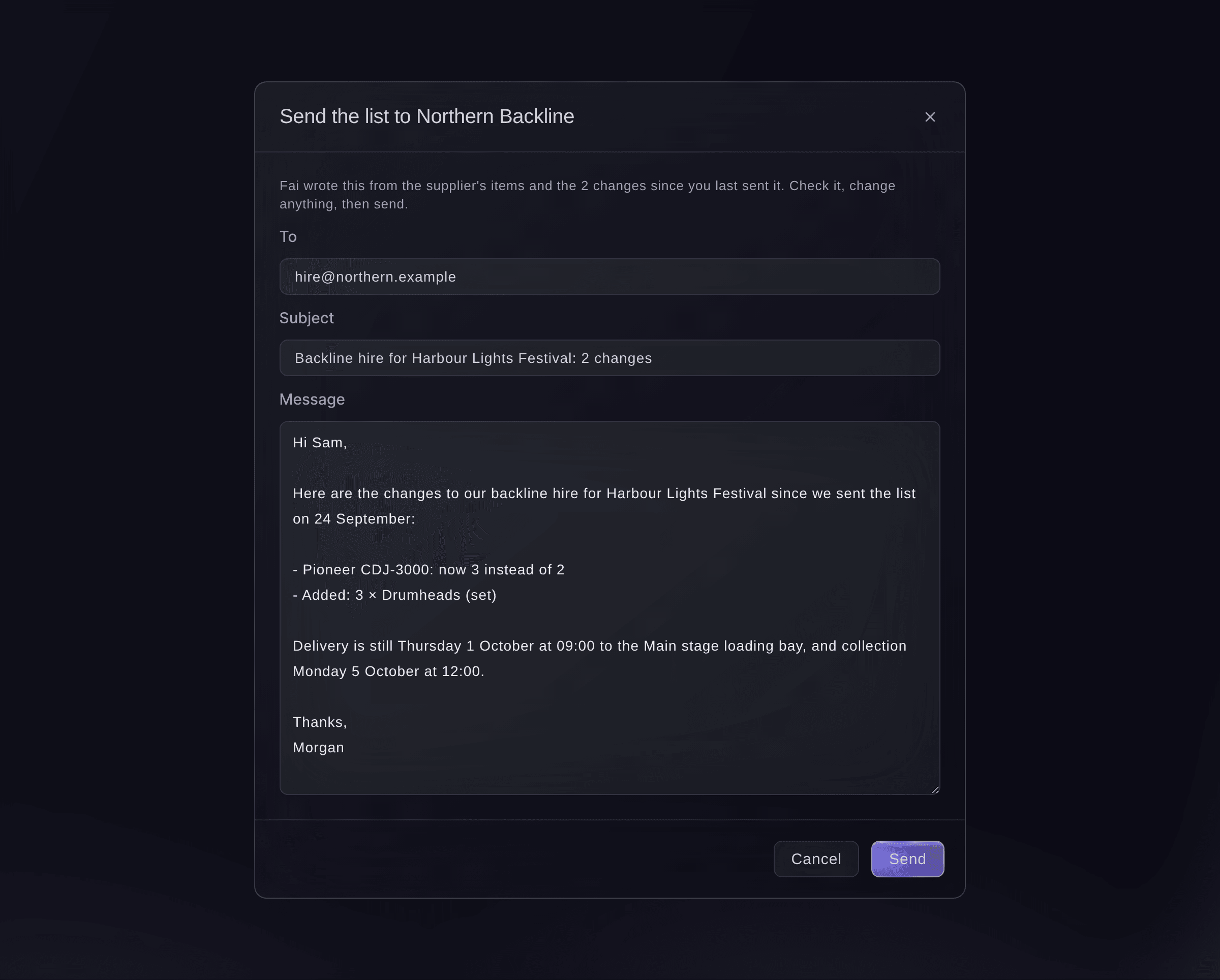
The email Fai drafts, ready to check.


Changes since you sent it
Each send keeps a copy of the supplier's list as it was. When a rider or your team changes an item after that, the supplier shows how many changes there are, and each changed item says Changed since you sent it. If you sent the list another way, select I sent it myself so the changes are counted from now.
Prova de här stegen på ditt eget evenemang
Skapa ett gratis konto, bygg ditt evenemang och följ stegen ovan i din egen instrumentpanel. Det tar några minuter och du behöver inte boka något säljsamtal.
Inga startavgifter. Ingen obligatorisk månadsavgift. Inget kreditkort krävs.
Eller låt det göras åt dig
Fai drafts the email to a supplier from their items and what changed since the last send, and sends it after you have read it and said yes. When a supplier's items change after a send, she also suggests sending the changes on Today.
I din instrumentpanel, med Fai
Send Northern Backline the changes to our backline hire for <EVENT NAME>
Låt Fai göra det åt dig
Fai arbetar inuti din Ticket Fairy-instrumentpanel. Skapa ditt konto, öppna Fai och klistra in instruktionen ovan.
Inga startavgifter. Ingen obligatorisk månadsavgift. Inget kreditkort krävs.
Make a purchase order from a supplier's items
-
Make the draft
Select Make a purchase order on the supplier, then select Make the draft.
Obs: The draft is in Contracts with the supplier's priced items, where you approve it and send it. Every item needs a price in one currency first.
Fai makes a draft purchase order from a supplier's priced items when you ask, after you confirm. You approve and send it in Contracts.
I din instrumentpanel, med Fai
Make a purchase order for Northern Backline's items at <EVENT NAME>
Print a supplier's list
-
Print it
Select Print on the supplier, then print from the preview.
Obs: The sheet carries each item, how many and the hire dates, with the delivery and collection times at the top.
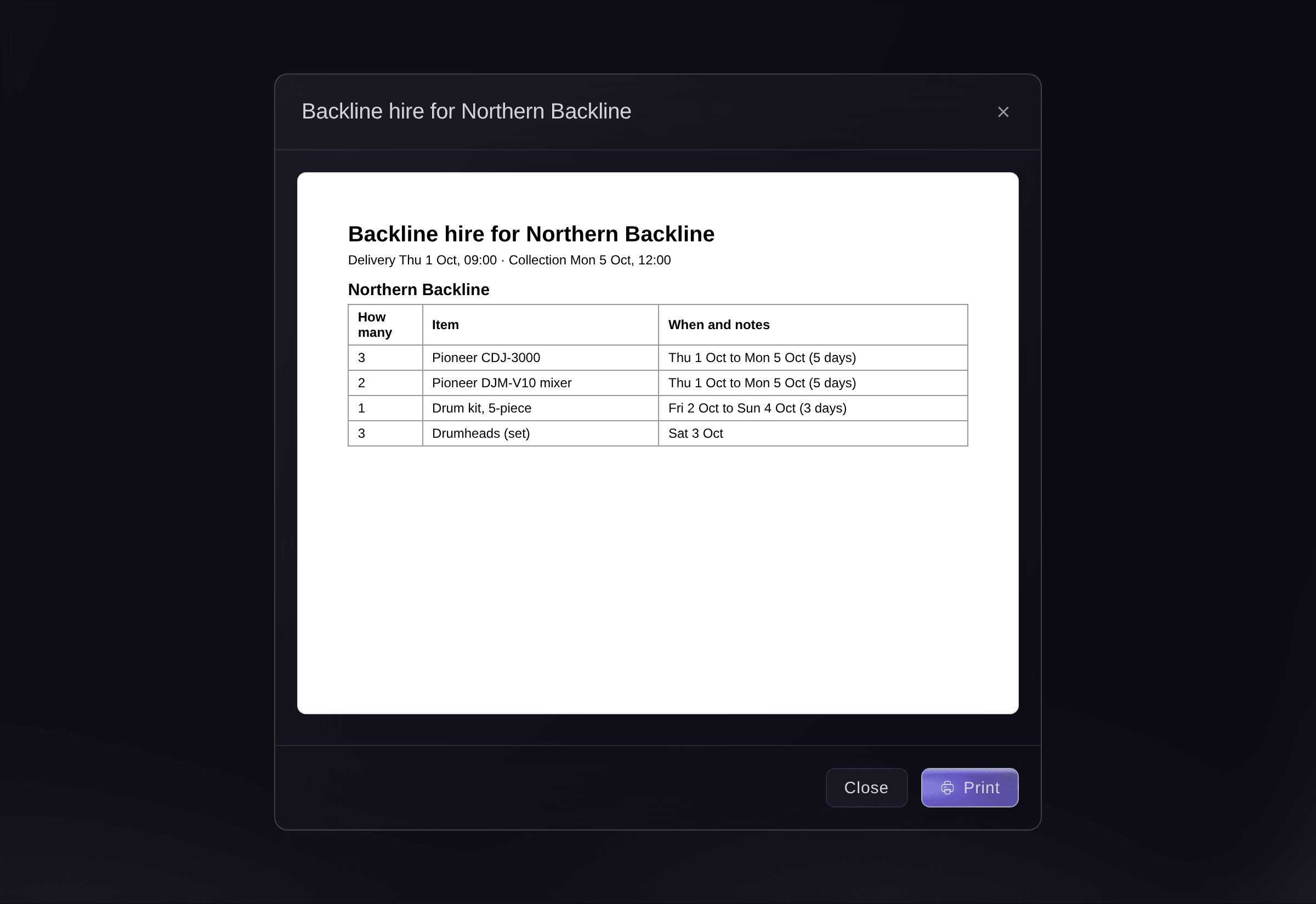
A supplier's list, ready to print.

Printing is done in the dashboard. Fai reads you a supplier's items, dates and delivery times instead.
I din instrumentpanel, med Fai
What is on Northern Backline's list for <EVENT NAME>, and when do they deliver and collect?
Frågor du kanske har
- What if the email may not have arrived?
- The supplier says
The email may not have arrived
. Check your sent mail before you send it again, so the supplier does not get two. - Who do the supplier's replies go to?
- To the teammate who sent it. The email goes out under your brand's name and look.
- Why can I not make a purchase order?
- Every item needs a price, all in one currency, and items already on an order are left out. Add the missing prices on the items, then try again.
- Does sending change the budget?
- No. Items count as committed costs in Budget when you mark them ordered, or once, through the purchase order you approve.
Har du fortfarande en fråga?
Boka en demo så svarar vi på den i ett samtal, utifrån din typ av evenemang. Eller skapa ditt konto och se själv.
Inga startavgifter. Ingen obligatorisk månadsavgift. Inget kreditkort krävs.
Relaterade guider
Gör det på ditt eget evenemang
Skapa ditt konto, bygg evenemanget och följ stegen i din egen kontrollpanel. Du behöver inte boka ett säljsamtal.