
Piloter la production
Share your event's rooming lists with hotels and pickups with drivers
Artist liaison and transport managers spend show week resending spreadsheets to hotels and phoning drivers to find out where the artist is. A live rooming list keeps the hotel up to date as plans change, and drivers' own pickup pages show you who has been collected and dropped off.
Send each hotel a live rooming list of the performers and crew staying for your event, with their dates, room types and notes, and give each driver a link to their pickups and shuttle runs for the day. Hotels and drivers open the link without signing in, the hotel's list updates as you change it, and drivers mark each pickup as they go.
- Pour
- Keeping hotels and drivers up to date for your event
- Durée
- 9 minutes
Avant de commencer
- You are an owner, admin or producer on the event. The event's Management page opens for those roles only.
- Your performers and crew are placed at a hotel in the event's Accommodation section, and flights that need a pickup are in its Travel section.
-
Open the rooming list
Open the event, select Management, select Accommodation, then choose the Hotel under Rooming lists.
Remarque: Each guest shows their arrival and departure, nights, room type and rooms. Change the hotel and dates where you place the person, above the rooming list.
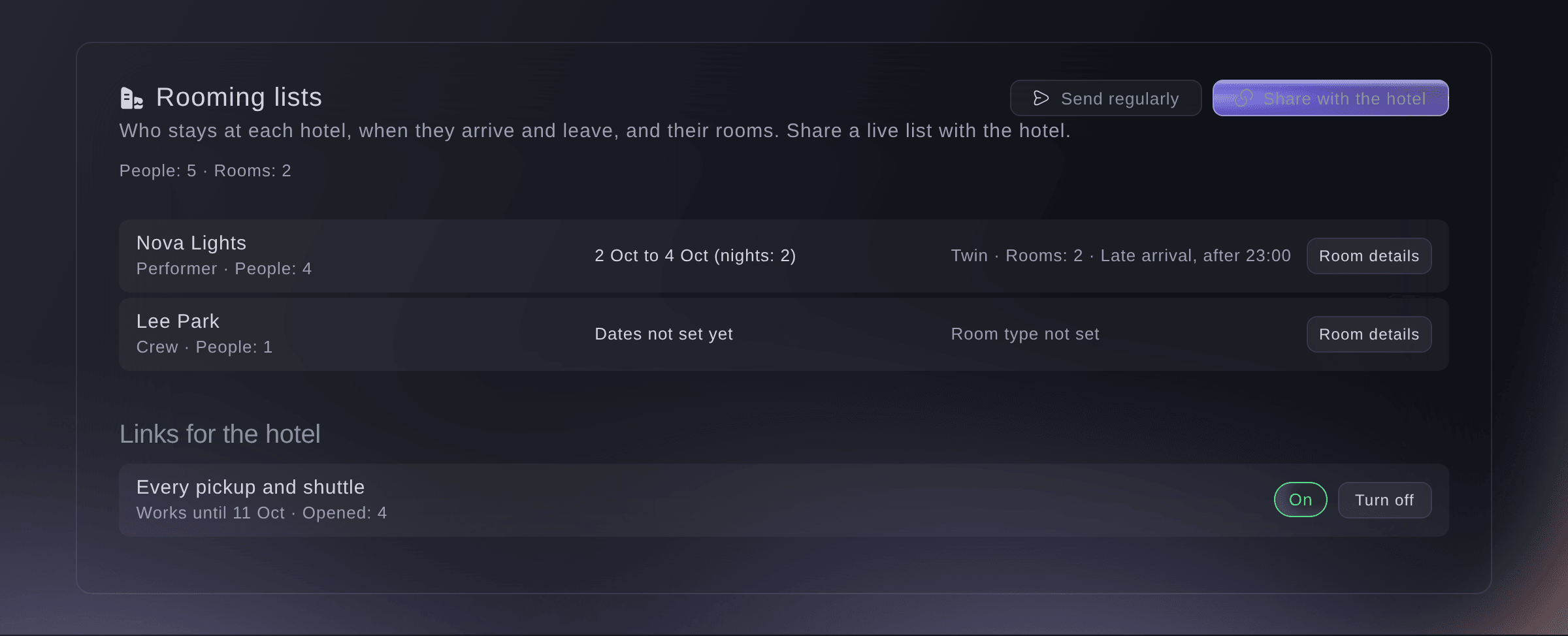
A hotel's rooming list. -
Add room details
Select Room details beside a guest, enter the Room type, Number of rooms and a Note for the hotel, then select Save.
Remarque: Choose a room type such as Single, Double, Twin or Suite, or enter your own. Use the note for a late arrival, an accessible room or a cot.
-
Share the list with the hotel
Select Share with the hotel, then select Make link and copy the link.
Remarque: Tick Also show phone numbers and emails only if the hotel needs them; you need an owner or admin login for that. The link works for 14 days unless you choose another length under More options, up to 60 days.
Avertissement: The link is shown once. Copy it before you close the dialog.
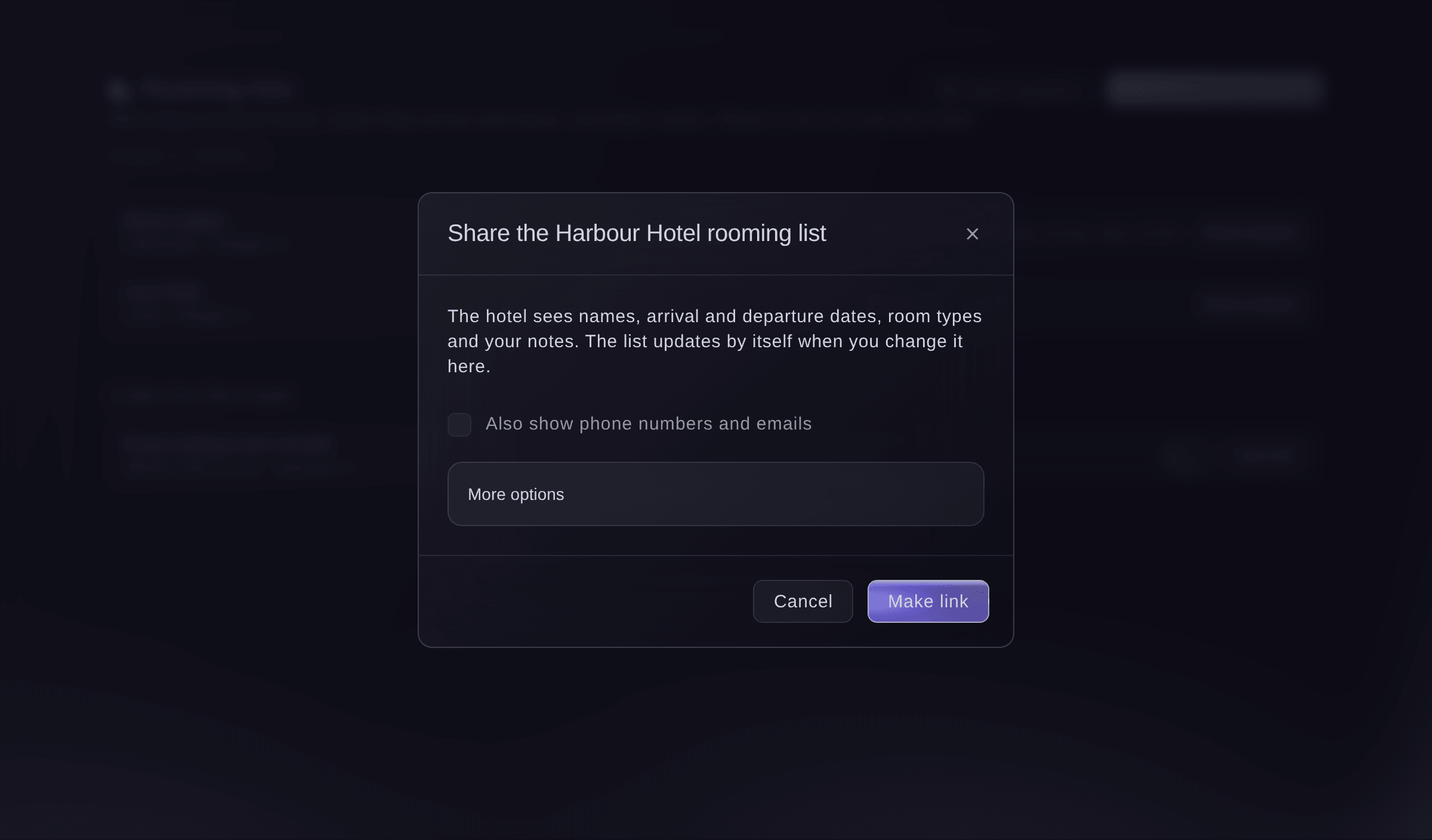
Share the rooming list.


The hotel's page
The hotel opens the link without signing in and sees names, arrival and departure dates, room types and your notes. The page updates by itself every minute, keeps the last list it loaded if the connection drops, and can be printed. Under Links for the hotel, you see how often each link was opened.

-
Open pickups and shuttles
Select Travel, then choose the Day under Pickups and shuttles.
Remarque: Pickups come from the travel bookings that need one. Each shows Needs a driver, Driver booked, Picked up or Dropped off.
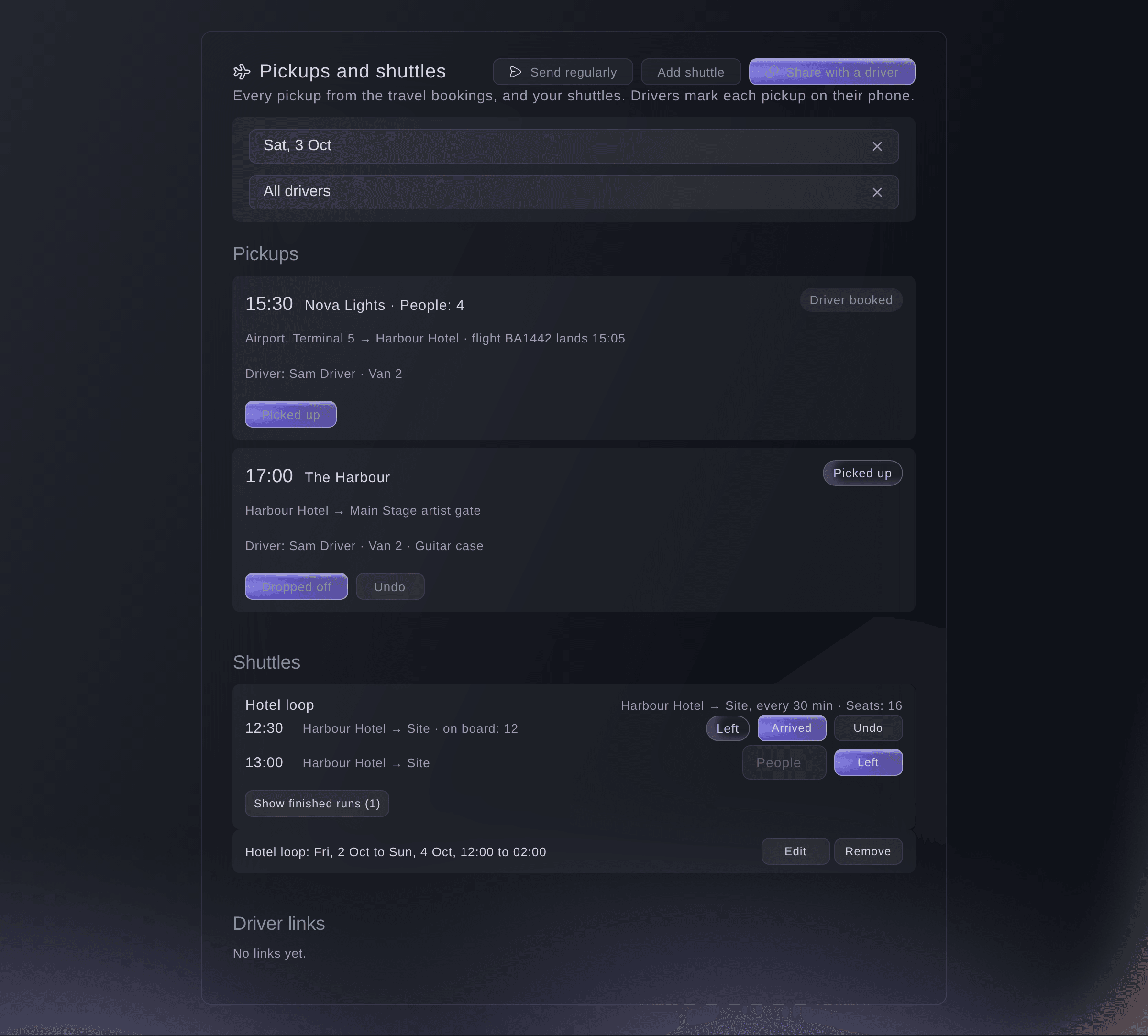
Pickups and shuttles for one day. -
Add a shuttle
Optional: select Add shuttle, enter the Shuttle name, Leaves from and Goes to, the days, the first and last departure and Leaves every, then save.
Remarque: Under More details, add seats, the vehicle and driver, and tick Also runs back after each trip with a journey time. A shuttle can run for up to 31 days.
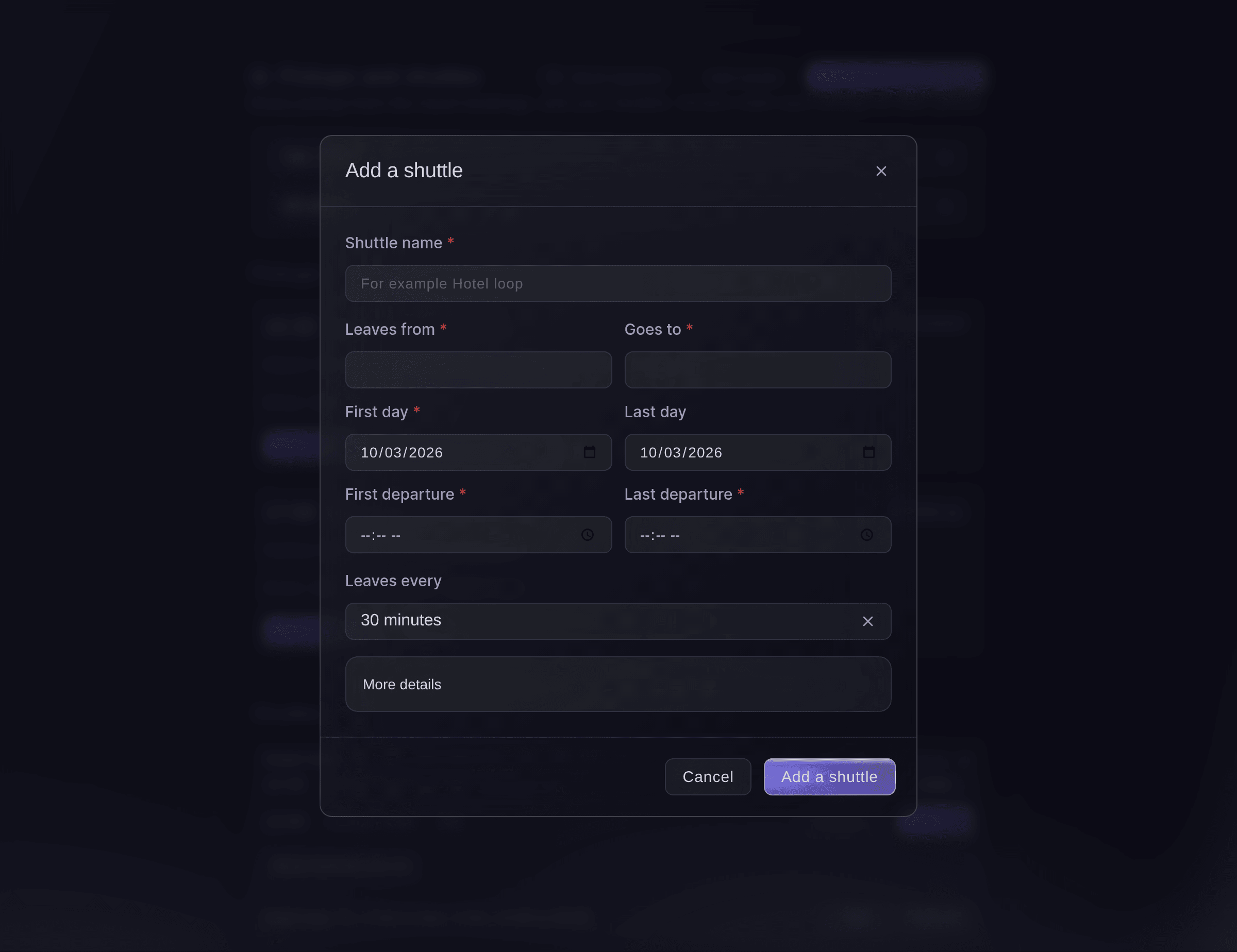
Add a shuttle. -
Share a driver's day
Select Share with a driver, choose the Driver, then select Make link and copy the link.
Remarque: The driver sees only their own pickups and shuttle runs for each day. Tick Also show travellers' and drivers' phone numbers only if they need them.
Avertissement: The link is shown once. Copy it before you close the dialog.
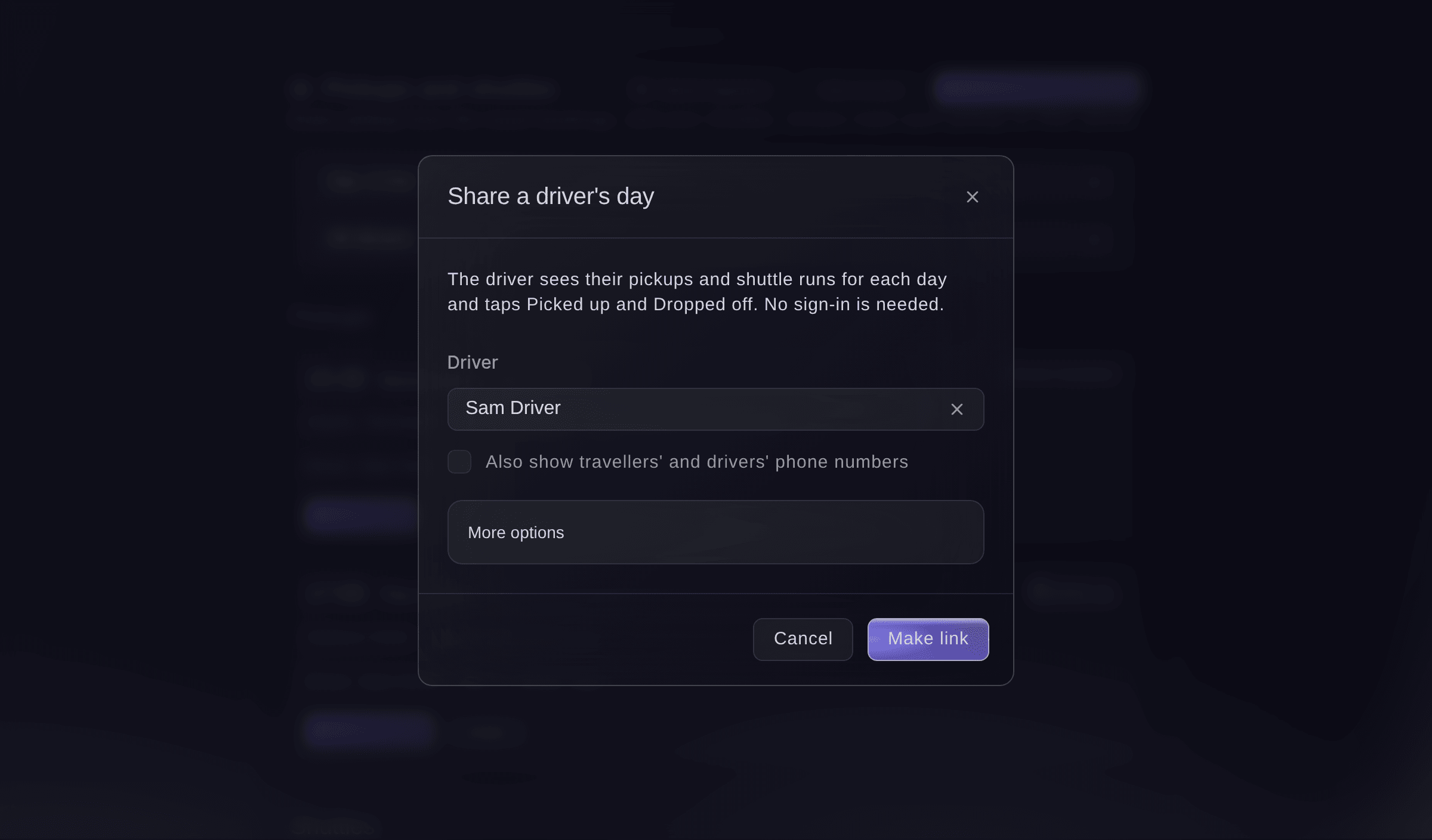
Share a driver's day.


The driver's page
The driver opens the link on their phone without signing in, taps Picked up when the people are in the car and Dropped off at their stop, and taps Undo after a mistake. For a shuttle run they tap Left and Arrived. Each tap updates the pickup on Travel and on the show day arrivals.

Essayez ces étapes sur votre propre événement
Créez un compte gratuit, montez votre événement et suivez les étapes ci-dessus dans votre propre tableau de bord. Cela prend quelques minutes et vous n'avez pas besoin de réserver un appel commercial.
Pas de frais d'installation. Pas d'abonnement mensuel obligatoire. Pas de carte bancaire requise.
Ou faites-le faire pour vous
Fai reads each hotel's rooming list and one day's pickups and shuttle runs, sets a guest's room type, rooms and note for the hotel, makes or turns off a hotel or driver link, adds, changes or removes a shuttle, and marks a pickup or a shuttle run. She shows you each change and waits for your yes first. Only owners and admins can put phone numbers and emails on a link.
Dans votre tableau de bord, avec Fai
Make a rooming list link for Harbour Hotel for <EVENT NAME> without contact details
Laissez Fai le faire pour vous
Fai travaille dans votre tableau de bord Ticket Fairy. Créez votre compte, ouvrez Fai et collez la consigne ci-dessus.
Pas de frais d'installation. Pas d'abonnement mensuel obligatoire. Pas de carte bancaire requise.
Turn a link off
-
Turn it off
Under the hotel's or driver's links, select Turn off beside the link, then confirm.
Remarque: Anyone who has it can no longer open the page. Make a new link at any time.
Fai turns a hotel or driver link off when you ask, after you confirm.
Dans votre tableau de bord, avec Fai
Turn off the driver link for Kev at <EVENT NAME>
Questions que vous pourriez avoir
- Does the hotel see changes I make after sharing?
- Yes. The hotel's page updates by itself every minute, so there is no need to send a new list.
- Can I send the rooming list by email every week instead?
- Yes. Use Send regularly to email the rooming list or the pickups to team members every day or week as a download.
- Why is a pickup missing from the list?
- Pickups come from travel bookings marked as needing one. Add a pickup time and driver on the booking in Travel.
Vous avez encore une question ?
Réservez une démo et nous y répondrons lors d'un appel, pour votre type d'événement. Ou créez votre compte et voyez par vous-même.
Pas de frais d'installation. Pas d'abonnement mensuel obligatoire. Pas de carte bancaire requise.
Guides associés
Faites-le sur votre propre événement
Créez votre compte, montez votre événement et suivez les étapes dans votre propre tableau de bord. Vous n’avez pas besoin de réserver un appel commercial.