
Piloter la production
Plan your run of show and who calls it
Stage managers and production managers spend the week before a show turning set times into a running order: doors, changeovers, soundchecks, announcements and curfew. The run of show keeps that plan for every stage in one place, flags what clashes or runs late, and feeds every team's day sheet.
Build the minute-by-minute run of show for each stage and day of your event, let Fai draft it from your schedule, fix clashes and late finishes before show day, lock it, and name the show callers who run it on the day.
- Pour
- Planning the running order for each stage and show day
- Durée
- 10 minutes
Avant de commencer
- You are an owner, admin or producer on the event. The event's Management page opens for those roles only.
- Your stages and the days of your event are set up, with set times on the schedule if you want Fai to draft the run of show.
-
Open the run of show
Open the event, select Management, then select Run of show in the list of sections.
Remarque: Every timed cue for the day is listed stage by stage, with Whole site for cues such as doors and curfew. If Run of show is not in the list, select More sections and open it there.
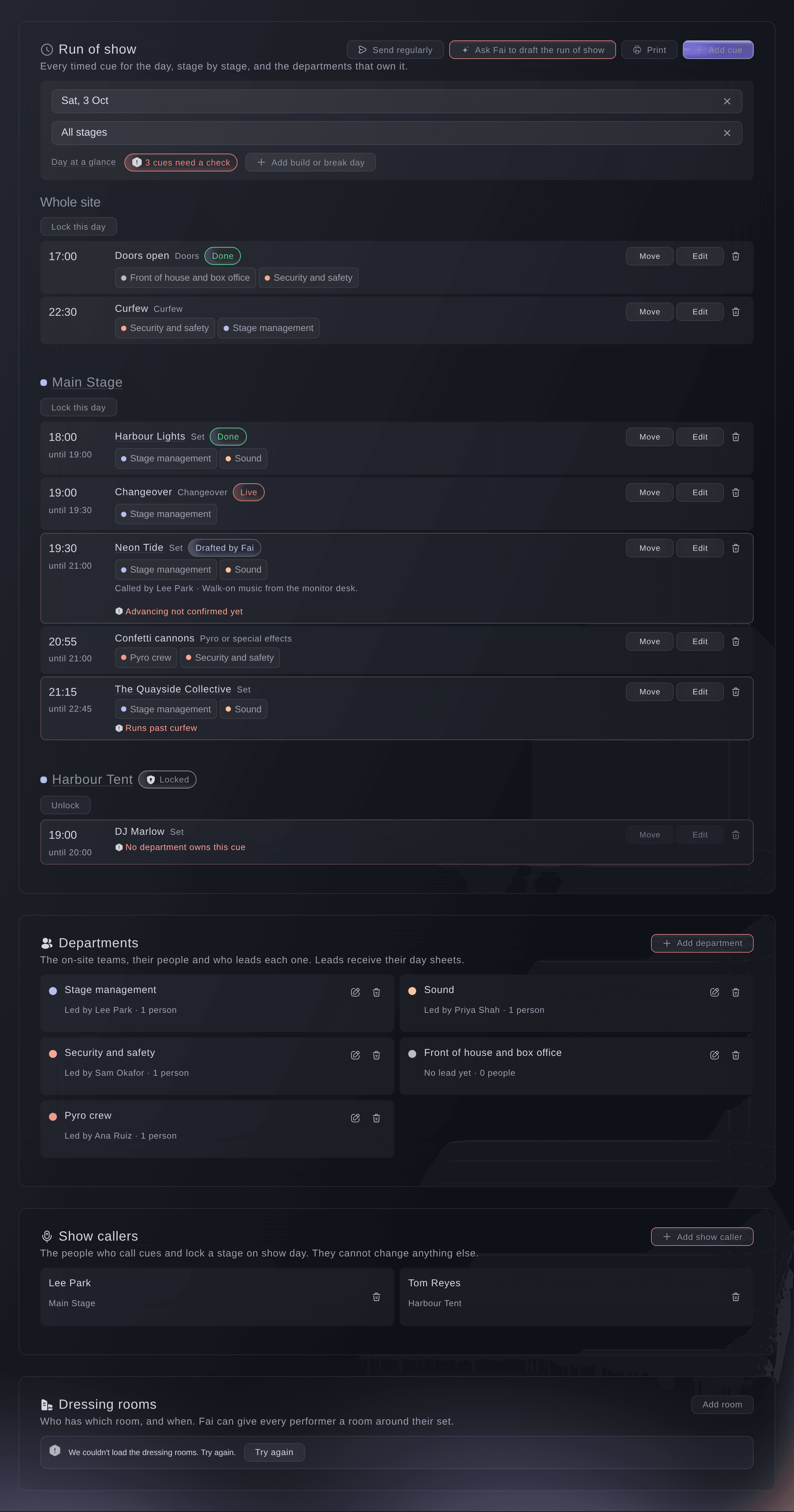
The run of show for one festival day. -
Choose the day and stage
Choose the day in Day, and optionally one stage in Stage.
Remarque: A red badge beside them counts the cues that need a check. Day at a glance opens everything else happening that day.
-
Ask Fai to draft the run of show
Select Ask Fai to draft the run of show, choose Which days and Changeover between sets, then select Draft it.
Remarque: Fai builds doors, soundchecks, sets, changeovers and curfew from your schedule, stages, opening hours and advancing. Nothing is saved yet, days you locked are left alone, and sets that already have a cue are skipped.
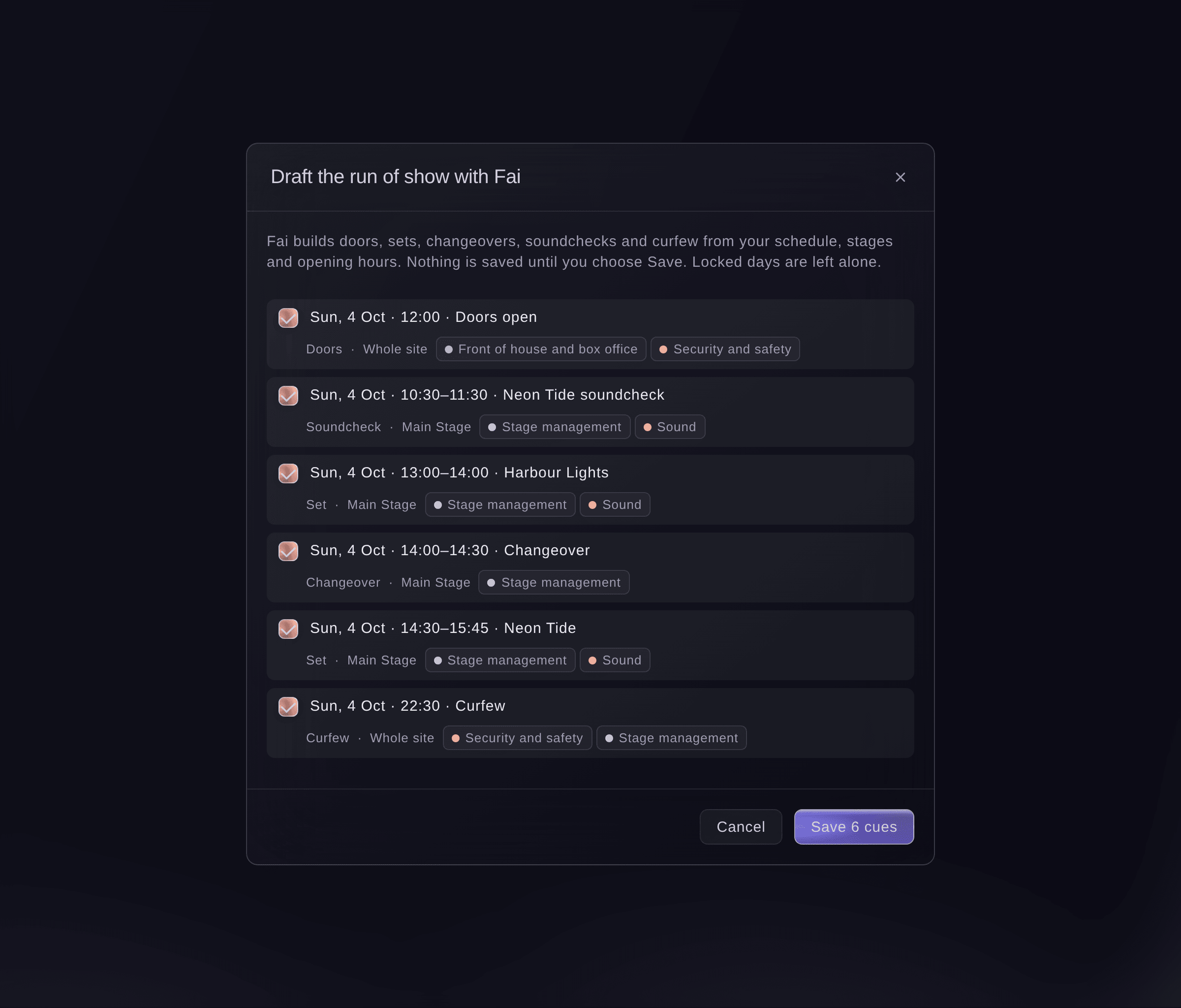
Fai's draft, before anything is saved. -
Save the cues you keep
Untick any cue you do not want, then select the save button, for example "Save 6 cues".
Remarque: Saved cues show Drafted by Fai so your team can tell them apart. On a day with no cues yet, Let Fai draft it from your schedule opens the same dialog.
-
Add a cue
Select Add cue, enter the Start time and What happens, choose the Stage, then select Add cue.
Remarque: Fai works out the type of cue from its name. Under More details you set the day, the length, the departments who act on it, who calls it and notes for the crew.
Conseil: Tick After midnight (early hours of the next day) for a cue in the early hours after a late show, so it stays on this show day.
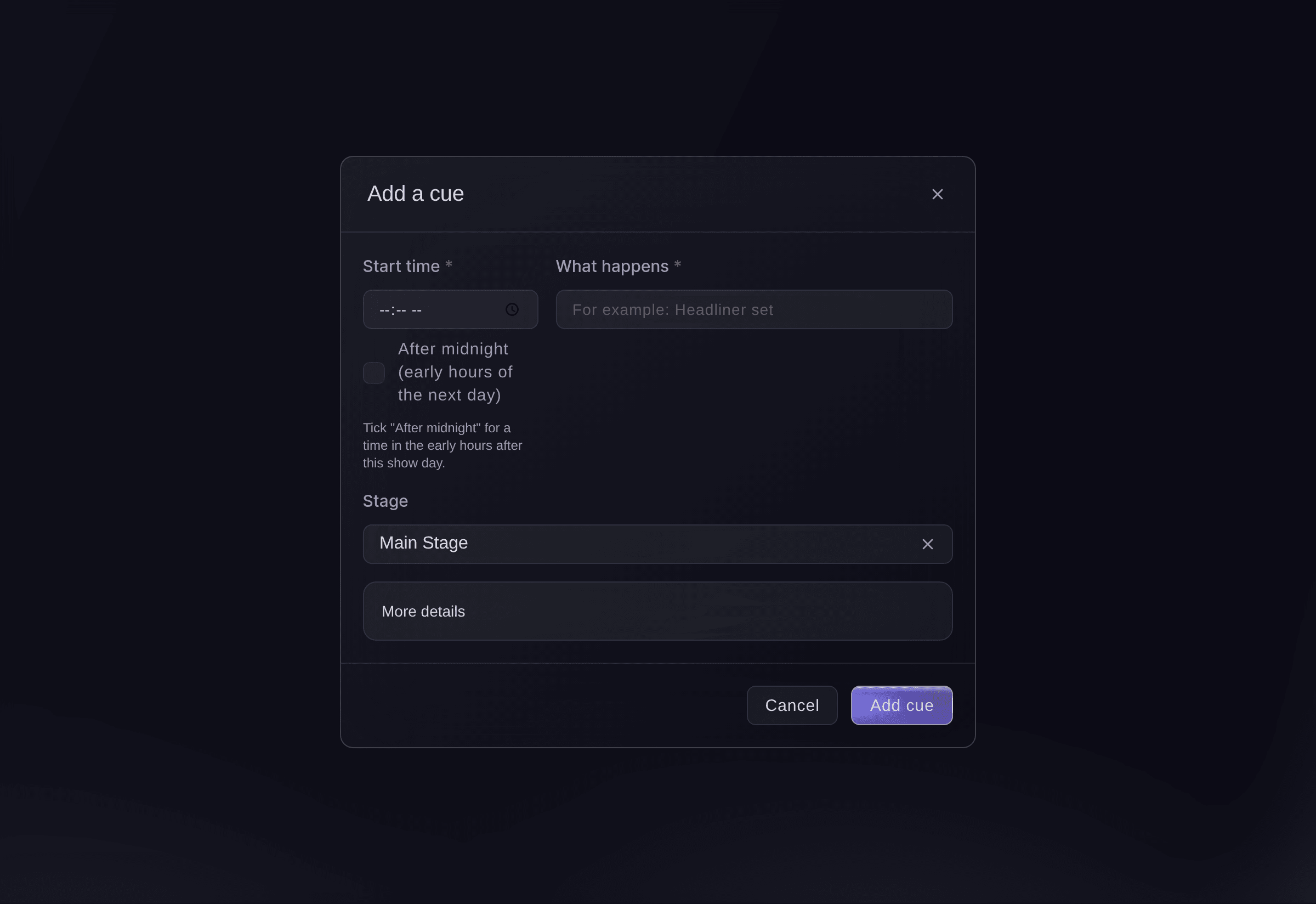
Add a cue.


Cues that need a check
A cue that needs a check is outlined and says why: Clashes with another cue on the same stage, No department owns this cue, Runs past curfew for the stage or the whole site, or Advancing not confirmed yet for a performer whose advance is not signed off. Fai also lists clashes and gaps under Needs your decision on Today.
-
Change or move a cue
Select Edit on a cue to change it, or Move to move it by minutes.
Remarque: Enter a minus number to move it earlier, and tick the box to move the cues after it by the same amount, to move the rest of that stage's day with it. Cues already done or skipped stay where they are.
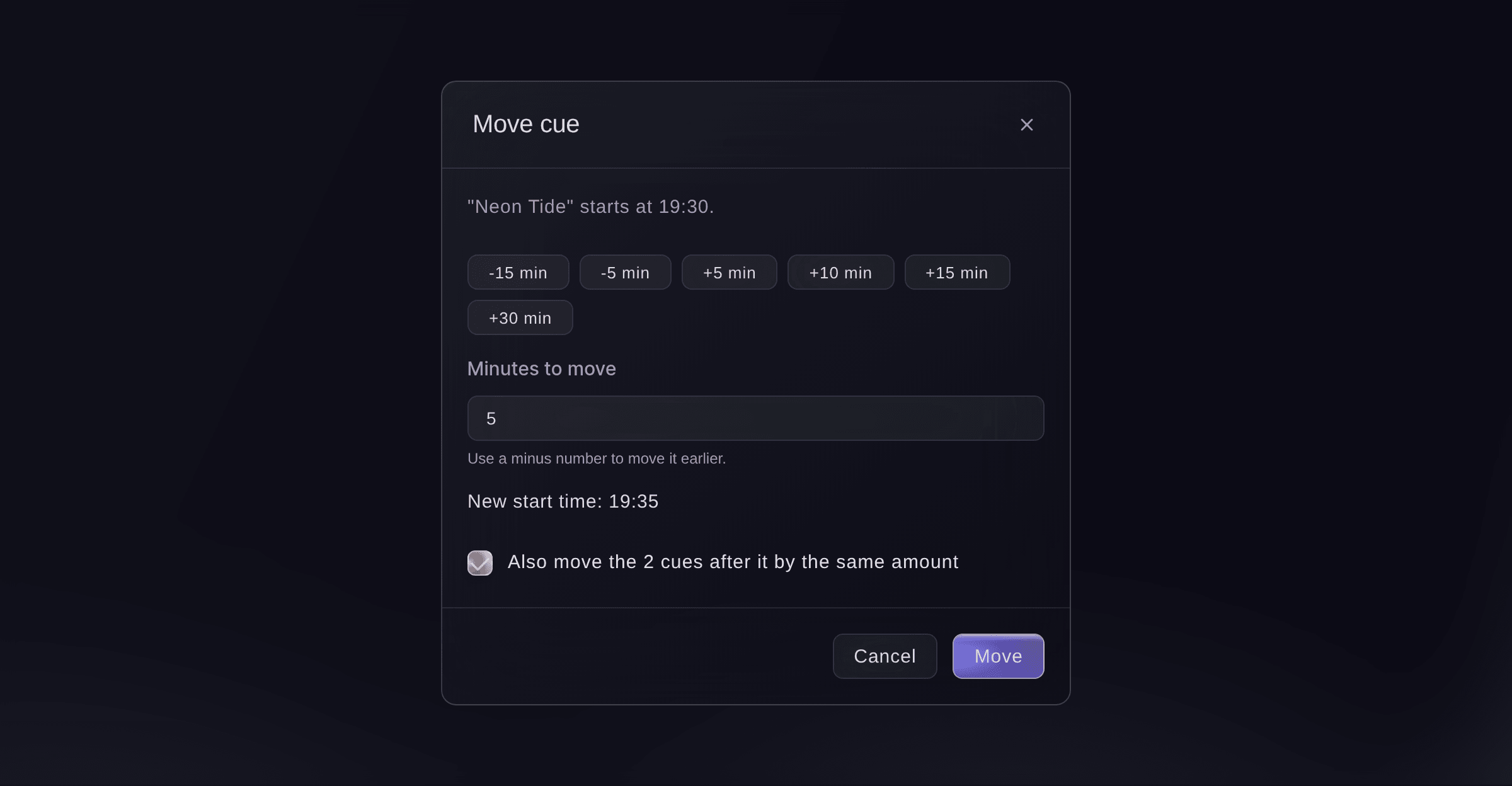
Move a cue, and the cues after it. -
Lock the day when the plan is final
Select Lock this day beside the stage, then confirm.
Remarque: Nobody can add, change, move or remove that stage's cues until someone selects Unlock, and calling cues on show day still works. Locking Whole site locks every stage for that day.
-
Name your show callers
Under Show callers, select Add show caller, choose the Team member and the Stage they call, then select Add show caller.
Remarque: A show caller can call cues and lock or unlock their stage, and nothing else. Choose Every stage for someone who calls the whole site; owners, admins and producers can always call cues.
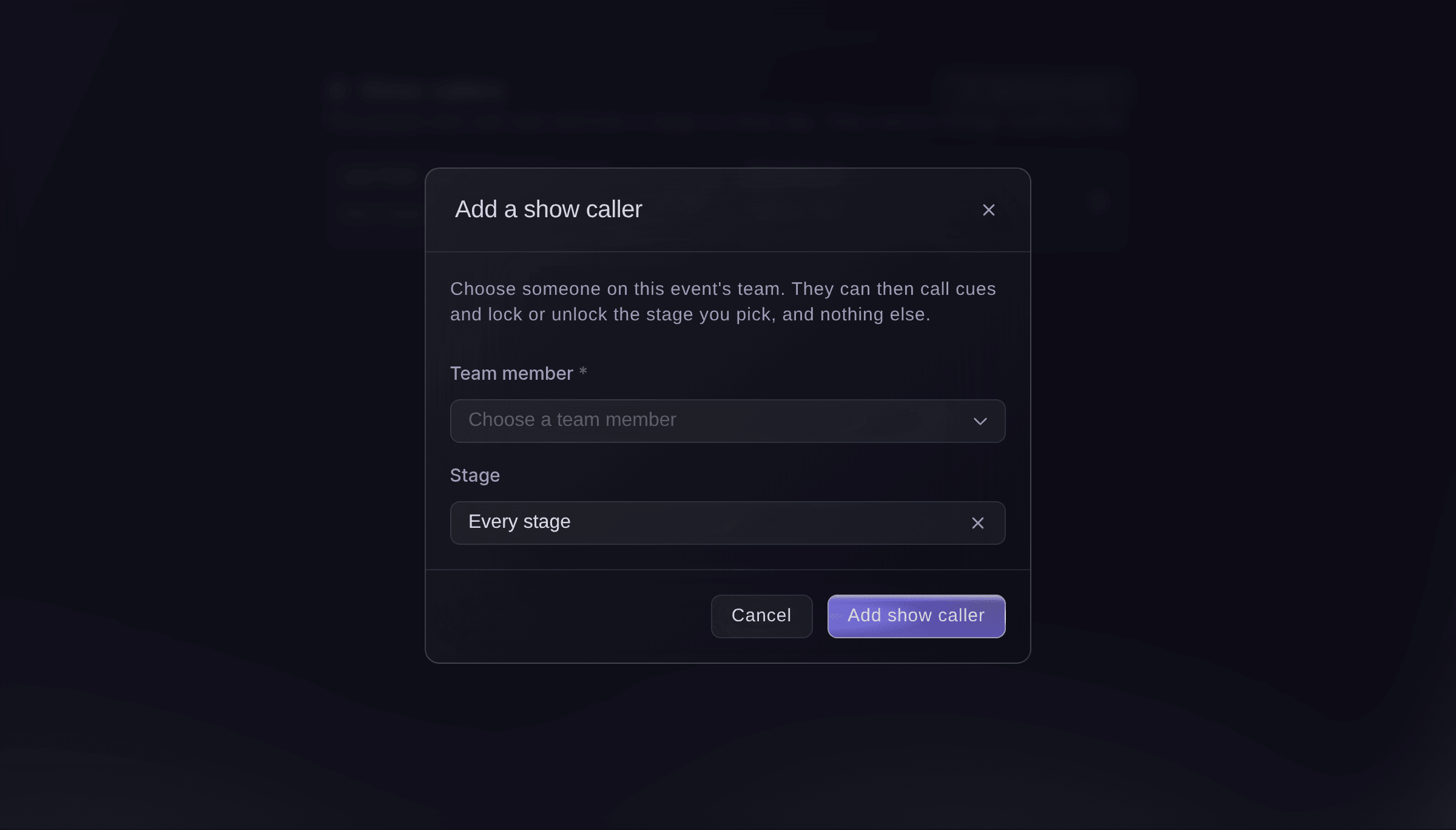
Add a show caller.


Essayez ces étapes sur votre propre événement
Créez un compte gratuit, montez votre événement et suivez les étapes ci-dessus dans votre propre tableau de bord. Cela prend quelques minutes et vous n'avez pas besoin de réserver un appel commercial.
Pas de frais d'installation. Pas d'abonnement mensuel obligatoire. Pas de carte bancaire requise.
Ou faites-le faire pour vous
Fai reads the run of show with everything that needs a check, drafts it from your schedule, adds, changes, moves or removes cues, locks or unlocks a day and names or removes show callers. She shows you each change and waits for your yes first, and nothing changes on a locked day.
Dans votre tableau de bord, avec Fai
Draft the run of show for Saturday at <EVENT NAME> with 30 minute changeovers and show me what clashes
Laissez Fai le faire pour vous
Fai travaille dans votre tableau de bord Ticket Fairy. Créez votre compte, ouvrez Fai et collez la consigne ci-dessus.
Pas de frais d'installation. Pas d'abonnement mensuel obligatoire. Pas de carte bancaire requise.
Remove a cue
-
Remove it
Select the bin beside the cue, then select Remove.
Remarque: The cue comes off the run of show and every day sheet, and its history stays. A cue on a locked day cannot be removed until the day is unlocked.
Fai removes a cue when you ask, after you confirm.
Dans votre tableau de bord, avec Fai
Remove the confetti cannons cue from Saturday at <EVENT NAME>
Remove a show caller
-
Remove them
Under Show callers, select the cross beside the person, then select Remove.
Remarque: They can no longer call cues or lock that stage. Their earlier calls stay in each cue's history.
Fai removes a show caller when you ask, after you confirm.
Dans votre tableau de bord, avec Fai
Stop Tom Reyes calling the Harbour Tent at <EVENT NAME>
Questions que vous pourriez avoir
- How does a show caller call cues on the day?
- On the Show day section, which opens for owners, admins and producers. A show caller with another role on the event asks Fai to call a cue, such as "the headliner is live", and Fai waits for their yes.
- Why can I not move a cue?
- Its stage, or the whole site, is locked for that day. Select Unlock beside the stage, move the cue, then lock the day again.
- What happens if a teammate changes the same cue at the same time?
- The second save does not overwrite the first. The run of show reloads with your teammate's version so you can check it and try again.
- Where does my team see the run of show?
- Each department sees its own cues on its day sheet, and each stage on Show day, both from the same run of show.
Vous avez encore une question ?
Réservez une démo et nous y répondrons lors d'un appel, pour votre type d'événement. Ou créez votre compte et voyez par vous-même.
Pas de frais d'installation. Pas d'abonnement mensuel obligatoire. Pas de carte bancaire requise.
Guides associés
Faites-le sur votre propre événement
Créez votre compte, montez votre événement et suivez les étapes dans votre propre tableau de bord. Vous n’avez pas besoin de réserver un appel commercial.