Get every order into your own systems in seconds

You get each order at your own address seconds after the buyer pays. Script the setup you repeat, or let your AI assistant do it, within your own permissions.

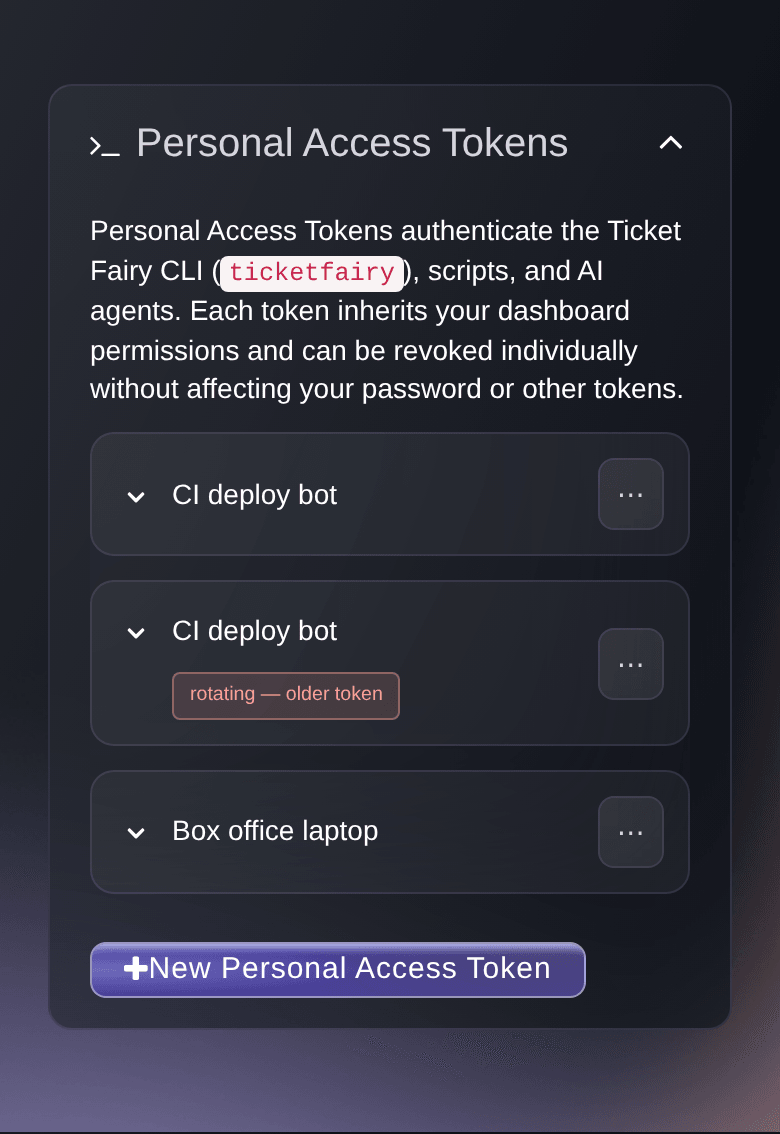
Ticket Fairy Personal Access Tokens card listing tokens with their created, last used and expiry dates
  • Each sale in your own systems in seconds
  • No dashboard passwords given to a tool
  • Your repeat setup and reports scripted once

Connect your own tools without sharing a password

If your agency or promotion company runs its own CRM, reporting or website, you can connect it to Ticket Fairy directly. In your account settings, create a personal access token for each laptop, server, script or agent. Name it after the tool that holds it and give it an expiry that suits the job. Each token carries your own role, so it opens only the brands and events you can open. If a laptop goes missing, revoke its token straight away. Your scripts use the organiser API to create events and get their sales, and a retry after a network error does not create the event twice. Your brand's API key opens the event APIs, such as your referral leaderboard.

  • Personal access tokens: one for each tool, with its own expiry, revoked at once
  • Organiser API: create events and get their sales from your scripts
  • Python client: public listings with no account, your own events with a token

See each order in your systems seconds after buyers pay

Your CRM and reporting stay up to date without anyone exporting a file. Add a webhook on a brand, a tour or an event, and you get each order at an address you own seconds after the buyer pays. It comes with the tickets, add-ons, totals and ticket holder details. When an order is changed, transferred or refunded, you get the whole order again. Brand and tour webhooks can also tell you about new, changed and published events. Choose the full order, or the format that Zapier, Iterable or Symmetry expects, and connect Zapier with your webhook API key. Send a test from the Webhooks page to check that your address accepts it.

  • Order webhooks: for a brand, a tour or one event
  • Zapier: connect with your webhook API key
  • Send test: example data that checks your address before your first order
Ticket Fairy API Key and Webhook API Key cards, each showing the key with a control to copy it and one to regenerate it

Sell tickets on your own website or app

Buyers choose tickets and pay without leaving your website. Paste the Event Embed snippet into your event page and your checkout appears there. For a checkout with no Ticket Fairy branding on your own React website, use the React checkout SDK. To sell inside your own iPhone or Android app, use the React Native checkout SDK. Your website can also list your live public events through the public event API, with no key needed.

  • Event Embed: checkout on your own event page
  • React checkout SDK: a checkout in your own branding on your React website
  • React Native checkout SDK: tickets on sale inside your own iOS or Android app
Ticket Fairy Event Embed security page with the website addresses allowed to run the checkout

Hand routine event jobs to your own AI assistant

Install the Ticket Fairy command-line tool (CLI), sign in once and script the setup and reports you repeat, such as copying an event or saving a sales summary every night. The CLI also runs an MCP server on your own computer. Claude Code, Cursor and other assistants can then see your live sales and do routine setup for you, read-only if you choose. Before a deletion or a cancellation goes ahead, your AI client asks you to approve it. An AI agent that asks to act for you gets access only after you approve it, and you can end that access in Account Settings.

  • Ticket Fairy CLI: events, tickets, orders and reports from the terminal
  • MCP server: your assistant acts as you, with your role
  • AI agents you approve: end an agent's access at any time
Get this page as a PDF Read it later or share it with your team. We email you a link to the PDF.
What to put in your PDF

We will email you this deck. We may also email you now and then about Ticket Fairy features that can help your events. You can unsubscribe at any time with one click.

Everything your developer needs to build on Ticket Fairy

  • Personal access tokens

    Give each tool a named token with its own expiry. Rotate it with an overlap so a running job keeps going, and revoke it at once.

  • Brand API key

    Generate the key the event APIs ask for, such as your referral leaderboard, and regenerate it when you need a new one.

  • Organiser API

    Create events and get their sales from your own scripts. Your developer builds from an OpenAPI description.

    Learn more

  • Public event API

    List live public events, yours included, with no account, or ask about upcoming events in plain language.

    Learn more

  • Order webhooks

    Get each order at your own address once the buyer pays, and again whenever it is changed, transferred or refunded.

    Learn more

  • Event webhooks

    Hear about new, changed and published events from webhooks on a brand or a tour.

  • Zapier, Iterable and Symmetry

    Choose the webhook format each of these tools expects, and connect Zapier with your webhook API key.

  • Ticket Fairy CLI

    Work with events, tickets, orders, customers and your team from the command line or a scheduled job.

    Learn more

  • MCP server

    Connect Claude Code, Cursor or another MCP client to your events, starting read-only if you prefer.

    Learn more

  • AI agent approvals

    Approve each AI agent that asks to act for you, and end its access in Account Settings.

  • Event Embed

    Put your checkout on your own event page so buyers pay without leaving your website.

    Learn more

  • Checkout SDKs

    Build your own checkout on your React website, or inside your own iPhone or Android app.

    Learn more

  • Marketing integrations

    Send buyers to Klaviyo, Mailchimp, Laylo and Hive with no code at all.

    Learn more

  • Fai and your webhooks

    Ask Fai to list, add, change, test or delete your webhooks. She asks you to approve each change.

    Learn more

  • Events started by your AI assistant

    Ask an AI assistant to start your event from its name, dates, venue and description. Open the link it gives you, sign up or sign in, and the event joins your brand as a draft for you to check.

  • Seat maps and ID checks in your own checkout

    With the React checkout SDK, buyers pick seats on your seat map and pay by card with Stripe or Xendit. In your app, the SDK checks buyers' ID and keeps signed-in buyers signed in.

  • A checkout in your own colours

    Set the accent, surfaces, text colours, corners and typography in light or dark, or arrange the checkout sections in a layout of your own.

  • Promo codes and referral credit in your app

    Open your checkout with a promo code already applied, credit a sale to the referrer who sent the buyer, and show buyers their referral rewards after they pay.

  • Know who set up each webhook

    See who added each webhook and when, switch one off and on again without losing its address, and send a test that tells you whether your address received it.

  • Spot the tokens no tool uses any more

    See when each personal access token was last used, so you can revoke the ones no tool needs.

Questions About API & Developers

API & developers

Use a personal access token for the command line, the MCP server, your own scripts and your agents. Use your brand's API key for the event APIs, such as your referral leaderboard. Regenerating the API key stops every application that uses the old key until you update it.

A year by default, which is also the longest. Choose a shorter expiry for a one-off script. The token is shown once, so copy it before you close the window. When you rotate a token, the old one still works for up to seven days while you swap it over.

Ten an hour, counting rotations, and you cannot create a new one while fifty are live. You can revoke as many as you like.

That delivery fails and is not sent again, and the next order arrives as normal. If your address answers 410 Gone, we delete the webhook. Webhook addresses must start with https://.

Yes. Add a signing secret to the webhook, and every request then carries an X-Signature header that your system checks with the same secret. The webhook documentation shows how.

Yes. The whole order is sent again each time it changes, and a brand webhook and an event webhook that send to the same address both send it. Match on the order number rather than counting each delivery as a new sale.

Through Stripe. The React Native checkout SDK takes payments with the Stripe React Native SDK, and its documentation lists the setup for iOS and Android.

No. Both are free with your Ticket Fairy account and need Node 20 or newer. The MCP server comes with the CLI. Vault commands and tools are for brands with Vault access, and they only read.

No. Each one acts as you, with your role and your brands, so it cannot open another brand's data or give itself new permissions.

Three days, or until you sign up or sign in with it. The first browser that opens the link holds the event, and the assistant cannot change the event after that.

React Native 0.81 or newer with the New Architecture, React 19.1 or newer, iOS 15.1 or newer and Android API 24 or newer. It needs a development build, because Expo Go cannot load it. Install tf-checkout-react for a website and tf-checkout-react-native for an app, both from npm.

An hour, 7 days, 30 days, 90 days or a year, under Set custom expiry. Each teammate creates their own tokens, and revoking one leaves your password and your other tokens working.

Yes, through a tunnel service that gives your computer an https address. A test that fails shows the response code your address returned.

Sell more tickets. Build the crowd that comes back.

Start Selling Tickets Online

Sign up without a credit card and build a test event before you commit. Go on sale in minutes when you are ready.

No monthly subscription required for ticketing
Start selling tickets immediately
Ticketing tools included in the service fee
Get Started Talk to Fai Now

Ask Fai, our AI assistant, about Ticket Fairy’s features, pricing and how it could work for your event.

No credit card required

Book a demo call

See the referral model that drives 20% more ticket sales on average, learn which campaigns sell tickets, answer buyers faster and keep queues moving.

45-Minute Video Call
Pick a Time That Works for You