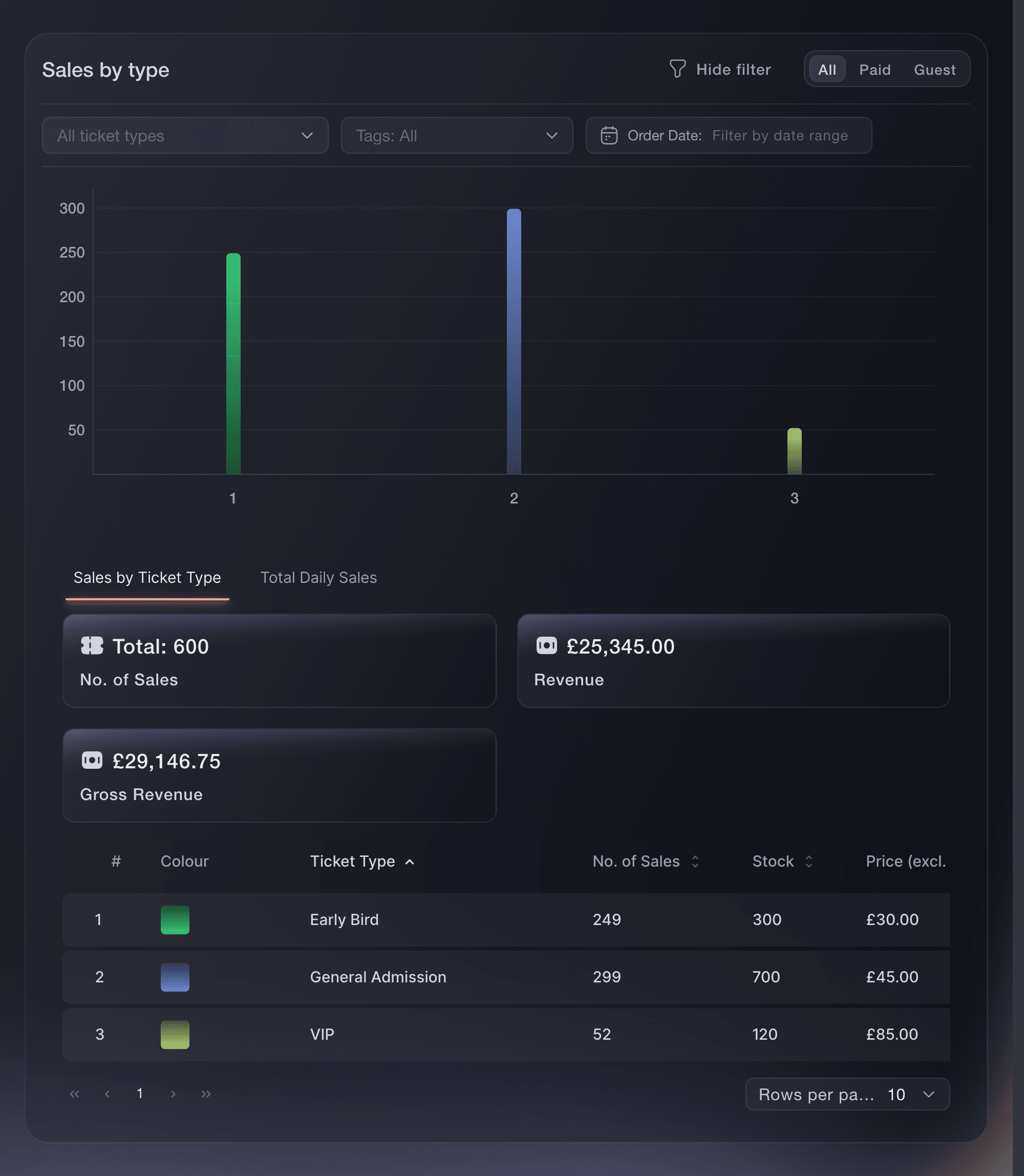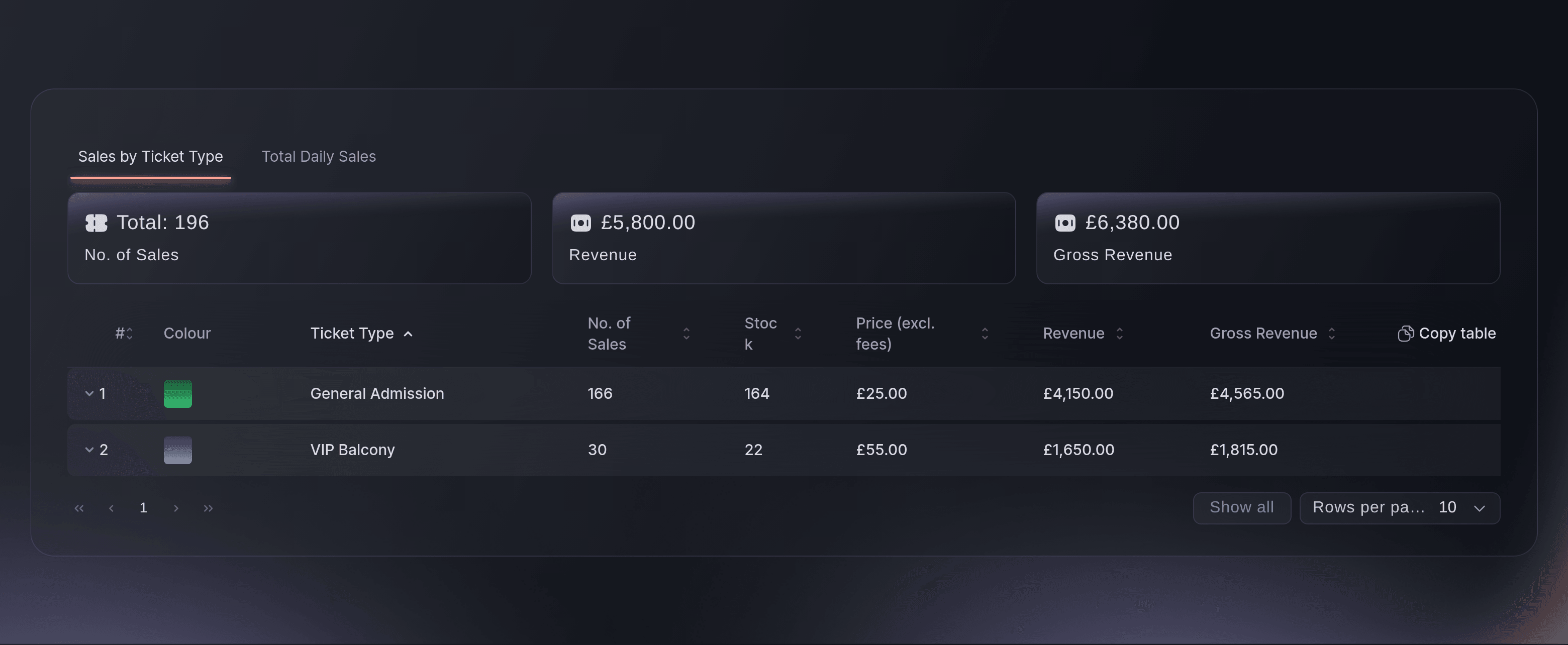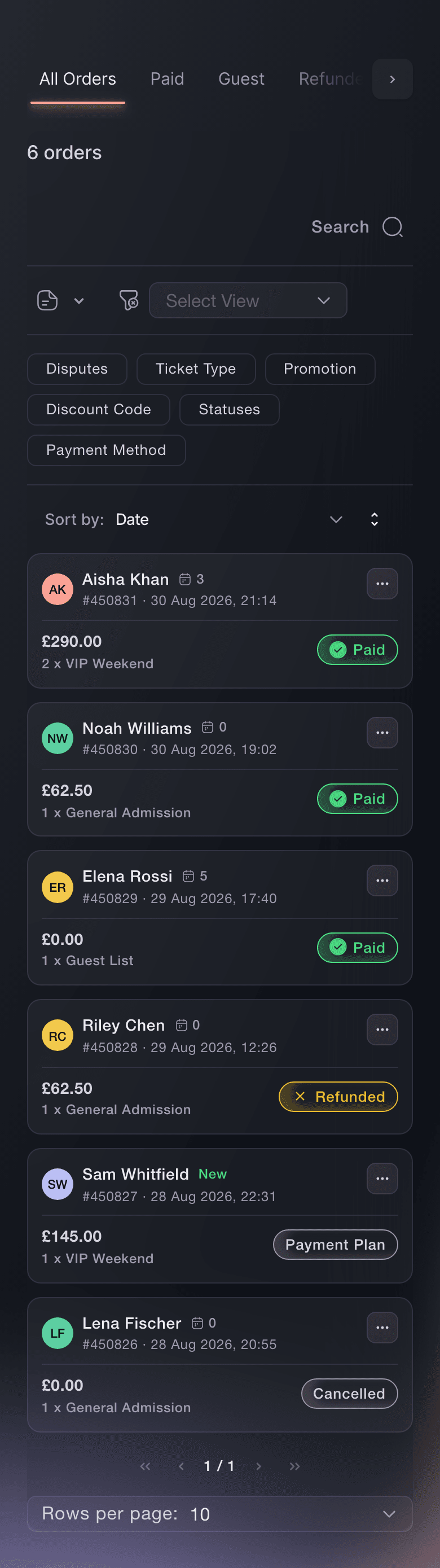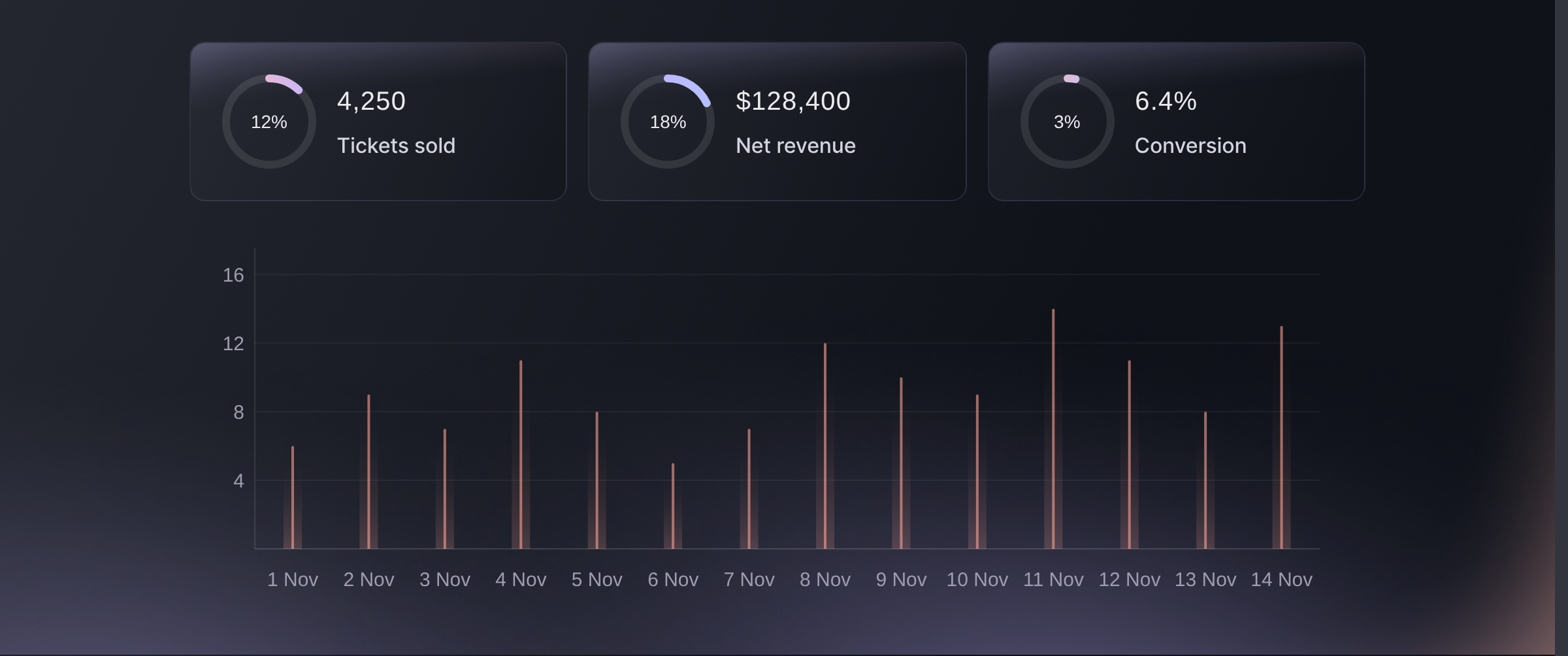
Watch tickets sold and revenue climb during your on-sale
Keep your Performance page open when tickets go on sale, and the figures across the top climb as buyers pay. Tickets shows how many have sold, with the tickets sitting in buyers' carts underneath. Net revenue shows what the event has earned, with the figure before referral rebates under it. You see the rush as it happens and can tell your team how the on-sale is going straight away.
The tickets in carts show you demand that has not turned into sales yet. If carts are full and tickets sold climb slowly during a big drop, check your checkout. The Tickets in Cart tab lists those carts, with where the buyers are.
- Tickets: tickets sold, with the tickets in buyers' carts
- Net revenue: what the event has earned, with referral rebates shown
- Refreshes while you watch: keep the page open and the figures stay current