Sell tickets to buyers who shop through AI assistants

Buyers get your exact prices from approved AI assistants, then approve and pay in the conversation. Your fees, limits and refund terms still apply, and you choose which assistants sell.

  • New sales from buyers who ask AI
  • Your prices, fees and rules on each sale
  • You decide which assistants sell your tickets

Sell to buyers where they ask what is on

A buyer asks an AI assistant about events near them, picks yours and chooses their tickets in the conversation. The assistant has each ticket's current price and what is still available, plus your purchase limits, your terms and the details you need from the buyer. The buyer can change the order in the chat until it is right. You sell to people who never visited your event page. Each assistant Ticket Fairy approves can sell your tickets from the day you go on sale, with nothing for you to set up.

Your public event pages and the event search assistants use describe your events in the same words your buyers see, so an assistant answers questions about dates, venues or ticket types from your own listing. The orders those buyers place appear with your other orders, and their tickets, refunds and support work as they do for any buyer.

Your own website sells the same way. The ticket concierge on your site answers buyers' questions and puts their tickets in the basket in the chat. A buyer who starts in an assistant and a buyer who starts on your website both end up at the same checkout.

  • Approved assistants: each one named, plus one row for all other assistants
  • Exact price and availability: checked again before the buyer approves
  • Nothing to set up: assistants can sell your tickets as soon as they are on sale

Let buyers approve and pay without leaving the conversation

The buyer approves the exact tickets, total and currency in the conversation, and their assistant pays for that order. The payment credential works only for that order, amount, currency and event. It expires soon after approval and works once. If the price or the tickets change before payment, the buyer approves again before anybody is charged.

The buyer never gives the assistant their card number. Their digital wallet or payment provider gives the assistant a credential for that one order, and Ticket Fairy checks it before taking the payment. When a bank asks the buyer to confirm a payment themselves, the assistant gives them a link to a Ticket Fairy page. The buyer confirms with their bank there, and the order completes with the same tickets held.

A buyer can also tell their assistant to buy when tickets appear, within limits they agree in advance: the event or artist, the dates, the seating area, how many tickets and the most they will pay including fees. The assistant buys only inside those limits and before the approval expires. Anything outside them, such as a higher price or a different date, waits for the buyer.

  • Buyer approval: the exact tickets and total, each time
  • One order, one charge: the credential works for that order only
  • Bank confirmation page: the buyer confirms with their bank on Ticket Fairy
  • Buy within my limits: event, dates, seats, quantity and top price

Give each fan the same fair chance at your tickets

A buyer who comes through an assistant gets exactly what a buyer in the browser gets. That means the same tickets, prices and fees, sale dates, per-order and per-account limits, refund terms and waiting room on a busy on-sale. An assistant gets no private stock, no longer hold on tickets, no higher limit and no lower fees.

That keeps your on-sale fair. A fan refreshing your event page has the same chance at your scarce tickets as an assistant buying for somebody else. The limits you set on a ticket type follow the buyer whichever way they shop.

  • Same rules as your checkout: prices, fees, limits and refund terms
  • Same waiting room: assistants wait their turn on a busy on-sale
  • Same limits: your per-order and per-account limits apply
Ticket Fairy ticket type options with Set maximum number per customer account turned on, a limit that applies to buyers in AI assistants too

Finish seat picks and ID checks on your own checkout

Some steps belong on your checkout page: picking a seat on a map, an ID or age check, a payment plan, your custom checkout questions or an event password. The assistant gives the buyer a link, and they carry on at your checkout with the same basket and tickets held. The page tells the buyer why they are there, what to do next and how long their tickets are held.

The link opens that buyer's checkout once and cannot be passed around. Buyers who start in an assistant answer the same checkout questions as everyone else, so your door team gets the same attendee details from each order.

  • Continue on your checkout: the same basket and the same tickets held
  • Hold countdown: the buyer sees how long their tickets are held
  • One-use link: it opens that buyer's checkout once
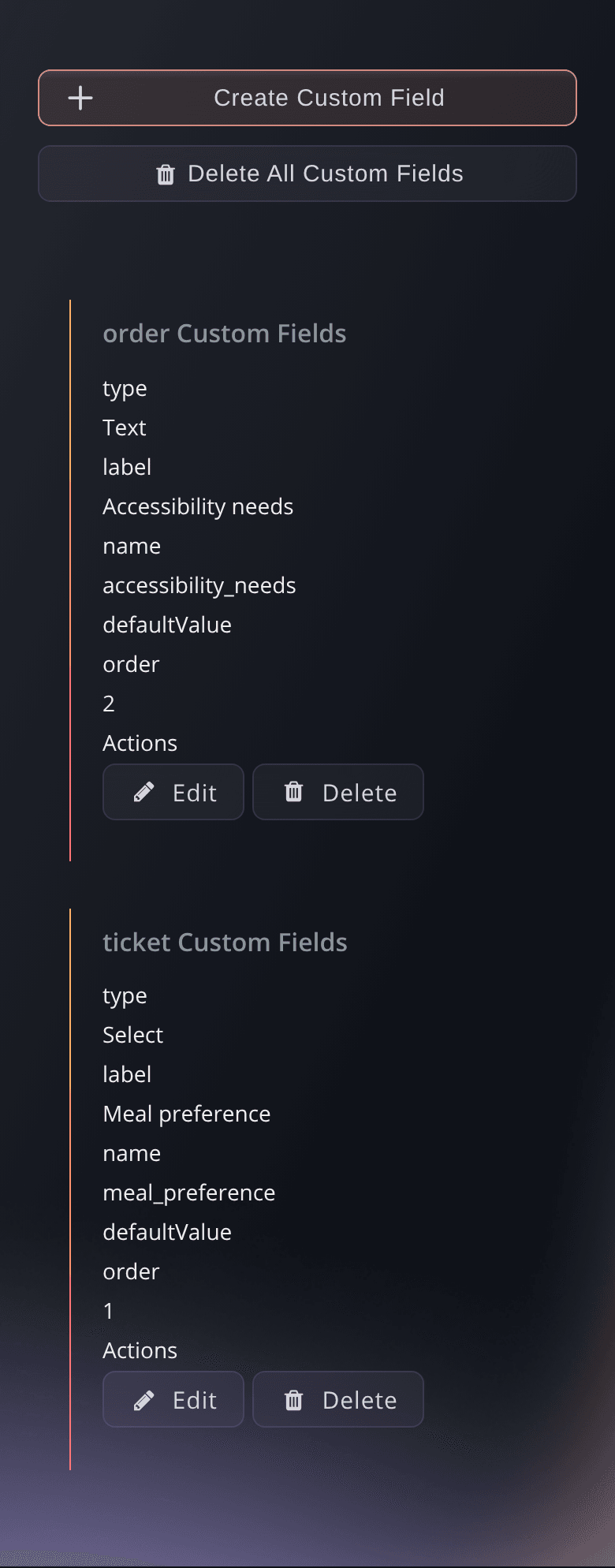
Ticket Fairy event settings with ticket and order checkout questions that every buyer answers, wherever they started

Get paid through your own payment processing account

Each payment goes through the payment processing account your event already uses. You get the same fees, payouts, refund terms and dispute process as a sale at your checkout. Buyers pay by card, including the card tokens AI assistants use, with a saved payment method, or with the pay-later and local methods your checkout already offers.

Buyers pay through their assistant the way people pay in their own country. In India, a buyer approves a UPI amount once and their assistant pays for their tickets from it, within the amount and time they agreed. Buyers in South-East Asia use the local methods your checkout offers. Klarna and Affirm work through an assistant when your checkout offers them too.

  • Your payment account: the same account as your event checkout
  • Cards and saved methods: including the card tokens assistants use
  • Local ways to pay: UPI in India and local methods elsewhere
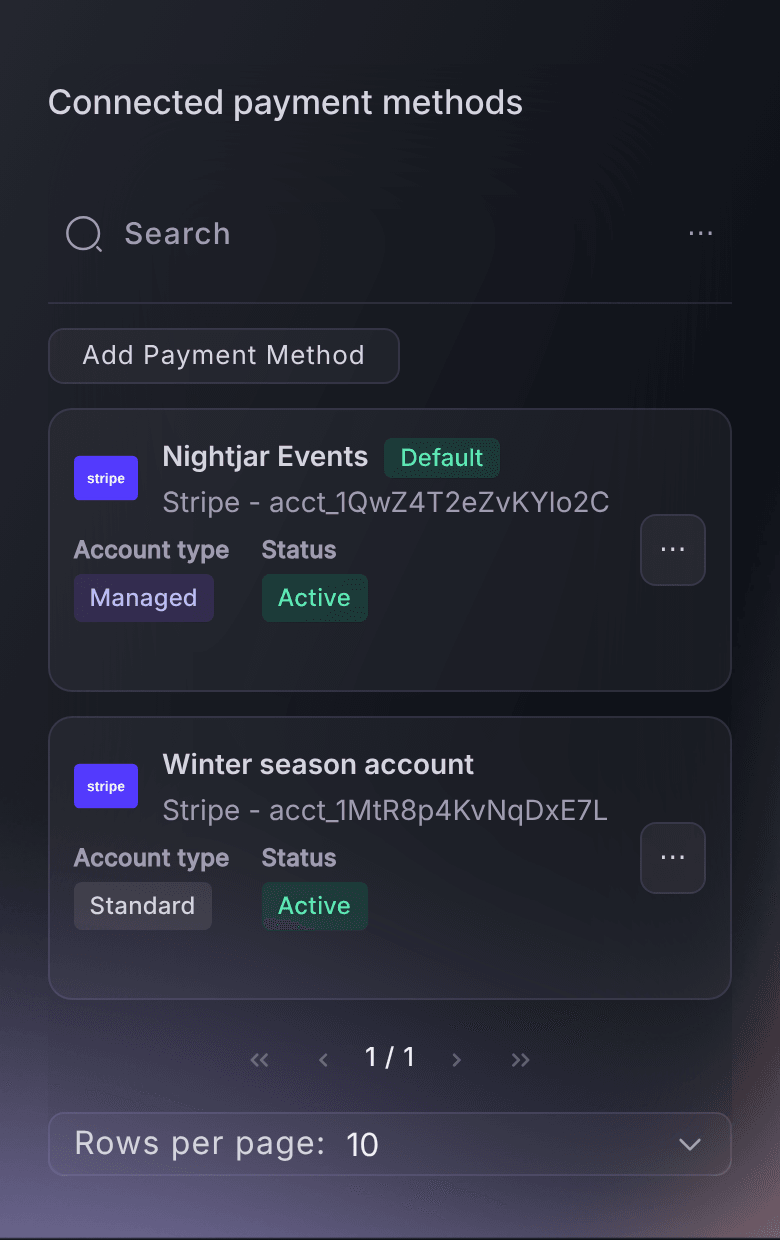
Ticket Fairy Connected payment methods table on a brand's Payments page, with the default payment processing account that AI assistant sales are paid into

Choose which assistants sell for your brand

The Sell through AI assistants section on your brand's Payments page names each assistant Ticket Fairy has set up, with one Any other AI assistant row for the rest. Each row is marked Selling or Off. Turn one off and new checkouts and payments through it stop straight away, for all your brand's events. For a members-only show, or a sale you want kept to your own channels, pause an assistant on that one event while your other events stay on sale through it.

A dialog names the assistant and asks you to confirm before anything changes. A buyer the assistant already sent to your checkout page can still finish there, and existing orders, refunds and support carry on as normal. Ask Fai, the assistant in your dashboard, which AI assistants sell your tickets, and have her turn one off for your brand or pause it for one event. She shows you the change and asks you to approve it first.

Each change keeps who made it and when. Your activity log shows it as AI assistant sales turned on, turned off, paused for an event or resumed for an event, so your team can always see why an assistant stopped selling.

  • Turn on or off: for all your brand's events at once
  • Pause for this event: keep an assistant away from one show
  • Ask Fai: list, turn off, pause or resume in a sentence
  • Activity log: who changed an assistant, and when

Look after assistant buyers like any other buyer

Orders that start in an assistant appear with your other orders, and your team finds, refunds and supports them like any order. The buyer sees each change to their order in the same conversation as soon as it happens: completed, cancelled or refunded. They also get a link to their own order on Ticket Fairy.

Buyers ask the same assistant for a refund or to transfer a ticket, and approve that exact change before it happens. Your refund and transfer rules apply as they do at your checkout. Ticket barcodes stay with the buyer and are never shown to the assistant, so the ticket at your door belongs to the person who bought it.

  • One list of orders: assistant orders sit with the rest
  • Order updates: completed, cancelled and refunded orders
  • Refunds and transfers: each one approved by the buyer
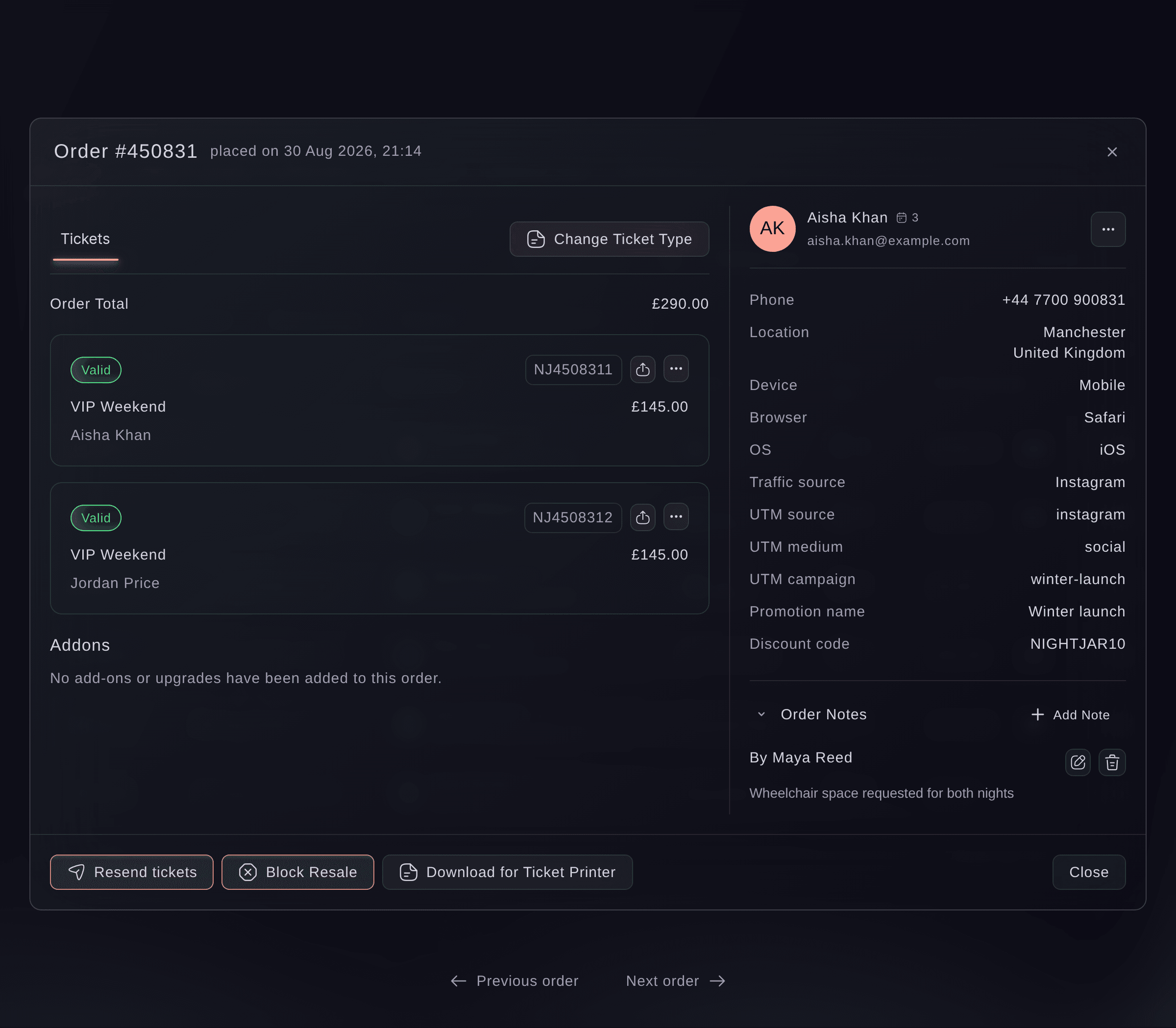
Ticket Fairy order window with two VIP Weekend tickets, the buyer's phone, location, device and traffic source, where assistant orders appear like any other

Keep your promo codes and group discounts working

A promo code gives the same price with the same rules as on your checkout. Some assistants take the code from the buyer in the conversation, and with others the buyer enters it at checkout. Your group discount applies to a qualifying order without anyone entering a code. A group of friends planning a night out through an assistant gets the price you meant them to get.

  • Promo codes: the same price and rules as your checkout
  • Group discounts: applied to each qualifying order for you
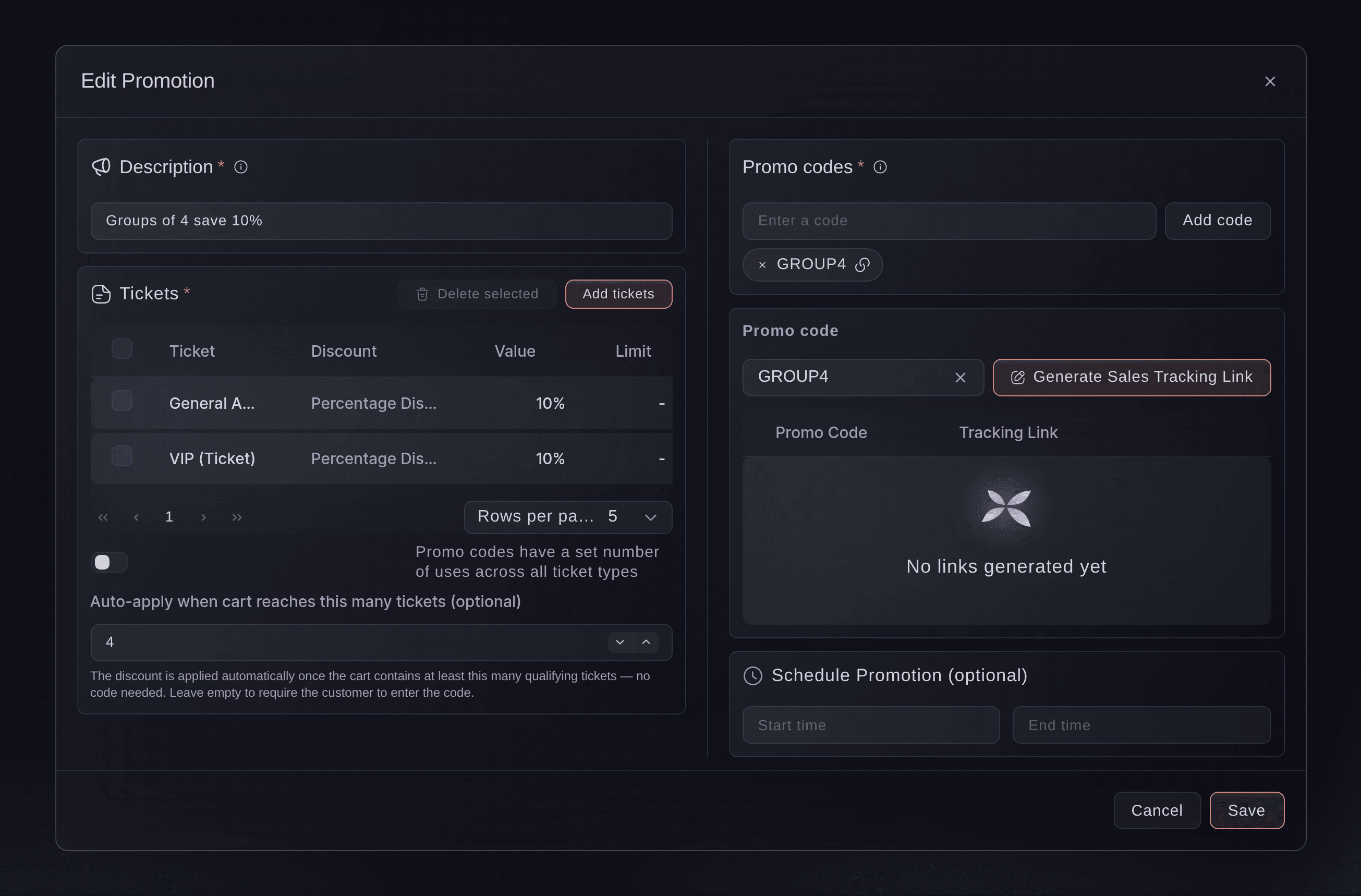
Ticket Fairy promotion editor for a group discount, Groups of 4 save 10%, applied to qualifying orders from AI assistants as well

How organisers sell through AI assistants

  • A club night on a Friday afternoon

    A group asks an assistant what is on tonight, picks the club's late show and approves four tickets with their group discount in the chat. The order appears with the rest, and each friend gets a ticket for the door.

  • A festival on-sale

    A festival opens its early bird release. Buyers using assistants join the same waiting room as fans in the browser and meet the same per-account limit. A fan in the browser has the same chance as whoever automates fastest.

  • A theatre run with seats

    A buyer asks an assistant for two seats on Saturday. The assistant holds the tickets and sends the buyer to the theatre's checkout to pick seats on the map, with a countdown showing how long their tickets are held.

  • A members-only show

    A venue pauses all assistants on its members' night from the event's Settings. Its public shows stay on sale through assistants, and the activity log shows the change with who made it.

  • A concert in India

    A fan tells their assistant to buy two tickets when the next date is announced, up to a price they set, from a UPI amount they approved once. The assistant buys inside those limits, and the promoter is paid through their own account.

Get this page as a PDF Read it later or share it with your team. We email you a link to the PDF.
What to put in your PDF

We will email you this deck. We may also email you now and then about Ticket Fairy features that can help your events. You can unsubscribe at any time with one click.

Questions About Selling Through AI Assistants

Sell in AI assistants

You need an owner or admin login on the brand. If you cannot see Sell through AI assistants on your brand's Payments page, ask an owner or admin to make the change or give you an admin role.

The list names each assistant Ticket Fairy has set up with its maker. Any other assistant that uses an open shopping standard can also sell your tickets, and the Any other AI assistant row turns all of those on or off together. Each assistant on the list sells your tickets until an owner or admin turns it off for the brand or pauses it for an event.

An assistant that is turned on can sell your tickets when a buyer asks it for them. Each assistant decides for itself what it suggests, so Ticket Fairy cannot promise that one will recommend your event.

No. Your public event pages and the event search assistants use stay available. Turning an assistant off stops new checkouts and payments through that assistant only, and orders already made are not affected.

Yes. A pause on one event stays until somebody resumes it on that event, whatever you change for the brand. You cannot pause or resume an assistant on an event while it is Off for the brand, so turn it on for the brand first.

The first change saved wins. The second person sees a message that someone else changed it, and the section shows the current settings to check before trying again.

The payment credential is tied to the exact order, amount, currency and seller, it expires and it works once. Ticket Fairy checks all of that before taking the payment, so a different amount is refused. A buyer's standing approval to buy within limits also expires after a short time, and the assistant cannot go outside it.

Cards, including the card tokens assistants use, and saved payment methods. Klarna and Affirm work when your checkout offers the same method for that event. UPI works for buyers in India, and buyers in South-East Asia use the local methods your checkout offers. The money goes to your event's payment processing account, the same one your checkout uses.

Yes, one code per order, at the same price and with the same rules as on your checkout.

Agent checkouts use the Agentic Commerce Protocol and the Universal Commerce Protocol, with Stripe shared payment tokens and signed Agent Payments Protocol mandates for buyer approval. Signed order webhooks tell the selling assistant when an order completes, is cancelled or is refunded. Machine payments through MPP and x402 follow the same rules.

Sell more tickets. Build the crowd that comes back.

Start Selling Tickets Online

Sign up without a credit card and build a test event before you commit. Go on sale in minutes when you are ready.

No monthly subscription required for ticketing
Start selling tickets immediately
Ticketing tools included in the service fee
Get Started Talk to Fai Now

Ask Fai, our AI assistant, about Ticket Fairy’s features, pricing and how it could work for your event.

No credit card required

Book a demo call

See the referral model that drives 20% more ticket sales on average, learn which campaigns sell tickets, answer buyers faster and keep queues moving.

45-Minute Video Call
Pick a Time That Works for You