Website builder

Build your event website and sell tickets on it

Fai drafts your festival, venue or brand website from your events, a flyer or your current site. Change anything, then sell tickets on it at your own web address.

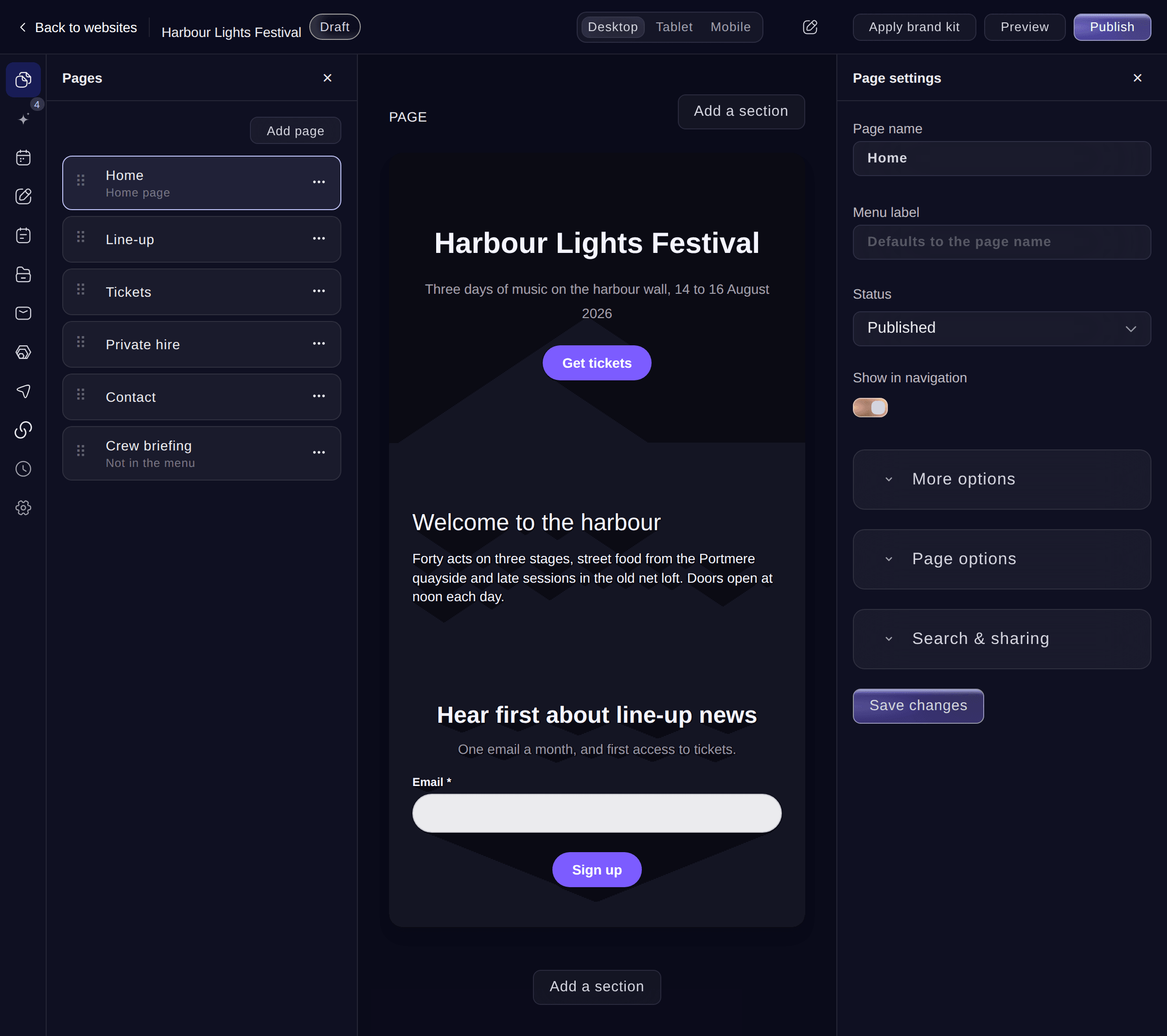
Ticket Fairy website editor with a festival home page, its list of pages and the Publish button
  • A first draft of your website from Fai
  • Events, prices and sold-out labels kept current
  • Fans buy tickets without leaving your site

Let Fai build your event website and keep improving it

Tell Fai about your event, or point her at your events, your current website or a flyer, and she builds a draft website with its pages, words and events in place. Then she keeps checking it and suggests what to add next: a new event, an artist bio, search text for a page or an answer to a question buyers keep asking. Apply an idea in one click, or dismiss it. Visitors see a change only after you publish.

  • A first draft from Fai: from your events, your old website, a flyer or a few sentences
  • Ideas to apply: new events, missing text and search text
  • Draft with Fai: the words for any section, in your brand's voice
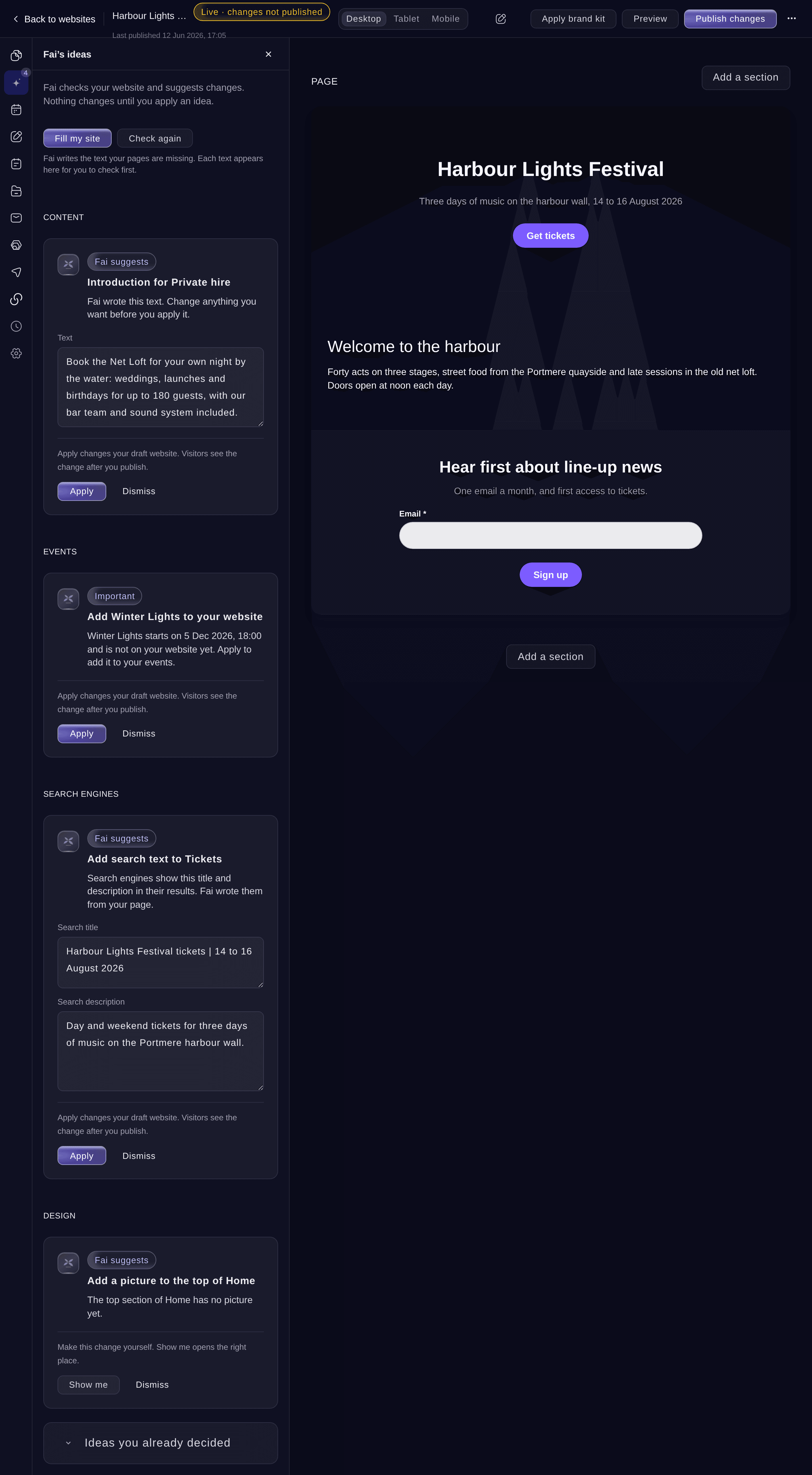
Ticket Fairy Fai's ideas for a festival website: text Fai drafted, an event to add, search text for a page and a picture to add

Give your website the look of your brand

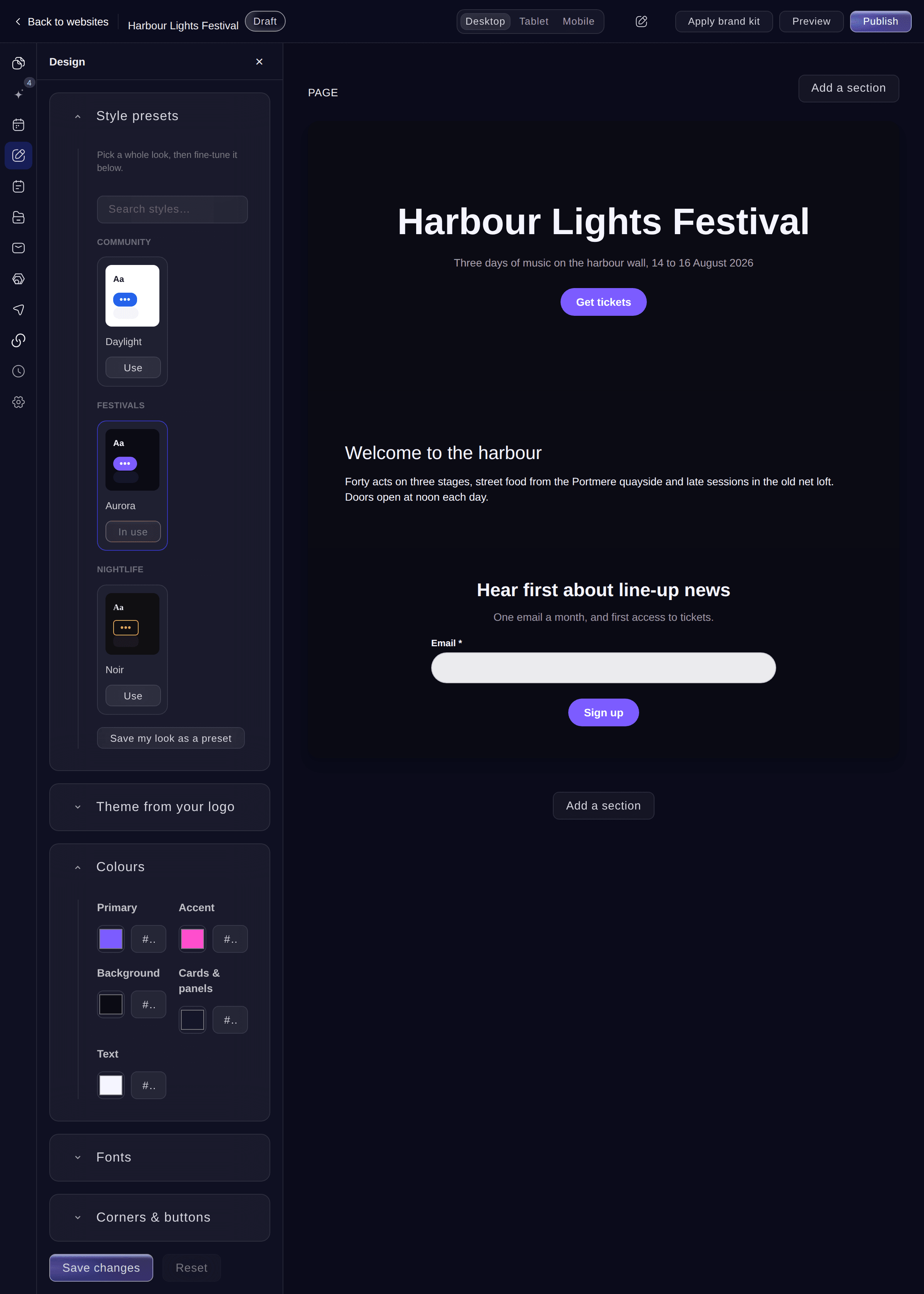
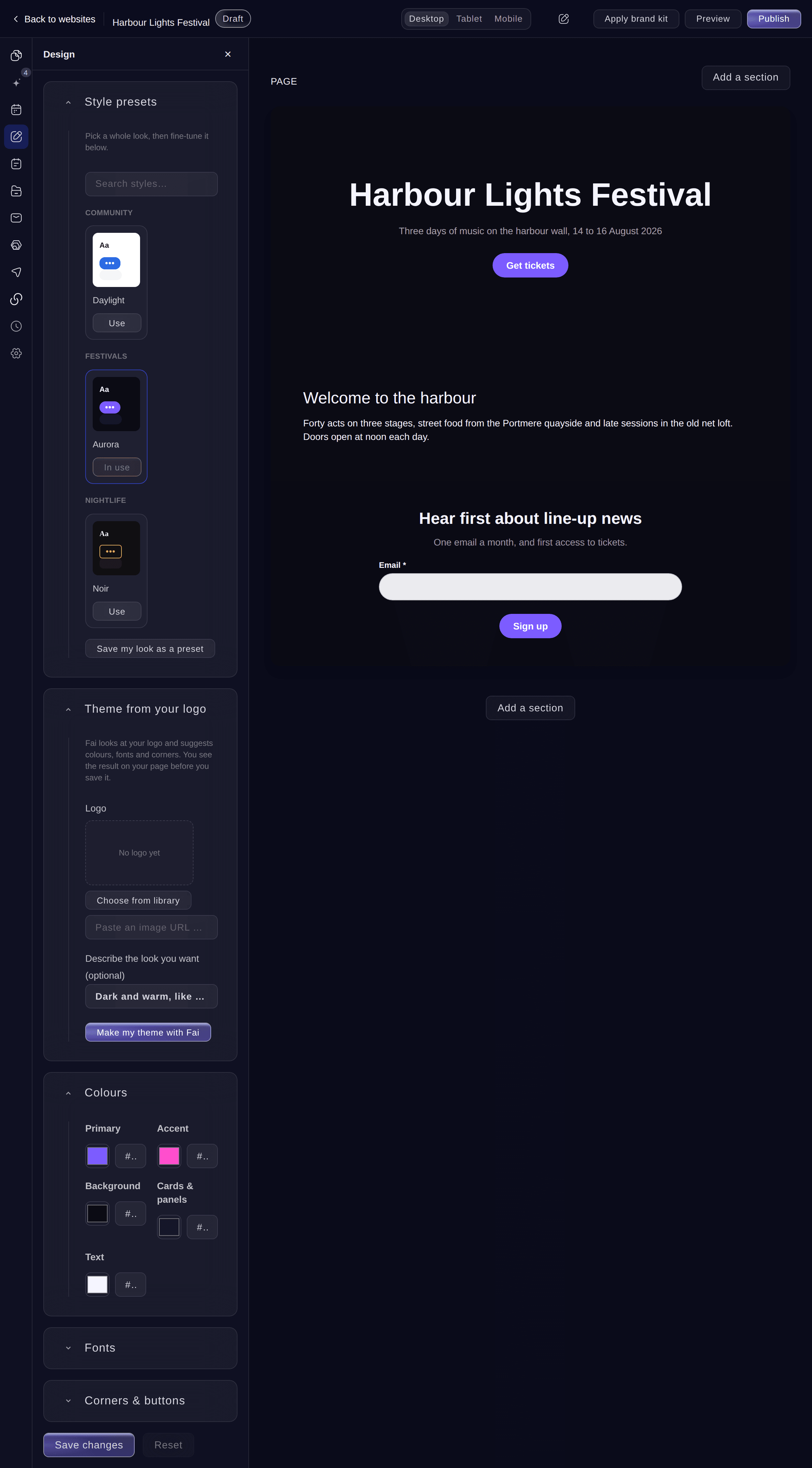
Start from more than 30 looks made for festivals, nightlife, concerts, conferences, food and drink, sports and community events. Change the colours, fonts, corners and buttons, and watch the page change as you go. Apply your brand kit to bring in your colours, fonts and logo in one step, or let Fai make a theme from your logo. Save a look you like and use it again on your next website. Check every page on desktop, tablet and mobile before you publish.

  • Style presets: more than 30 looks for every kind of event
  • Apply brand kit: your colours, fonts and logo in one step
  • Theme from your logo: colours, fonts and corners chosen by Fai
  • Desktop, tablet and mobile: each page as your visitors will see it
Ticket Fairy website Design section with style presets for community, festival and nightlife events beside a festival home page

Build every page your festival, venue or conference needs

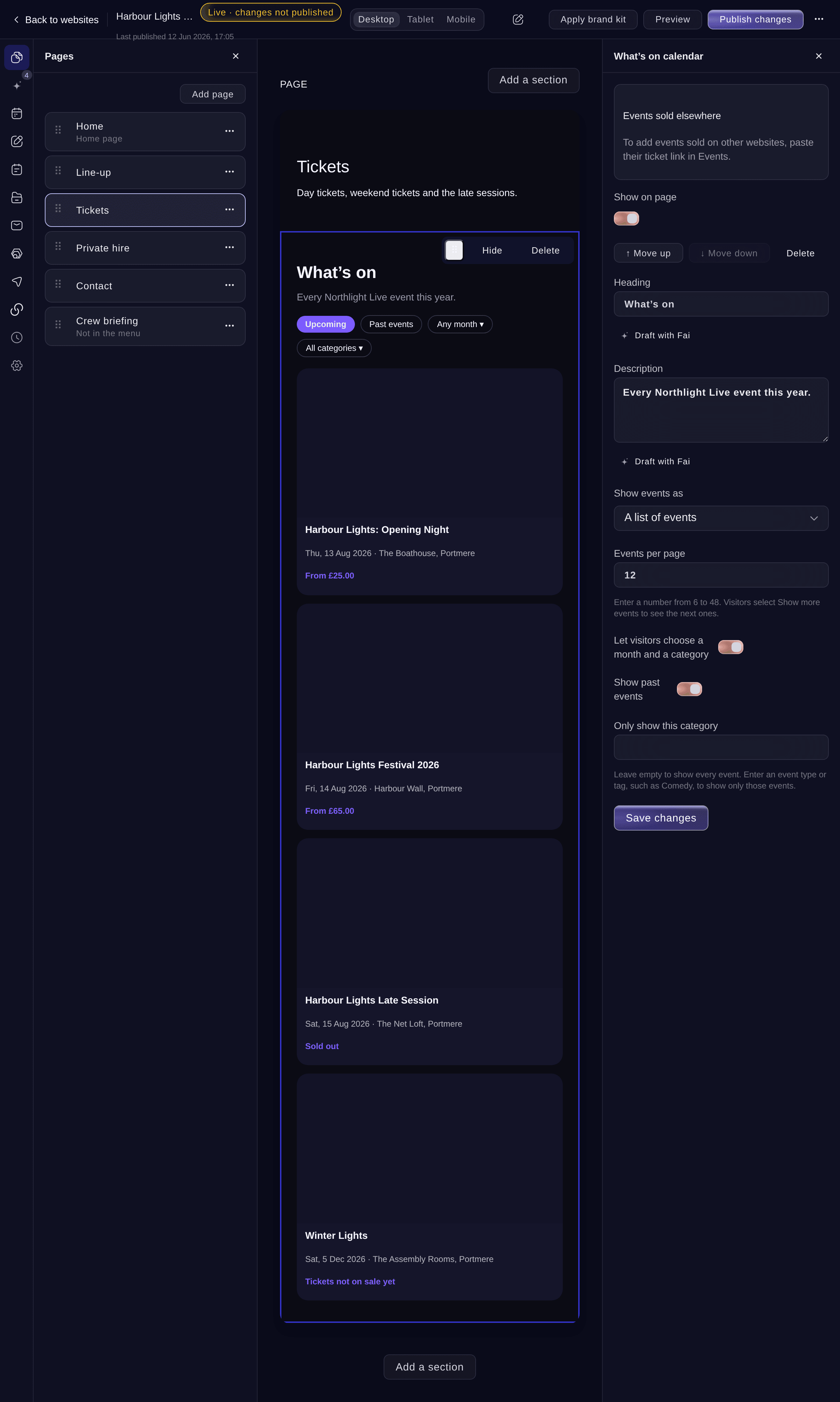
Build pages from ready-made sections: your line-up by day and stage, an agenda, sponsors, a gallery, FAQs and a ticket checkout. A What's on calendar shows your events as a list or a month, with filters and past events. A venue information section gives the map, opening hours, how to get there and accessibility. Add forms with your own questions, such as a private hire enquiry, and read every reply in your dashboard. Protect a page with a password, hide it from search engines, choose your own page-not-found page and send old addresses to new pages.

  • What's on calendar: a list or a month of your events, with filters
  • Venue information: map, opening hours, getting there and accessibility
  • Your own form questions: enquiries, RSVPs and private hire requests
  • Private and hidden pages: passwords, hidden from search and redirects
Ticket Fairy What's on calendar section on a Tickets page, with its settings: list or month, events per page, filters, past events and category

Keep every event, price and sold-out label current

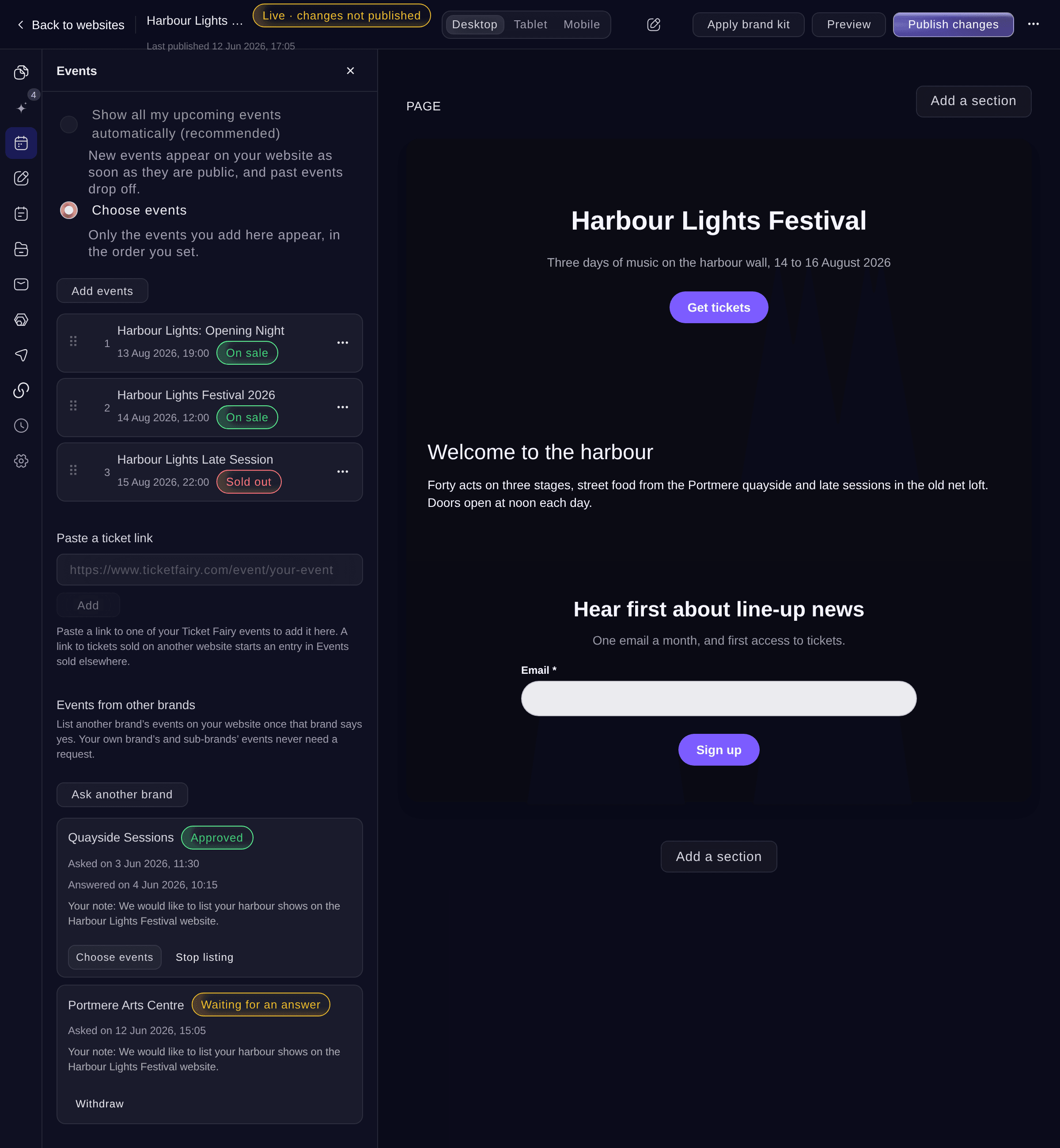
Show all your upcoming public events, so each new event appears once it is public and past events drop off. Or choose the events yourself and set their order. Each card shows the date, venue, lowest price and whether tickets are on sale or sold out, taken from the event itself. Add a ticket checkout section and fans buy tickets without leaving your site. Paste a ticket link to list an event sold on another website beside your own, and show the line-up you publish in the Event Operating System.

  • Events listed for you: new public events appear and past events drop off
  • Live prices and labels: on sale or sold out, from each event
  • Ticket checkout section: fans buy tickets on your page
  • Events sold elsewhere: listed from a ticket link
Ticket Fairy website Events section with three chosen events marked On sale or Sold out, a ticket link field and an approved request from another brand

Take enquiries, RSVPs and newsletter sign-ups

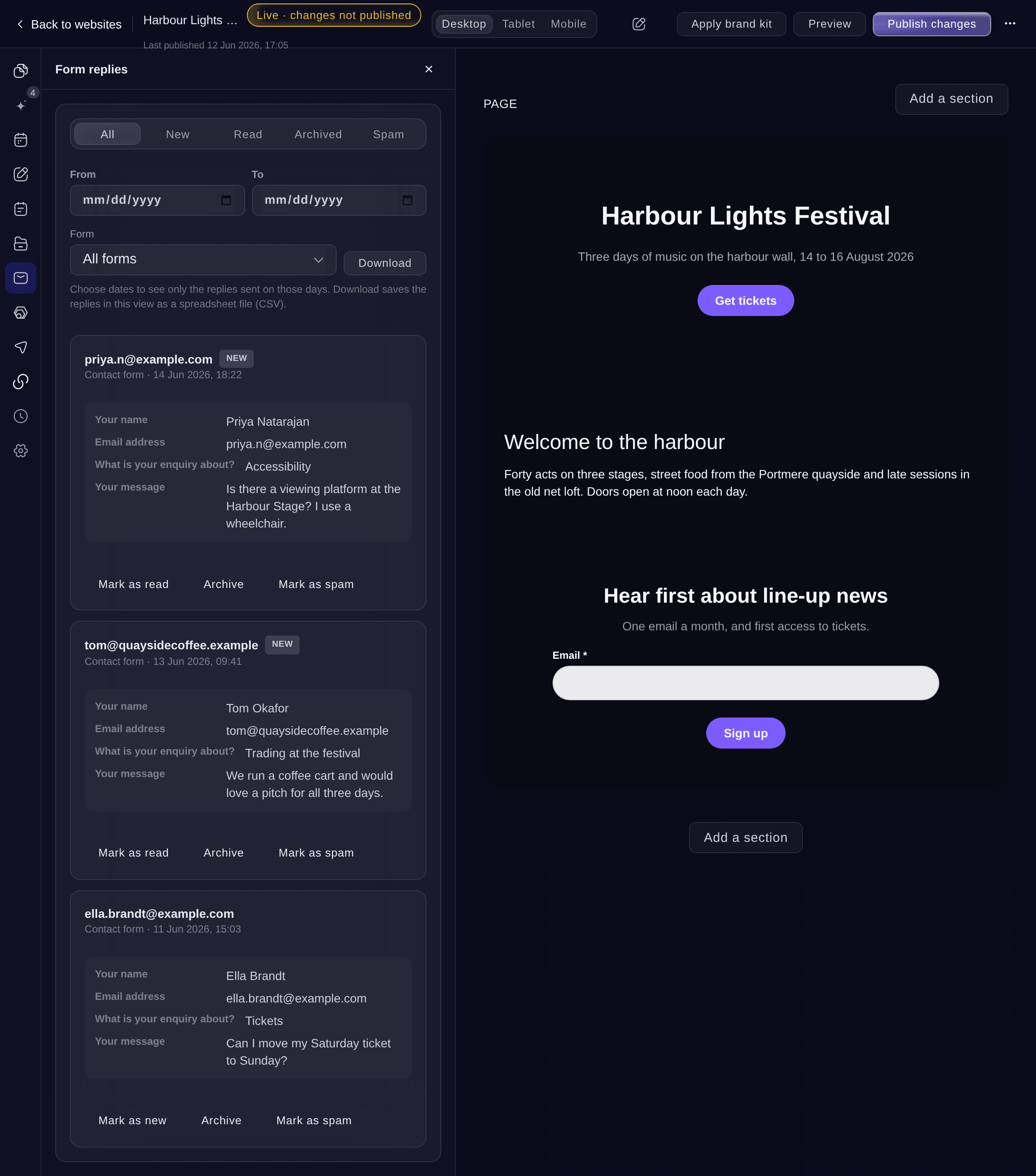
Add a contact form, an RSVP form or a private hire enquiry with the questions you need: short and long answers, choices from a list, tick boxes, dates and numbers. Each reply arrives under Form replies, where your team marks it as read, archives it or moves it to spam. Download the replies you choose as a spreadsheet file. Name the email address that hears about each new reply. A newsletter sign-up adds each visitor to the mailing list you choose.

  • Answer types: text, choices, tick boxes, dates and numbers
  • Form replies: new, read, archived and spam
  • Download replies: a spreadsheet file of the replies you choose
  • Newsletter sign-ups: added to your mailing list
Ticket Fairy Form replies for a festival website with two new contact form replies, filters by status and date, and the Download button

Go live on your own web address

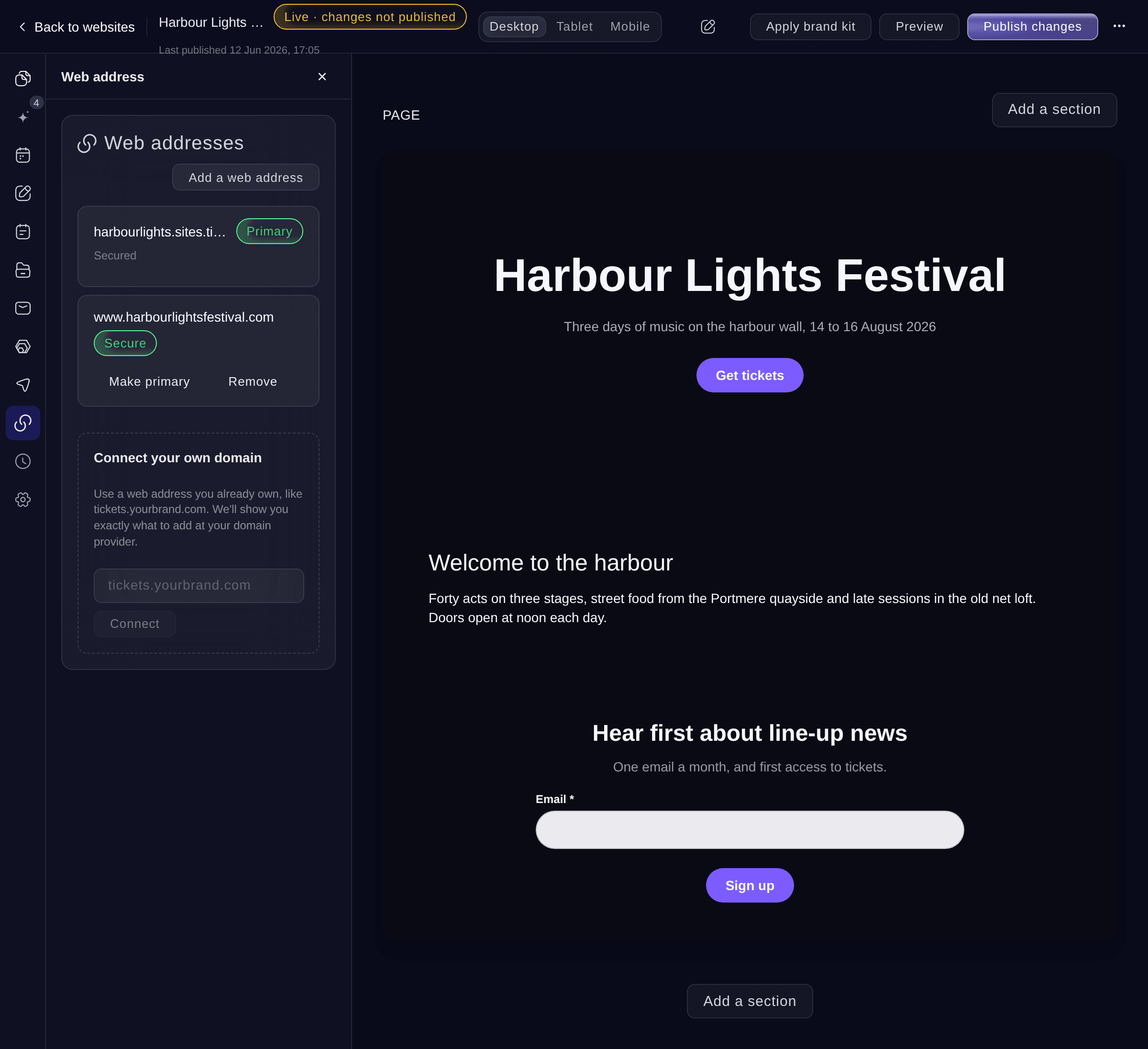
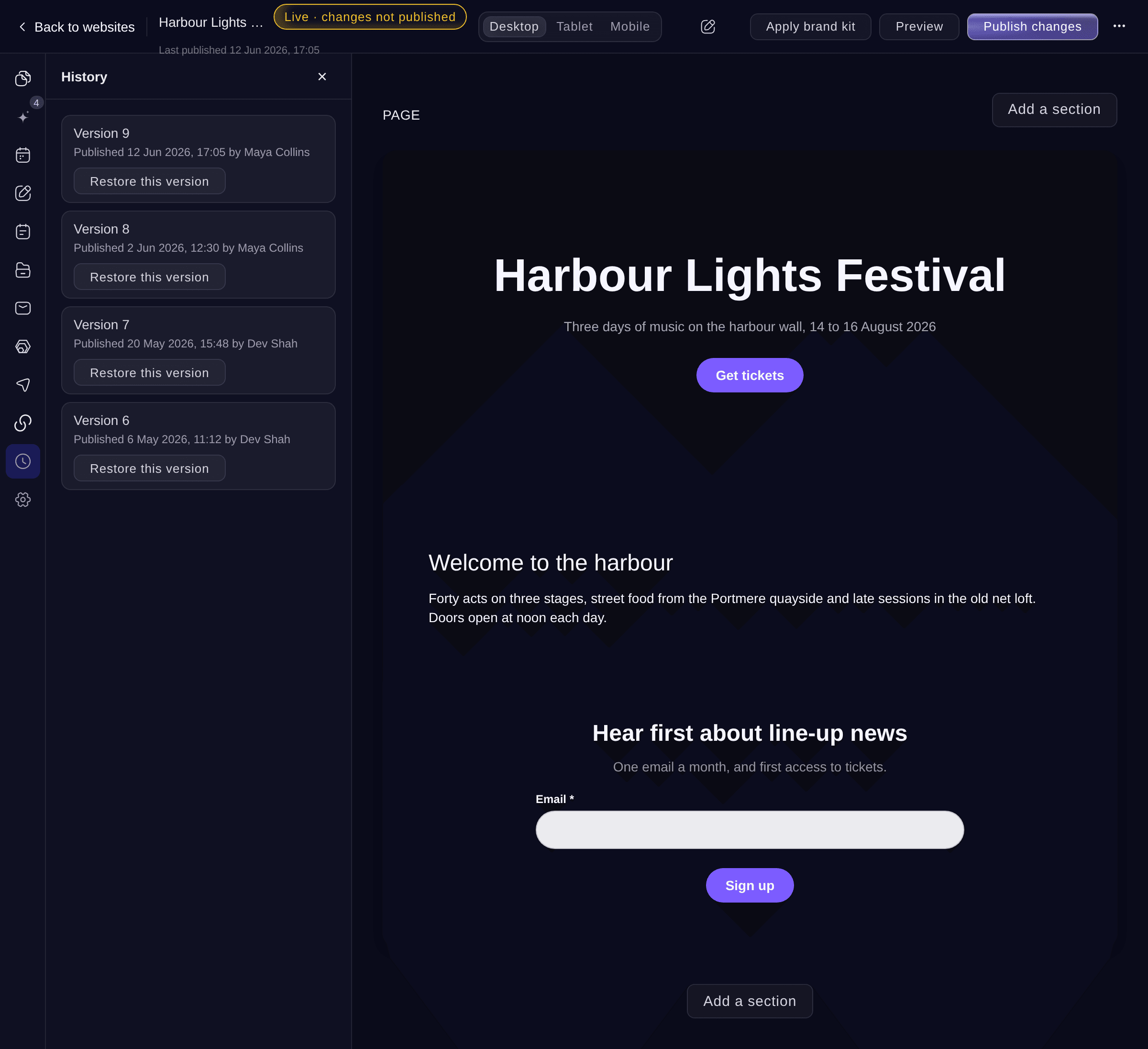
Every website gets a free, secure Ticket Fairy web address. Connect a domain you already own, such as www.yourfestival.com, and the dashboard shows the records to add at your domain provider. Your own address gets a free security certificate, so visitors see https. Each version you publish is kept with who published it and when, and you can put an earlier version back in one step. If two teammates change the same section, the second person chooses whether to keep their version or reload their teammate's, so nobody loses work.

  • Your own domain: or a free Ticket Fairy web address
  • Free security certificate: https on your own address
  • Version history: put an earlier version back in one step
  • Teamwork without lost changes: you choose whose version to keep
Ticket Fairy website Web address section with the free address as primary and the festival's own domain marked Secure

Reach more fans from your website

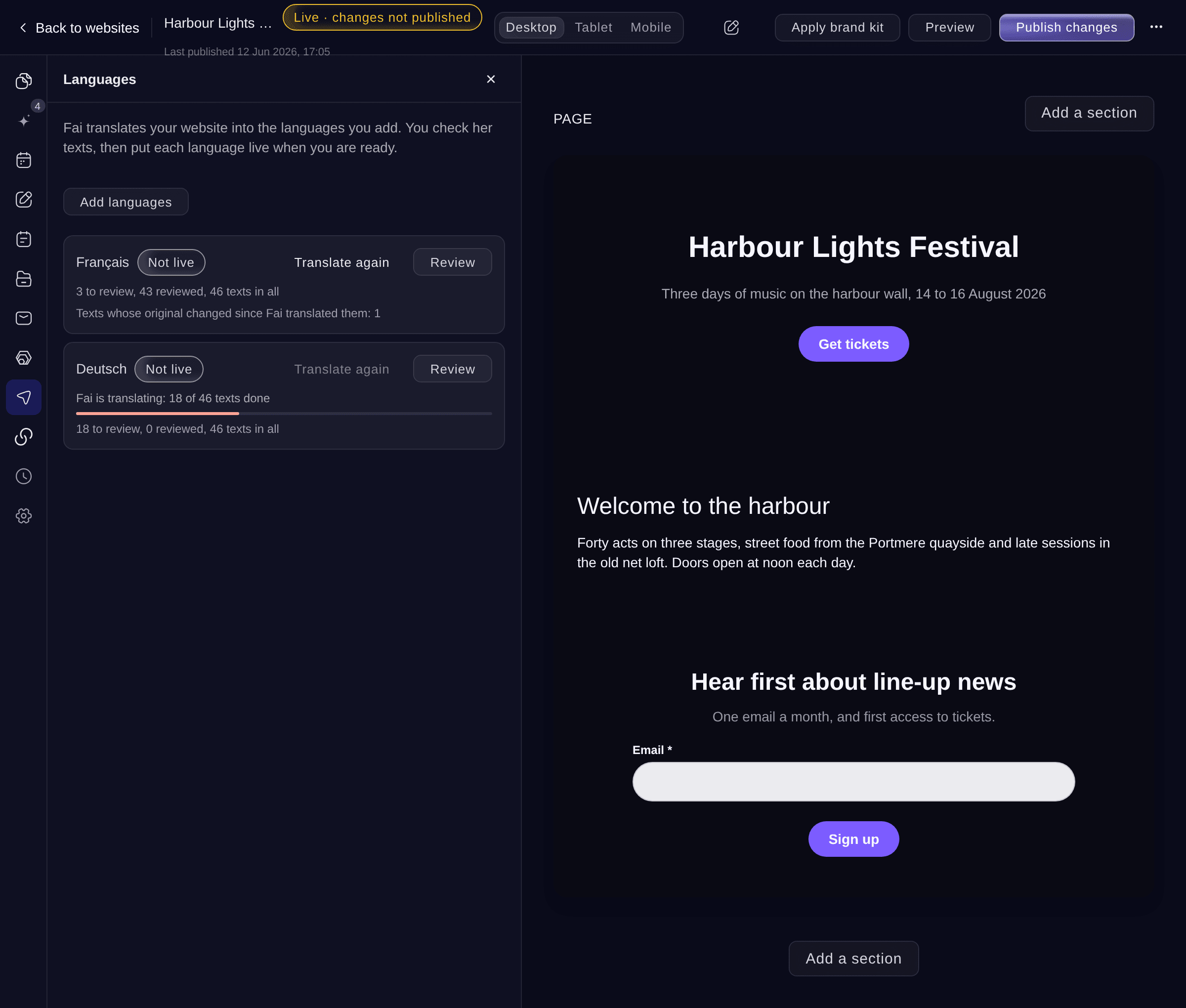
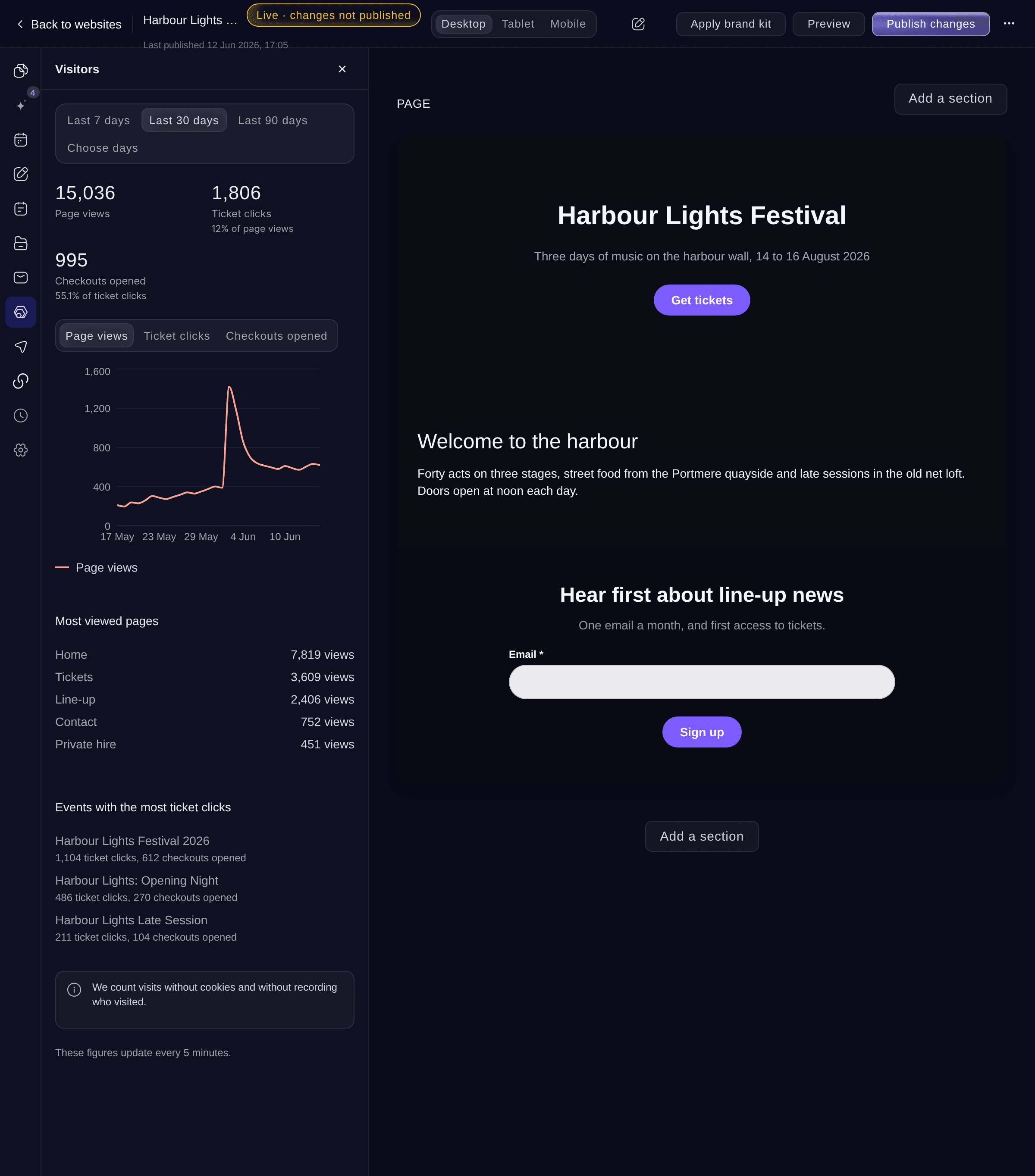
Fai translates your whole website into another language for you to review and publish, and visitors choose their language from the menu. The Visitors report shows page views, ticket button clicks and opened checkouts for each page and event, counted without cookies. List the events of other brands with their permission, so a city guide or a venue can show every event it hosts. A cookie banner asks visitors before any tracking pixel runs, on your pages and in your ticket checkout.

  • Translate your website: every page, reviewed by you before it goes live
  • Visitors report: page views, ticket clicks and opened checkouts
  • Events of other brands: listed with each brand's permission
  • Cookie banner: pixels wait until visitors accept
Ticket Fairy website Languages section with French ready to review and German being translated by Fai
Get this page as a PDF Read it later or share it with your team. We email you a link to the PDF.
What to put in your PDF

We will email you this deck. We may also email you now and then about Ticket Fairy features that can help your events. You can unsubscribe at any time with one click.

Everything you need to run your event website

  • Fai builds your website

    Fai drafts your whole website from your events, your current site, a flyer or a few sentences, then suggests what to improve.

  • Your brand kit on your website

    Apply your brand kit and your website takes your colours, fonts and logo in one step.

  • What's on calendar

    Show every event you host as a list or a month, with filters for the month and the kind of event.

  • Your website in more languages

    Fai translates your website, you review each text, and visitors pick their language.

  • Website visitors

    See page views, ticket button clicks and opened checkouts for each page and event.

  • Cookie banner

    Visitors choose before any pixel or tag runs on your website or in your ticket checkout.

  • Draft with Fai

    Ask Fai to draft or rework the words in any text field, such as a livelier heading, then keep her version or your own.

  • Fai autopilot

    Switch on the jobs you want Fai to do, such as adding each new public event or describing pictures for screen readers.

  • Line-up, speakers and agenda

    Show your line-up by day and stage with set times, your speakers, an agenda by track, sponsors by tier and exhibitors.

  • Spotify player

    Paste an artist, song or playlist link, and fans listen to the bill on your page.

  • Media library

    Keep every picture with its description, caption and tags, for screen readers and search engines.

  • Search and sharing

    Give each page its own search title, search description and share image.

  • News, artists and sponsors

    Add news posts, artist and speaker bios, sponsors and your team once, show them on any page, and give each one a page of its own.

  • A checklist before you publish

    Before you go live, check that your home page has content, your events are listed and your web address is ready.

  • The same checkout on any website

    Every website you build here has the Ticket Fairy checkout built in. To sell on a website you already have, paste the embedded checkout into it.

    Learn more

  • Ticket concierge on your website

    Answer visitors' questions in a chat on your website, from your event FAQs and the pages you choose.

    Learn more

Run the Event Itself With the Event Operating System

Plan, staff and run the production side of your event, from artists and crew to accreditation and show day.

Questions About Website Builder

Website builder

Yes. Connect a web address you already own, such as tickets.yourbrand.com. The Web address section shows the records to add at your domain provider. A change at your domain provider can take up to an hour to work. If your provider has no ALIAS or ANAME records, connect a subdomain such as www.yourbrand.com.

English, Spanish, French, German, Indonesian, Russian, Danish, Norwegian, Swedish and Finnish. You review each text before a language goes live, and you can change any word Fai chose.

Yes. Ask the brand from your website with a link to one of its event pages. Its owners and admins get an email and choose whether to approve. Once they approve, you add their events to your website. Either of you can stop it at any time, and their events leave your website. Your own sub-brands' events need no permission.

When a page runs a tracking pixel or a Google Tag Manager container, shows personal event picks or sells tickets on the page. Visitors accept or reject, and nothing tracks them until they accept.

No. Everything Fai drafts waits in the editor for you to read, change and publish. She asks before she publishes, takes a site offline or restores a version for you.

Yes. Take it offline and visitors see nothing at your web address until you publish again. Your pages and content stay in the editor.

To Form replies in the editor, where your team can mark each one as read, archive it or mark it as spam. Ticket Fairy also emails the address you name in the website settings. A newsletter sign-up joins the visitor to the mailing list you choose for that section.

You need an owner or admin role on the brand. Teammates with that role can work on the same website, and when you save a section a teammate changed, you choose whether to keep your version or reload theirs.

No. Your website stays online while you edit, and visitors keep seeing the last version you published until you publish again. A new language goes live when you publish that language.

Your own domain becomes the main address once it is secure, so no visitor reaches it without https. Until then your free Ticket Fairy address stays the main one and your website works there. The Web address section shows what to fix if a record blocks the certificate.

Sell more tickets. Build the crowd that comes back.

Start Selling Tickets Online

Sign up without a credit card and build a test event before you commit. Go on sale in minutes when you are ready.

No monthly subscription required for ticketing
Start selling tickets immediately
Ticketing tools included in the service fee
Get Started Talk to Fai Now

Ask Fai, our AI assistant, about Ticket Fairy’s features, pricing and how it could work for your event.

No credit card required

Book a demo call

See the referral model that drives 20% more ticket sales on average, learn which campaigns sell tickets, answer buyers faster and keep queues moving.

45-Minute Video Call
Pick a Time That Works for You