Look after your VIPs and keep merch on the stands

Sell tables and VIP packages online with a deposit, and each guest's host hears when they scan in. Each merch stand keeps its own stock, updated from your tills.

  • A host waiting for each VIP guest
  • Merch stock known at each stand
  • Each artist's merch share in their settlement

Sell tables and VIP packages before the night

Sell a booth or a bottle-service package as a table type that one party books. The buyer chooses their party size at checkout and sees the price change as they do. Take the whole price online or a deposit. When the booking scans, your door team sees the balance still to pay, so nobody has to chase it at the table.

Give each table type its own sale dates, its own stock and a price for each extra guest. Let your promoters sell tables through their own links. Each table booker passes an identity check before their card is charged and they get their ticket. You know who booked the booth before they arrive.

The scanning app shows Remaining to pay with the balance as the booking scans. Your team takes the payment at the venue however you choose, then marks it paid in the app. You can account for the night's table money booking by booking.

  • Table types: a booth or package booked by one party
  • Online deposit: the whole price or a share taken at checkout
  • Remaining to pay: the balance shown when the booking scans
Ticket Fairy Create Table Type form with the name, price, stock, guest limits and online deposit for a VIP booth

See your whole VIP side on one plan

Set up each VIP area and the tables in it. Each table has a card with its guests, its host and what their tickets include. Your hospitality manager sees the whole VIP side of the event on one plan, from the terrace booths to the side-of-stage platform.

Each table you sell as a table type brings its party size with it. Your team knows how many to seat at each table before the guests arrive. Your hosts see the same table cards, so the whole VIP team works from one plan.

  • VIP areas: each area with its own tables
  • Table cards: guests, host and inclusions for each table

Greet each VIP the moment they arrive

Assign a host to each guest or table, so each VIP has one person looking after them all night. When a VIP guest's ticket scans at the gate, their host gets an alert. The welcome is ready, and nobody searches the crowd for a face they have only seen on a guest list.

The alert comes from the scan your door team already makes, with no extra step at the gate. Your hospitality manager sees who is covering whom and fills any gap before the doors open. A late change to the host rota never leaves a sponsor's table without a host.

  • Host assignments: one person for each guest or table
  • Arrival alerts: the host hears when their guest is through the gate
  • Cover at a glance: each guest matched to a host

Give each guest exactly what their ticket includes

List what each ticket type includes, such as a welcome drink, a meet-and-greet or a merch bundle. Your hosts see it beside each guest. A guest on a VIP ticket gets everything they paid for, and your hosts never give away what a ticket does not include.

Inclusions sit on the ticket type, so you set them once for all guests on that ticket and change them in one go. A guest on the gold package and a guest on the silver package each get what their own ticket lists. Your hosts have no briefing sheet to memorise.

  • Inclusions per ticket type: what each ticket gives its holder
  • Beside each guest: the host sees what this guest paid for

Get your VIP guest list in as fast as buyers

Each name on your VIP guest list gets a ticket with its own QR code by email. Guests check in as quickly as buyers, and their host still hears when they arrive. Add guests one at a time or from a CSV file of names and email addresses.

Give a partner, such as a sponsor or a label, a delegation. That is a set number of guest tickets and their own link to send them from, with no login to your event. They stop at your number, and the delegation shows them nothing else about your event. After the night, see who came in and when, so you know whether each partner's guests turned up.

  • Guest tickets: one at a time or from a CSV file
  • Delegations: a partner sends tickets to their own guests from their link
  • Arrivals: whether each guest list turned up
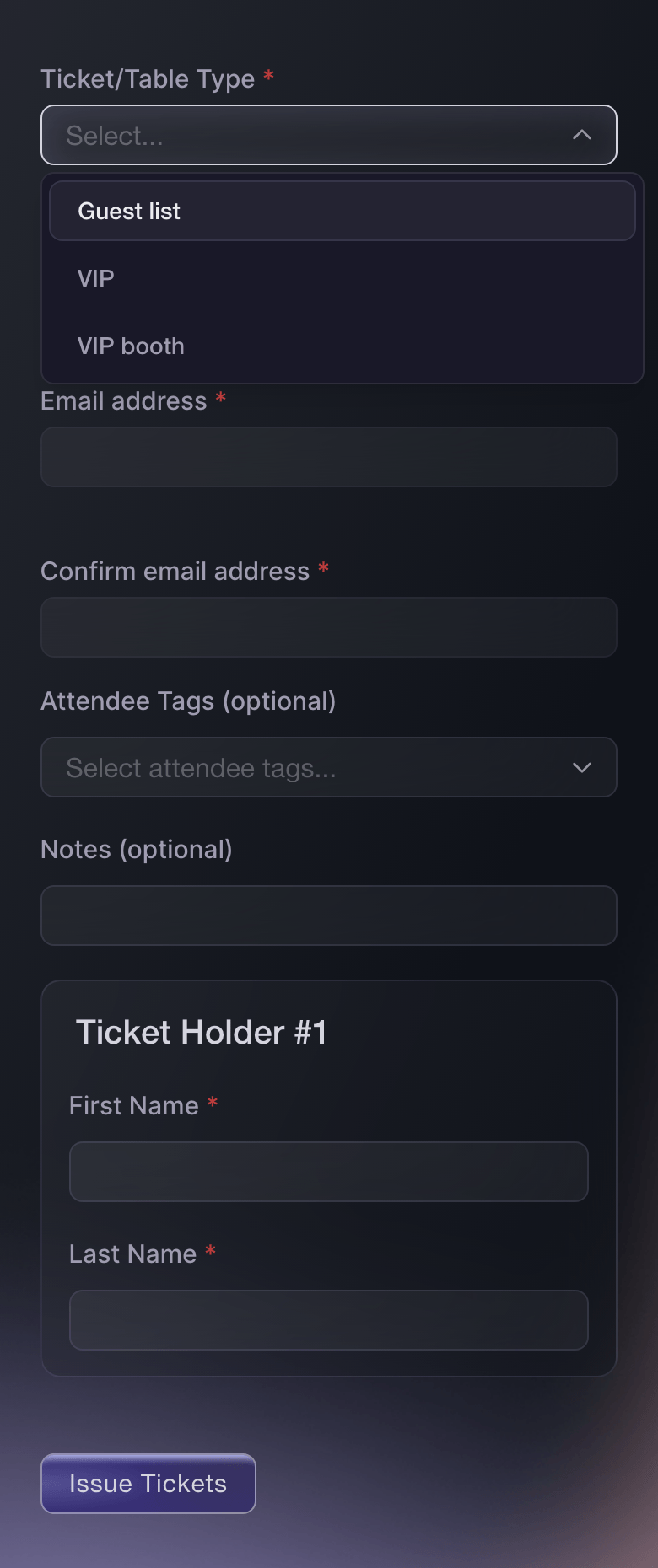
Ticket Fairy Send Guest Tickets form with the Guest list ticket type and the ticket holder's name entered

Restock each merch stand before it runs out

Each merch stand has its own stock, so you see what it holds and what it has sold today. Your merch team sells on the tills they already use, and the sales come in from your point-of-sale system. Each stand's stock falls with each item sold, and nobody keys in a sales sheet at midnight.

With the count by stand, you know which stand to restock from the store before the bestseller runs out in front of a queue. You also see which stand is carrying stock it will not sell. Your merch manager sees each stand's count in the dashboard on their phone.

  • Stock by stand: what each stand holds and has sold
  • Sales import: from your point-of-sale system
  • Stock follows sales: each sale comes off its stand

Pay each artist their merch share in the settlement

Each act's merch sales go into their show settlement. Their share appears as its own line, and the total to pay updates. The tour manager sees the merch figure beside the ticket income and the costs, and each line shows where its figure came from.

Nothing on a settlement is ever deleted. Reverse a wrong figure, and a new line cancels it with both kept on the sheet. The artist's side can always see what changed. Share the settlement as a link or print it as a PDF for the tour manager. Mark it agreed when both sides accept the figures, and mark it paid once the artist has their money.

Fai can draft a settlement, add or reverse lines and share it, and she shows you each change before she makes it.

  • Merch share line: the artist's share as its own line
  • Reverse a line: a new line cancels it and both stay
  • Share or print: a link or a PDF for the tour manager
  • Agreed and paid: each step recorded on the settlement
Ticket Fairy settlement Fai drafted for a show, with ticket sales, sales tax, sound and lights and the performer fee, each saying where its figure came from, and the totals

Sell merch with tickets weeks before the day

Sell a T-shirt, a poster or a merch bundle as an add-on at checkout, with its own price and stock. Fans pay weeks before the event and collect on the day. You order stock knowing how much fans have already bought.

Offer an add-on only with the ticket types it suits, such as a signed poster with the VIP ticket. Put a merch bundle in a VIP package's inclusions, and your hosts hand it over. Merch add-ons you sell online show in your sales reports with your tickets. You add the artist's share of them to their settlement as a line of its own.

  • Merch add-ons: paid at checkout and collected on the day
  • For chosen ticket types: a signed poster with VIP only
  • Stock on each add-on: nobody buys what you do not have
Ticket Fairy Create Add-On form with the name, price, stock, a description editor and four switches

How organisers run VIP and merch

  • A club night with bottle-service booths

    Booths go on sale as table types with a deposit online and the balance at the venue. Each booth has a host who hears when the booker's ticket scans, and the door team marks each balance paid as they collect it.

  • A festival with a hospitality village

    The hospitality manager sets up the village terrace and the side-of-stage platform, and each guest has a host. Sponsors send their own guest tickets through delegations, and the arrivals show which sponsors' guests came.

  • A touring headline show

    The merch team sells from three stands, and the imported point-of-sale sales come off each stand's stock. The artist's merch share goes into the settlement as its own line, and the tour manager agrees the sheet before the bus leaves.

  • A stadium hospitality day

    Each hospitality package lists its inclusions on the ticket type, from the welcome drink to the programme. Hosts see what each guest paid for, and guests on the higher package get the welcome that comes with it.

  • A fan event with pre-ordered merch

    Fans add a signed poster to their VIP ticket at checkout, weeks before the day. The promoter orders the print run from the pre-orders already sold. The artist's share of them goes on the settlement as its own line.

Questions About VIP Hospitality and Merch

VIP & merch

The host assigned to that guest or table. The alert comes from the gate scan, so your door team does nothing extra.

No. A table booking is one ticket for the whole party, scanned once for the person who booked it. The guest count is on the booking, so your team knows how many to seat.

When your door team scans the booking in the Entry Fairy app, they see Remaining to pay with the balance. Take the payment at the venue however you choose, then mark it paid in the app.

Yes. After paying, the buyer photographs an ID document and takes a selfie, and gets their ticket once the check passes. A deposit is held on the buyer's card and charged once they pass.

Yes, with a delegation: a set number of guest tickets and their own link, with no login to your event. They stop at your number.

Yes. Open Orders, select the Guest tab and cancel that order. The QR code stops working and the ticket goes back to your stock, although you cannot recall the email.

Yes. Add a line, choose the kind, and enter what it is for and the amount. Enter a minus amount for a credit, such as a merchandise share you owe back.

Reverse the line, and a new line cancels it with both kept on the sheet. If you reopen a shared, agreed or paid settlement, you give a reason and get a new version. The earlier version stays exactly as it was, marked Replaced.

No. Marking it paid records the payment. Under Totals, each currency on a settlement has its own total.

You need an owner, admin or producer login on the brand. Fai can also draft a settlement, add or reverse lines and share it, and she asks you before each change.

Ready to Build a Stronger Event Business?

Book a live demo, and we will set up your first event on the Event Operating System with your team.

Start Selling Tickets Online

Sign up without a credit card and build a test event before you commit. Go on sale in minutes when you are ready.

No monthly subscription required for ticketing
Start selling tickets immediately
Ticketing tools included in the service fee
Get Started for Free Talk to Fai Now

Ask Fai, our AI assistant, about Ticket Fairy’s features, pricing and how it could work for your event.

No credit card required

Book a demo call

See the referral model that drives 20% more ticket sales on average, learn which campaigns sell tickets, answer buyers faster and keep queues moving.

45-Minute Video Call
Pick a Time That Works for You

The Ticket Fairy, Inc. is a fintech company and technology platform. The Ticket Fairy, Inc. is not a bank, financial institution, or regulated financial services provider. Vault banking services are provided through regulated banking partners. Ticket Fairy Capital financing is provided by third-party private credit partners. The Ticket Fairy, Inc. does not make credit decisions, and all funding terms, approvals and conditions are determined by those lending partners.