
Gestionar la producción
Set each performer's guest list, hotel and meal allowances for your event
Promoters and artist liaison teams agree guest list, rooms and riders in the offer, then field requests for more all through show week. Setting each act's allowances once, where their tour manager can see them, turns those requests into asks you approve or turn down with a reason, and keeps the hotel, the passes and the catering working from the same list of people.
Give every act on your event's line-up its guest list places, hotel rooms and nights, and meals and drinks a day, taken from the accepted offer in one click. Keep one travel party list that passes, the rooming list, pickups and the kitchen all use, and let the tour manager fill it in, ask for more and invite a teammate from their advance link.
You are setting the allowances and travel party on a performer's advance, which you open from Advancing. Advance your performers before the show
- Para
- Agreeing what each act gets at your event
- Dura
- 9 minutos
Antes de empezar
- You are an owner, admin or producer on the event. The event's Operations page opens for those roles only.
- The performer is on the event's line-up and has an advance in Advancing.
-
Open the performer's advance
Open the event, select Operations, select Advancing in the list of sections, then select the performer.
Nota: A row that says an act has asks for more waiting is one to open first. Allowances and Travel party are near the foot of the advance, below the sections and their team.
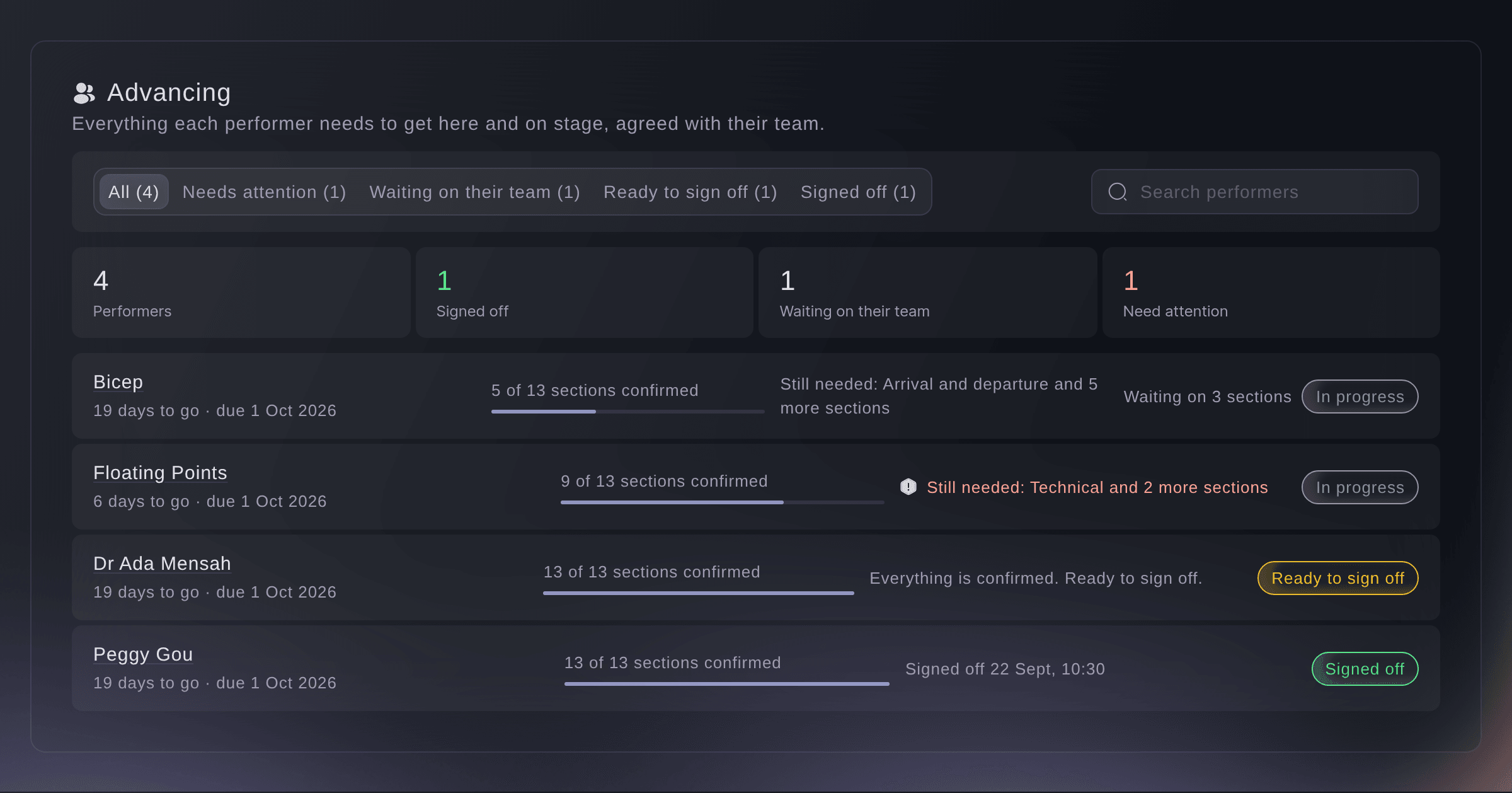
Every performer's advance. -
Use the numbers from the offer
Under Allowances, select Use these numbers.
Nota: It shows when the accepted offer gives guest list places, rooms, nights, meals or drinks, and lists what it found. Each number then says it came from the offer.
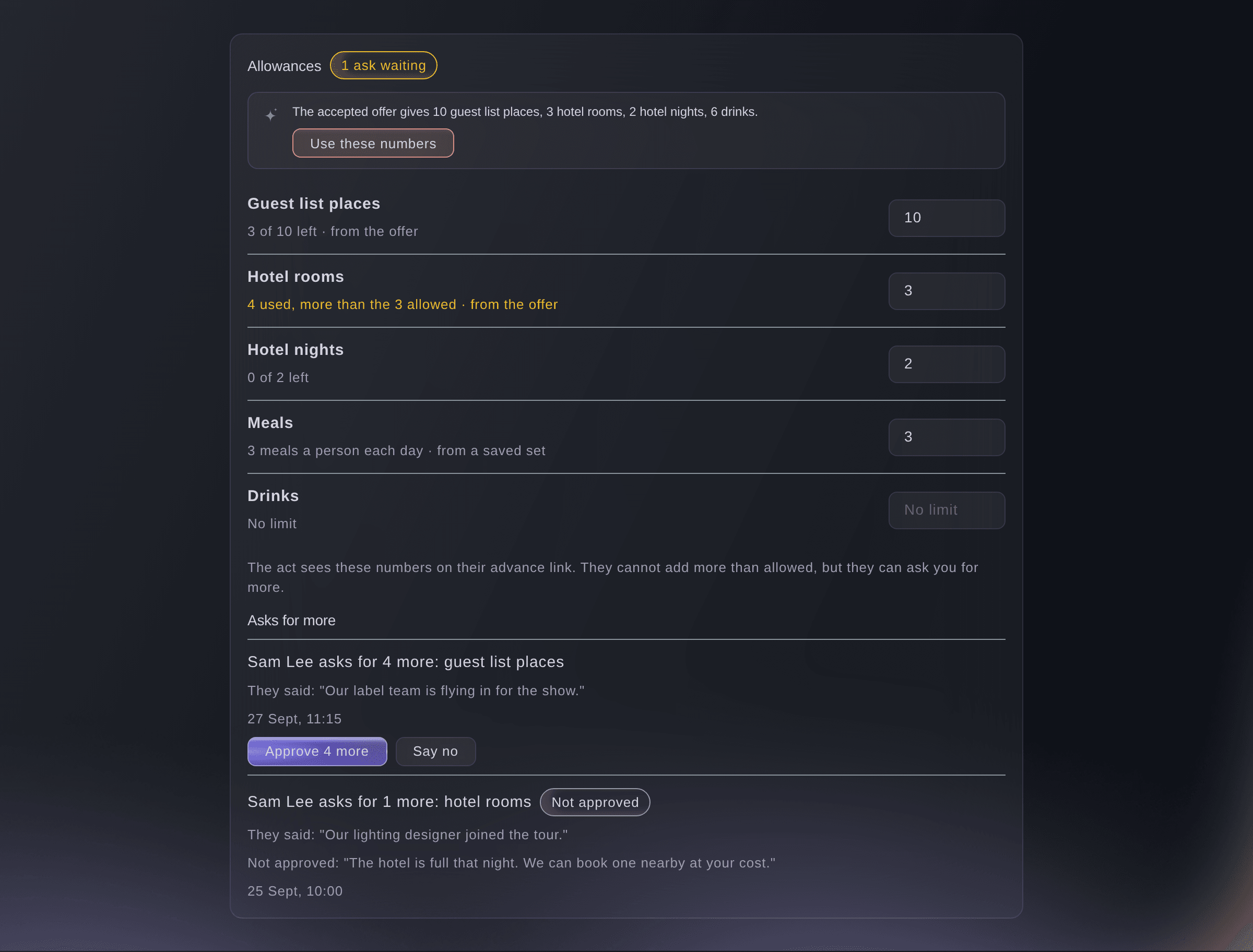
An act's allowances and asks for more. -
Set each allowance
Enter a number beside each of Guest list places, Hotel rooms, Hotel nights, Meals and Drinks, then select Save beside it.
Nota: Leave one empty for no limit. Meals and drinks are a number for each person each day.


What each allowance does
Guest list places are the act's guest list pass group in Accreditation, so changing the number here changes it there too. On their advance link, the tour manager cannot enter more guest list names than allowed, or a travel party that needs more rooms than allowed. Nights, meals and drinks are shown to them and counted, and your team can always go over an allowance; when it does, the allowance shows Over.
-
Answer an ask for more
Under Asks for more, choose what to do with each ask.
Nota: If an approval rule covers asks for more, the ask says who it is waiting for and it is decided in Approvals.
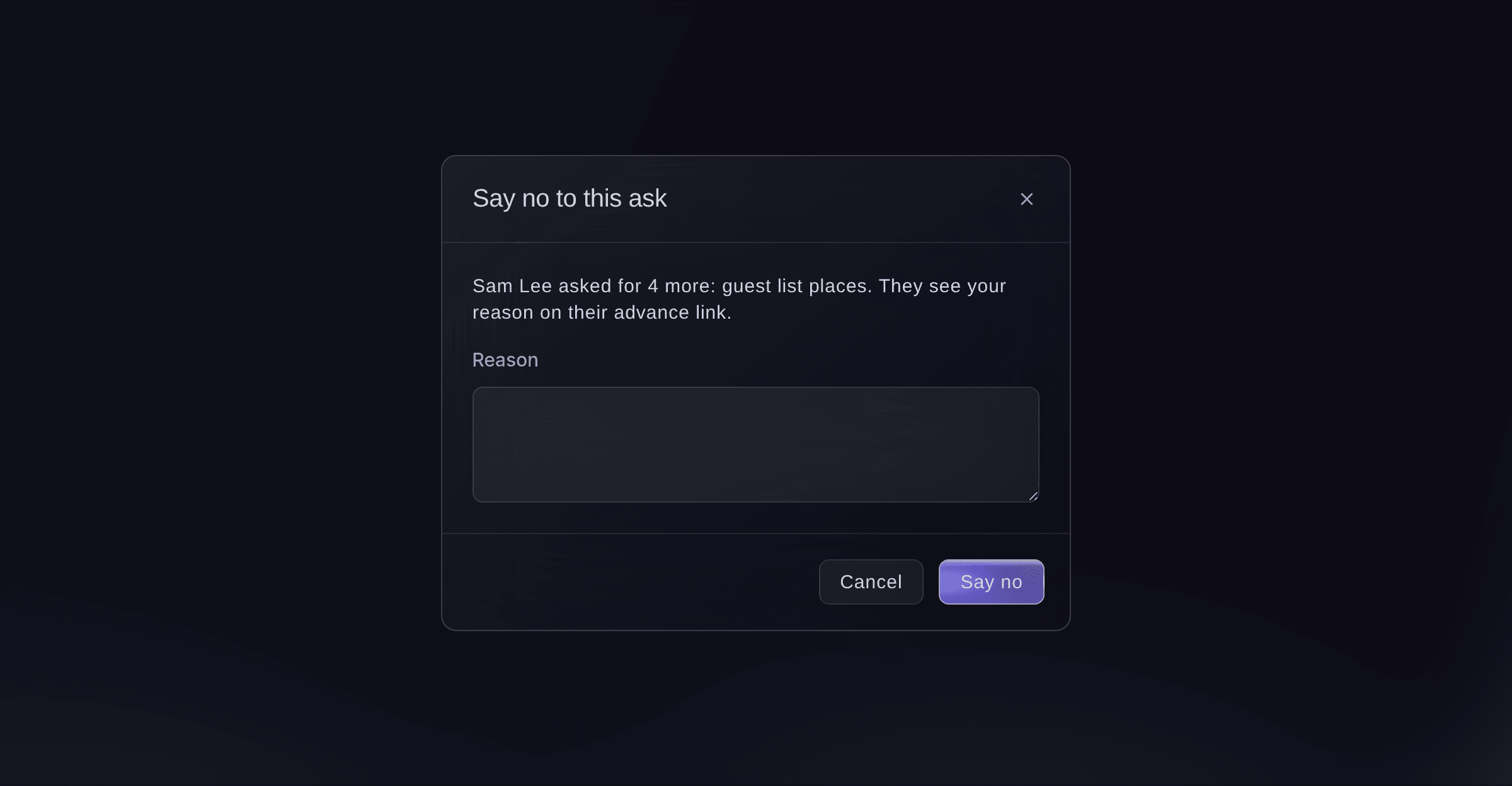
Say no to an ask, with a reason. -
Add the travel party
Under Travel party, select Add a person, enter their Name and any details you have, then select Save.
Nota: Tick Needs a hotel room and give people who share the same Room name, such as 1 or Twin A. Enter dietary needs in their words, such as vegan or no nuts.
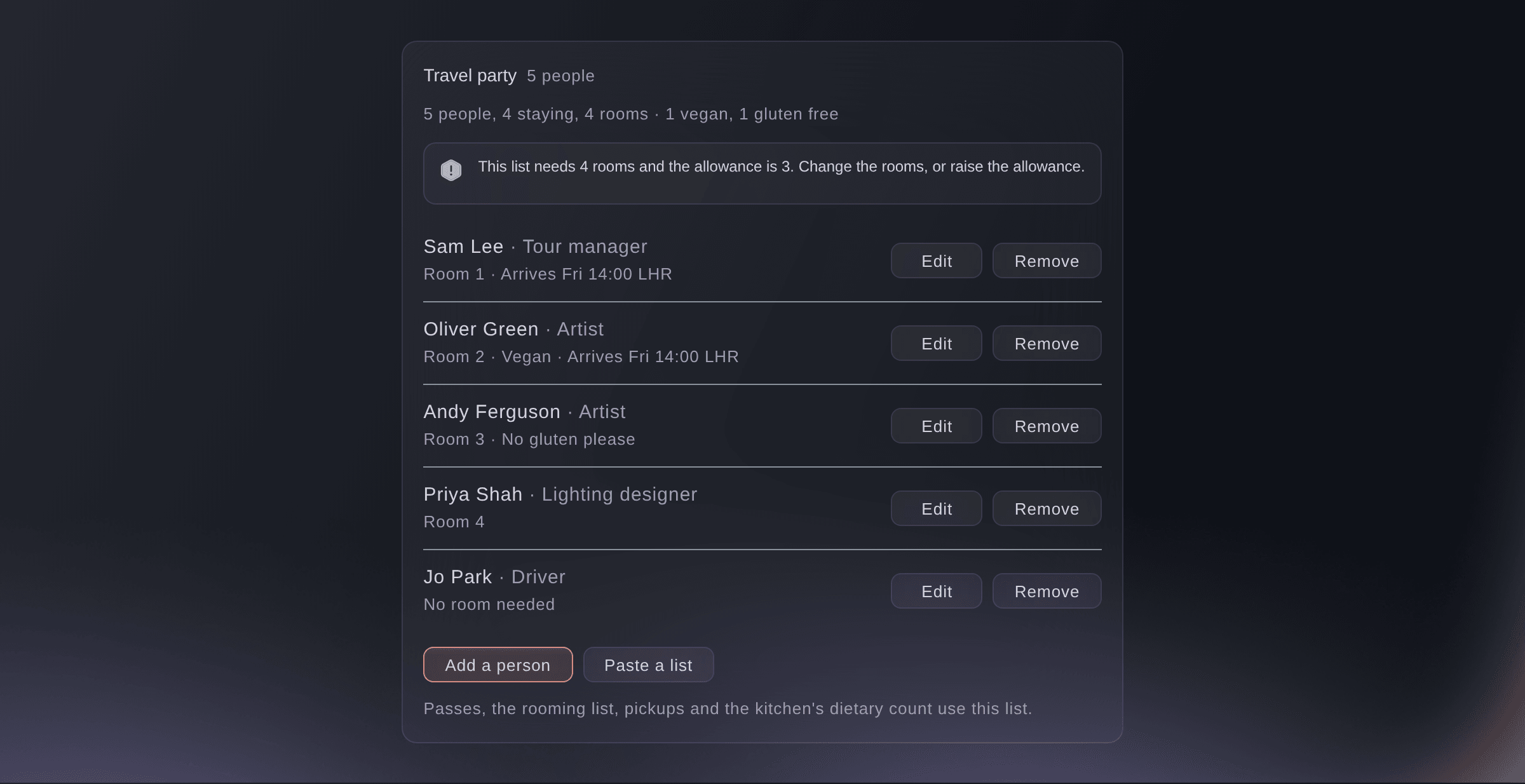
The act's travel party. -
Paste the list from their email
Optional: select Paste a list, paste the names one a line, select Check the list, then select the Add button, which shows the number of people it found.
Nota: Put a role, email, room or dietary need after each name if you have one. Nothing is added until you check the people it found.
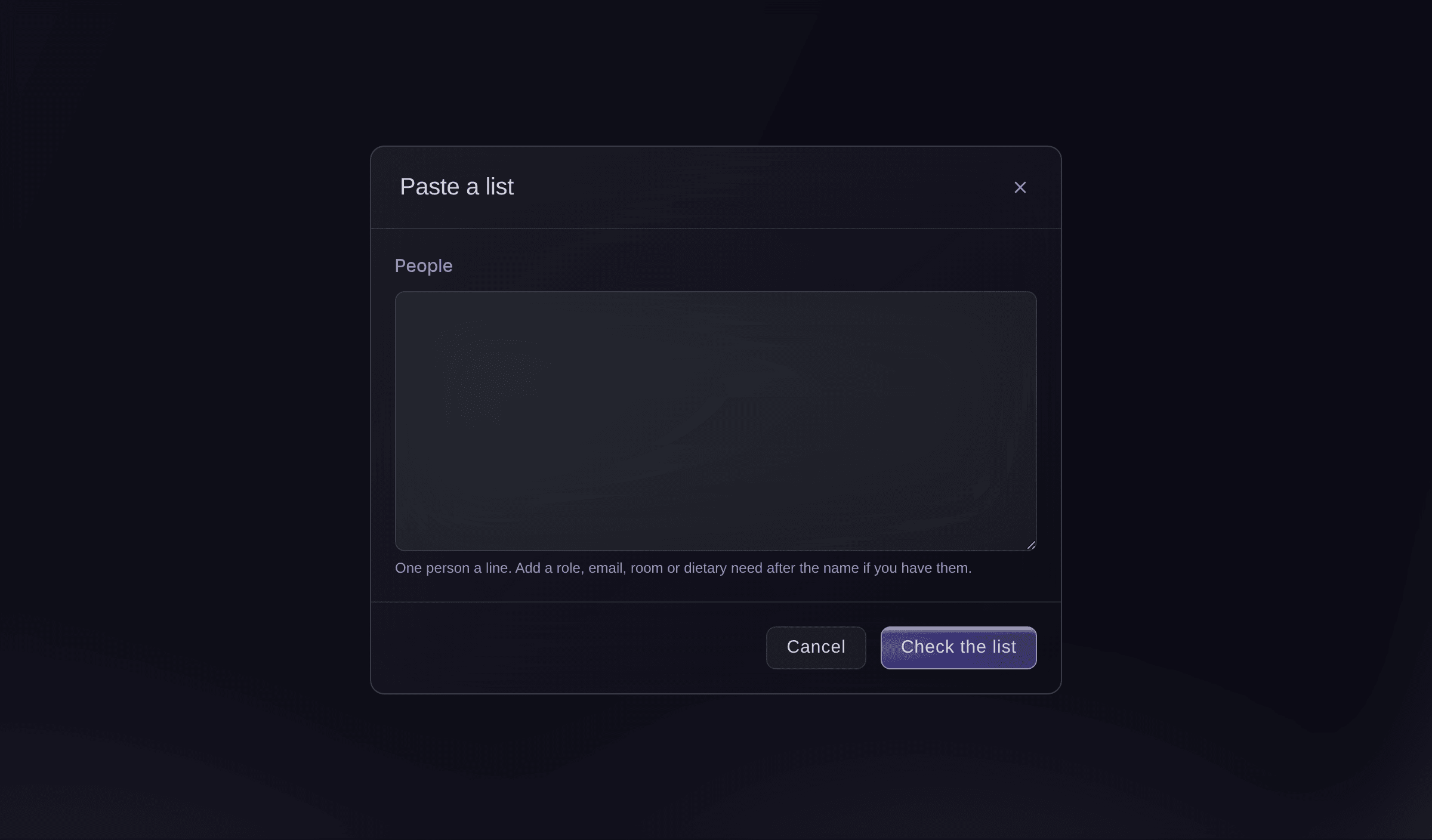
Paste the travel party.


The tour manager's advance link
When you ask their team to fill in their part, the link also shows What you are allowed, with Ask for more beside each number, and Who is travelling, which they fill in themselves. Under Invite a teammate, they name a teammate, such as their production manager, and choose the parts that person can fill in; the teammate gets their own link by email.
Nota: A link you sent can invite up to 10 teammates a day, and a teammate's link stops when the tour manager's does. A teammate cannot invite anyone else.

-
Check the list is used
Read the line under Travel party.
Nota: It counts the people, those staying and the rooms they need, and warns when the list needs more rooms than the allowance. The passes, the hotel's rooming list, pickups and the kitchen's dietary count all take the names from this list.
Prueba estos pasos en tu propio evento
Crea una cuenta gratis, monta tu evento y sigue los pasos de arriba en tu propio panel. Tarda unos minutos y no necesitas reservar una llamada comercial.
Sin cuotas de alta. Sin cuota mensual obligatoria. Sin tarjeta de crédito.
O deja que lo hagan por ti
Fai reads an act's allowances, what is used and left, their asks for more and the travel party. She sets an allowance or uses the numbers from the accepted offer, approves an ask or says no with your reason, and adds, changes or removes people in the travel party, showing you each change and waiting for your yes.
En tu panel, con Fai
Use the numbers from Bicep's accepted offer for their allowances at <EVENT NAME>, and add their tour manager Sam Lee to the travel party with a room
Deja que Fai lo haga por ti
Fai trabaja dentro de tu panel de Ticket Fairy. Crea tu cuenta, abre Fai y pega la instrucción de arriba.
Sin cuotas de alta. Sin cuota mensual obligatoria. Sin tarjeta de crédito.
Change or remove a person
-
Change or remove them
Select Edit or Remove beside the person, then save or confirm.
Nota: Removing someone takes them off the travel party, the rooming list and pickups. Their passes stay until you cancel them in Accreditation.

One person in the travel party.

Fai changes or removes a person in the travel party, after you confirm.
En tu panel, con Fai
Bicep's drummer is not coming to <EVENT NAME> any more, take them off the travel party
Preguntas que puedes tener
- Does the tour manager need a Ticket Fairy account?
- No. They open the advance link from your email with no sign-in, and so does any teammate they invite.
- Does the act get an email when I answer an ask?
- No. They see your answer, and your reason when you say no, the next time they open their advance link.
- Why can't the tour manager add another guest list name?
- The guest list is full. Their page says how many are allowed and used, and they can ask you for more there; approving the ask lets them add the names.
- Where else do I see an act's allowances?
- On the performer's own page in the event, which shows the allowances and any asks waiting, with a way to open the advance.
- Can I set the same allowances for every act like this one?
- Yes. Save the sections as a set from Sections for this act; the set keeps the allowances too, and Fai uses it for new acts that match.
¿Todavía tienes una pregunta?
Reserva una demo y te la respondemos en una llamada, sobre tu tipo de evento. O crea tu cuenta y compruébalo por ti mismo.
Sin cuotas de alta. Sin cuota mensual obligatoria. Sin tarjeta de crédito.
Guías relacionadas
Hazlo en tu propio evento
Crea tu cuenta, monta tu evento y sigue los pasos en tu propio panel. No necesitas reservar una llamada comercial.