
Vault и Capital
Add receipts, notes and events to your team's Vault card payments
Production managers and finance leads close the books on an event with a receipt behind every card payment. Vault keeps the receipt, a note and the event on the card payment itself, reads the total from the receipt and tells you when it doesn't match, so your accountant gets the full story without a shoebox of paper.
Add a photo or PDF of the receipt to each Vault card payment, see whether its total matches the payment, note what it was for and link it to the event, and let Fai remind cardholders about receipts that are missing.
- Для кого
- Keeping a receipt and a reason behind every card payment
- Займёт
- 5 минут
Перед началом
- You're an owner or an admin on the brand. Ticket Fairy support can see receipts and notes but can't change them.
- Your brand has Vault cards that your team has used, as Let your event team spend with Vault cards shows.
- You have the receipt as a photo or a PDF of up to 10 MB.
-
Open Card activity
Open Vault, then select Card activity. The RECEIPT and EVENT columns show which payments still need a receipt or an event.
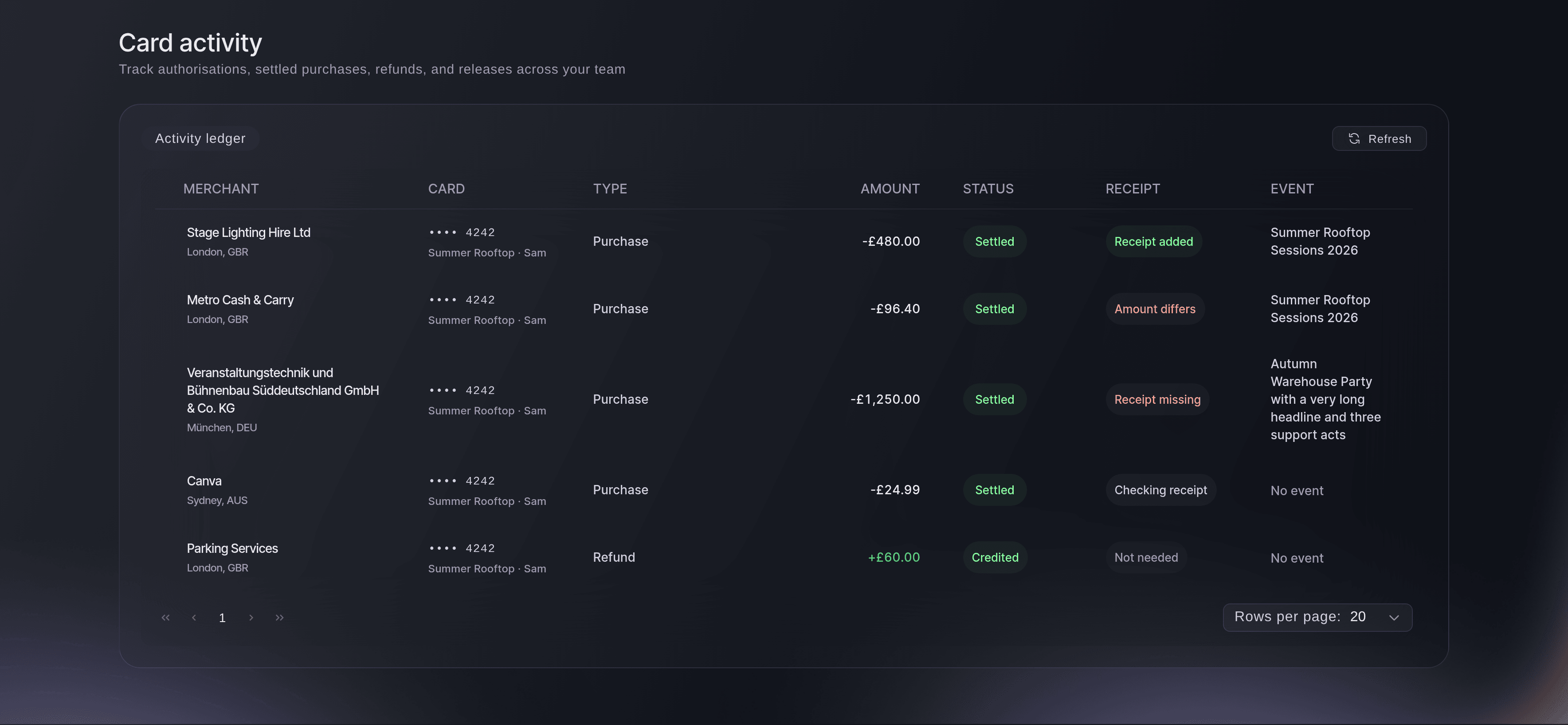
Vault, Card activity. -
Open the payment
Select the merchant on the payment's row. Receipt, note and event is in the details that open.
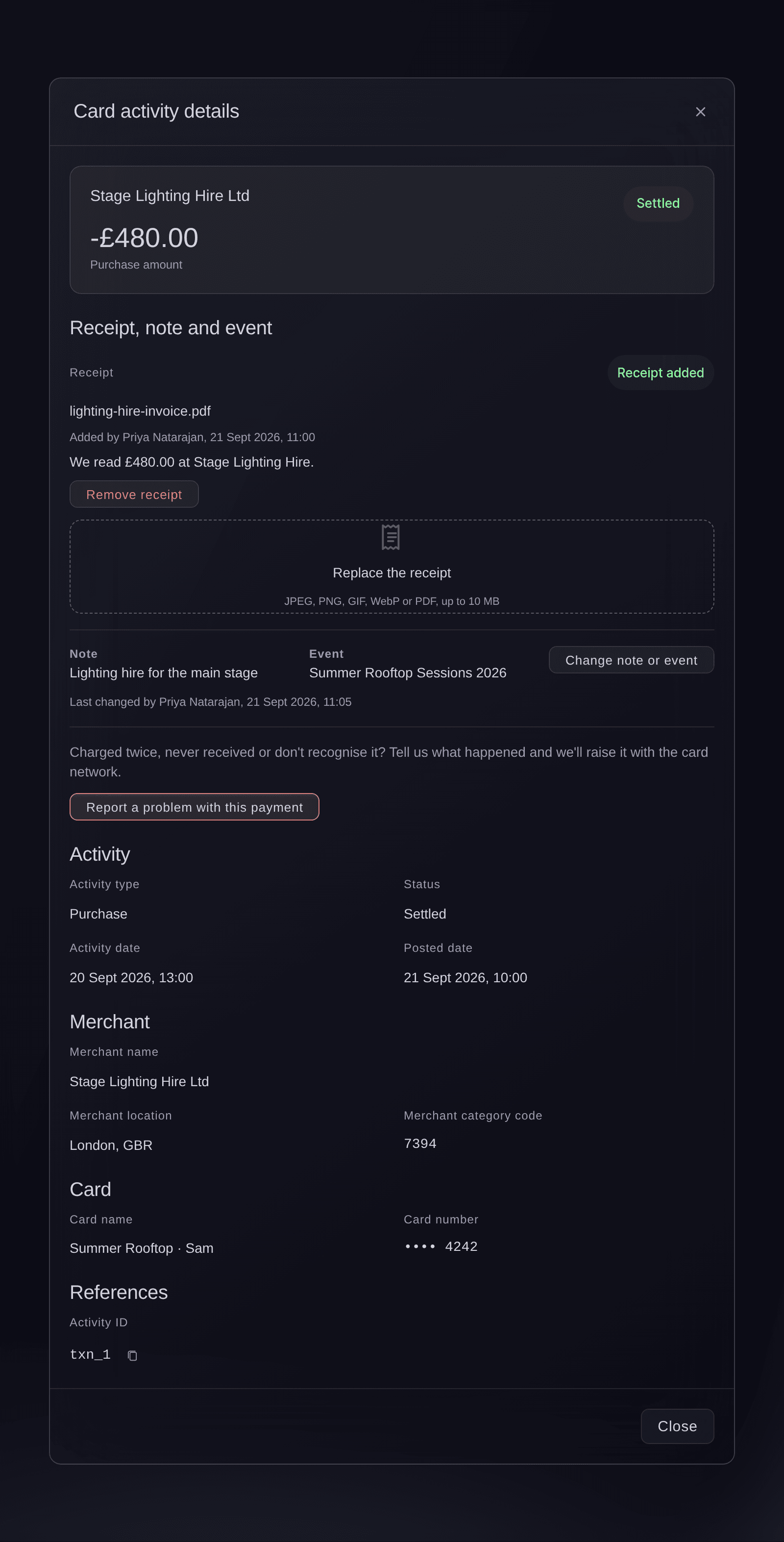
Card activity, a card payment opened from the list. -
Add the receipt
Select Add a photo or PDF of the receipt and choose the file.
Receipt added.
confirms it.Примечание: Vault reads the total and the business from the receipt. Amount differs means the total isn't the same as the payment: check it's the right receipt, or add a note to explain the difference.
-
Select Change note or event
Select Change note or event.
-
Enter a note and choose the event
Enter what the payment was for in Note, and search for the event in Event.
-
Select Save
Select Save.
Note and event saved.
confirms it, and the event shows in the EVENT column.
Receipt states
Each payment shows one of these under Receipt and in the RECEIPT column: Receipt added when the receipt matches the payment, Amount differs, Checking receipt while Vault reads it, Couldn't read it, Receipt missing, or Not needed for a refund or a released hold.
Попробуйте эти шаги на своём мероприятии
Создайте бесплатный аккаунт, настройте мероприятие и выполните шаги выше в своей панели управления. Это займёт несколько минут, и звонок с отделом продаж не нужен.
Без платы за подключение. Без обязательной ежемесячной платы. Банковская карта не нужна.
Или поручите это помощнику
Fai, the assistant inside your dashboard, lists your card payments with their receipts, notes and events. After you agree, she sets the note and the event on a payment, and adds a receipt that is already in your brand's documents. She can't save a photo you share in the chat, so add that receipt in Card activity or to your brand's documents first. MCP and the command line change nothing here.
В вашей панели, с Fai
Note the Vault card payment of <AMOUNT> at <MERCHANT> as <WHAT IT WAS FOR> and link it to <EVENT NAME>
Пусть Fai сделает это за вас
Fai работает внутри вашей панели Ticket Fairy. Создайте аккаунт, откройте Fai и вставьте запрос выше.
Без платы за подключение. Без обязательной ежемесячной платы. Банковская карта не нужна.
Replace or remove a receipt
-
Choose a new file or remove it
Open the payment, then select Replace the receipt to add the right file, or Remove receipt and confirm with Remove receipt.
Примечание: Vault keeps a record that the old receipt was added and removed, so your accountant can see what changed.
After you agree, Fai replaces a receipt with one that is already in your brand's documents, or removes a receipt from a payment. Vault keeps the same record of the change.
В вашей панели, с Fai
Remove the receipt from the Vault card payment of <AMOUNT> at <MERCHANT>
Let Fai remind cardholders about receipts
-
Set the amount to remind from
Open Vault, select Cards, enter the amount in Remind from under Receipt reminders, then select Save.
Примечание: The amount starts at 25 in each payment's currency, and only the brand owner can change it.
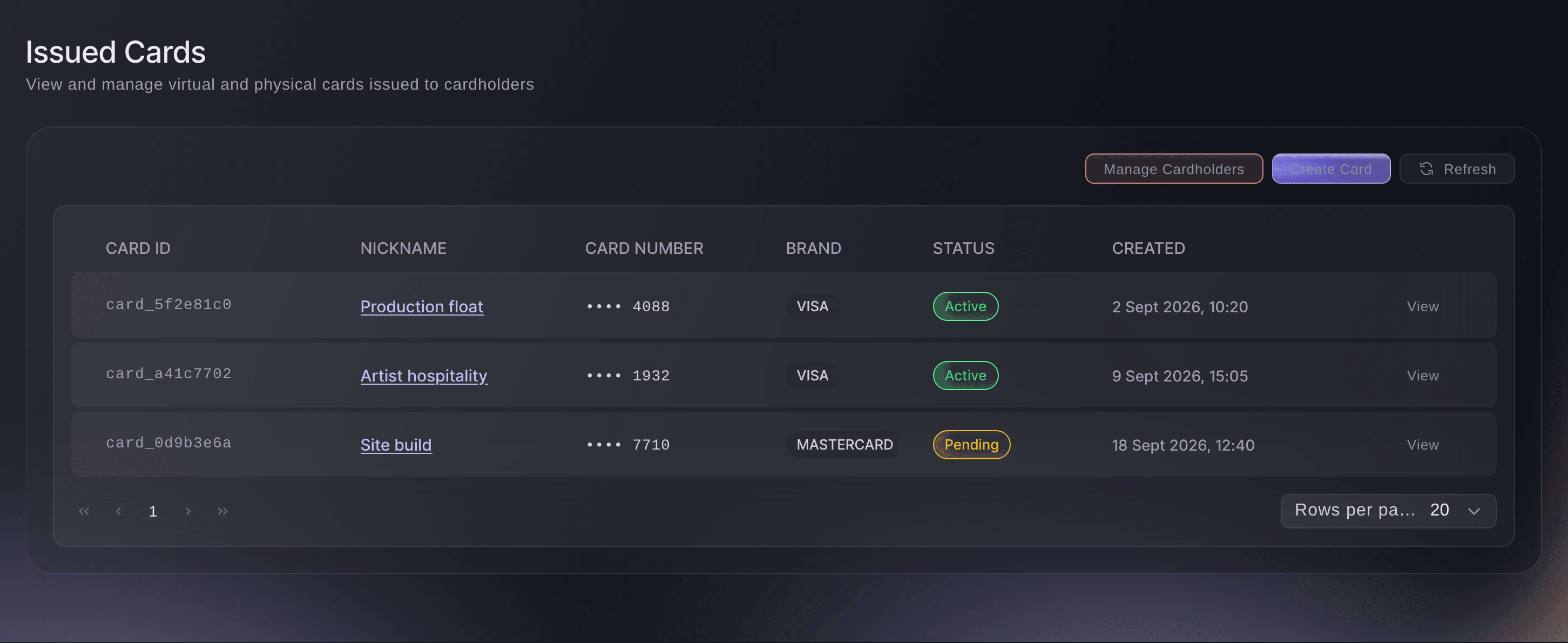
Vault, Cards, Receipt reminders. -
Accept Fai's reminder
When a settled card payment at or above that amount has had no receipt for 3 days, Fai suggests Ask for a missing receipt. Select Send the reminder and Fai emails the cardholder.
Примечание: Fai waits for you to send each reminder, because an email can't be taken back. Each card gets a reminder at most once a week.
Fai finds card payments without a receipt and, after you accept, emails the cardholder a reminder. She tells you the amount to remind from, and changes it after you agree if you're the brand owner.
В вашей панели, с Fai
Only remind our cardholders about missing receipts on Vault card payments of <AMOUNT> or more
Вопросы, которые могут возникнуть
- Why can't I add a receipt?
Only owners and admins can add receipts, notes and events.
appears in place of the upload box for everyone else. Ask an owner or admin of the brand.- What files can I add?
- A JPEG, PNG, GIF, WebP or PDF of up to 10 MB. A larger file shows
This file is larger than 10 MB. Choose a smaller photo or PDF.
- What if a teammate changes the same note at the same time?
- Vault doesn't save over their change.
Someone else changed this payment's note or event while you were editing.
appears with the note and event they saved, and your changes stay in the fields. Select Save again to replace theirs. - Which payments need a receipt?
- Purchases and holds. A refund or a released hold shows Not needed, because no money left the card.
Остался вопрос?
Запишитесь на демо, и мы ответим на него на звонке применительно к вашему типу мероприятия. Или создайте аккаунт и посмотрите сами.
Без платы за подключение. Без обязательной ежемесячной платы. Банковская карта не нужна.
Похожие руководства
Сделайте это на своём мероприятии
Создайте аккаунт, соберите мероприятие и выполните шаги в своей панели управления. Звонок в отдел продаж не нужен.