
Управление продакшеном
Work out the backline and production to hire for your event
Festival production managers and promoters add up CDJs, amps and drum kits from dozens of riders, then work out by hand what can move between stages and days. Hire and shopping reads the riders for you and works out one number for each item, so you hire what the show needs and nothing twice.
Turn every act's technical rider into one backline hire list for your event, add the PA, lighting, staging and power you hire yourself, and see how many of each item to hire across every stage and day. Gear that can be reused on other days is hired once for the busiest day, and what a stage already has or you already own comes off the number.
- Для кого
- Working out how much equipment to hire for a festival or multi-stage event
- Займёт
- 8 минут
Перед началом
- You are an owner, admin or producer on the event. The event's Operations page opens for those roles only.
- Your acts are booked with their set times, and their technical riders are in Advancing, so each item lands on the right stage and day.
-
Open Hire and shopping
Open the event, select Operations, then select Hire and shopping in the list of sections.
Примечание: The totals at the top show how many items are still to order, the estimated cost and the units reuse saves. If Hire and shopping is not in the list, select More sections and open it there.
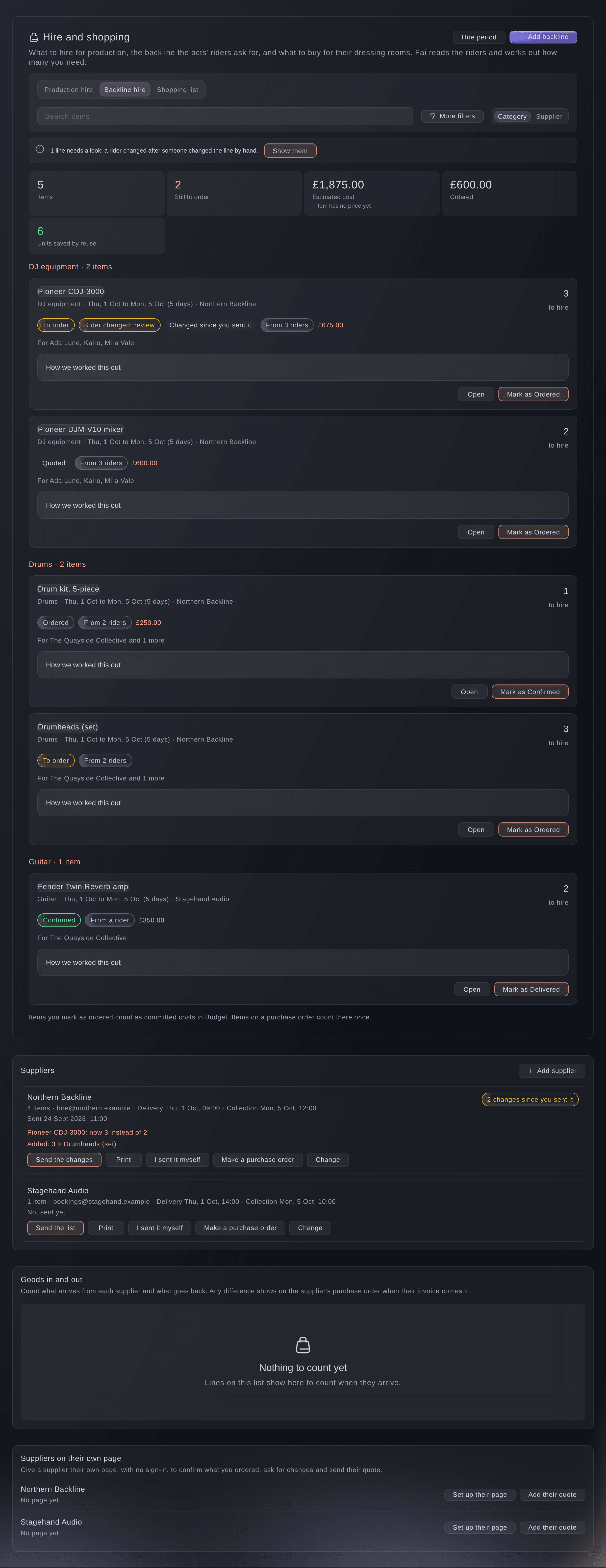
Backline hire, worked out from the riders. -
Choose the list
Choose a list at the top of Hire and shopping.
-
Read how the number was worked out
On an item, open How we worked this out.
Примечание: Each day and stage shows what is needed, what is already on the stage and what to hire. Acts on one stage and day share, so the busiest act's need counts, and an act that needs its own adds on top.
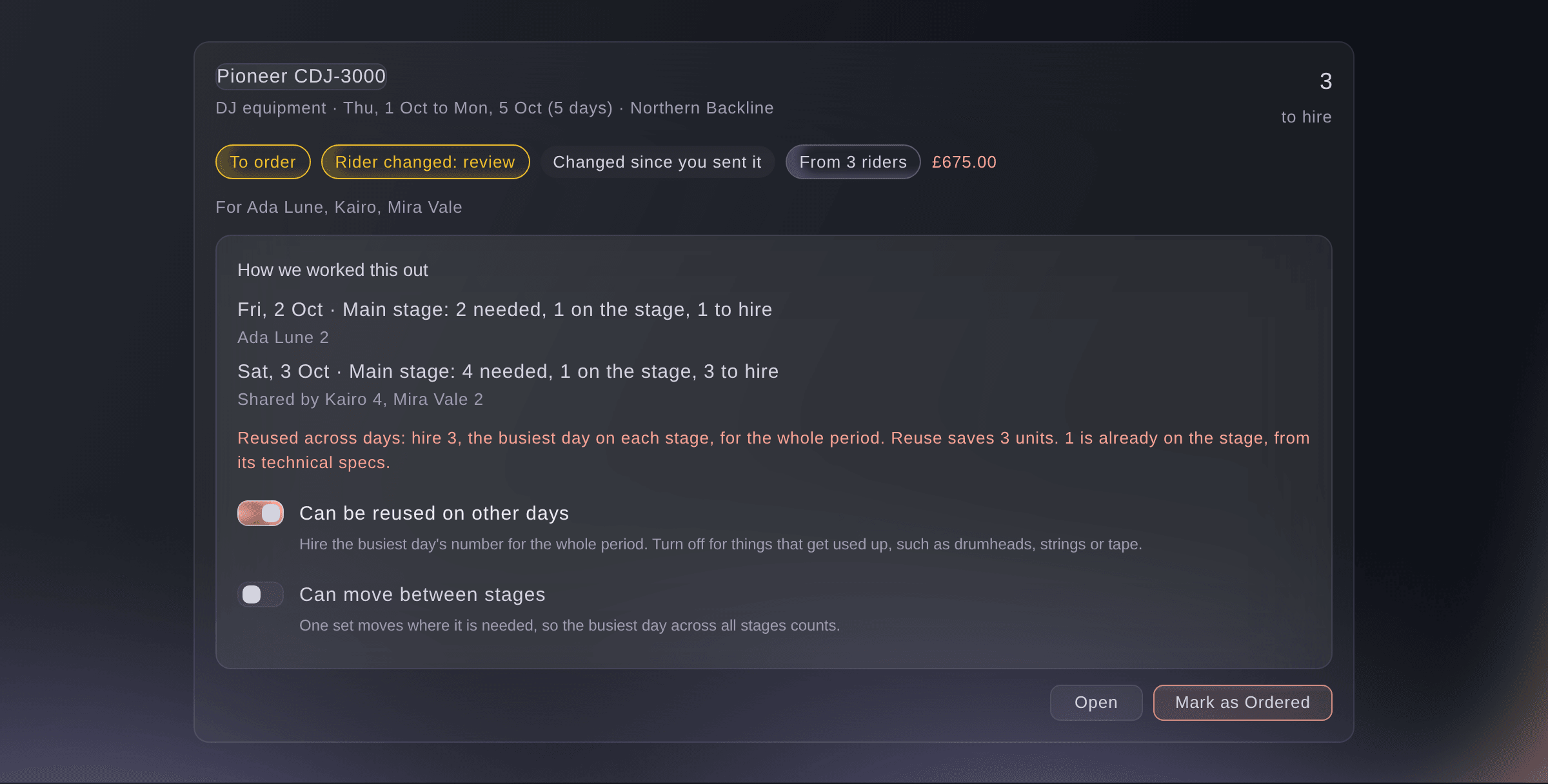
How the number of CDJs was worked out. -
Set whether an item can be reused
On the item, turn Can be reused on other days on for gear, or off for things that get used up.
Примечание: Reusable gear is hired once, for the busiest day on each stage, for the whole hire period. Things that get used up, such as drumheads, strings or tape, add up every day they are needed.
Совет: Turn on Can move between stages for gear one crew moves where it is needed, so only the busiest day across all stages counts.
-
Add production hire yourself
Choose Production hire, select Add item, enter What is needed and How many, choose Where and the Days needed, then select Add.
Примечание: Under More details: supplier, price and category, add the supplier and price now or later. An item with the same name as one on the list joins it instead of adding a second.
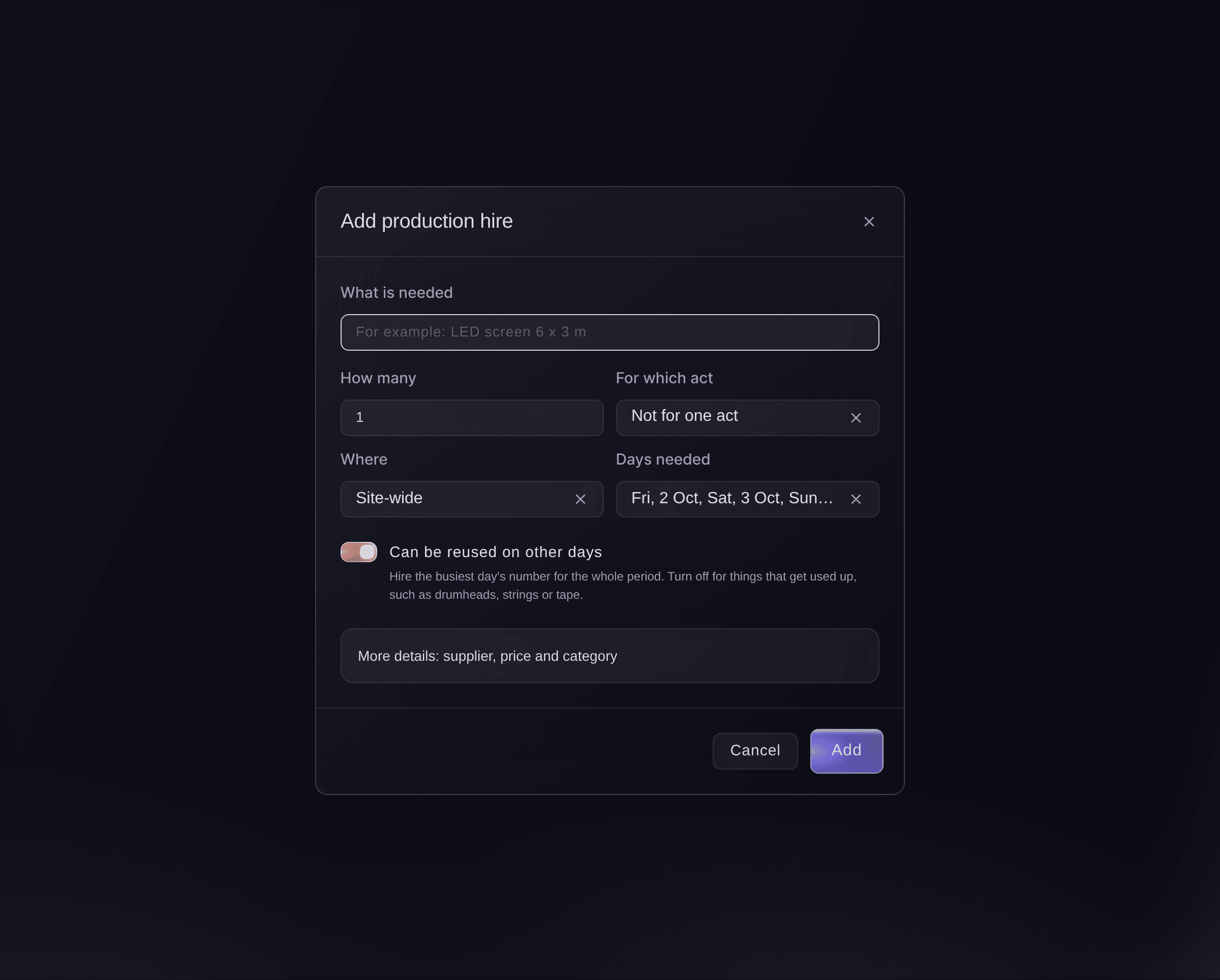
Add production hire. -
Review a rider that changed
Open an item marked Rider changed: review, then select Use the rider or Keep ours on the need.
Примечание: A rider change never overwrites a need your team changed by hand; it waits here for you. Select Change the rider to correct the rider itself on the act's advance.
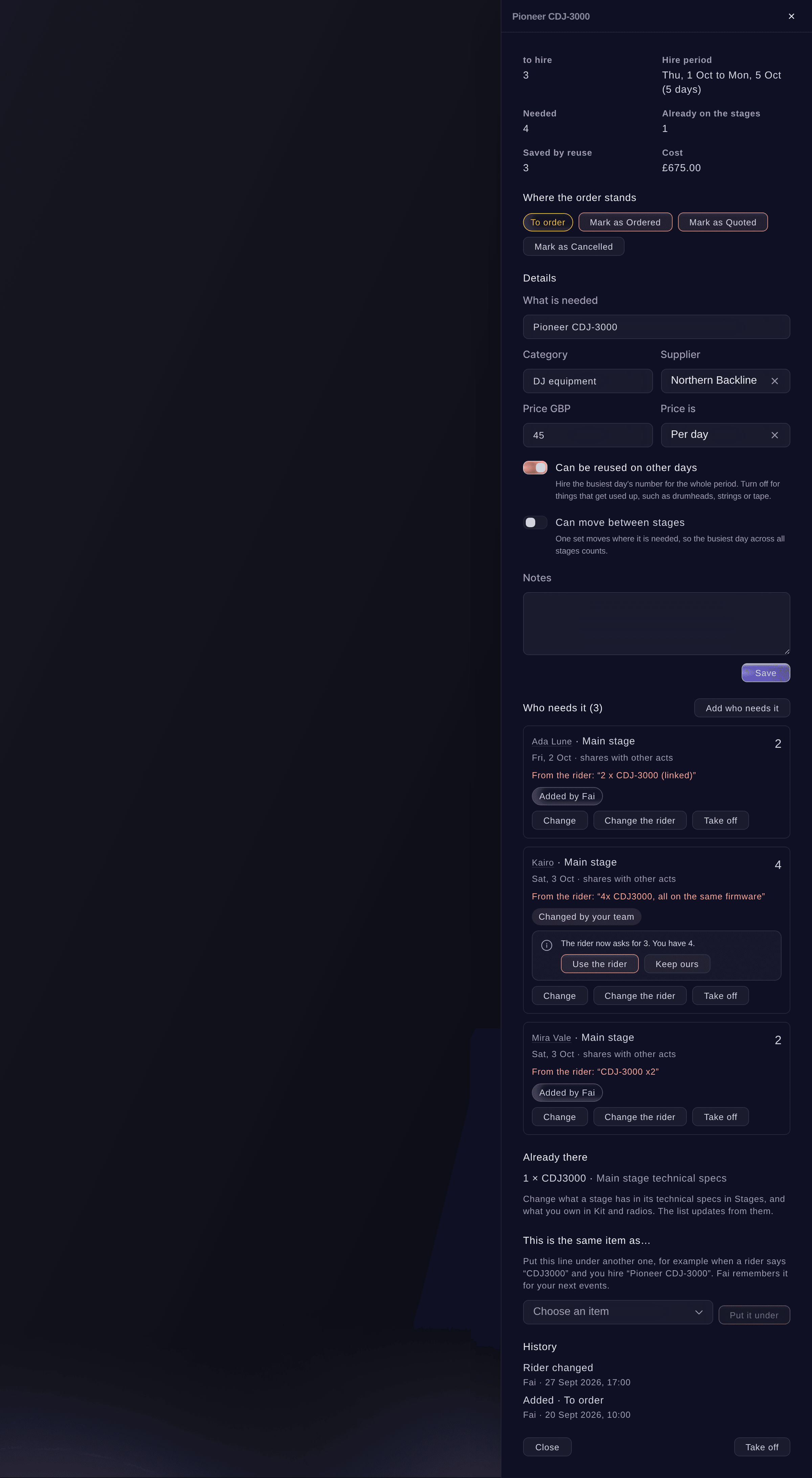
One item, with a rider change to review. -
Mark where each order stands
In the item, under Where the order stands, select the next step, such as Mark as Quoted or Mark as Ordered.
Примечание: An item goes from To order to Quoted, Ordered, Confirmed, Delivered and Returned, and can be cancelled at any open step. Items marked ordered count as committed costs in Budget.


Попробуйте эти шаги на своём мероприятии
Создайте бесплатный аккаунт, настройте мероприятие и выполните шаги выше в своей панели управления. Это займёт несколько минут, и звонок с отделом продаж не нужен.
Без платы за подключение. Без обязательной ежемесячной платы. Банковская карта не нужна.
Или поручите это помощнику
Fai reads the hire lists with how each number was worked out, adds an item or a need, changes an item's details, reuse or status, answers a rider change and puts one item under another. She shows you each change and waits for your yes first. She also reads riders as they change and suggests adding items she finds in production documents you upload.
В вашей панели, с Fai
How many CDJs do we need to hire for <EVENT NAME>, and which acts need them on which days?
Пусть Fai сделает это за вас
Fai работает внутри вашей панели Ticket Fairy. Создайте аккаунт, откройте Fai и вставьте запрос выше.
Без платы за подключение. Без обязательной ежемесячной платы. Банковская карта не нужна.
Change the hire period
-
Set the load-in and load-out days
Select Hire period, enter Days before (load-in) and Days after (load-out), then select Save.
Примечание: Every item's hire runs from its first day minus the days before to its last day plus the days after, 1 and 1 unless you change them. Per-day prices use the same days.
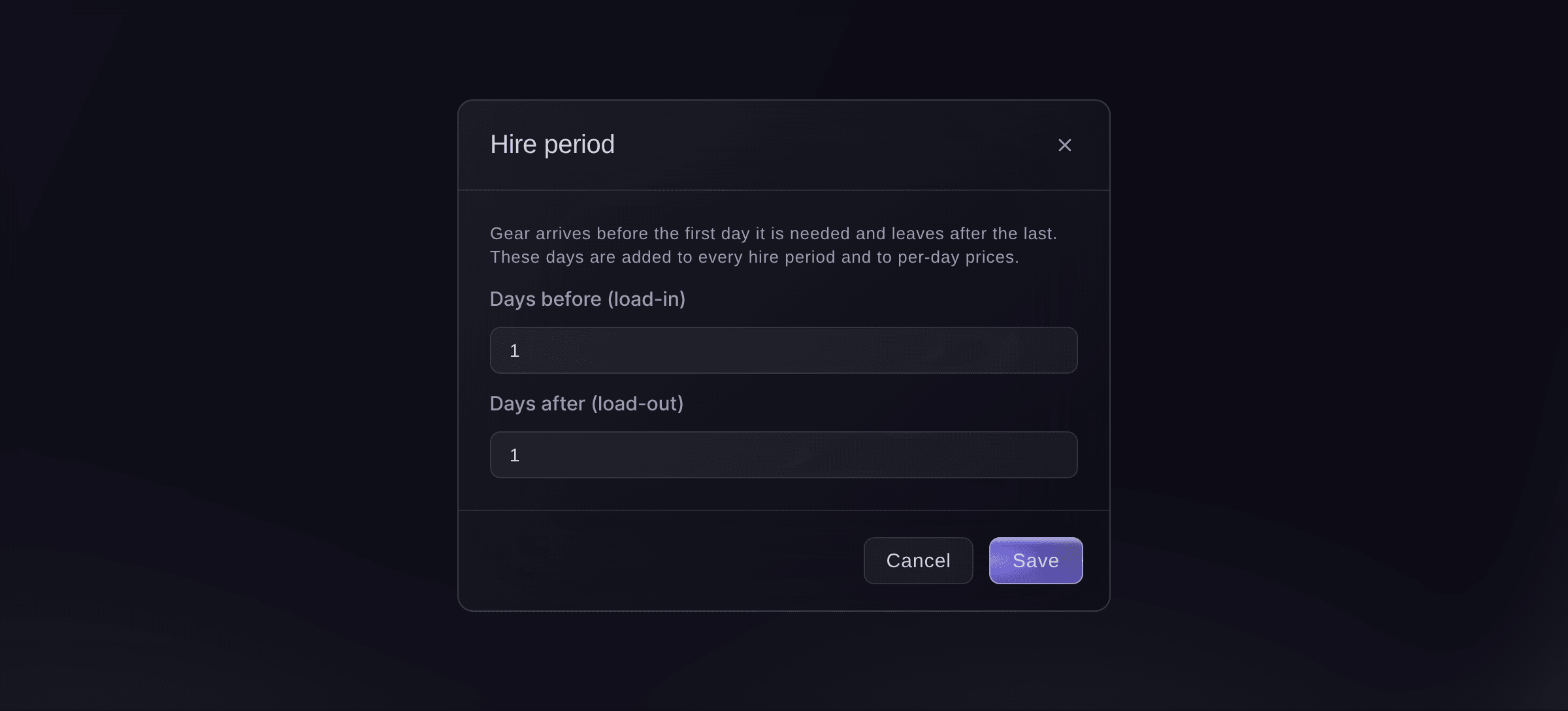
The hire period.

Fai changes the hire period when you ask, after you confirm.
В вашей панели, с Fai
Give every hire at <EVENT NAME> two load-in days before the first day
Put one item under another
-
Join the two items
Open the item a rider named differently, choose the item it is the same as under This is the same item as…, then select Put it under and confirm.
Примечание: Every need moves to the item you chose. Fai remembers the name for your brand, so the next rider that says it lands on the right item.
Fai puts one item under another when you ask, after you confirm.
В вашей панели, с Fai
CDJ3000 and Pioneer CDJ-3000 are the same thing at <EVENT NAME>, put them together
Вопросы, которые могут возникнуть
- Why is the number to hire lower than the acts asked for?
- Acts on one stage and day share, reusable gear is hired once for the busiest day, and what is already on the stage or in your own kit comes off. How we worked this out on the item shows each part of the sum.
- How does the list know what a stage already has?
- From the stage's technical specs in Stages, read line by line like a rider, and from what you own in Kit and equipment. Change them there and the list updates.
- Some rider lines did not make it onto the list. Why?
- A line that is not clear enough to count, or that says the act brings its own gear, is left off. The list says how many lines were unclear, and Open Advancing takes you to the rider to check them.
- An act has no set time yet. Does its gear count?
- Yes, on top of the rest until it has a day, because it could play at the same time as any other act. The list says how many acts are waiting for a time.
- Does the hire list add to my budget?
- Items marked ordered count as committed costs in Budget. An item on a purchase order counts there once, and an act's backline cost recorded in its booking costs counts instead of the list's share for that act.
- What if a teammate changes the same item at once?
- The second save does not overwrite the first. The item reloads with your teammate's change, and you make yours again on it.
Остался вопрос?
Запишитесь на демо, и мы ответим на него на звонке применительно к вашему типу мероприятия. Или создайте аккаунт и посмотрите сами.
Без платы за подключение. Без обязательной ежемесячной платы. Банковская карта не нужна.
Похожие руководства
Сделайте это на своём мероприятии
Создайте аккаунт, соберите мероприятие и выполните шаги в своей панели управления. Звонок в отдел продаж не нужен.