
Управление продакшеном
Share a power sheet with your event electrician
Electricians and site crews plan cable runs and water points at your event from the traders' power needs, and a spreadsheet emailed a week early is out of date by build day. A power sheet link shows each zone's pitches, amps and water as they stand now, with no trader's contact details on it.
Send your electrician a link to a sheet of every trader's pitch, the power they need in amps and whether they need water, for one zone of your event site map or the whole site. The sheet needs no sign-in, always shows the latest pitches, and you can stop the link at any time.
- Для кого
- Giving your electrician and site crew the traders' power and water needs
- Займёт
- 4 минут
Перед началом
- You need an owner, admin or producer role on the event.
- Each trader has their power and water needs in their panel, and a pitch. For a sheet of one zone, the traders are placed on pitches on the site map, inside an area you drew for the zone.
-
Open Pitches
Open the event, select Operations, select Traders in the list of sections, then select Pitches.
Примечание: Power sheets is at the top, above every trading trader's pitch, amps and water. If Traders is not in the list, select More sections and open it there.
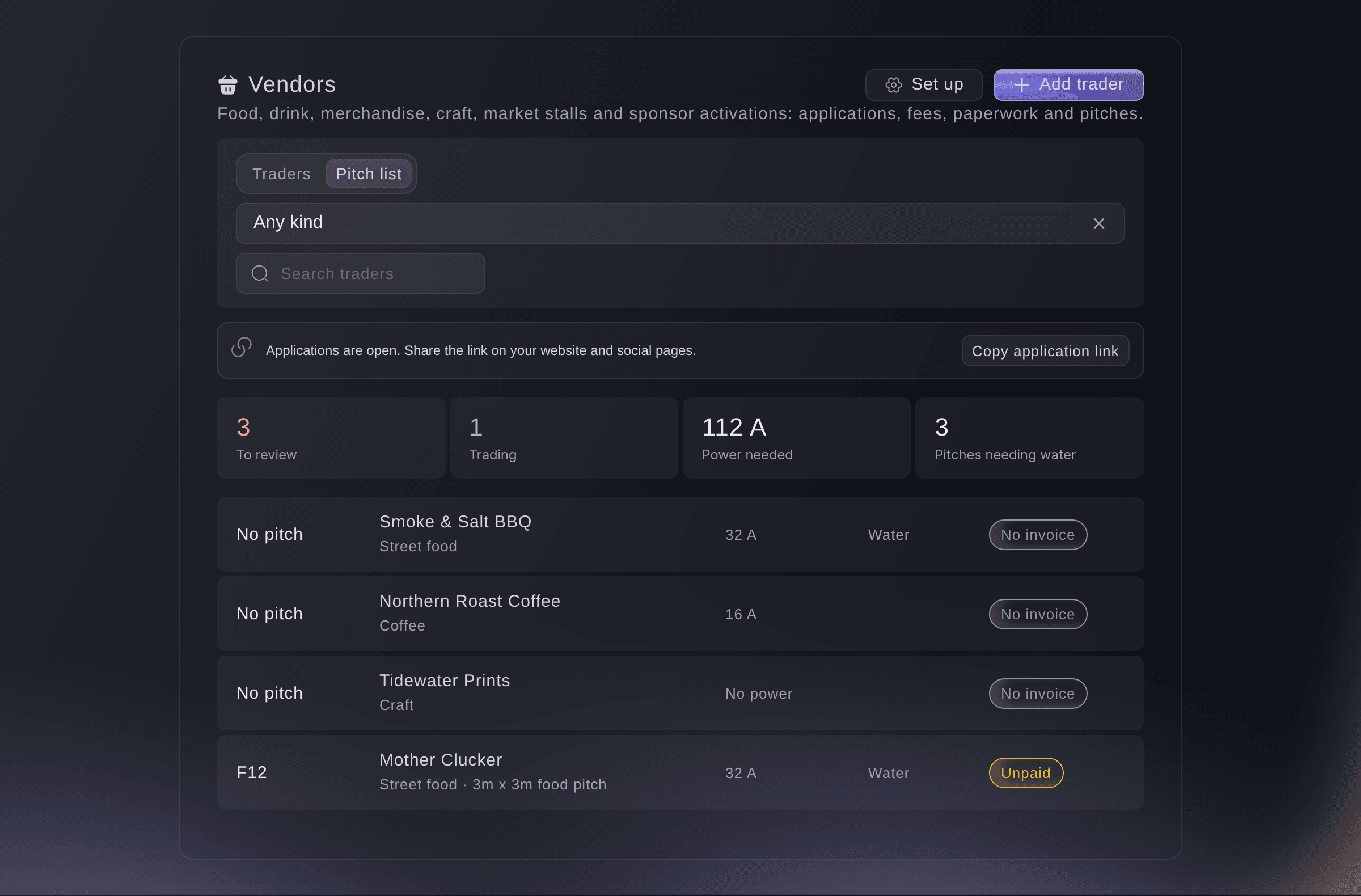
Traders, Pitches, with Power sheets. -
Choose the zone and how long the link works
Choose the Zone, or Every zone for the whole site, then choose how many days the Link works for.
Примечание: Each zone shows how many traders are in it. A link works for 3, 7, 14, 30 or 60 days, and 14 days is chosen first.
-
Make the link and copy it
Select Make link, then select Copy link and send it to your electrician.
Предупреждение: The address shows only once. If you did not copy it, stop the link and make a new one.

What your electrician sees
The power sheet lists each pitch with its trader, the amps they need and whether they need water, grouped by zone with the totals at the top. It needs no sign-in and never shows a trader's contact details.
Примечание: The sheet always shows the pitches and power needs as they are now, so a trader you move or add shows the next time it opens.

-
Check the link was opened
Look at the link under Power sheets. It shows Working until its end date, and how many times it was opened.
Попробуйте эти шаги на своём мероприятии
Создайте бесплатный аккаунт, настройте мероприятие и выполните шаги выше в своей панели управления. Это займёт несколько минут, и звонок с отделом продаж не нужен.
Без платы за подключение. Без обязательной ежемесячной платы. Банковская карта не нужна.
Или поручите это помощнику
Fai makes a power sheet link for one zone or the whole site, lists the links you have made and stops one. She waits for your yes before she makes or stops a link. The address of a new link shows once, in the dashboard.
В вашей панели, с Fai
Make a power sheet link for the food court at <EVENT NAME> that works for 14 days
Пусть Fai сделает это за вас
Fai работает внутри вашей панели Ticket Fairy. Создайте аккаунт, откройте Fai и вставьте запрос выше.
Без платы за подключение. Без обязательной ежемесячной платы. Банковская карта не нужна.
Stop a power sheet link
-
Stop the link
Select Stop link beside the link, then select Stop link again to confirm.
Примечание: Anyone with the link can no longer open the sheet. Make a new link for your electrician if they still need one.
Fai stops a power sheet link after you confirm.
В вашей панели, с Fai
Stop the power sheet link for the food court at <EVENT NAME>
Вопросы, которые могут возникнуть
- Why is there no zone to choose?
- Your site map has no areas around your pitches yet. Draw an area around each group of pitches on the site map, such as the food court, then place the traders on their pitches.
- Why is a trader missing from a zone's sheet?
- The trader is not placed on a pitch inside that zone on the site map. Place them on the map, or make a sheet for Every zone, which lists them as not on the site map.
- What does my electrician see when the link has ended?
- A page saying the link no longer works and to ask you for a new one. Make a new link and send it to them.
Остался вопрос?
Запишитесь на демо, и мы ответим на него на звонке применительно к вашему типу мероприятия. Или создайте аккаунт и посмотрите сами.
Без платы за подключение. Без обязательной ежемесячной платы. Банковская карта не нужна.
Похожие руководства
Сделайте это на своём мероприятии
Создайте аккаунт, соберите мероприятие и выполните шаги в своей панели управления. Звонок в отдел продаж не нужен.