
Управление продакшеном
Keep rider lists and notes for your event's artists
Promoters and production managers work through dozens of rider lines per artist, from backline to towels to the car from the airport. Keeping each line and the team's notes on the artist's own page means whoever is on shift can see what is still to do.
List what each artist's rider asks for, tick each item off as it is sorted, and keep your team's notes on the artist in the same place, so every rider is sorted before your event.
- Для кого
- Getting every artist's rider sorted before show day
- Займёт
- 6 минут
Перед началом
- You are an owner, admin or producer on the event.
- The artist is on the event's line-up.
-
Open the artist's rider
Open the event, select Operations, select Artists in the list of sections, select the artist, then select Hospitality Rider. The rider items are under Requirements.
Примечание: Technical Requirements and Catering work the same way for the stage and food lines of the rider. A conference calls artists speakers, and the page works the same way.
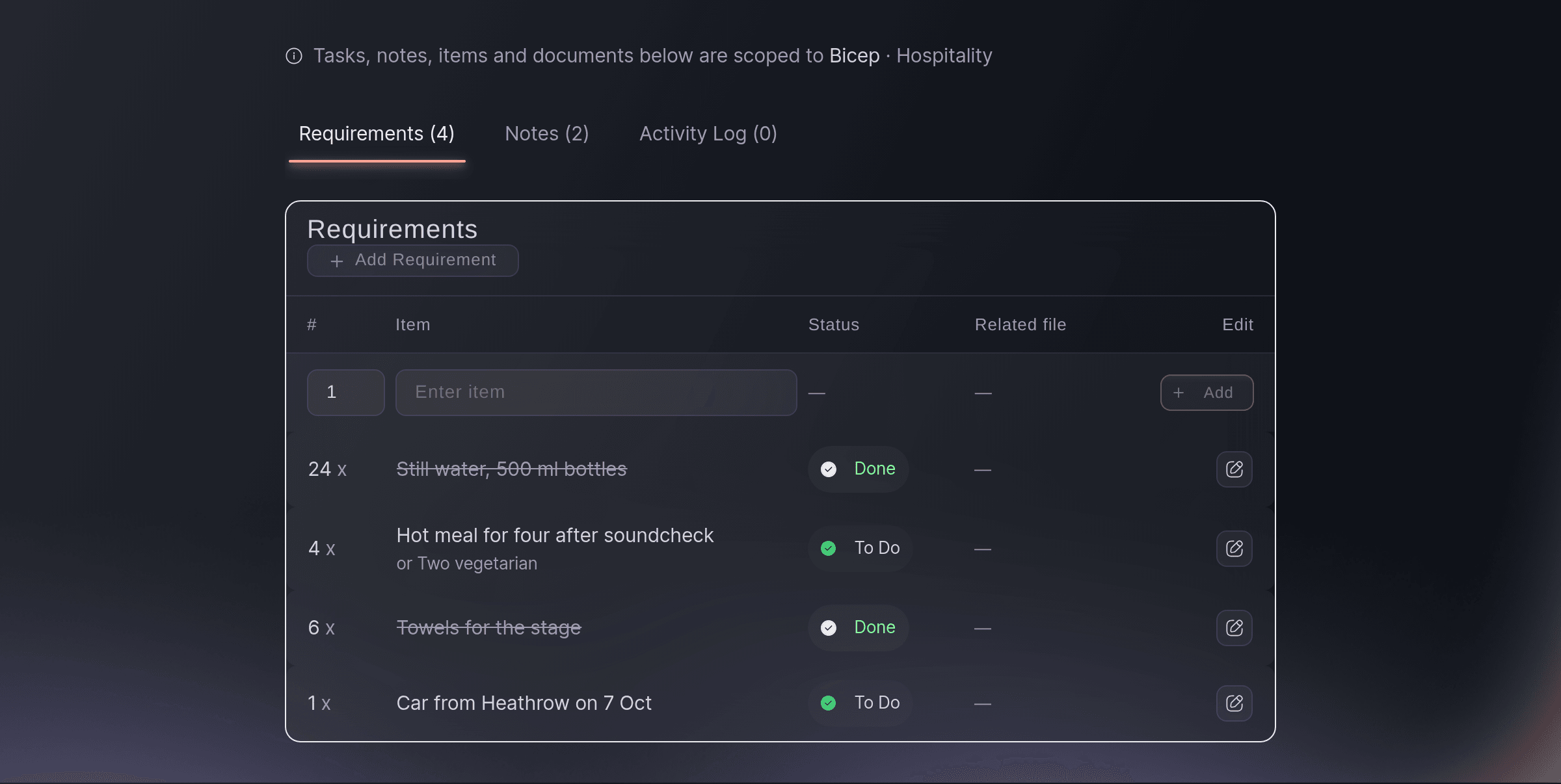
An artist's hospitality rider, item by item. -
Add each rider item
Select Add Requirement, enter how many in the number field, enter the item in Enter item, then select Add.
Примечание: Once you enter an item, a second field appears for an alternative the artist accepts, such as "or Two vegetarian". Each new item starts as To Do.
-
Tick an item off when it is sorted
Select the item's status and choose Done.
Примечание: A done item is struck through, so the lines still To Do stand out. Choose To Do again if it comes undone.
-
Add a note for the team
Select Notes, enter it under New note, then select Add note.
Примечание: Every note shows who added it and when, and your teammates see it straight away. Use the pencil beside a note to change it.
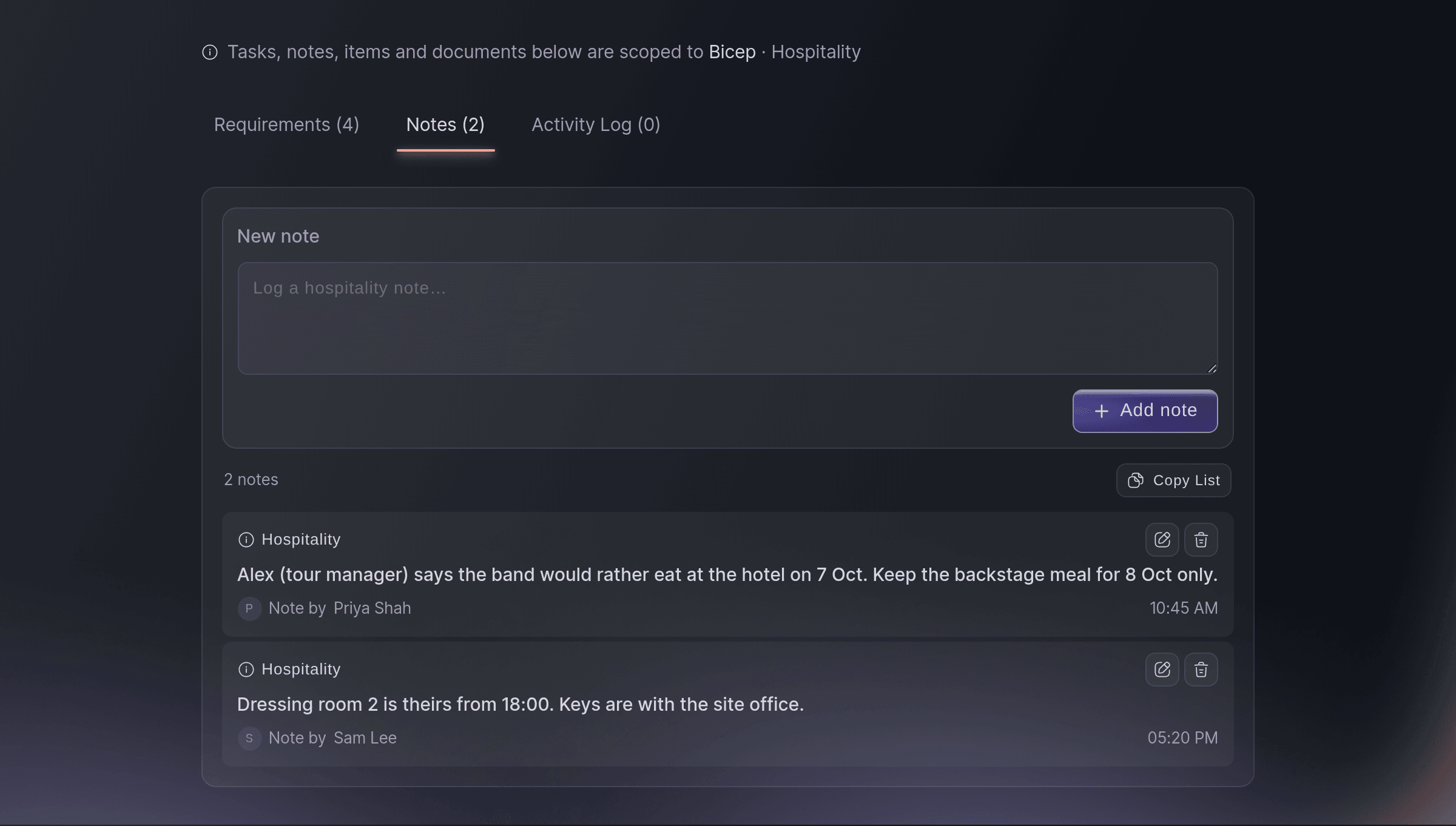
The team's notes on the same artist.

Попробуйте эти шаги на своём мероприятии
Создайте бесплатный аккаунт, настройте мероприятие и выполните шаги выше в своей панели управления. Это займёт несколько минут, и звонок с отделом продаж не нужен.
Без платы за подключение. Без обязательной ежемесячной платы. Банковская карта не нужна.
Или поручите это помощнику
Fai reads an artist's rider items and notes, adds or ticks off items and adds notes when you ask. She shows you each change and waits for your yes first.
В вашей панели, с Fai
Add "Car from Heathrow on 7 Oct" to Bicep's hospitality rider for <EVENT NAME>, and tell me what on their rider is still to do
Пусть Fai сделает это за вас
Fai работает внутри вашей панели Ticket Fairy. Создайте аккаунт, откройте Fai и вставьте запрос выше.
Без платы за подключение. Без обязательной ежемесячной платы. Банковская карта не нужна.
Add a day to the schedule
-
Add the day and its hours
On Schedule, select Add Event Day, choose the Date, set the Start time and End time, then select Add Event Day.
Примечание: The times are in the event's own time zone. A day that is already on the schedule is not added twice, so two teammates adding the same day end up with one.
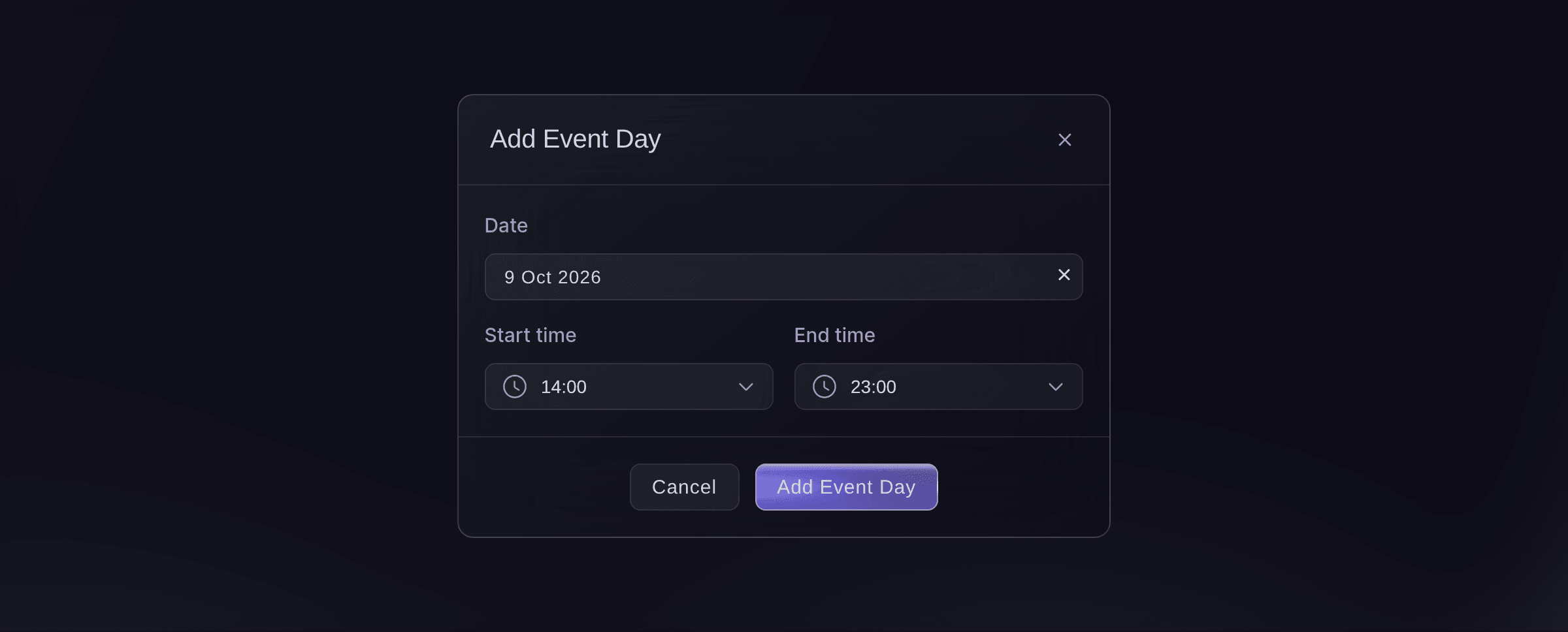
Add Event Day.

Fai adds a day and its opening hours to the event when you ask, after you confirm.
В вашей панели, с Fai
Add Sunday 9 October to <EVENT NAME>, open from 14:00 to 23:00
File a document under an artist
-
Ask Fai to file it
Ask Fai to file the document under the artist and the part of the booking it covers, such as hospitality.
Примечание: Fai can also archive a document you no longer need and restore it later; archiving keeps the file.
Fai files a document under the artist and part of the booking it belongs to, archives it or restores it, after you confirm.
В вашей панели, с Fai
File the rider I uploaded for Bicep under their hospitality on <EVENT NAME>
Вопросы, которые могут возникнуть
- Why can I not choose a date for a set?
- A set's date is chosen from the event's days, so add the day first. Add Event Day is on Schedule & Timeline while the list in front of you has no performances in it, such as on a new event.
- Can Fai fill in the rider for me?
- Fai reads the riders you upload and picks out what they ask for, and you can ask her to add the items you name to the list.
- What happens if two of us change the same item at once?
- The second save does not overwrite the first. The dashboard loads your teammate's version and offers Keep their version or Re-apply my changes.
- Who can add items and notes?
- Owners, admins and producers on the event. Other roles on the team can read them.
Остался вопрос?
Запишитесь на демо, и мы ответим на него на звонке применительно к вашему типу мероприятия. Или создайте аккаунт и посмотрите сами.
Без платы за подключение. Без обязательной ежемесячной платы. Банковская карта не нужна.
Похожие руководства
Сделайте это на своём мероприятии
Создайте аккаунт, соберите мероприятие и выполните шаги в своей панели управления. Звонок в отдел продаж не нужен.