
Управление продакшеном
Raise purchase orders and track what your event owes
Production managers and promoters commit money to staging, sound, security and performers long before the event, and lose track of who is owed what by when. Purchase orders and payments due keep every order, invoice and payment beside the event, so you can answer what is still to pay in one look.
Send suppliers a purchase order for your event, check their invoice against it, and see every deposit, balance, per diem and supplier payment that is overdue, due this week or coming up. Approved orders count as committed costs in your event budget, and you record each payment as you make it.
- Для кого
- Ordering from suppliers and paying performers and suppliers on time
- Займёт
- 9 минут
Перед началом
- You are an owner, admin or producer on the event. The event's Operations page opens for those roles only.
-
Open purchase orders
Open the event, select Operations, select Contracts, then select Purchase orders.
Примечание: When a supplier's quote is confirmed, Fai drafts an order for it and marks it Drafted by Fai.
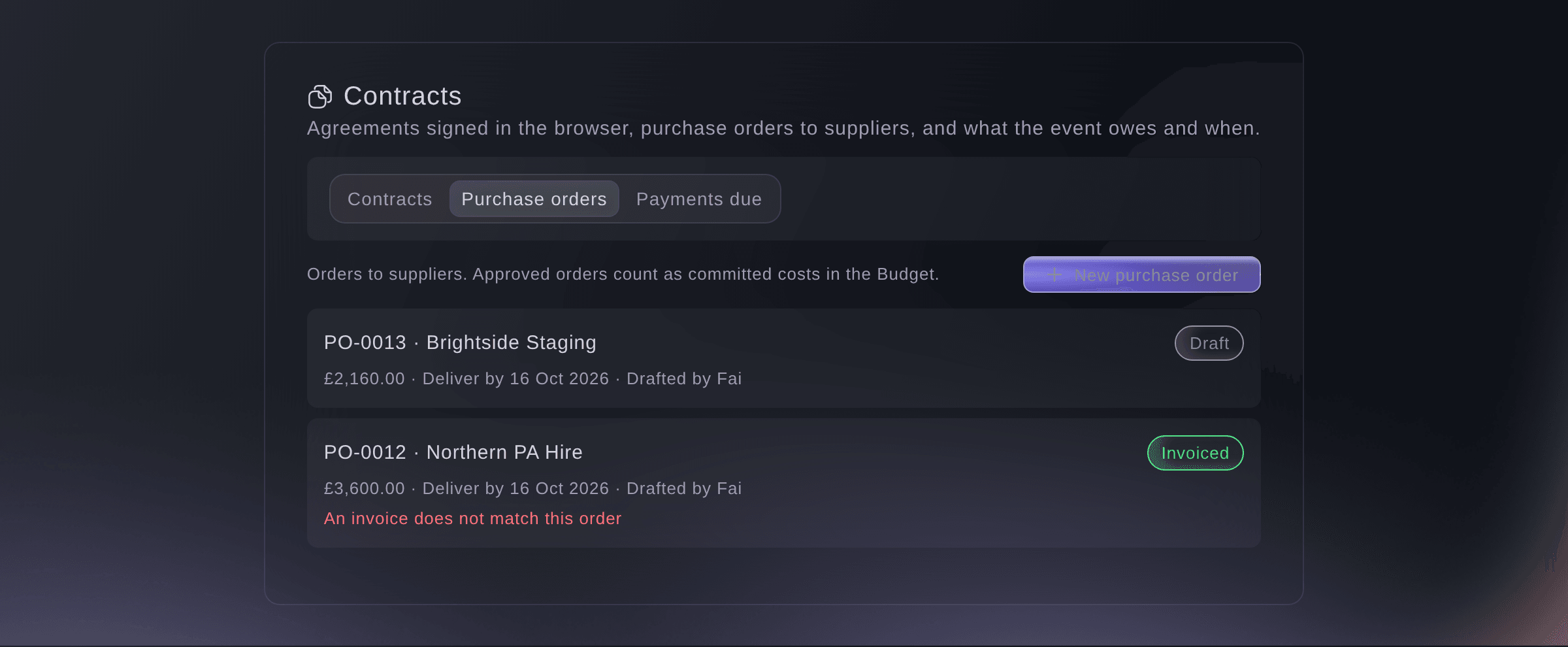
Purchase orders. -
Make a purchase order
Select New purchase order, enter the Supplier and each line of What you are ordering, then select Save as draft.
Примечание: Enter the Supplier's email to send the order from here. Under More details, set the Tax, Deliver by, Pay by and notes for the supplier.
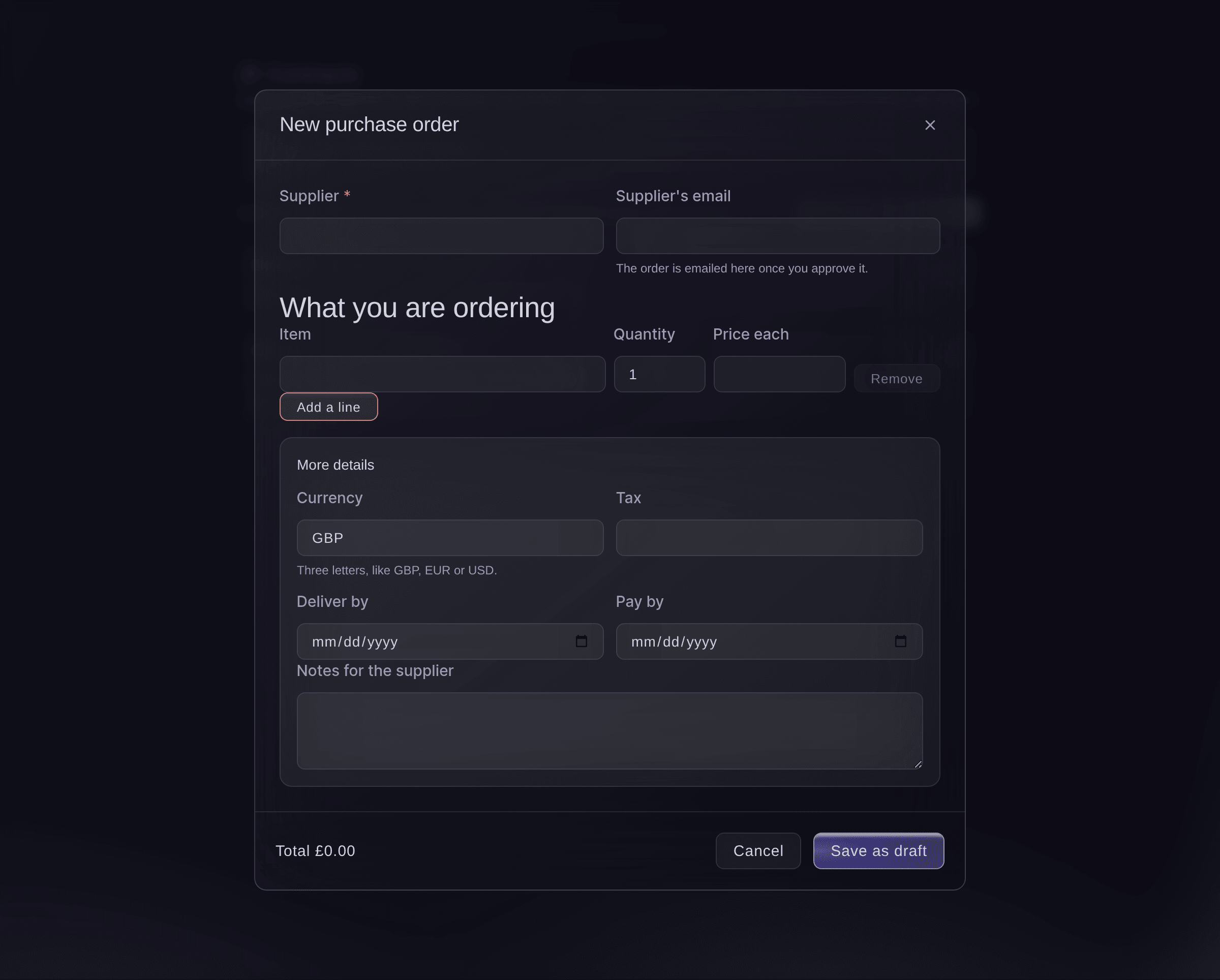
New purchase order. -
Approve the order
Open the order, check the lines and total, then select Approve.
Примечание: An approved order counts as a committed cost in the event's Budget and can no longer be changed. Select Change before you approve it if anything is wrong.
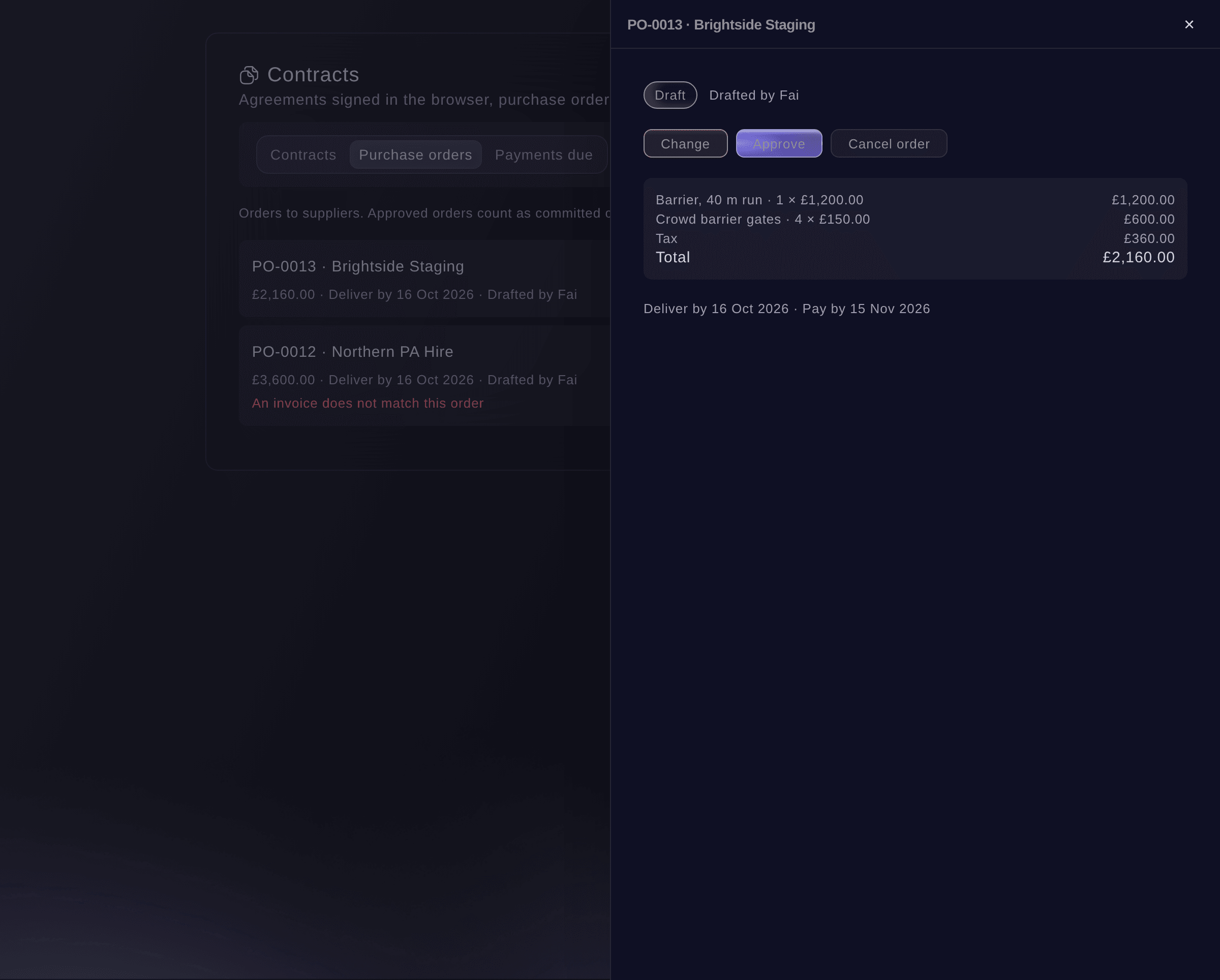
A draft order to approve. -
Send it to the supplier
Select Send to supplier, then select Send it.
Предупреждение: The email goes as soon as you select Send it.
-
Check their invoice
When the invoice arrives, open the order, select Add their invoice and choose the file.
Примечание: Upload a PDF or a photo up to 15 MB. Fai reads the total and says whether it matches the order to within 1.00 in the order's currency; enter the invoice total yourself and select Check against the order if it cannot.
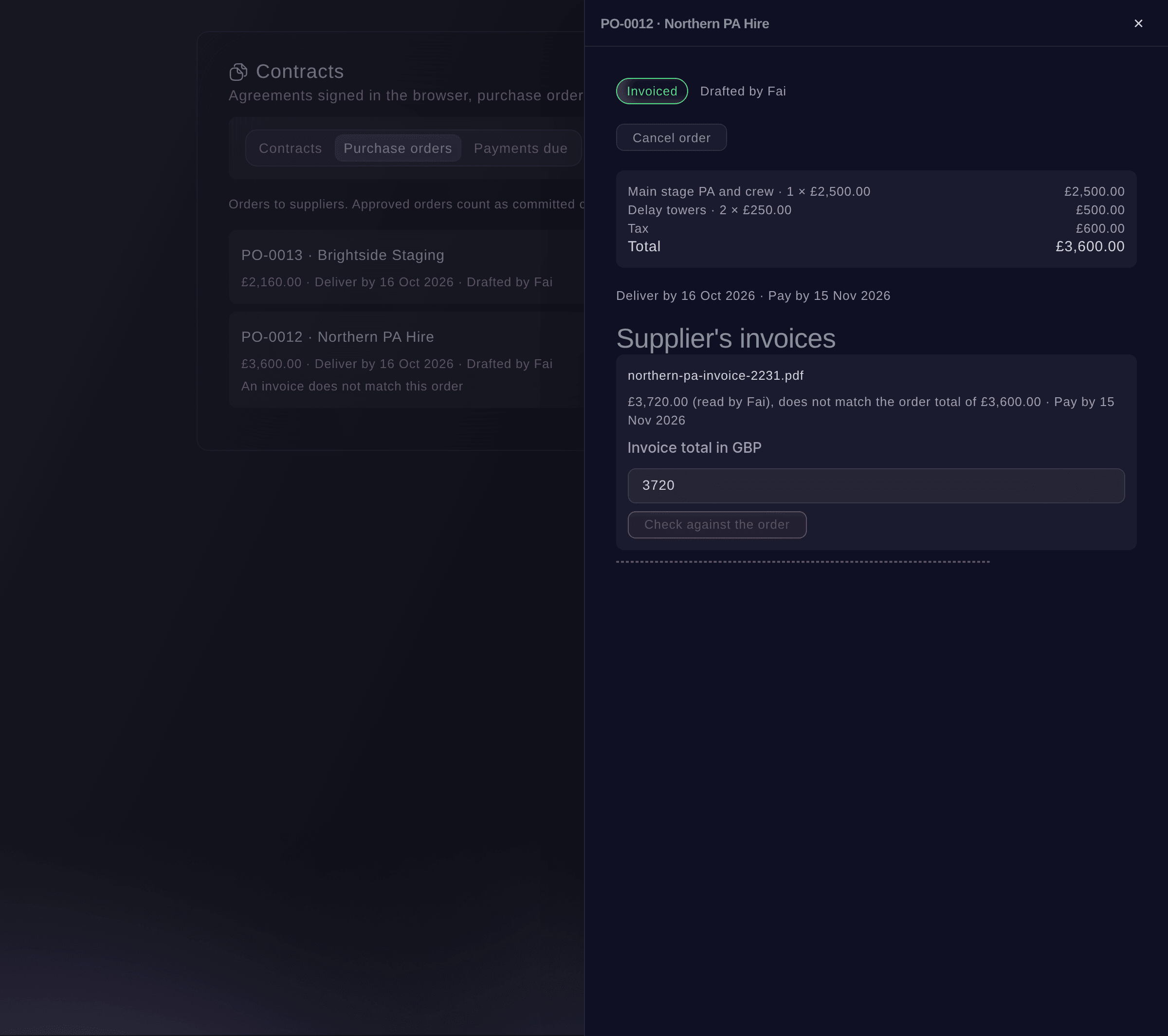
An invoice checked against its order. -
Open payments due
Select Payments due.
Примечание: Deposits and balances come from the performers' deals, per diems and backline from here, and supplier orders once approved. Each one is Overdue, Due this week, Coming up or has No due date.
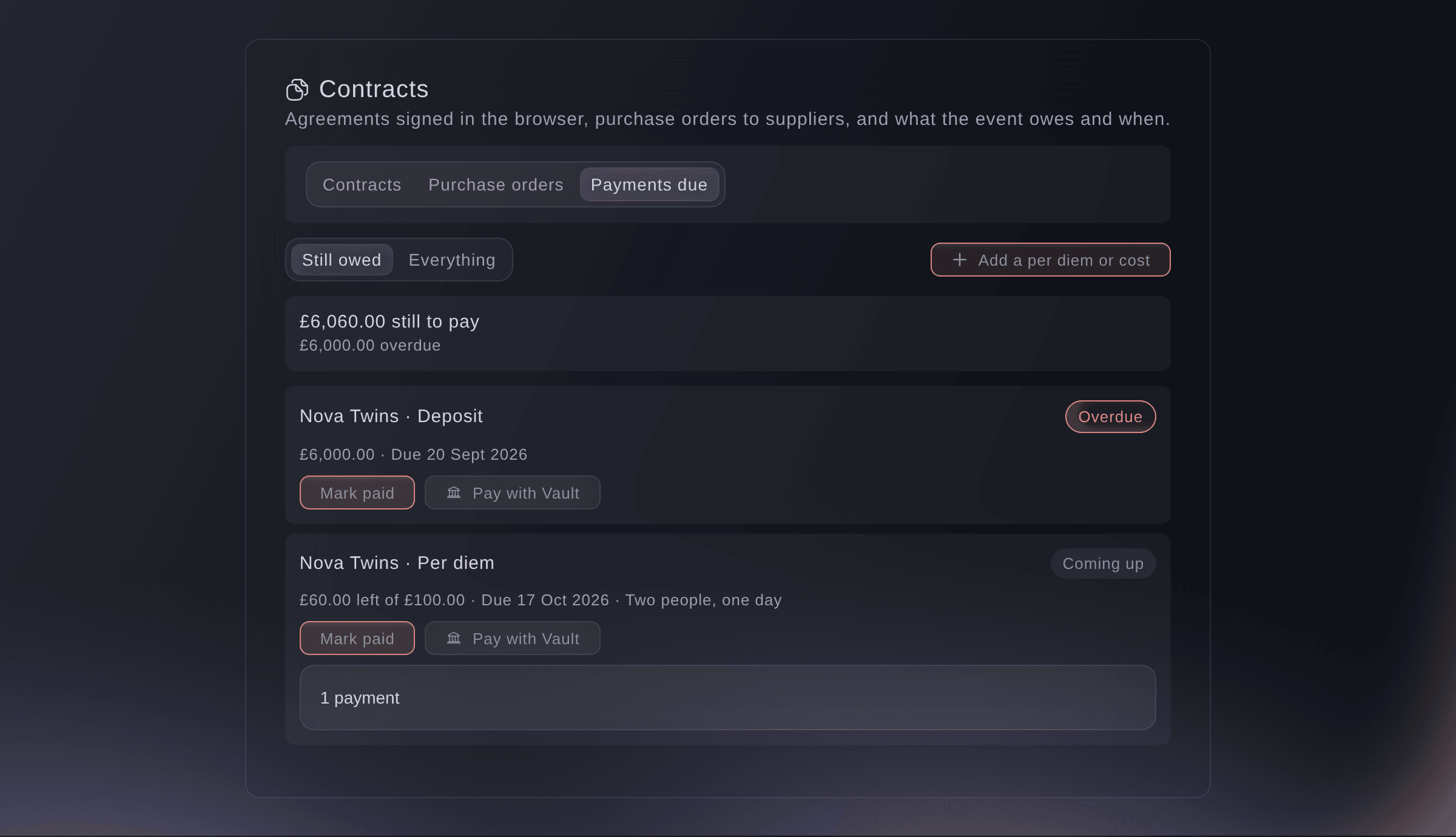
Payments due. -
Record a payment
Select Mark paid on the payment, enter the amount, Paid on and Paid by, then select Record payment.
Примечание: This records a payment you have already made and does not send money. Enter less than the full amount to record part of it.
Совет: Owners and admins of a brand with Vault see Pay with Vault, which opens a Vault transfer.
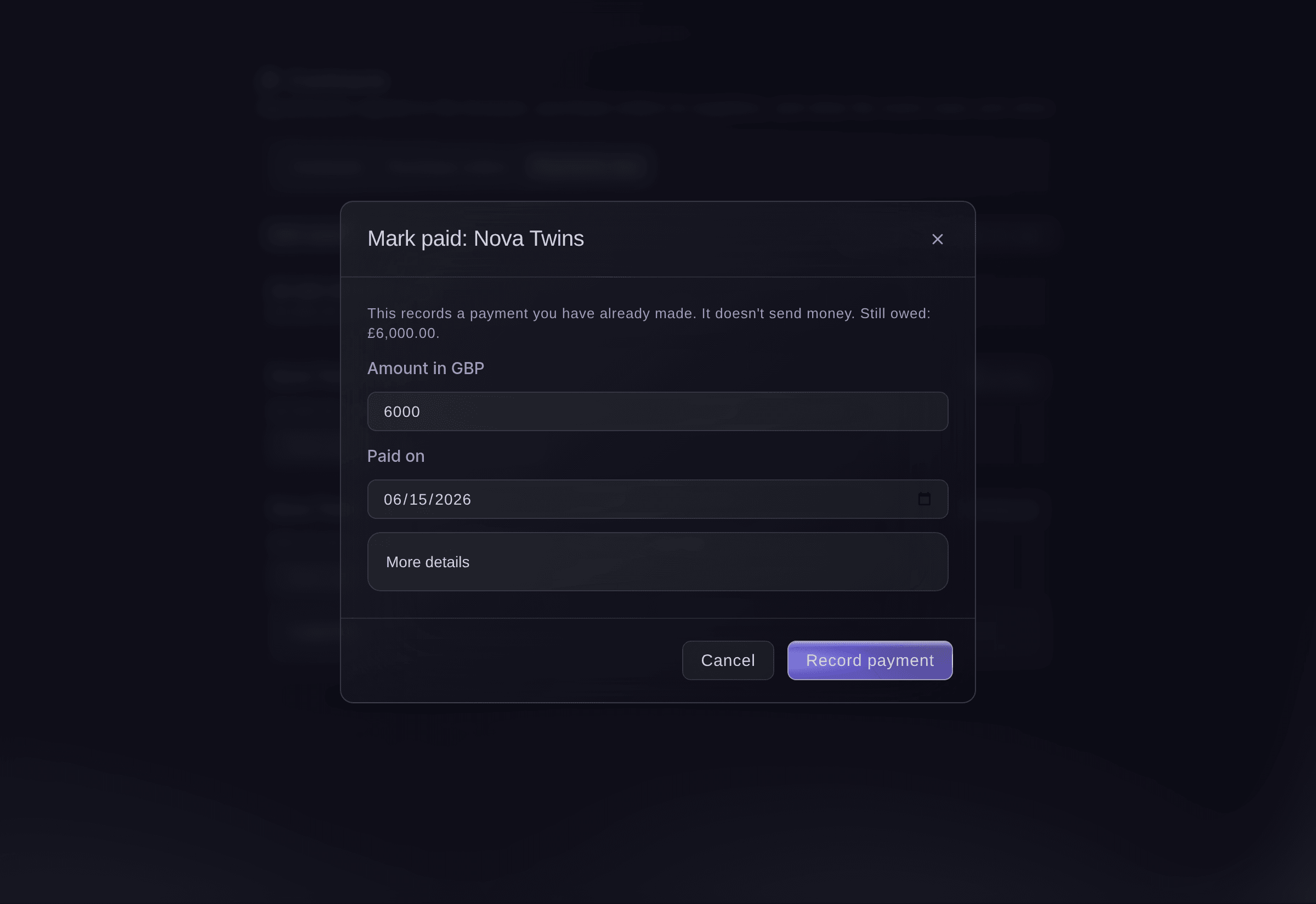
Record a payment.


Попробуйте эти шаги на своём мероприятии
Создайте бесплатный аккаунт, настройте мероприятие и выполните шаги выше в своей панели управления. Это займёт несколько минут, и звонок с отделом продаж не нужен.
Без платы за подключение. Без обязательной ежемесячной платы. Банковская карта не нужна.
Или поручите это помощнику
Fai reads your purchase orders, committed costs and payments due, drafts an order by hand or from a confirmed supplier quote, changes, approves, sends or cancels it, enters an invoice total to check it against the order, marks a payment as paid, reverses a payment and adds or removes a per diem or cost. She shows you each change and waits for your yes first. Fai records payments and never moves money; to pay from Vault she uses a Vault transfer you approve, then records it.
В вашей панели, с Fai
What does <EVENT NAME> still owe, and what is overdue?
Пусть Fai сделает это за вас
Fai работает внутри вашей панели Ticket Fairy. Создайте аккаунт, откройте Fai и вставьте запрос выше.
Без платы за подключение. Без обязательной ежемесячной платы. Банковская карта не нужна.
Add a per diem or cost
-
Add it
On Payments due, select Add a per diem or cost, choose For and What for, enter the amount, then select Add cost.
Примечание: Select Remove with a reason to take a cost off; it stays on record, marked removed.
Fai adds or removes a per diem, backline or other cost on a booking when you ask, after you confirm.
В вашей панели, с Fai
Add a 40 pound per diem for Nova Twins on Saturday at <EVENT NAME>
Reverse a payment recorded by mistake
-
Reverse it
Open the payment's history, select Reverse, enter what was wrong with it, then select Reverse payment.
Примечание: This adds a correcting entry, and the original payment stays on record.
Fai reverses a payment with your reason when you ask, after you confirm.
В вашей панели, с Fai
Reverse the cash payment I recorded for Nova Twins' per diem at <EVENT NAME>, it was a mistake
Cancel a purchase order
-
Cancel it
Open the order, select Cancel order, enter why, then select Cancel order.
Примечание: It stays on record, marked cancelled, with your reason, and no longer counts as a committed cost.
Fai cancels a purchase order with your reason when you ask, after you confirm.
В вашей панели, с Fai
Cancel PO-0013 at <EVENT NAME>, we are using a different barrier supplier
Вопросы, которые могут возникнуть
- Where do committed costs show in my budget?
- Open the event's Budget. Committed with suppliers shows the approved purchase orders, the performers' per diems and backline, and hire and shopping items marked ordered, with a link to Contracts. An item on a purchase order counts there once.
- Is this the same budget as the Budget page in the event menu?
- Yes. The Budget section and the event menu's Budget page show one budget, so a planned cost added in either shows in both.
- Does a performer's per diem count in what the act costs?
- Yes. Per diems, backline and other costs added for a performer count in the act's all-in cost on their performer page, and in the suggested total for Artists & talent in the budget, beside their agency fee, travel and hotel.
- Can I see what all my events spent?
- Yes. Open Event Operations, then Spend, for the planned and recorded costs of your brand's events in a period, your budget sections and your biggest suppliers on approved purchase orders.
- Can I see payments due across all my events?
- Yes. Open Event Operations, then Contracts, for payments due across your events and contracts across your events.
- Does Fai remind me about payments?
- When payments are overdue or due within a week, Fai suggests one task for each on Today. Paying stays your job, in Vault or your bank.
- Can I delete a payment I recorded?
- No. Reverse it instead, so the record shows both the payment and the correction.
Остался вопрос?
Запишитесь на демо, и мы ответим на него на звонке применительно к вашему типу мероприятия. Или создайте аккаунт и посмотрите сами.
Без платы за подключение. Без обязательной ежемесячной платы. Банковская карта не нужна.
Похожие руководства
Сделайте это на своём мероприятии
Создайте аккаунт, соберите мероприятие и выполните шаги в своей панели управления. Звонок в отдел продаж не нужен.