
Vault и Capital
Get a Vault statement of your event money for your accountant
Promoters closing a season and venue finance teams doing month end give their accountant a statement of the money the events brought in and paid out. Vault prepares the statement or the spreadsheet for you and keeps a record of who asked for it and who downloaded it.
Download an official PDF statement of one Vault currency, or a file of every payment in and out of your event money, for any dates up to a year, see who asked for each one, and download a letter that proves you paid an artist or supplier.
- Для кого
- Handing your accountant a record of your event money
- Займёт
- 4 минут
Перед началом
- You're an owner or an admin on the brand. Those are the two roles that reach Vault.
- Your brand has an active Vault account.
- You have your second factor to hand. Vault may ask you to confirm it's you before it prepares a statement or lets you download it.
-
Open Statements
Open Vault, then select Statements. Get a statement is at the top and Your statements lists what your team asked for.
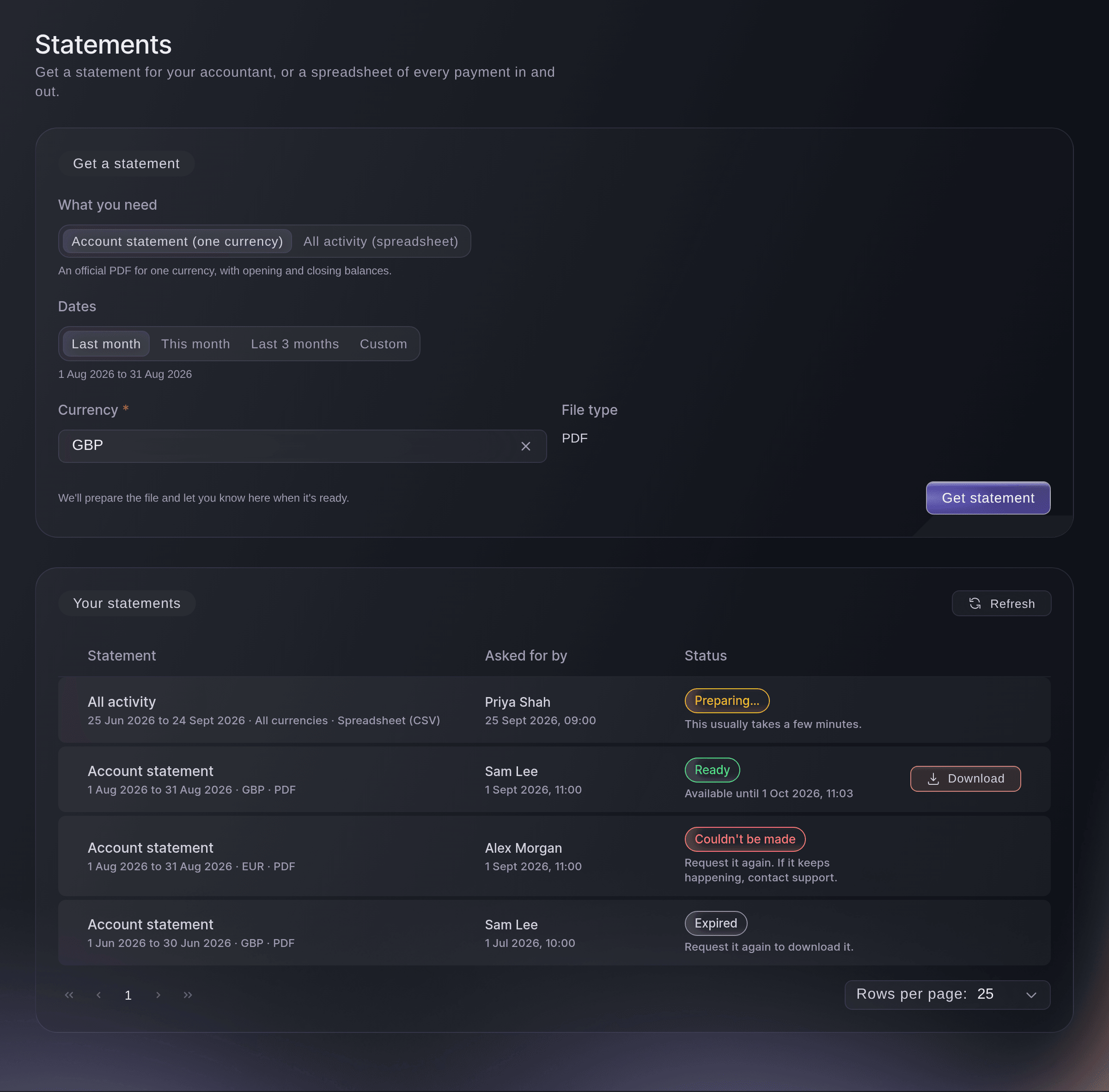
Vault, Statements. -
Choose what you need
In What you need, choose the kind of file.
-
Choose the dates
In Dates, choose Last month, This month or Last 3 months, or choose Custom and pick the first and last day.
Примечание: A statement covers up to one year and can't end in the future.
-
Choose the currency
Choose the currency in Currency. For all activity you can choose All currencies.
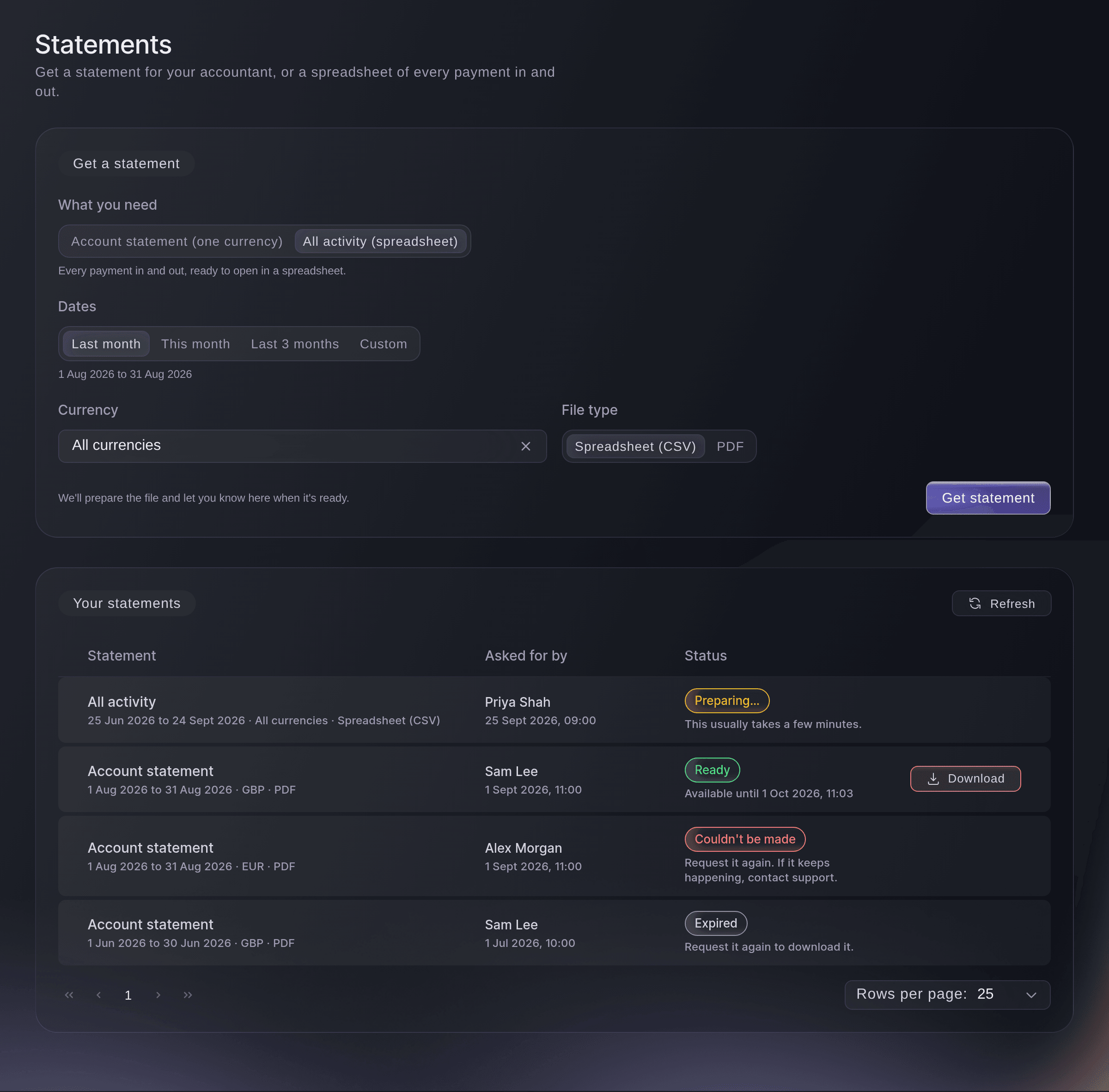
Get a statement, with All activity chosen. -
Choose the file type
For all activity, choose Spreadsheet (CSV) or PDF in File type. An account statement is always a PDF.
-
Select Get statement
Select Get statement.
We're preparing your statement. It will appear below when it's ready.
confirms it, and it joins the list as Preparing…. -
Download it when it is ready
When the status says Ready, select Download on its row. The file saves to your computer.
Примечание: Preparing usually takes a few minutes. A ready file can be downloaded for 30 days, and the row says until when.
Попробуйте эти шаги на своём мероприятии
Создайте бесплатный аккаунт, настройте мероприятие и выполните шаги выше в своей панели управления. Это займёт несколько минут, и звонок с отделом продаж не нужен.
Без платы за подключение. Без обязательной ежемесячной платы. Банковская карта не нужна.
Или поручите это помощнику
Fai, the assistant inside your dashboard, can ask Vault for a statement or an activity export after you agree, and tell you when it is ready. You download the file yourself on the Statements page. MCP and the command line have no statement commands.
В вашей панели, с Fai
Get me a PDF statement of our GBP Vault balance for last month for <BRAND NAME>
Пусть Fai сделает это за вас
Fai работает внутри вашей панели Ticket Fairy. Создайте аккаунт, откройте Fai и вставьте запрос выше.
Без платы за подключение. Без обязательной ежемесячной платы. Банковская карта не нужна.
Download proof that you paid someone
-
Open the payment
Open Vault, select Transfers, then select the recipient's name on the payment's row to open Transfer details.
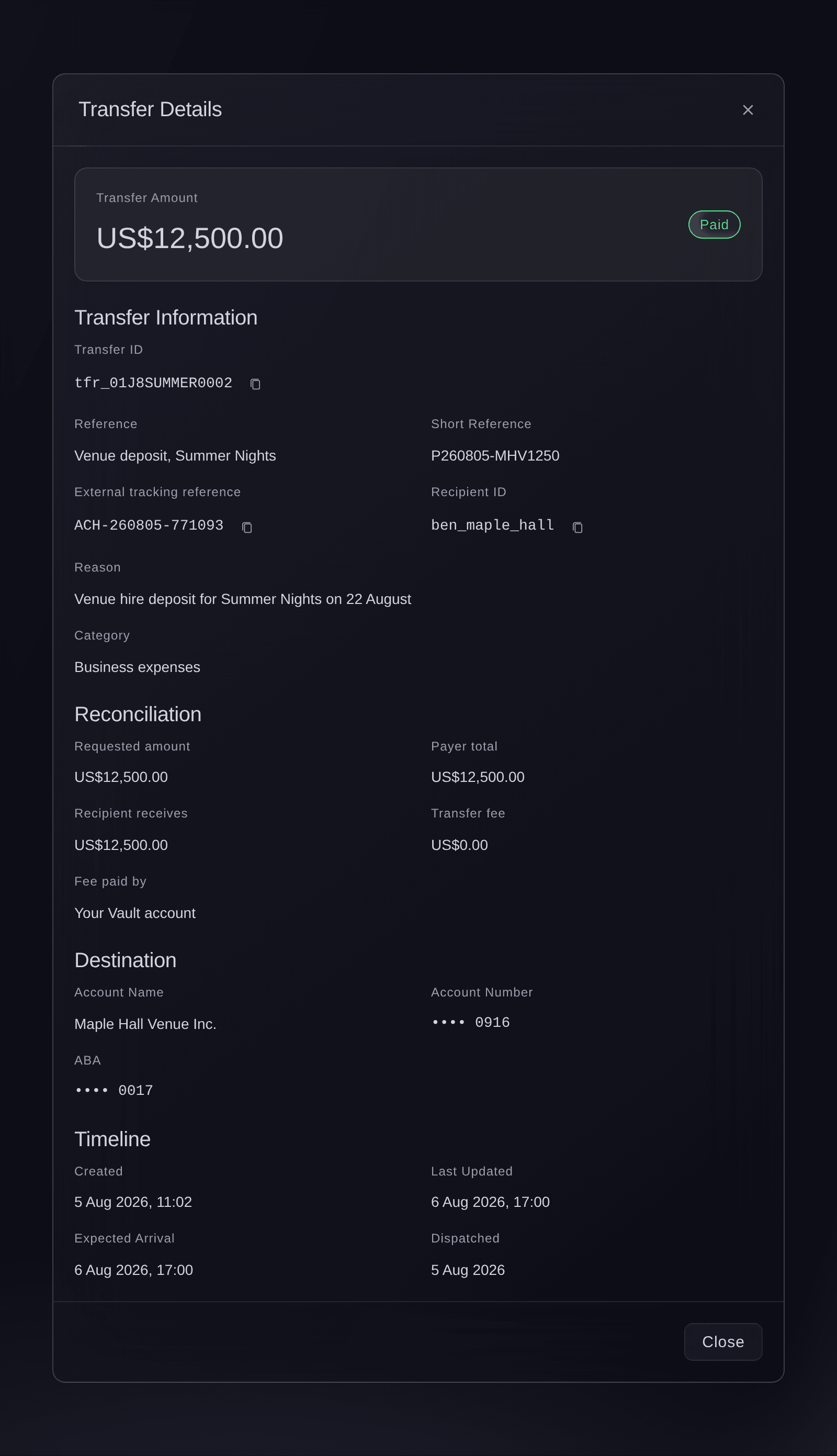
Transfers, Transfer details. -
Select Download payment confirmation
Select Download payment confirmation. A PDF letter confirming the payment saves to your computer, ready to send to the artist, agent or supplier.
Примечание: The button shows on a payment that was sent. Vault records who downloaded each letter and when, in the brand's activity log.
You download a payment confirmation yourself in Transfer details. Fai can find the payment and tell you whether it was sent.
В вашей панели, с Fai
Did our Vault payment to <RECIPIENT> for <AMOUNT> go through, and when was it sent?
Вопросы, которые могут возникнуть
- Why does my statement say Couldn't be made?
- Vault couldn't prepare it. Ask for it again, and contact Ticket Fairy support if it keeps happening.
- My statement says Expired. Can I still get it?
- Yes. A file stays available for 30 days after it is ready, so ask for the same dates again with Get statement.
- Why does the list ask me to confirm it's me?
To check on statements that are still being prepared, confirm it's you.
means Vault needs your second factor to check progress. Select Check progress and confirm.- Why can't I choose a spreadsheet for an account statement?
- The official account statement is made only as a PDF. Choose All activity (spreadsheet) for a file to open in a spreadsheet.
- Can I get a statement for one event?
- A statement covers your Vault balance for a period, not one event. For one event's money, open it under Events, as See what your event earned and when you get paid shows.
- Who can see that I downloaded a statement?
- Each request shows who asked for it, and Vault records every download with who made it and when, in the brand's activity log. If Vault can't record the download, it stops the download and asks you to try again.
- Is there a limit on how many statements I can ask for?
- Yes, 20 an hour for a brand.
You've asked for a lot of statements in the last hour. Try again later.
appears when you reach it.
Остался вопрос?
Запишитесь на демо, и мы ответим на него на звонке применительно к вашему типу мероприятия. Или создайте аккаунт и посмотрите сами.
Без платы за подключение. Без обязательной ежемесячной платы. Банковская карта не нужна.
Похожие руководства
Сделайте это на своём мероприятии
Создайте аккаунт, соберите мероприятие и выполните шаги в своей панели управления. Звонок в отдел продаж не нужен.